 Live Claude Code Bootcamp
The Claude Code OS Bootcamp for creators
Learn how to master Claude Code in 4 weeks and build your own AI Operating System (AI OS) to automate your business and life.
Join the founding member cohort and walk away with your AI OS powered by Claude Code, the brain of your creator business.



Trusted by creators & founders from ambitious brands


















Why you need to build your
AI Operating System in 2026
If we haven't met before… hey, my name's Navid 👋
I'm the founder of Creator School AI, and I help creators and founders build their own AI Operating System (AI OS).
An AI OS turns Claude Code into the brain of your business. It connects to your tools, automates your business and life, and does the actual work for you. No more copy-paste from a chatbot.
I created the Claude Code OS Bootcamp because this is what I wish I had when I started using Claude Code.
And it's quite an understatement to say I'm a power user.
Here's what 2 months of that looks like:
You’ve used ~344× more tokens than The Lord of the Rings.
(I started on the $20/mo Pro plan)
Same usage on the Anthropic API would’ve cost $0.
I'm not the only one. Creators and founders use Claude Code to write their newsletters, post their content, build their sites, run their launches, and create custom tools for their audience.
I built my entire business with it… and I even replaced Kit, ThriveCart, WordPress (or any funnel builder like ClickFunnels / High Level), Circle/Skool, and pretty much every legacy tool I used.
Everything you see on this page was built by me using Claude Code. No tech team. No developers.
You don't need to know how to code. You need to know how to set it up.
Learning Claude Code and building your own AI Operating System (AI OS) in 2026 is like buying Bitcoin in 2016 or 2017.
Don't miss out on this once-in-a-lifetime opportunity (again).
The ones winning right now aren't using AI. They're running their entire business through it.
That's what the Claude Code OS Bootcamp teaches. Not another AI course. Your own AI OS.
What you'll
walk away with
This isn't about learning another AI tool. It's about building your own AI Operating System with Claude Code as the brain of your creator business.
Claude Code OS Bootcamp gives you the systems, workflows, and skills to master Claude Code in 4 weeks.
You'll learn how to build custom skills, plugins, sub-agents, hooks, connectors (MCPs & CLIs), and full automation that turn Claude Code into your AI OS.
Here's what you'll walk away with:

AI-powered content creation
Create high-quality content in record time with ChatGPT, Claude, and smart repurposing workflows.

Visual creation & branding
Design scroll-stopping visuals and branded content using tools like Midjourney, Canva, and ChatGPT's image features.

Audience growth & monetization
Turn attention into income using AI-powered funnels, email sequences, and digital offers that convert.
Creator workflows & toolkits
Get the exact prompts, tools, and systems top creators use to produce, publish, and scale with AI.

Productivity & automation
Streamline your business with AI agents and systems that handle tasks, content, and workflows for you.
The future of AI for creators
See what's next... from personal AI clones to smart AI agents that help you create, sell, and support on autopilot.
AI-powered content creation
Create high-quality content in record time with ChatGPT, Claude, and smart repurposing workflows.
Audience growth & monetization
Turn attention into income using AI-powered funnels, email sequences, and digital offers that convert.
Productivity & automation
Streamline your business with AI agents and systems that handle tasks, content, and workflows for you.
Visual creation & branding
Design scroll-stopping visuals and branded content using tools like Midjourney, Canva, and ChatGPT's image features.
Creator workflows & toolkits
Get the exact prompts, tools, and systems top creators use to produce, publish, and scale with AI.
The future of AI for creators
See what's next... from personal AI clones to smart AI agents that help you create, sell, and support on autopilot.
How does Claude Code OS
Bootcamp compare?
You want real Claude Code experience and your own AI OS that makes Claude Code the brain of your business.
To get there you need a step-by-step implementation program, hands-on Claude Code workflows you can run from day one, and a community of creators and founders backing you up. Not just another AI course or Skool community with scattered prompts.
So don't settle for less than the best.
 gws
gws Kit
Kit Substack
 X
X YouTube
 Stripe
 Notion
 Higgsfield
 HeyGen
 Vercel
What's included
in the bootcamp?
Claude Code OS Bootcamp gives you everything you need to master Claude Code in 4 weeks and build your own AI Operating System (AI OS) to automate your business and life.
You'll learn how to build custom skills, plugins, sub-agents, hooks, MCPs, and full automation that turn Claude Code into your AI OS. Plus a private community of creators and founders building their own AI OS alongside you.
No wasted time. No scattered tutorials. Just the complete roadmap to build your own AI OS powered by Claude Code as the brain of your creator business.
Claude Codev2.1.138gwsNotionKitSubstackXYouTube Vimeo
Vimeo WordPressStripe
 ThriveCartHiggsfieldHeyGen
 ElevenLabs
 HyperFrames
 Gemini Image
 NotebookLM
 Perplexity
 Firecrawl
 ApifyVercel
 Supabase
Here's a detailed overview of everything you'll get as part of the Claude Code OS Bootcamp.
8 live Claude Code workshop sessions
You'll get 8 live workshop sessions with Navid over the 4 weeks of the Claude Code OS Bootcamp, 2 sessions every week. Each session walks through one core part of your AI OS that you build live on the call.
The bootcamp takes you from Claude Code beginner to advanced, leaving you with a real AI OS that runs your business on autopilot.

Note: Every live Claude Code workshop session is recorded and added so you can watch anytime, even if you can't make it live.
Note: Every live Claude Code workshop session is recorded and added so you can watch anytime, even if you can't make it live.
Set up Claude Code from scratch
Week 1 · Session 1
Install Claude Code and get your AI OS ready to handle real work from day one.
Build custom Claude Code skills
Week 1 · Session 2
Build reusable skills that run your weekly work in minutes instead of hours.
Connect Claude Code to every tool
Week 2 · Session 1
Connect Claude Code to Kit, Substack, Notion, Calendly, Stripe, and every tool you use.
Automate Claude Code with hooks and plugins
Week 2 · Session 2
Add hooks for automation and bundle your full setup into plugins your team can share.
Run parallel Claude Code sub-agents
Week 3 · Session 1
Spawn parallel Claude Code agents to research, draft, and review at the same time.
Put Claude Code on autopilot 24/7
Week 3 · Session 2
Schedule Claude Code work in the cloud so it runs while you sleep and your laptop is off.
Run Claude Code from your phone
Week 4 · Session 1
Text your AI OS from anywhere to keep work moving while you travel or step away.
Take your AI OS into production
Week 4 · Session 2
Move from experiments to production with your 90-day roadmap to keep growing every week.
4 live Q&A sessions
You'll get 4 dedicated live Q&A sessions (60-90 minutes each) with Navid over the 4 weeks of the Claude Code OS Bootcamp. This is where you always have a place to ask the questions you couldn't fit into the training sessions.
Bring the workflow you're trying to wire up, the prompt that isn't behaving, or the strategic question about how to run your business on Claude Code. Navid walks through your specific setup live, in front of the cohort.
By the end of every week you'll have answers to the exact questions blocking you, and you'll start the next week with a clear path forward.
Note: Every live Q&A session is recorded and added so you can watch anytime, even if you can't make it live.
Note: Every live Q&A session is recorded and added so you can watch anytime, even if you can't make it live.
Live Q&A #1
Week 1
Bring your Claude Code workspace, your install issues, and any setup questions you have. Open call to get everyone moving before week 2.
Live Q&A #2
Week 2
Skill design, plugin packaging, hook patterns. Bring code or a screen-share question.
Live Q&A #3
Week 3
Connector + MCP debugging. Auth issues, missing endpoints, and "how do I wire X into Claude" questions.
Live Q&A #4
Week 4
Final Q&A. Production patterns, your 90-day roadmap, and what to build next after the cohort wraps.
Claude Codev2.1.138Claude Code OS Resource Vault
Every live workshop session, Q&A, and expert workshop turned into audio you can listen to on the go, full transcripts you can search, and action guides that turn each lesson into something you can implement that same day.
Search the transcript when you forget what Navid said about MCPs in week 3, listen anywhere, and skip the rewatch. The vault stays organized so you can move at your own pace without losing time scrubbing video.
Note: You'll get access to the audio files, transcripts, and action guides as each session is released throughout the Claude Code OS Bootcamp, with some added after the cohort ends.
Note: You'll get access to the audio files, transcripts, and action guides as each session is released throughout the Claude Code OS Bootcamp, with some added after the cohort ends.

Workshop Audios
Download MP3 files of every workshop session so you can listen on the go.

Workshop Transcripts
Get full text transcripts of every workshop session so you can search, scan, and reference quickly.

Action Guides
Step-by-step implementation guides to help you take action on what you learn.
Bonus bootcamp resources
Aside from the main live training sessions, weekly Q&As, and Resource Vault of Claude Code OS Bootcamp, you also get special bonuses so you can build your own AI OS even faster...
Note: Some bonus resources are only included in Bootcamp Pro and Bootcamp Max.
Claude Skills & Plugins Libraryplugin: xxyoutube instagramheygenhyperframesgoogle-workspace
Claude Code Skills & Plugins Library
Get instant access to a growing library of Claude Code skills and plugins built specifically for creators and founders.
Each skill is a tested, ready-to-run capability that extends what Claude can do for your business.
You add them to Claude Code once and call them by name whenever you need that workflow run on demand.
Claude Skills & Plugins Libraryplugin: xxyoutubeinstagramheygenhyperframesgoogle-workspaceNote: You'll get instant access to the starter set of Claude Code skills and plugins when you join. More are added throughout the cohort.
Below are just a few of the Claude Code skills and plugins you'll get access to:
X
Social platforms
Run your X account through Claude. 22 skills covering every X post format Navid ships.

YouTube
Social platforms
Run your YouTube channel through Claude. Scripts in essay, animated, and book-lesson styles, plus thumbnails, titles, descriptions, deep research, and channel audits.

Social platforms
Reels, carousels, captions, covers, audits, viral-hook scripts, comment replies, sponsor outreach, and Threads cross-posting.
Substack
Newsletter platforms
Long posts, notes, welcome sequences, launch announcements, and series for any Substack.

Social platforms
Posts, carousels, content calendars, profile optimization, comment strategies, and DM outreach.

Social platforms
Pins, boards, idea pins, and pinterest-driven traffic playbooks for creators and ecommerce.

TikTok
Social platforms
Short-form scripts, hooks, captions, trend analysis, and series planning for TikTok.

Newsletter
Run a newsletter on Kit, Substack, Beehiiv, or Ghost with one set of tools. Drafts, subject lines, sequences, segments, and broadcasts in your voice.
HeyGen
AI video
AI avatar videos through HeyGen's V3 pipeline. Avatar creation, identity setup, voice design, talking-head videos at scale.

HyperFrames
AI video
Build HTML-based videos and animations in Claude. Scenes, captions, TTS narration, audio-reactive visuals, final MP4 renders.

Higgsfield
AI media
Cinematic AI images and videos using Higgsfield's full catalog. Seedance 2.0, Soul ID, Nano Banana 2, GPT Image 2.
Gemini Image
AI image
Hand-drawn diagrams, LinkedIn carousels, infographics, and explainers via Google Nano Banana 2.

NotebookLM
AI research
Programmatic NotebookLM. Create notebooks, ingest PDFs/URLs/audio/video, generate audio overviews and mind maps.

Research
AI research
Deep research on any topic, competitor, or audience. Web, transcripts, and uploaded sources to competitor profiles, audience maps, content briefs, and trend analyses.

Ads
Paid acquisition
Ship paid ads end to end. Ad copy, briefs, full Meta + Google campaigns, and iteration on what is working.
AEO
AI search
Get cited by ChatGPT, Perplexity, Google AI Overviews. AI-first content writing, schema, FAQ optimization, and audits.

Blog
Long-form content
Long-form blog content that ranks and converts. How-to articles, listicles, comparisons, case studies, SEO, editorial calendar.

Content Repurposing
Workflow
Turn one piece of long-form content into many. Podcasts to clips, YouTube to X threads + LinkedIn carousels, newsletters to socials.

Course
Education products
Plan, build, and launch online courses without months in outline limbo. Modules, scripts, assignments, workbooks, launch pages, enrollment sequences.

Design
Visual design
Generate visual design assets directly from Claude. Diagrams, carousels, decks, motion, illustrations, ad creative powered by Nano Banana 2.

Email Course
Build and ship email courses that convert subscribers into customers. Outlines, lessons, drip sequences, launch promos, welcome flows.

Firecrawl
AI research
Scrape, crawl, search, and interact with any website through Claude. Clean markdown, structured data, JS-rendered pages, authenticated flows.
Google Workspace
Productivity
Full Google Workspace control from Claude. Gmail, Calendar, Drive, Docs, Sheets, Slides, Tasks, Meet, Chat, Forms, Keep — read, write, automate.
Landing Page
Web
Single-CTA conversion pages. Sales pages, opt-ins, product pages, event registrations, thank-yous, pricing — wired with conversion best practices.

Launch
Growth
Plan and execute product launches without Notion chaos. Launch plans, positioning, multi-week sequences, nurture flows, post-launch recaps.
Lead Magnet
Growth
Lead magnets that actually convert. Ebooks, checklists, templates, guides, quizzes, 5-day challenges, worksheets, video trainings.
Medium
Long-form content
Medium stories that get picked up by publications and surfaced by the algorithm. Headlines, intros, structures, top-publication submissions.
Podcast
Audio
Run your podcast like a content machine. Show notes, episode outlines, guest research, viral clips, descriptions, cross-channel promo.

SEO
Traffic
Full SEO suite. Site audits, content optimization, technical SEO, schema, sitemaps, image SEO, hreflang, programmatic SEO, competitor analysis.

Website
Web
Build and launch multi-page websites. Homepages, about pages, pricing, contact, portfolios, blog templates, then deploy to Vercel or Netlify.
AI Connectors Vault
Get access to a growing library of premium MCPs and CLIs that connect Claude directly to the platforms you already use to run your business.
Each connector lets Claude take real action across your tool stack: draft emails and segment subscribers, publish posts to your CMS, read and update Notion, pull YouTube and Vimeo analytics, schedule calls, post threads, and read sales, customer, and refund data from your checkout platforms.
You connect once and let Claude run real work across your business while you focus on creating.
Note: The connectors are released during the Claude Code OS Bootcamp. They work with Claude Code, Claude Cowork, Codex, Perplexity, and more.
Below are just a few of the connectors you'll get access to:
Claude Code PlaybooksBuild your own AI avatar
Claude Code Playbooks
You'll get access to the full Claude Code Playbooks library: a focused set of step-by-step walkthroughs that show you exactly how to use Claude Code for one specific workflow inside your creator business, one playbook at a time.
You'll find playbooks for using Claude Code to build your own AI avatar, run an automated content engine, produce your AI podcast, turn a single long video into dozens of posts, run your newsletter with AI, and many more.
Every Claude Code Playbook comes with the exact prompts, context files, and step-by-step setup, so you can run the whole workflow on your own Claude Code in minutes.
Claude Code PlaybooksBuild your own AI avatar
Note: The Claude Code Playbooks are released when the Bootcamp kicks off, with more added regularly after that.
 Claude Codev2.1.138
AI OS Workspace Template & Setup Guide
This is the complete AI OS Workspace Template Navid runs his entire business on, the same setup behind every workflow he uses with Claude Code.
You get the CLAUDE.md, your context and voice files, your folders for templates, assets, projects, daily notes, and outputs, plus essential starter skills and plugins. Everything loads automatically at the start of every session.
Your context files capture who you are, what your business is, your brand, and your voice. The starter skills and plugins get the system running on day one.
Clone it, fill in your context, and Claude becomes the brain of your entire business. No more re-explaining yourself at the start of every session.
It comes with a written setup guide and a setup video walkthrough so wiring the workspace into your own Claude Code is straightforward.
Claude Codev2.1.138Note: You get instant access to the workspace repo when you join, plus all updates as the template evolves.
Below are just some of the AI OS workspace templates you'll get access to:

CLAUDE.md
Root file
Operating rules Claude reads at every session start so it works the way you want from prompt one.

README.md
Setup guide
Setup as both a written walkthrough and a video so you can wire the workspace into Claude Code.

about-me.md
Context file
Who you are, what you do, your audience, your goals, and the tools you actually work in every day.

my-company.md
Context file
Your business, who it serves, your products, channels, and stack so Claude grounds every task in reality.

design.md
Context file
Brand colors, typography, image style, and visual rules so anything Claude generates fits your brand.

voice-profile.md
Context file
How you actually write and talk so Claude drafts in your voice, not the generic AI tone you keep deleting.

anti-ai-writing-style.md
Context file
Banned words, phrases, and patterns that scream AI so nothing Claude writes ever reads as slop.

templates/
Your folder
Your folder for post structures, briefs, and reference templates you keep reusing across projects.

assets/
Your folder
Your brand assets like logos, icons, photos, fonts, anything Claude reaches for when assembling deliverables.

projects/
Your folder
One folder per project with its brief and references so Claude scopes its work to the right thing.

daily/
Your folder
One file per day where Claude saves what you worked on so you keep continuity between sessions.

outputs/
Your folder
Where Claude saves finished work, organized by project, so every deliverable lands in a predictable place.

.claude/skills/
Starter set
A few essential starter skills to demonstrate the system. The full growing library lives in Bonus #1.

.claude/plugins/
Starter set
A few essential starter plugins to anchor the workspace. The complete vault sits inside Bonus #1.
Claude Code Prompts Library
A growing library of battle-tested prompts for content, research, launches, customer ops, and more. The exact prompts Navid uses with Claude Code to run his business.
Drop them straight into Claude Code or save them as slash commands. Skip the prompt engineering and get to the work.
Note: Prompts get added throughout the cohort and after. You get every new prompt automatically.
 Bonus #5All tiers
1-on-1 strategy call with Navid
Get a private 60-minute strategy call with Navid built around your business and the AI OS you want to build with Claude Code.
You bring your current setup, your stack, and the workflows you want to automate. Navid walks through everything with you live and maps the shortest path to your own AI OS.
You leave the call with a clear plan you can put into action that same week, plus the exact next skills, plugins, and connectors to build first.
Note: You can schedule your 1-on-1 session with Navid as soon as you join, so you can get started early before the cohort even kicks off. The Bootcamp tier 1-on-1 is included for a limited time only. Pro and Max tiers get additional calls. See pricing below for the full breakdown.
Claude Code expert workshop sessions
The Claude Code expert workshop sessions show you exactly how the leading creators and founders use Claude Code to run and grow their businesses every day.
You'll watch real builds from a highly curated roster of Claude Code experts hand-picked for the bootcamp. Real workflows, prompts, agents, skills, and connectors. The ones they actually run their businesses on. Build your first AI product in a weekend, automate your marketing, and run an entire SaaS with Claude Code as your team.
Below are some of the Claude Code expert workshops you'll get access to:
Note: The Claude Code expert workshop sessions aren't quite ready yet. You'll get access to all 10+ hours of sessions before the Claude Code OS Bootcamp starts, and more workshops will be added later.

How I grew to 1.8M+ followers with AI, $0 budget, 0 team
Sabrina Ramonov
Discover the AI content system used to grow from 0 to 1.8M+ followers in 18 months solo, with batching workflows, repurposing stacks, and Claude Code automations.

How to master Claude Code for marketing as a creator
Corey Haines
Learn how to use Claude Code as a marketing power tool, with programmatic SEO surfacing 66k keyword opportunities, Ahrefs cross-referencing, Remotion videos, and reusable skills.

How to run a solo SaaS with Claude Code as your entire team
Brennan Dunn
Learn how to run a $30k/month SaaS solo with Claude Code as your entire team, handling 350 customers with 5 minutes of support per day and zero employees.

How to go from zero to advanced with Claude Code
Will Mitchell
Learn how to go from zero to advanced with Claude Code: setup, context engineering, terminal workflows, and agentic systems that run your business.
How to build your first AI product with Claude Code this weekend
Will Mitchell
Learn how to build a members area, custom checkout with upsells, and an agent orchestrator from scratch using Claude Code, cutting costs and hitting top 1% site speed.
Week 2 starts Monday


Private Bootcamp community
The Private Bootcamp community is where your cohort lives between live sessions. It is a private space inside the Creator School AI app, alongside your workshops and your AI OS workspace.
Drop your CLAUDE.md for feedback, post the skill or sub-agent you just built, ask what is breaking in your setup, and watch other creators and founders share the workflows they are running every day. It is the room you stay in long after the cohort wraps.
Week 2 starts Monday
Note: Your cohort space stays open after the Bootcamp wraps. You keep access to your cohort and every future Bootcamp alumni for life.
about-me.mdwho I ammy-company.mdbrandanti-ai-writing-style.mdvoice
skills/8 customplugins/3 installedagents/sub-agents


Async Claude Code setup review
Get a personal video review of your full Claude Code setup from Navid. He walks through your CLAUDE.md, skills, plugins, connectors, and any custom commands you've built.
Share a link to your repo or your .claude/folder. Navid records a video walking through it on screen, marking what's working, what to fix, and what's missing.
You walk away with a clear punch list of changes applied to your actual setup, plus the next skills, plugins, and connectors to add. No generic advice.
about-me.mdwho I ammy-company.mdbrandanti-ai-writing-style.mdvoice
skills/8 customplugins/3 installedagents/sub-agents
Note: You can submit your setup for review any time during the cohort or up to 3 months after it ends. One review per student on Pro and Max tiers.
Custom system audit and roadmap
Navid reviews your current stack and delivers a personalized Claude Code roadmap. Includes a written audit, prioritized action list, and 90-day plan.
Vibe Coding OS
Vibe Coding OS is the advanced app-build series for creators and founders using Claude Code. You get production apps to clone, remix, and adapt for your own business, plus the full setup behind each build.
Vibe Coding OS picks up where the bootcamp workshops leave off. The workshops cover the foundations. Vibe Coding OS goes further into longer projects, complex flows, and the kind of apps you actually want to run for real.
Each app comes with its own setup, the prompts that built it, and the working code. You can stand up your own copy of it in hours.


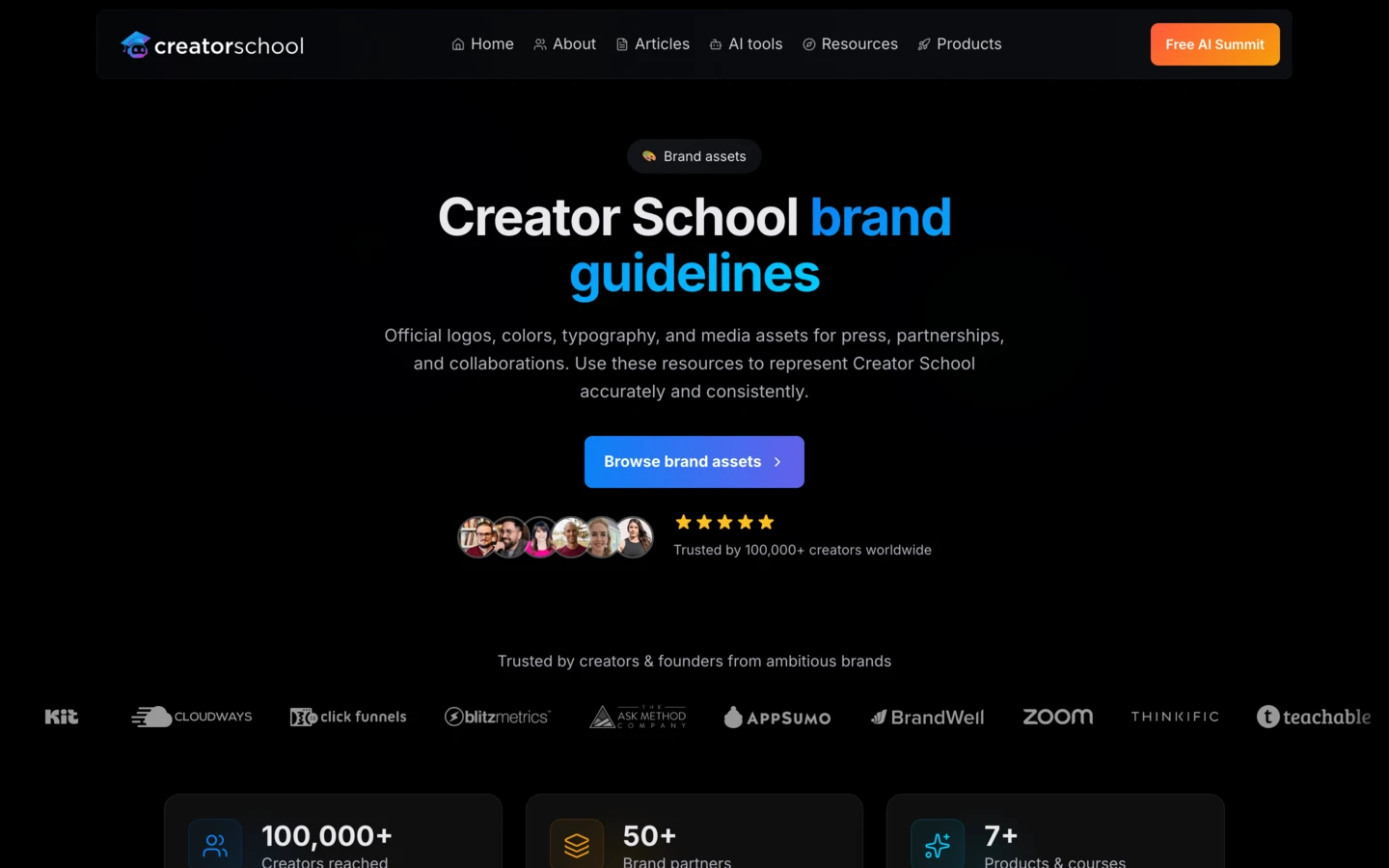
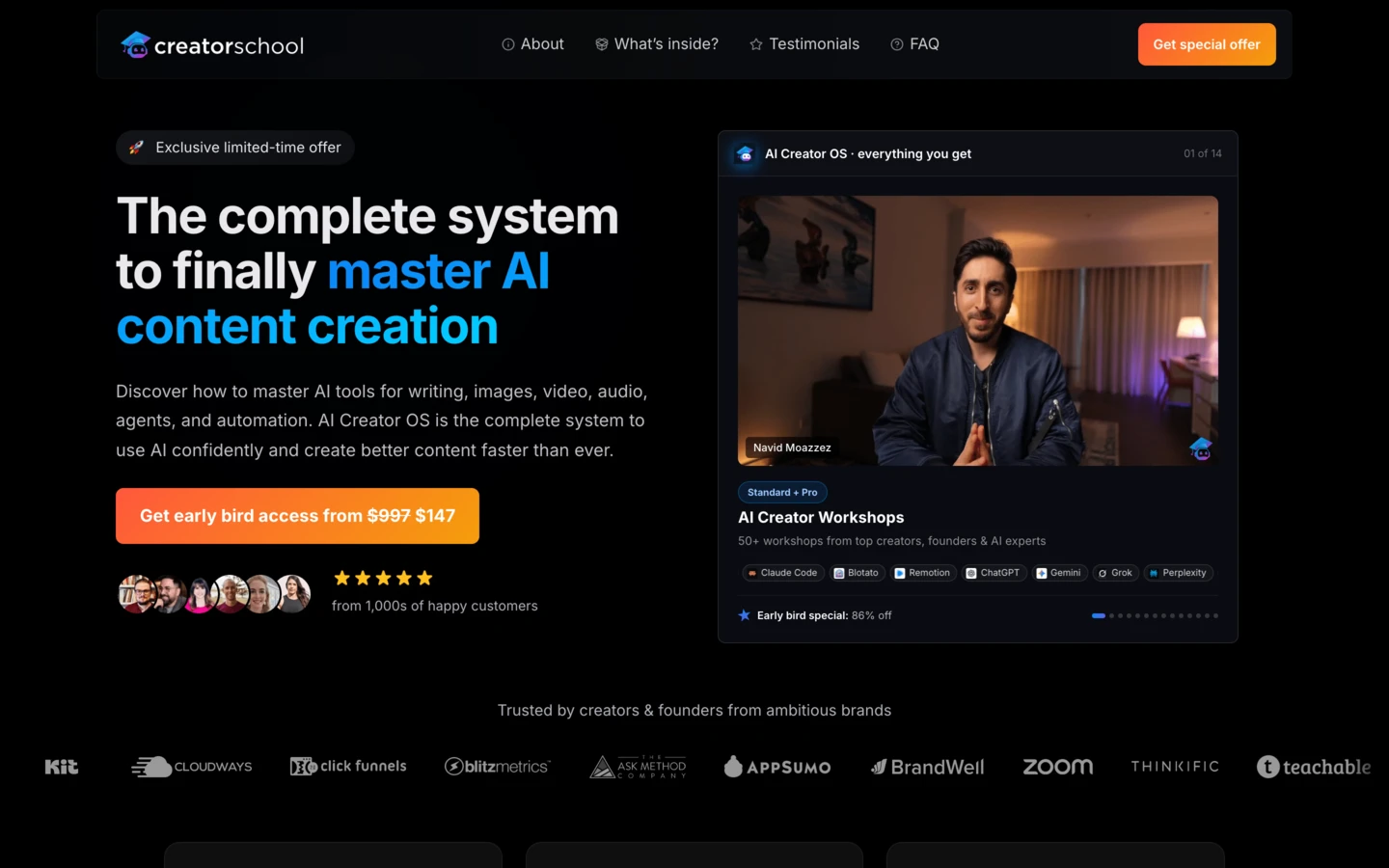
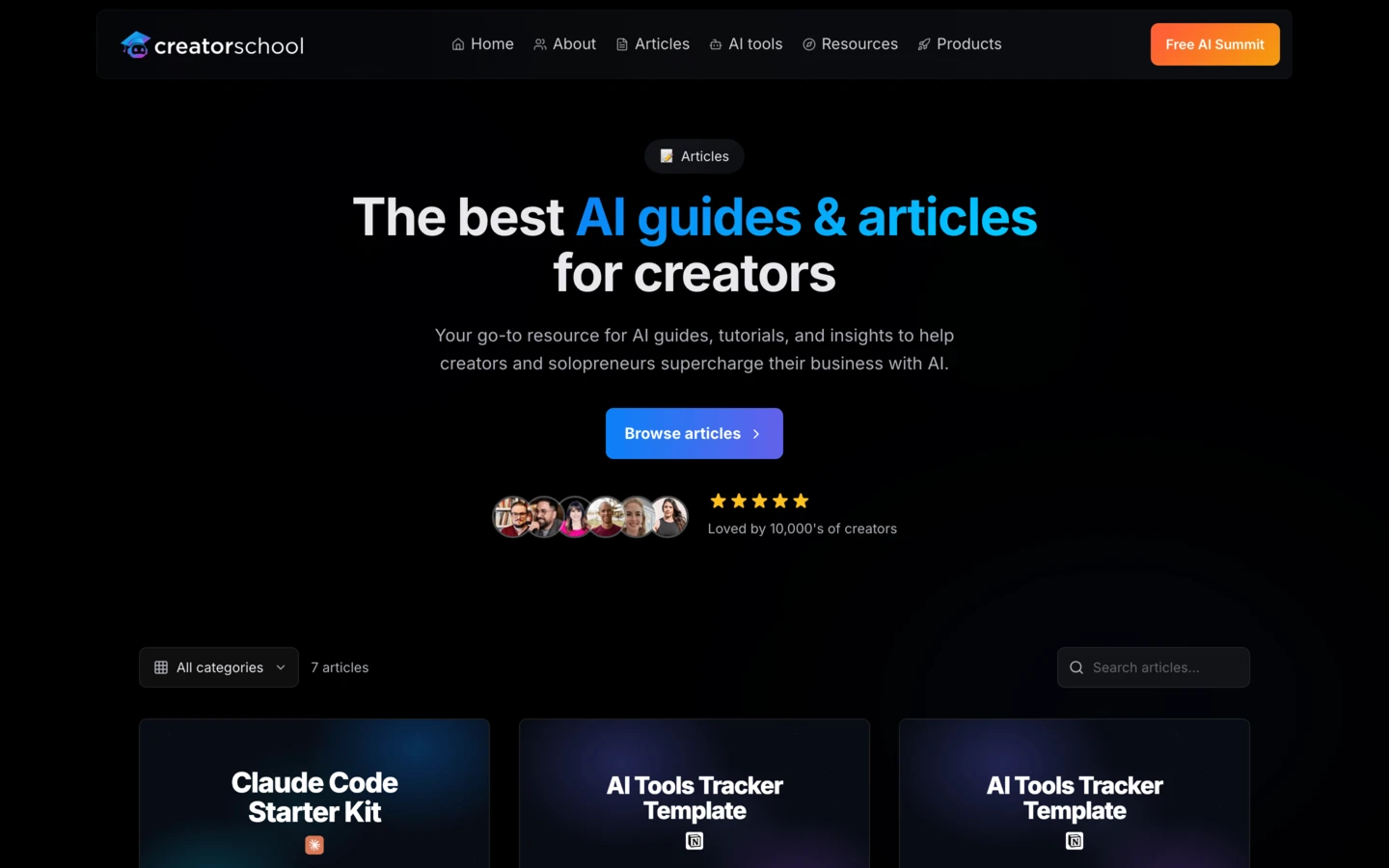
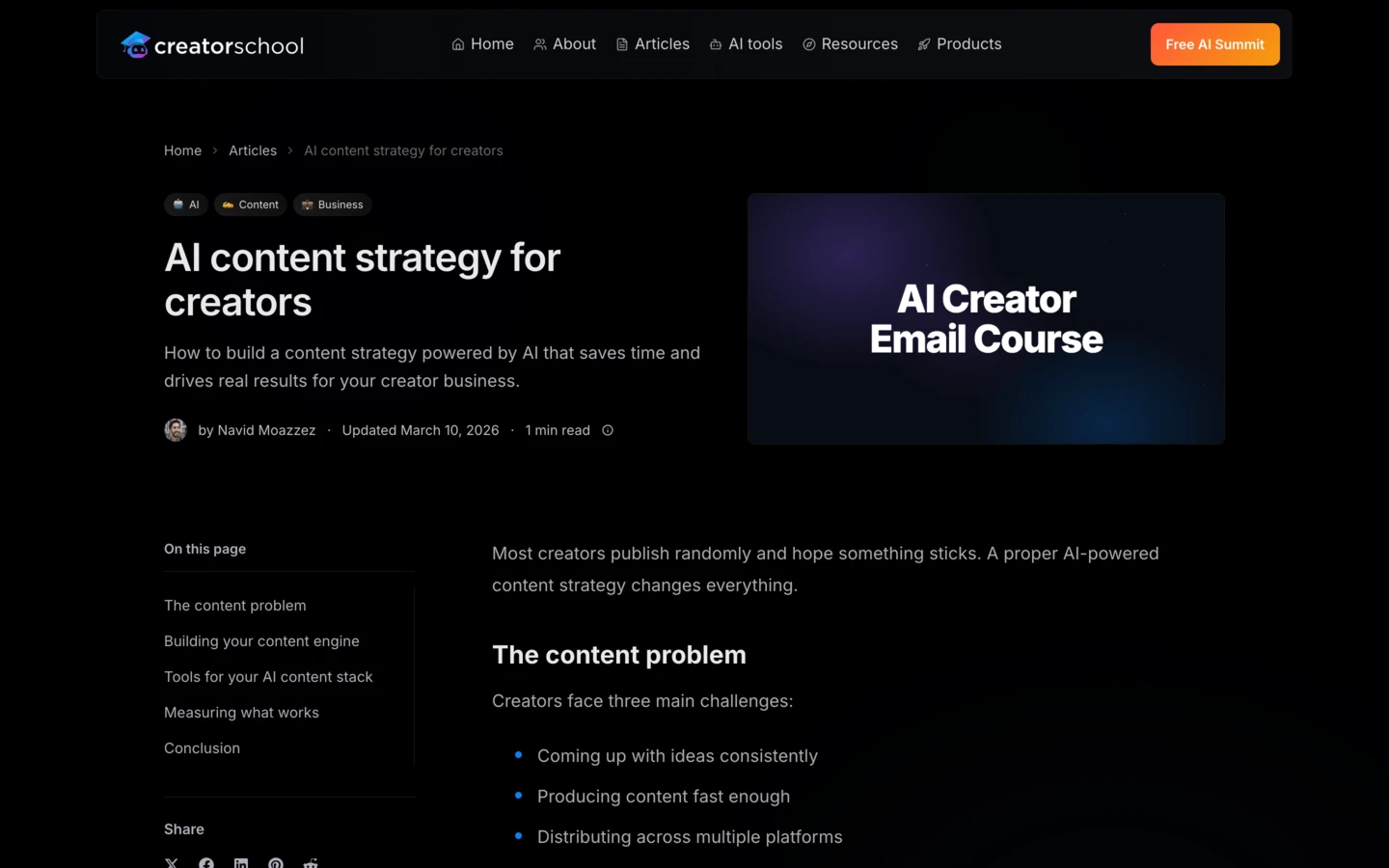
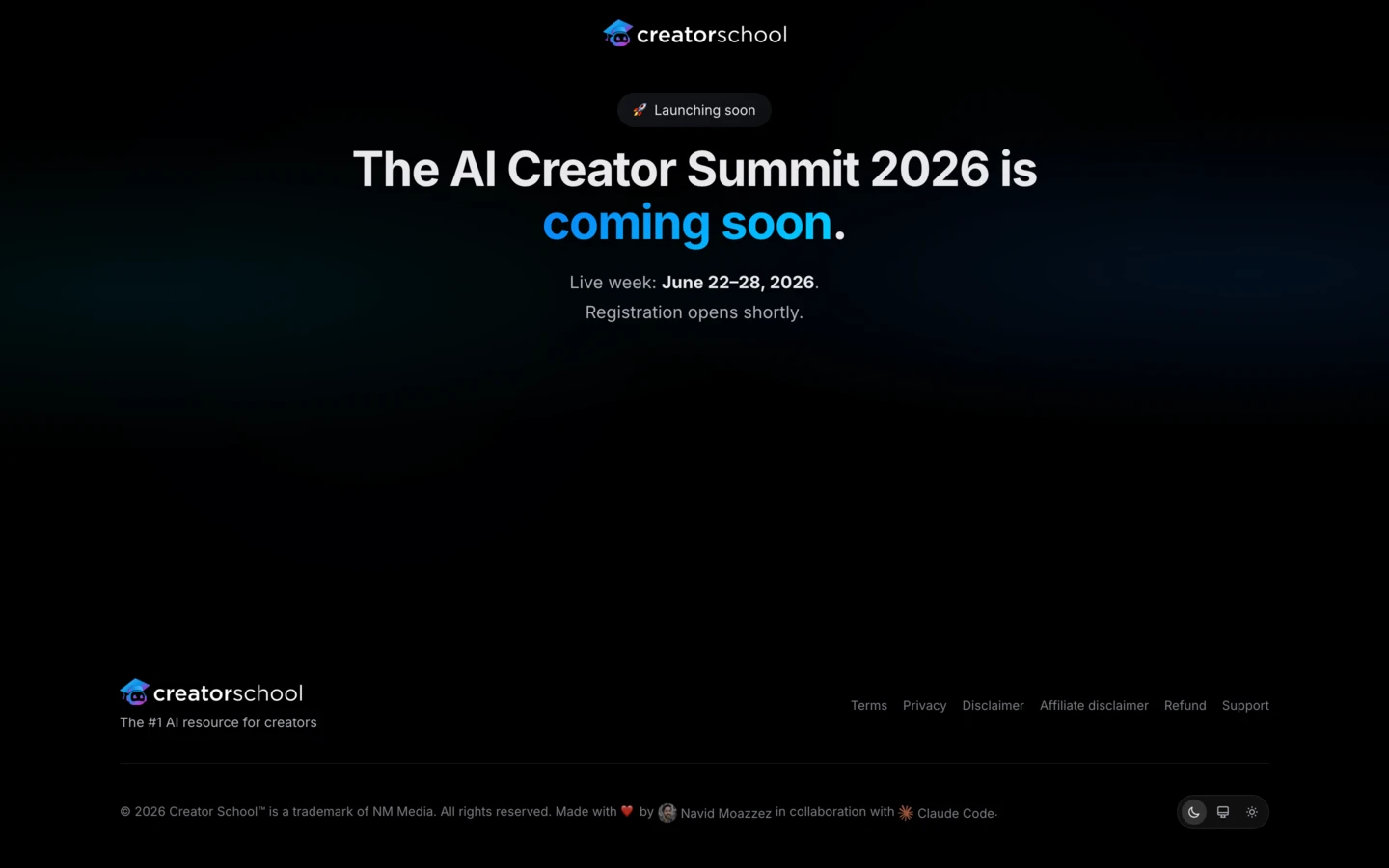
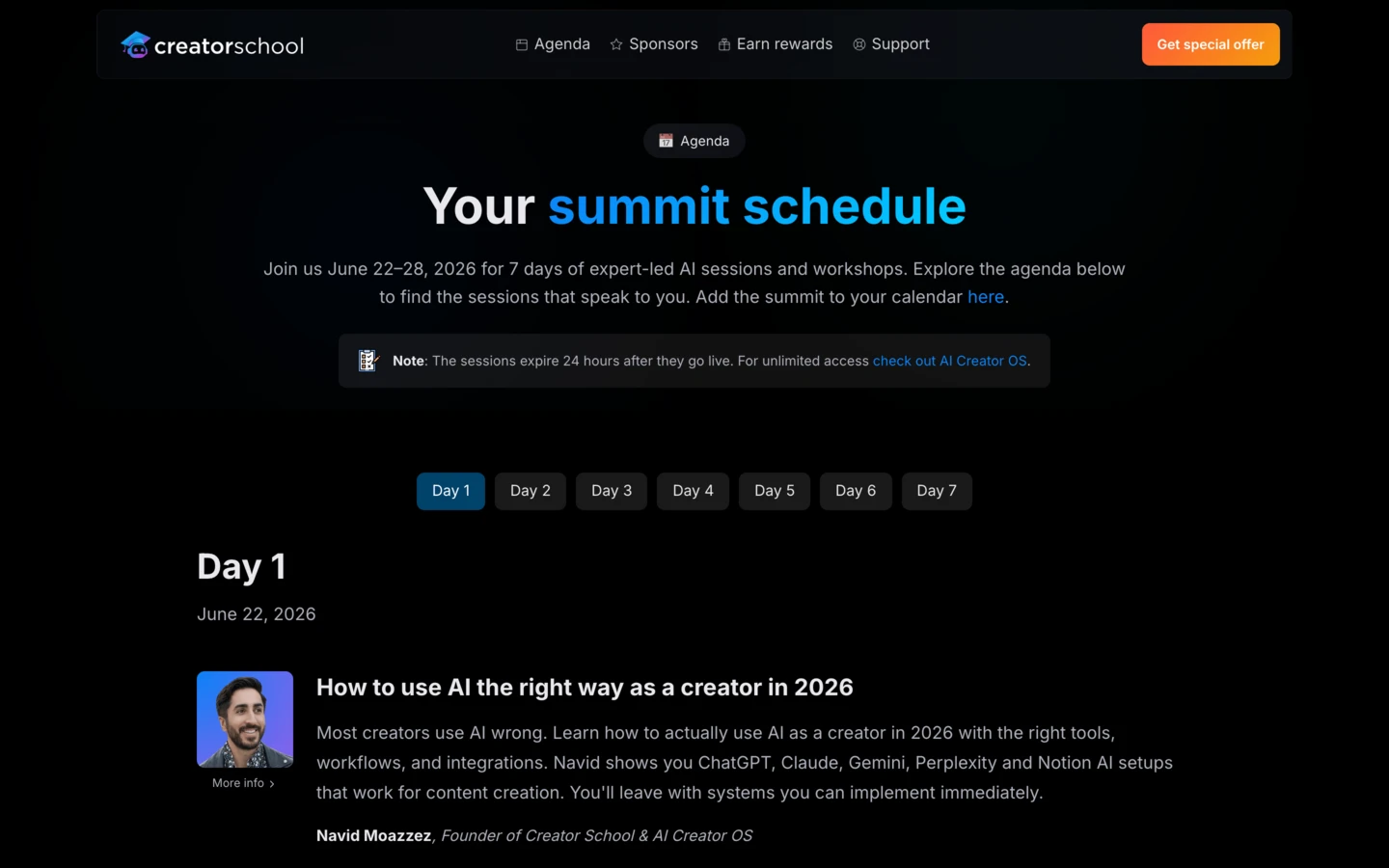
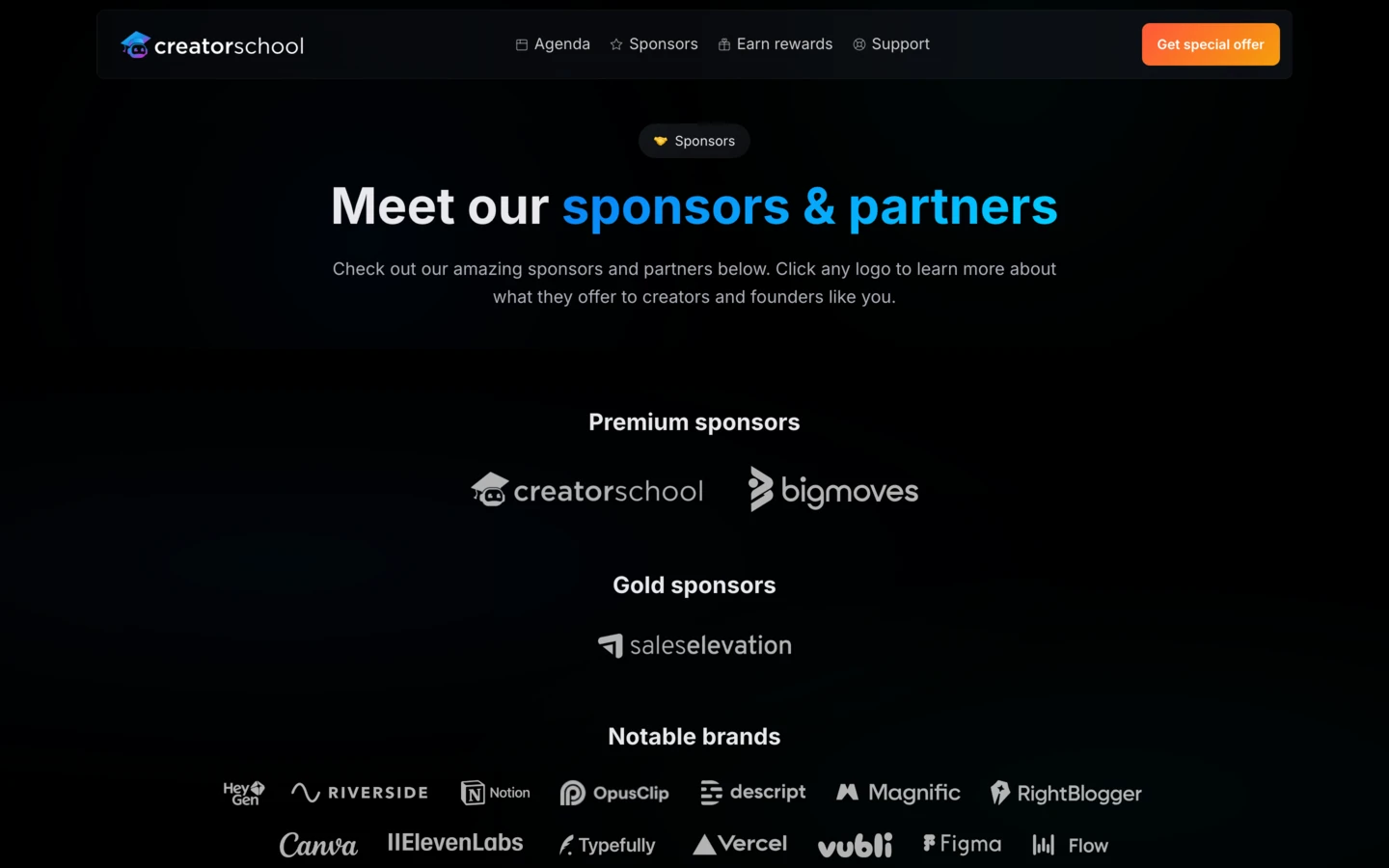
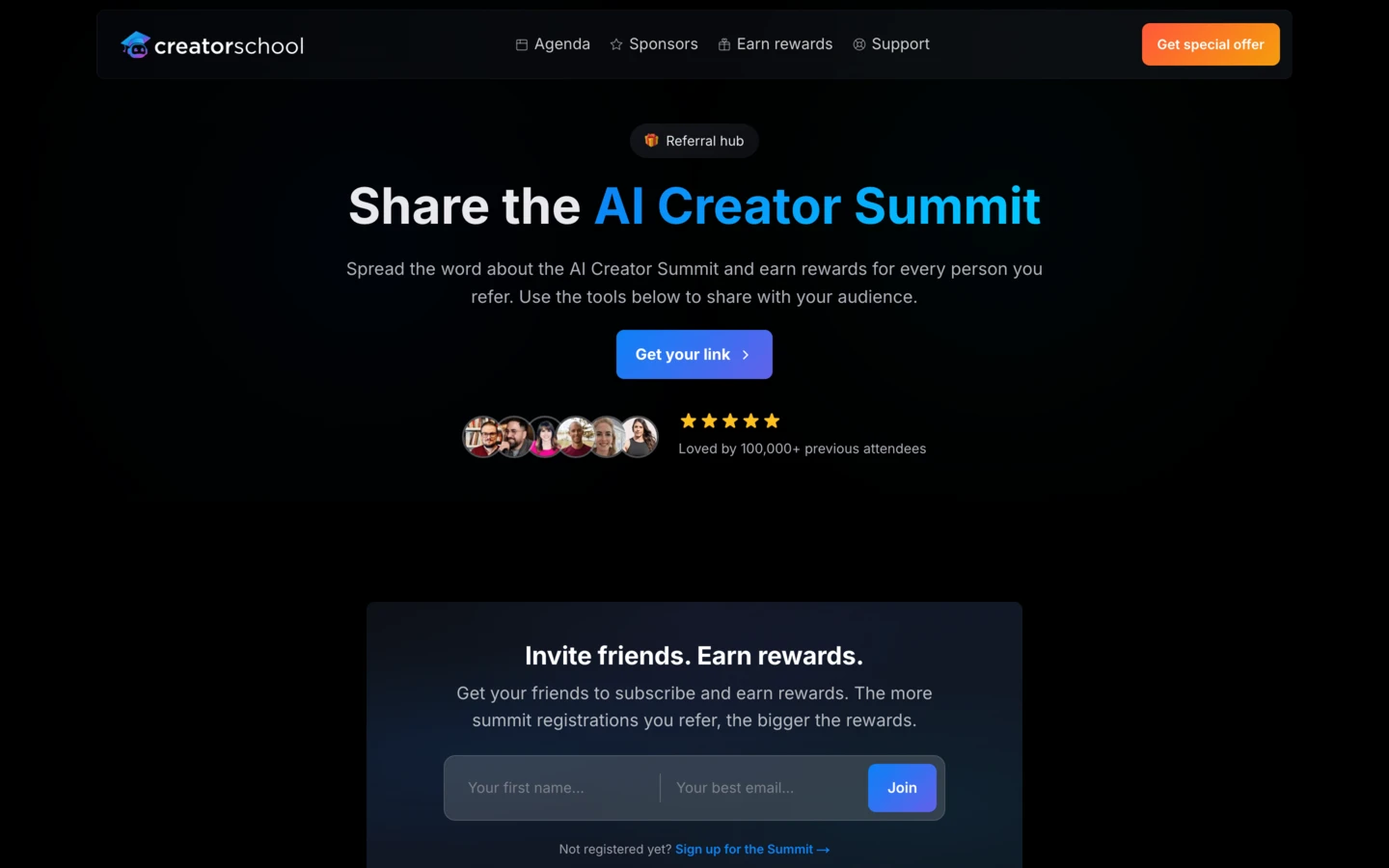
AI Website OS
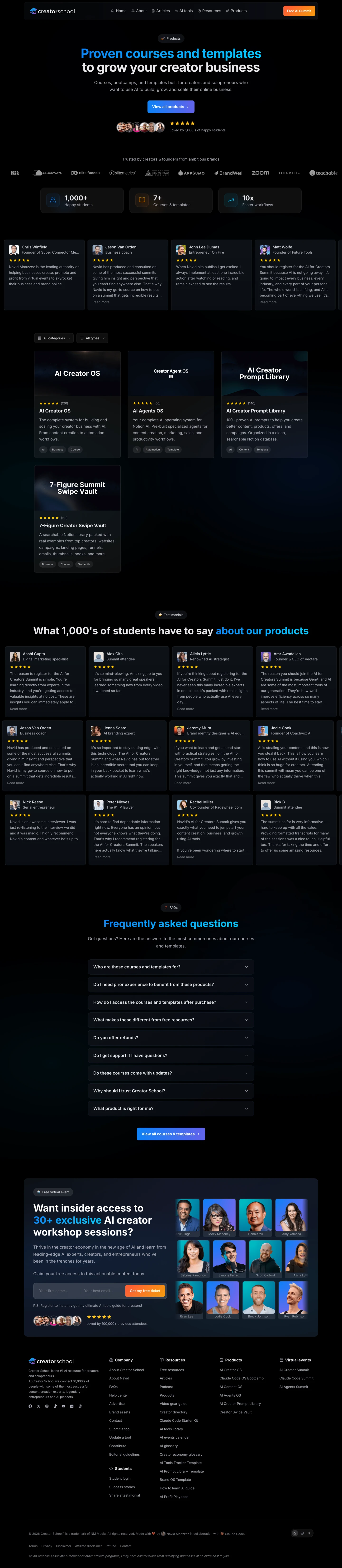
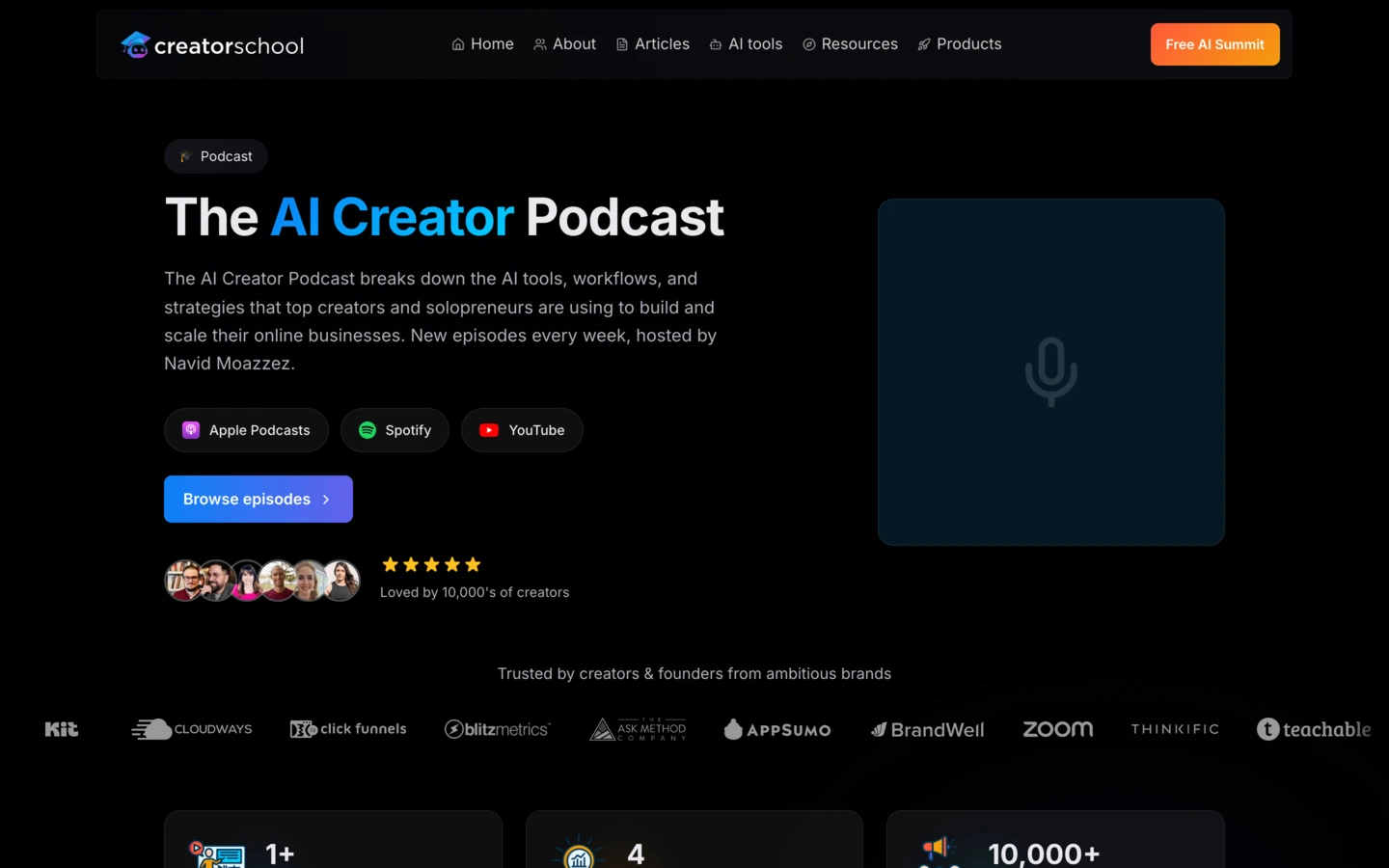
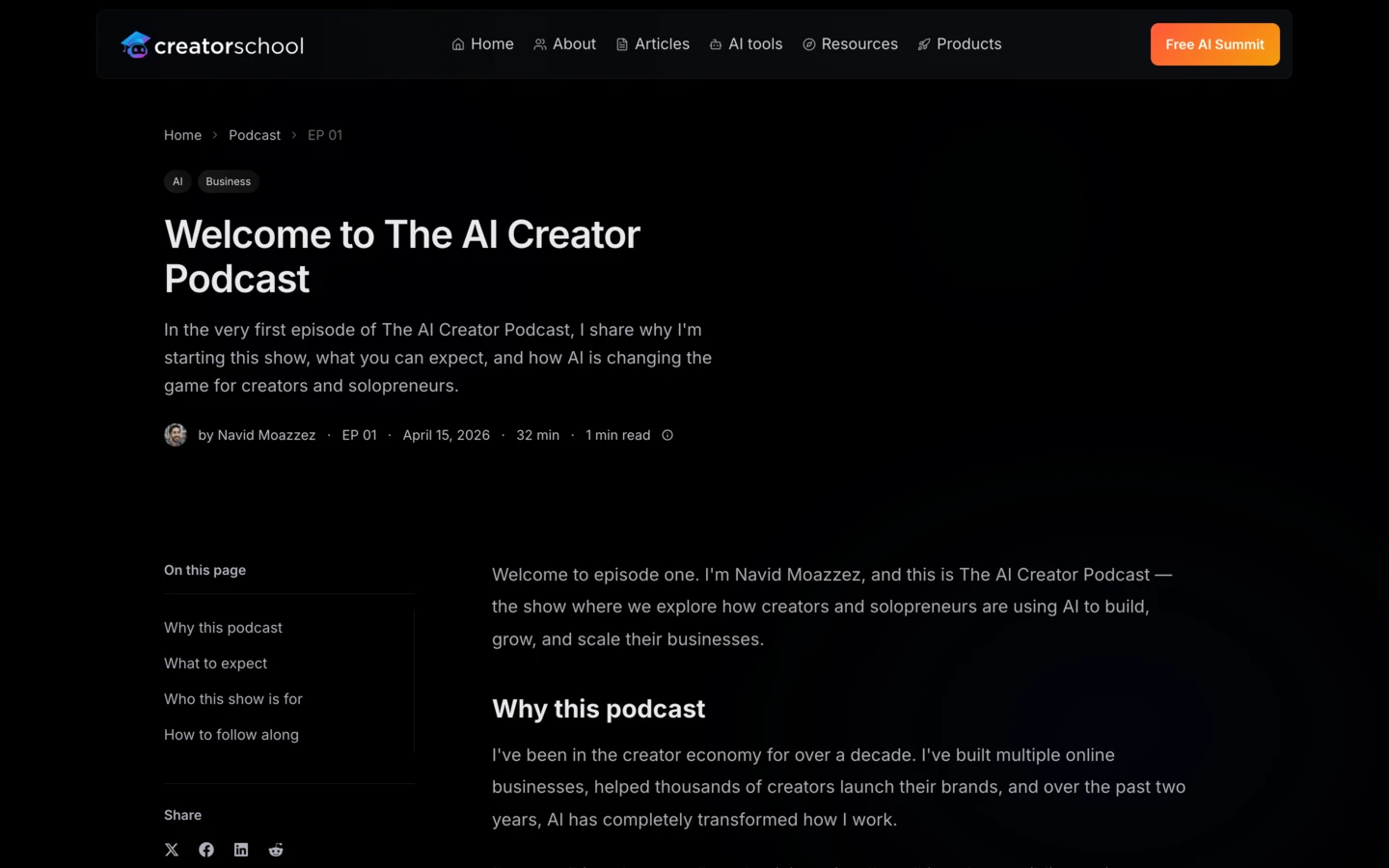
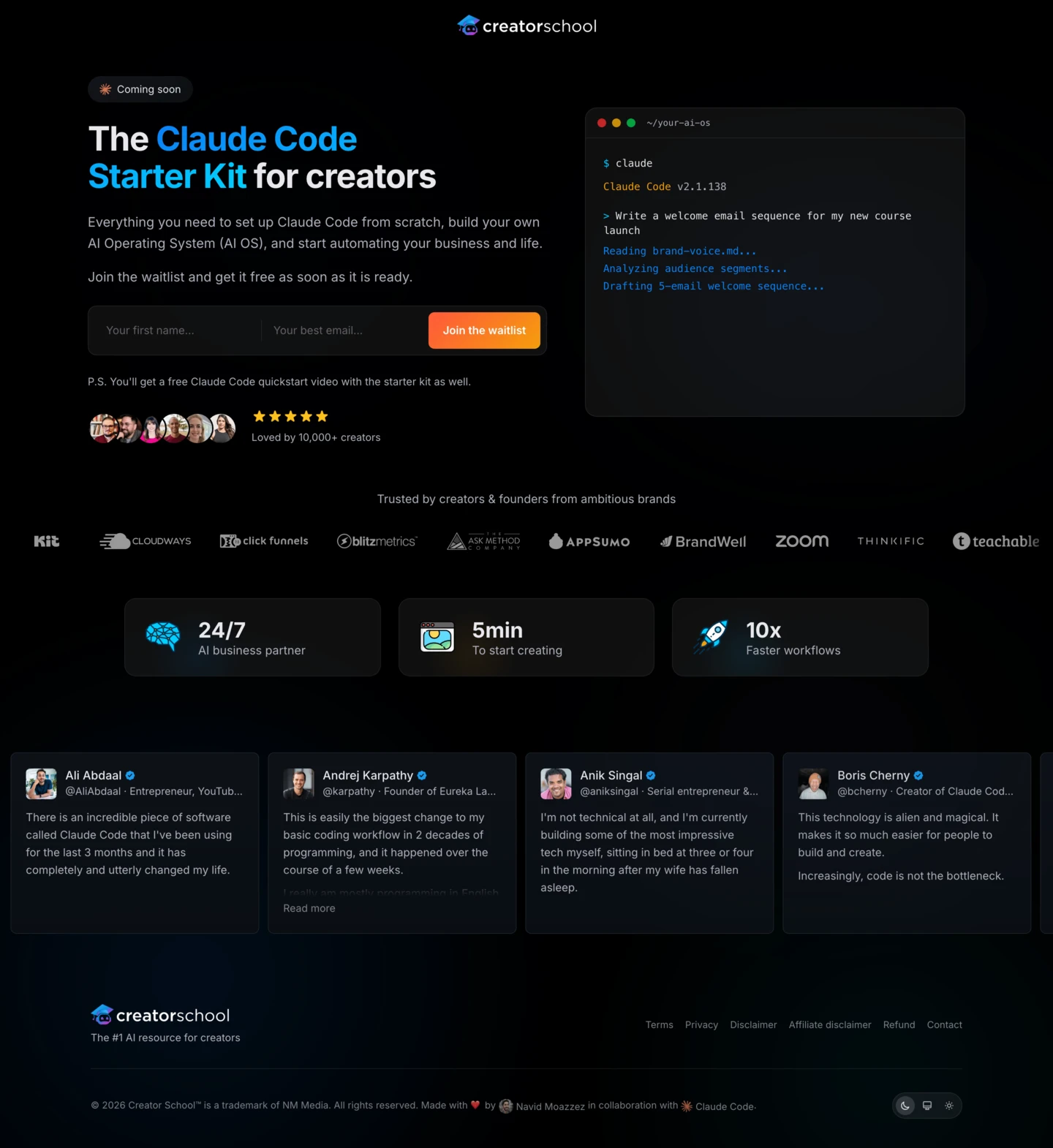
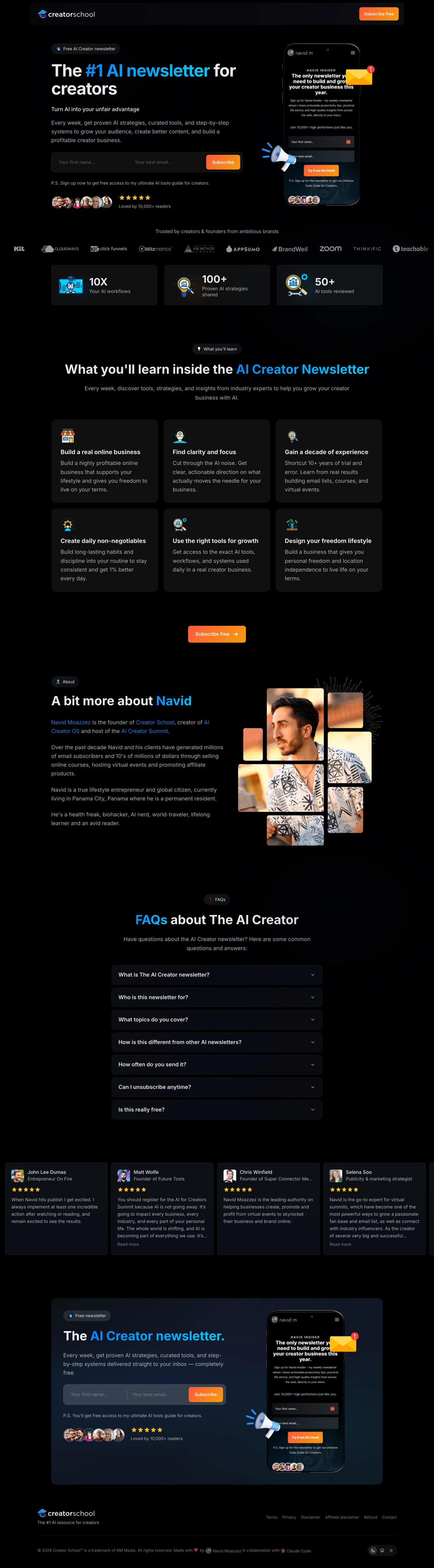
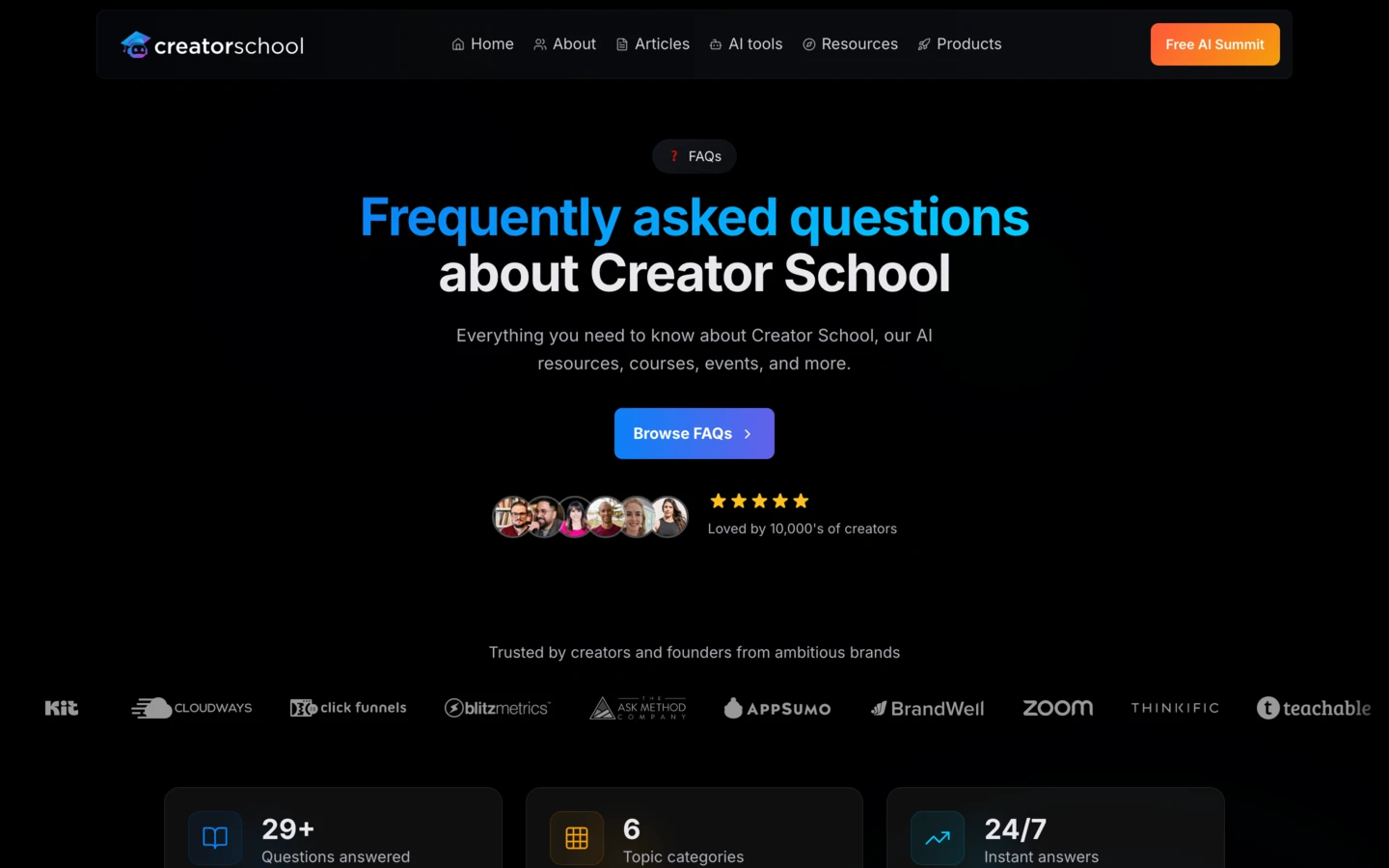
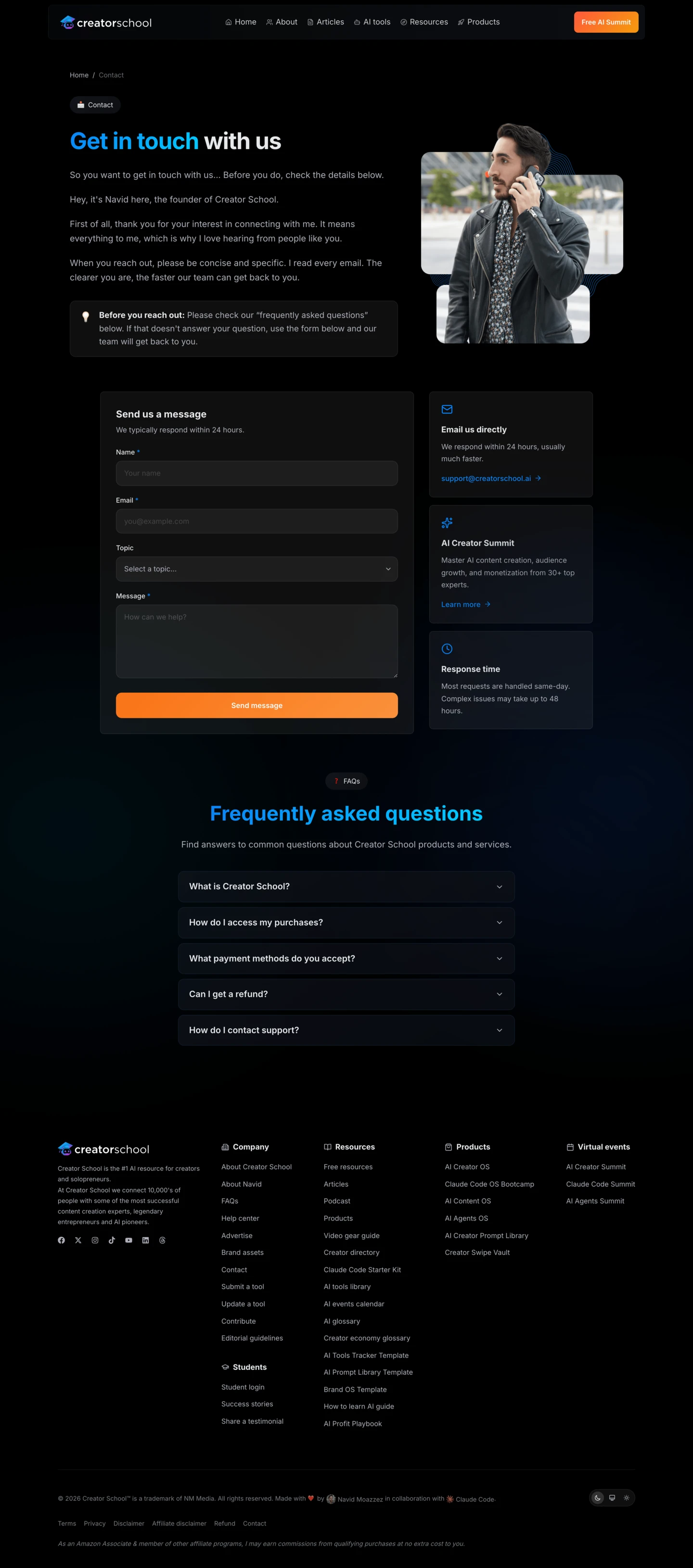
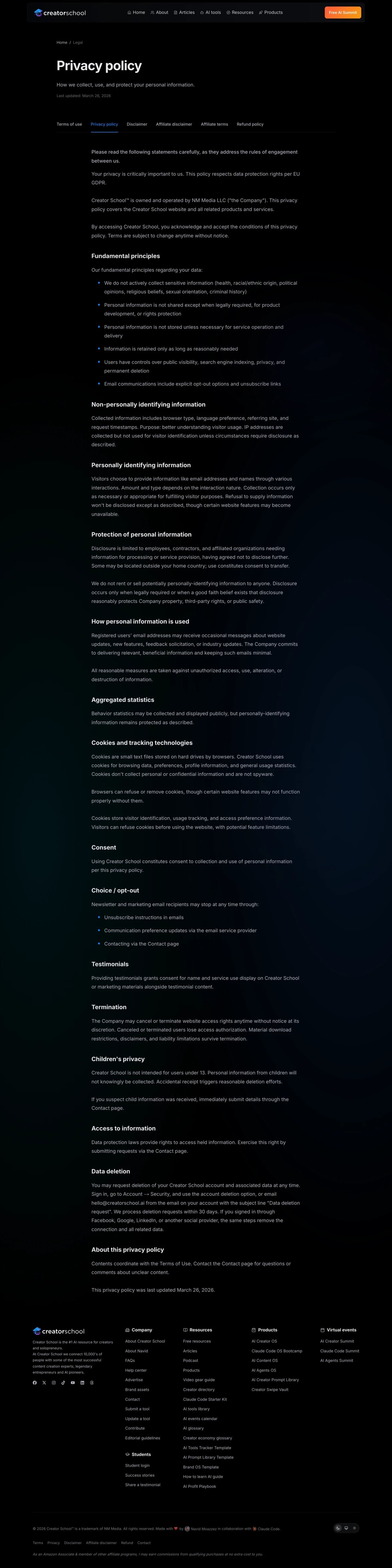
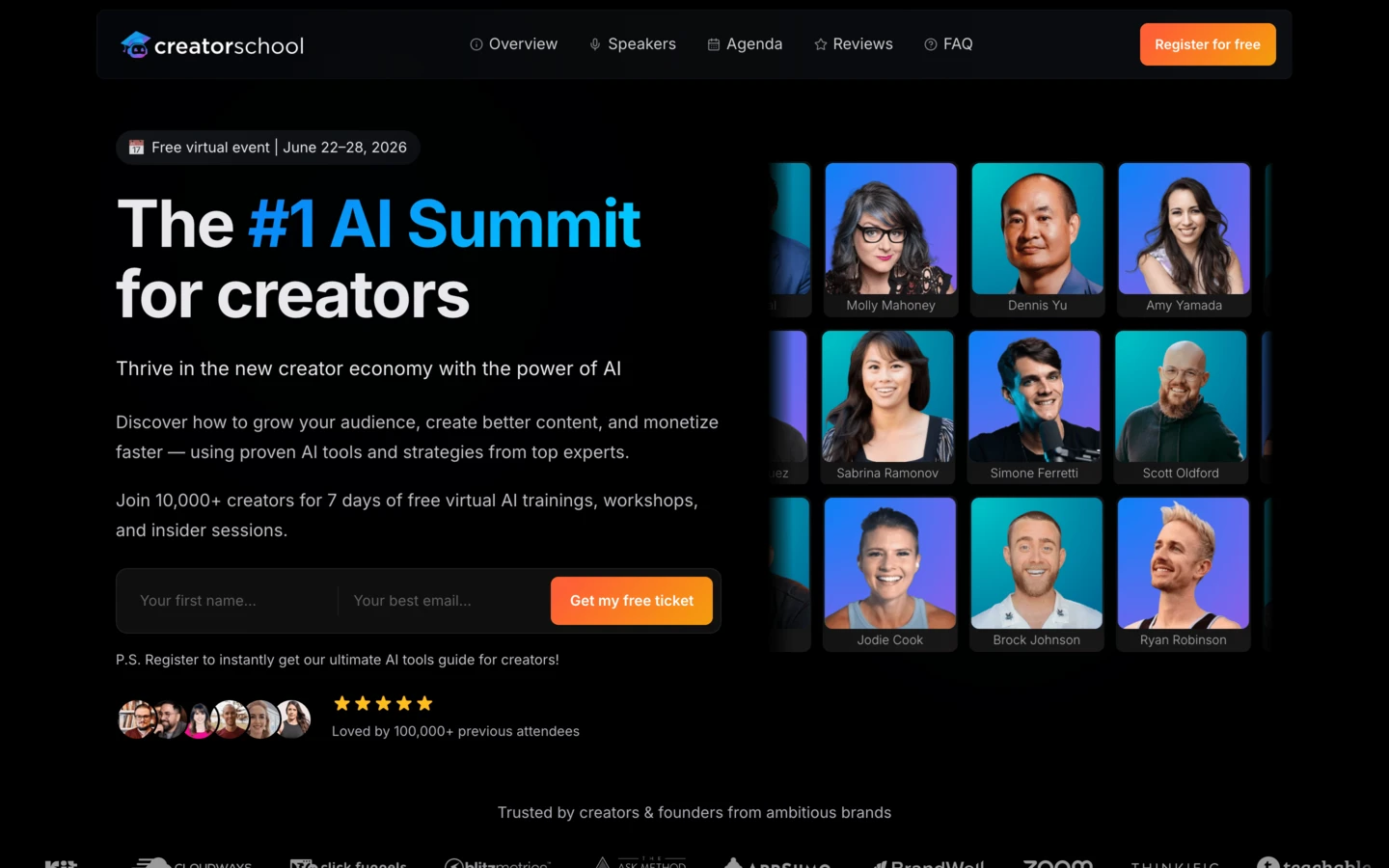
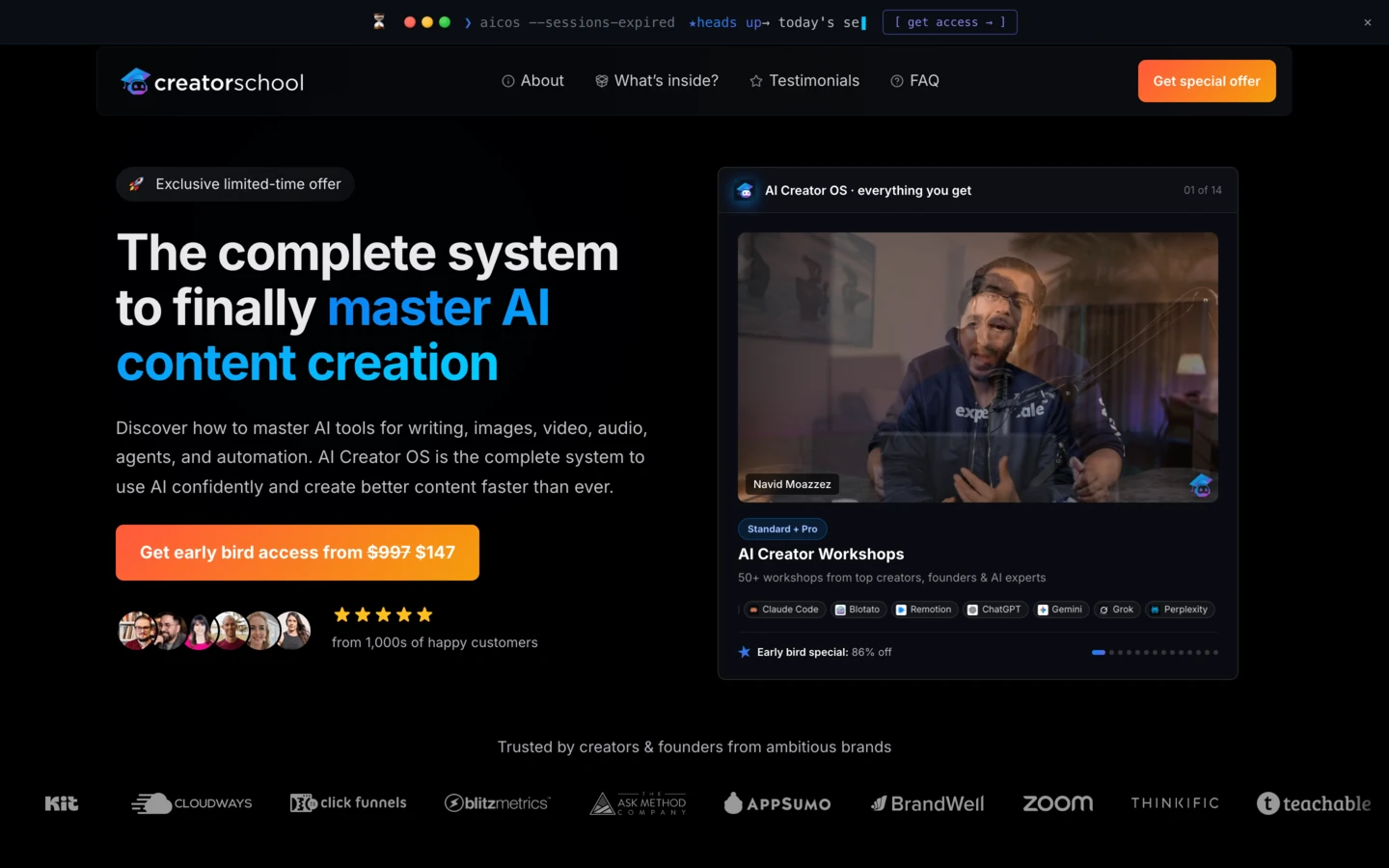
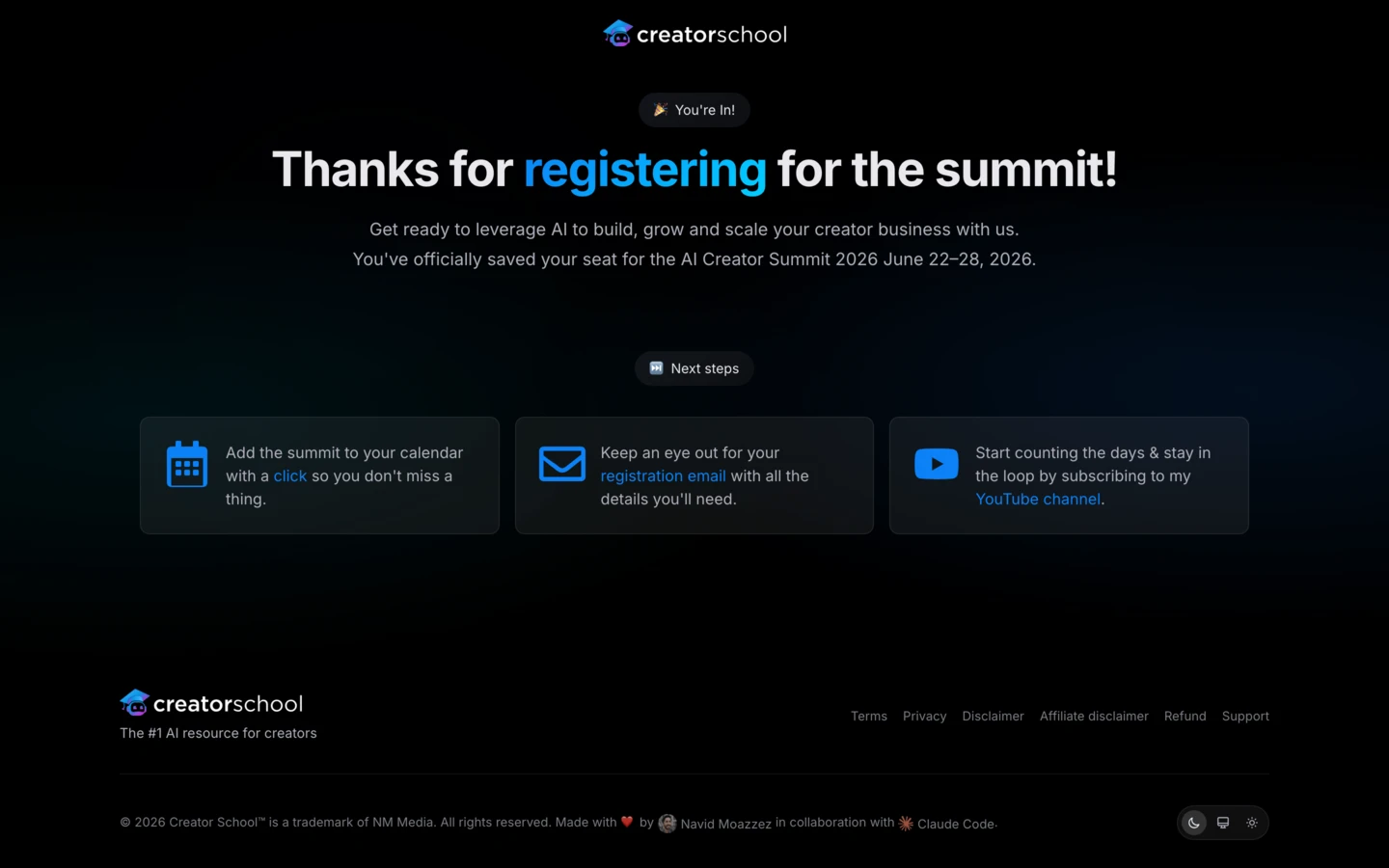
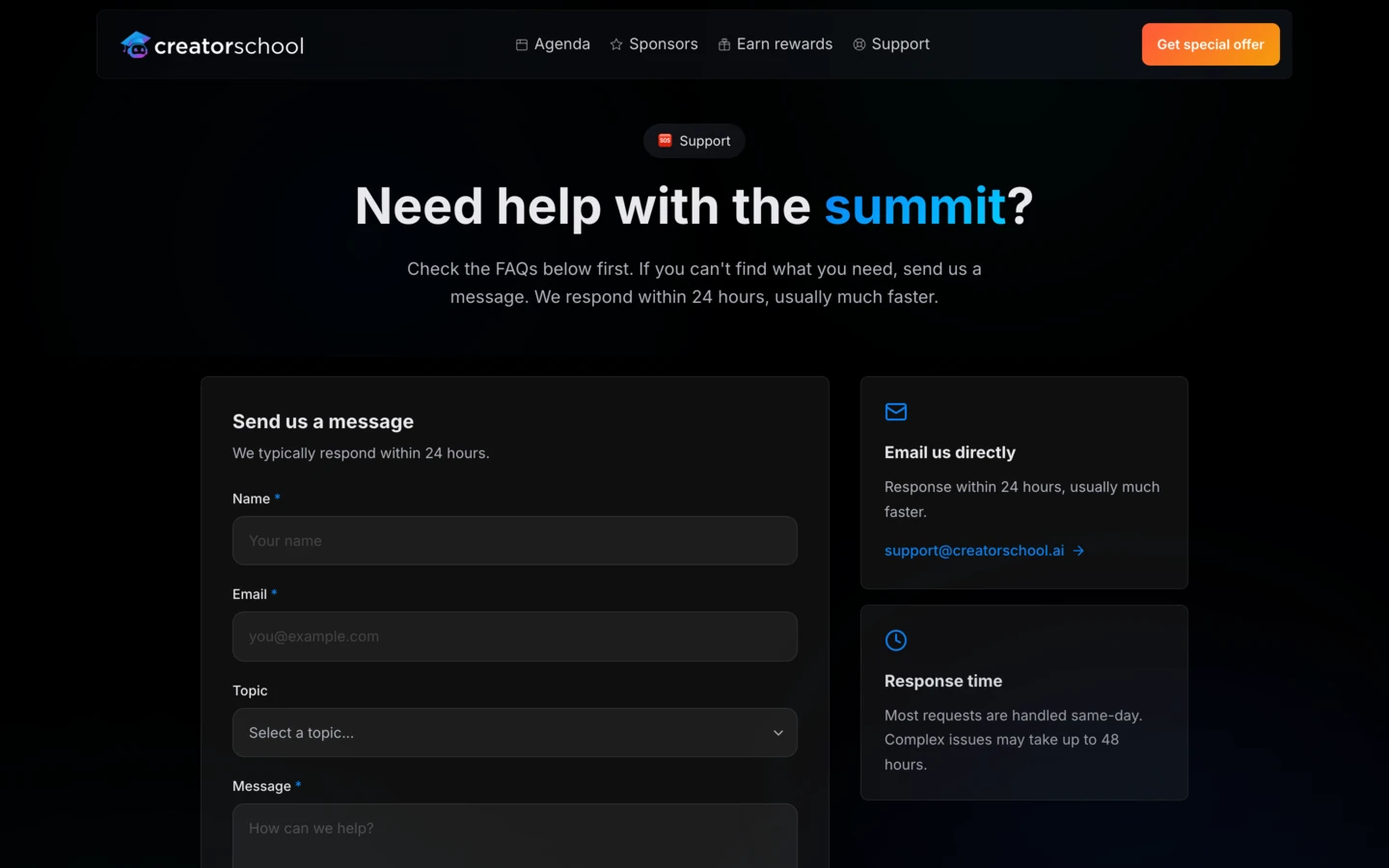
AI Website OS is a growing library of Next.js website templates that completely replace WordPress page builders like Elementor and Thrive Architect, plus funnel builders like ClickFunnels and Kartra. This is the modern tech stack Navid runs every one of his own sites on.
Includes production-ready templates for home, about, sales, pricing, lead magnet, newsletter, webinar, blog, podcast, summit, checkout, thank you, and more, each in both light and dark mode. Built with Next.js, deploys anywhere Next.js runs.
Claude Code works dramatically better when it has solid references to build from. Without them you fight it for every page. With these templates, Claude Code has production code to clone, remix, and adapt to your brand instead of guessing from scratch. You launch stunning websites and high-converting funnels in hours, not weeks or months.
Note: Max tier only. The AI Website OS done-for-you Next.js templates start rolling out after week 2 of the Claude Code OS Bootcamp, with more added throughout the cohort. You get the same layouts you see here. Final templates ship with neutral branding so you can apply your own.
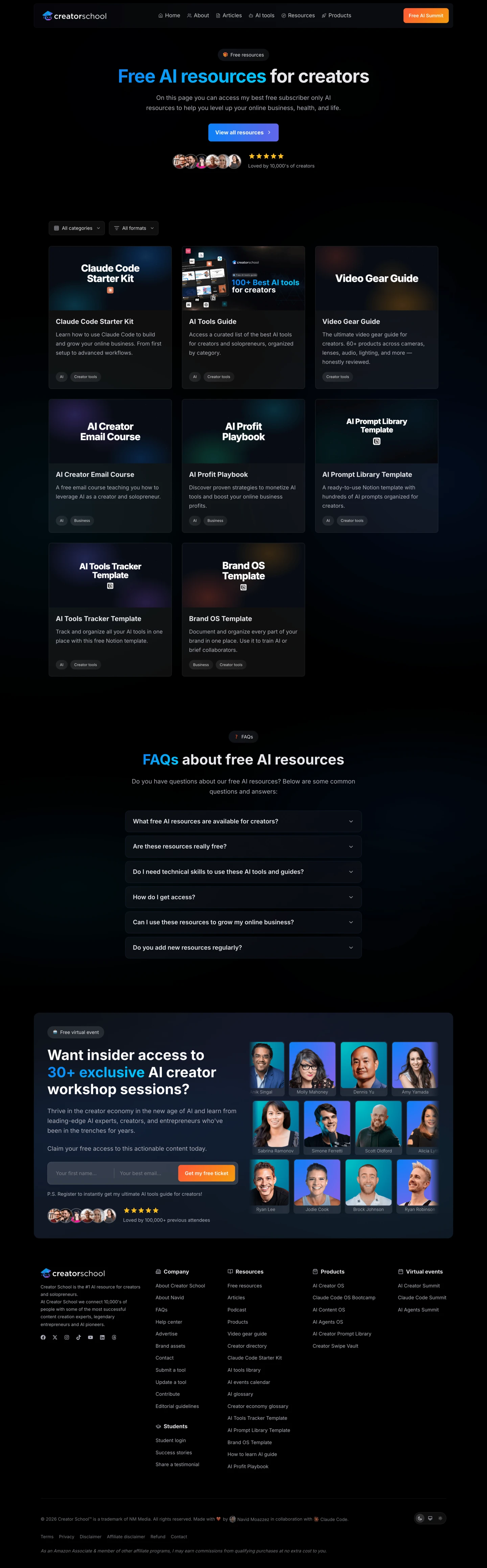
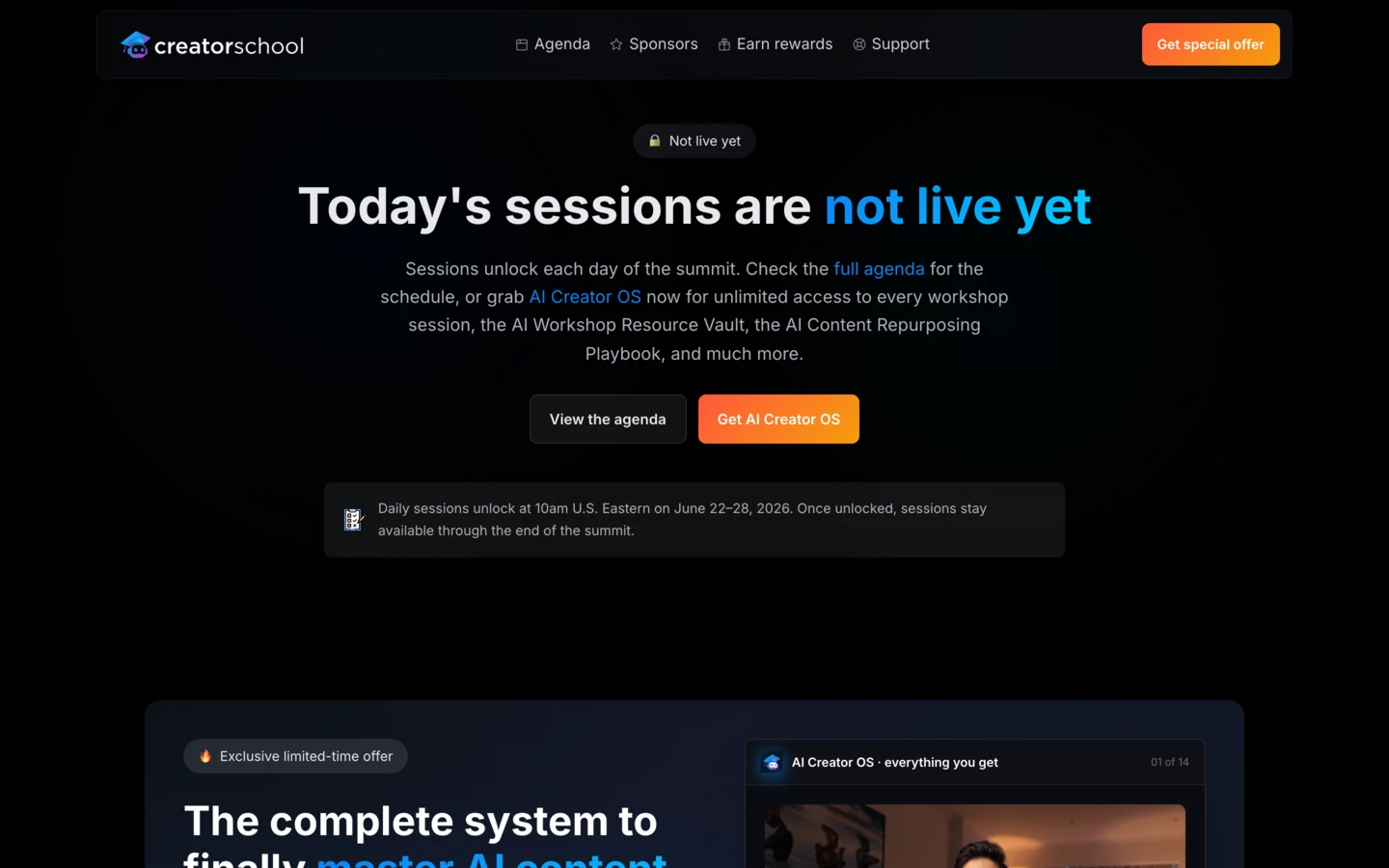
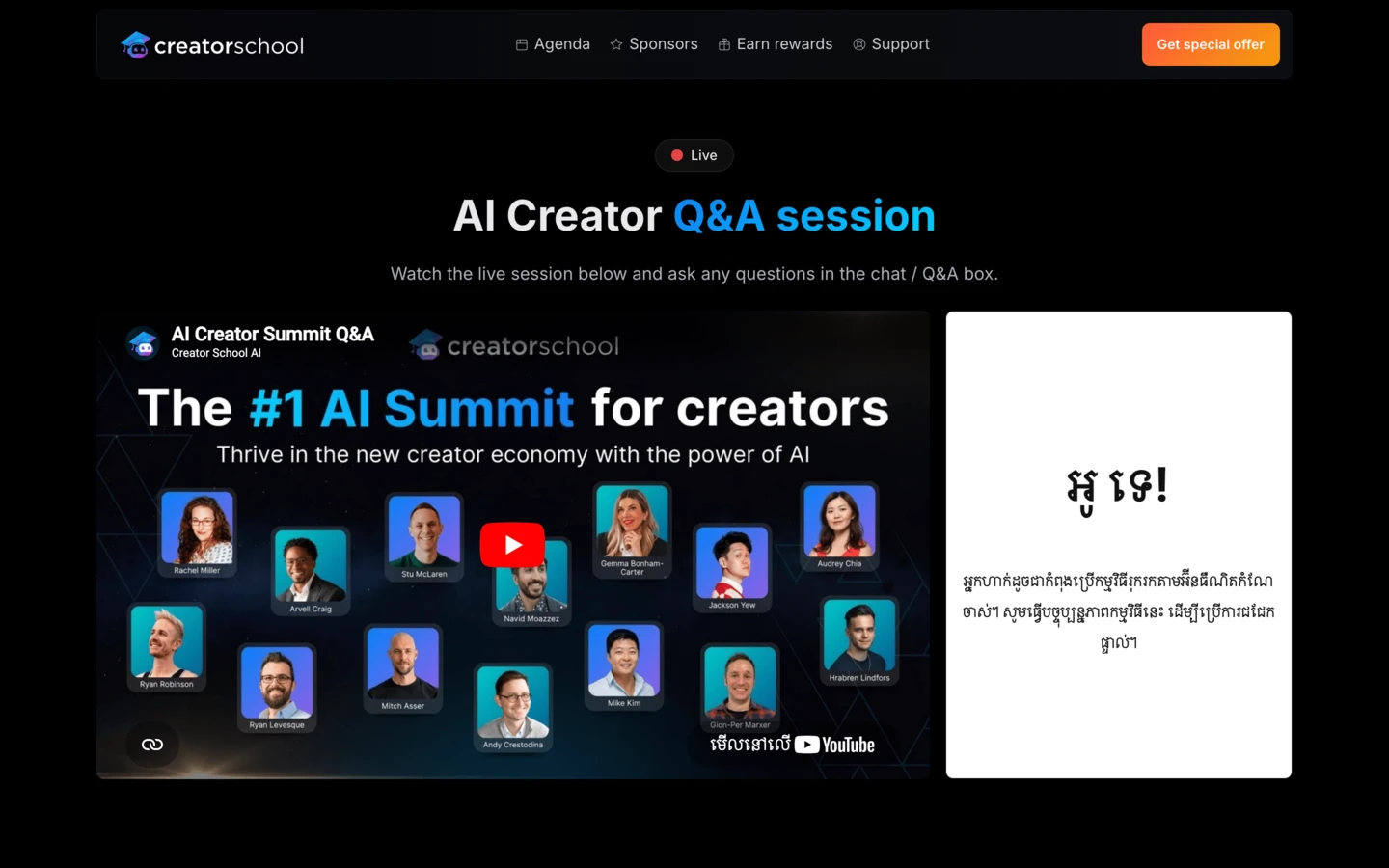
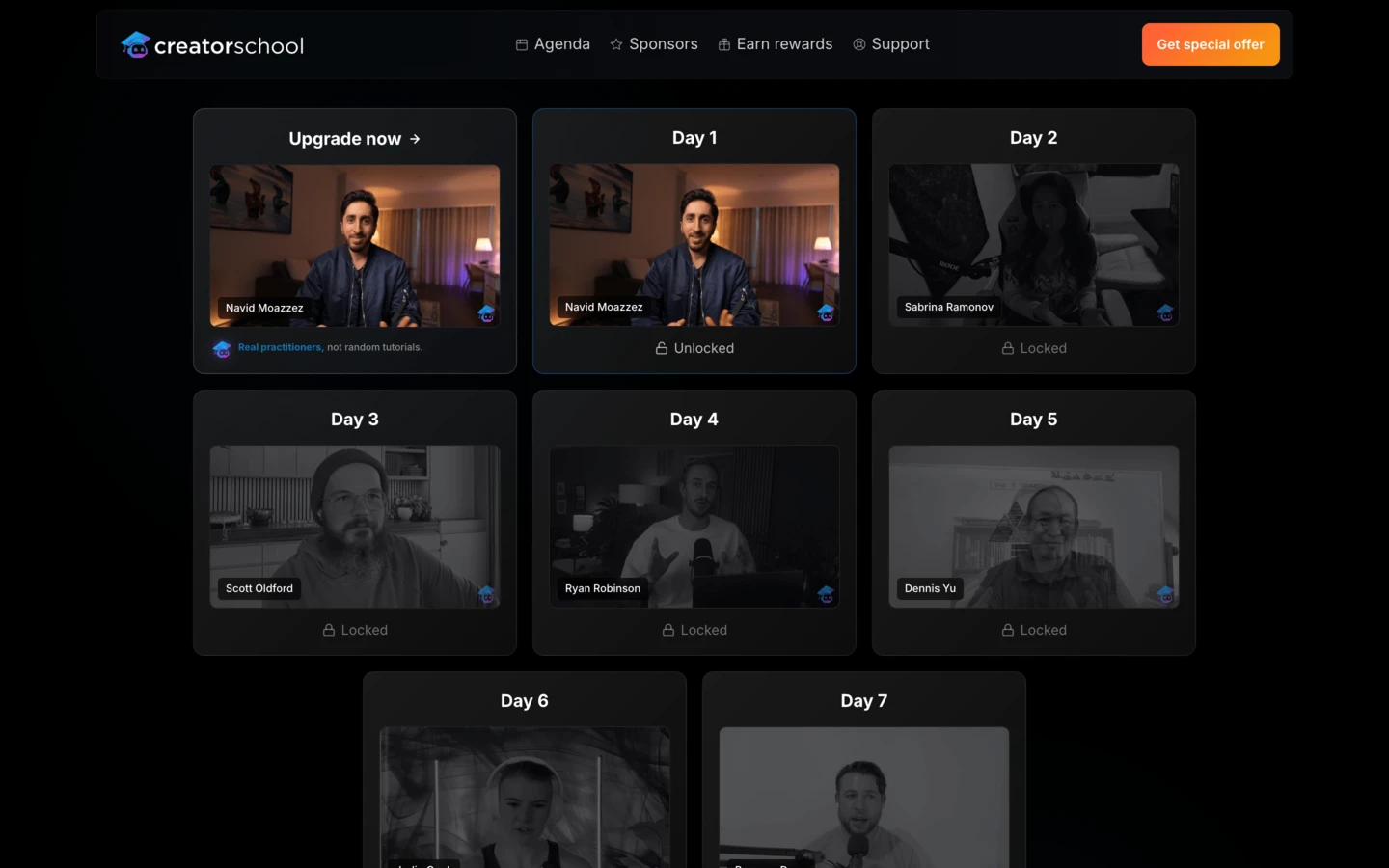
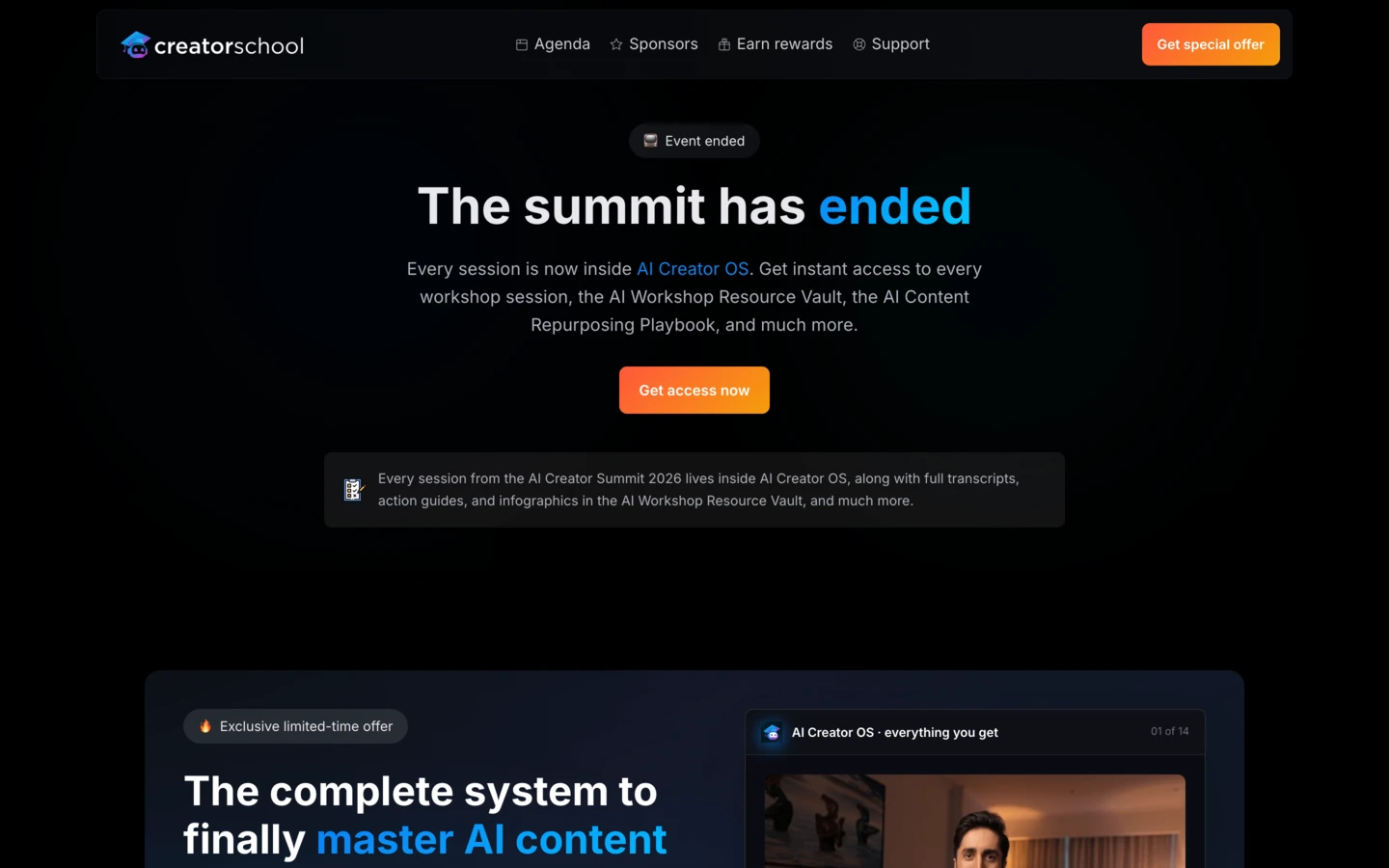
Here's a preview of the Next.js templates you get inside the AI Website OS:





AI OS Command Center
Your local cockpit for Claude Code. Token burn, agent activity, connectors. All in one place.
WorkspaceNotionKitSubstackXYouTubeVimeoWordPressStripeThriveCartHiggsfieldHeyGenElevenLabsHyperFramesGemini ImageNotebookLMPerplexityFirecrawlApifyVercelSupabaseAI OS Command Center
The AI OS Command Center is your personal mission control. It is the productized version of the exact panel Navid runs his own AI OS from every day.
The AI OS Command Center surfaces your daily plans, live metrics from every platform you publish on, agent actions, one-click workflows, and a live feed of everything Claude Code is doing across your business.
AI OS Command Center
Your local cockpit for Claude Code. Token burn, agent activity, connectors. All in one place.
WorkspaceNotionKitSubstackXYouTubeVimeoWordPressStripeThriveCartHiggsfieldHeyGenElevenLabsHyperFramesGemini ImageNotebookLMPerplexityFirecrawlApifyVercelSupabaseIt plugs into your existing stack and surfaces what matters every morning. One panel replaces 10 browser tabs.
AI OS Command Center
Your local cockpit for Claude Code. Token burn, agent activity, connectors. All in one place.
WorkspaceNotionKitSubstackXYouTubeVimeoWordPressStripeThriveCartHiggsfieldHeyGenElevenLabsHyperFramesGemini ImageNotebookLMPerplexityFirecrawlApifyVercelSupabaseNote: Included in the Max tier only. Available as a paid add-on at checkout for Bootcamp and Bootcamp Pro, and ready to use when the Claude Code OS Bootcamp kicks off.

 Bonus #13Max only
Private Telegram access to Navid
Get a direct line to Navid on Telegram for the full Bootcamp and three months after. Ask anything about your Claude Code setup, your skills, your plugins, or your AI OS strategy.
No support ticket queue. No public channel. Just a private DM with Navid for async questions whenever you get stuck.
Note: Private Telegram access to Navid is included only on the Max tier. Your access starts the day you join and runs through the full Claude Code OS Bootcamp plus 3 months after the cohort wraps up.
- 1Pulling workshop transcript
- 2Extracting top insights
- 3Drafting the opening hook
- 4Writing 8 thread posts
- 5Adding the CTA close
- 6Saving to /content/x-thread/
Claude Cowork OS
Claude Cowork OS gives you the full setup for running your AI OS inside Claude Cowork, Claude's interactive desktop agent that drives real, multi-step work across your projects, files, and tools.
You get the project folders, identity files, and prompt structure that turn Cowork into a full workflow engine for your business, so Claude can draft in your voice, run research, pull real sources, generate client deliverables, and handle the multi-step tasks you'd otherwise do by hand.
- 1Pulling workshop transcript
- 2Extracting top insights
- 3Drafting the opening hook
- 4Writing 8 thread posts
- 5Adding the CTA close
- 6Saving to /content/x-thread/
- 1Pulling workshop transcript
- 2Extracting top insights
- 3Drafting the opening hook
- 4Writing 8 thread posts
- 5Adding the CTA close
- 6Saving to /content/x-thread/
Note: The Claude Cowork OS workshop session is delivered after the Claude Code OS Bootcamp wraps up.
- Explore creatorschool repo (structure, theme, components)
- Import key files: theme, globals.css, components, logos
- Create colors_and_type.css with CSS vars
- Copy fonts and logo assets
- Add VISUAL FOUNDATIONS section to README
- Create preview cards (colors, type, spacing, components, brand)
- Create UI kit for creatorschool.ai marketing site
- Create UI kit for app.creatorschool.ai
Claude Design OS
Claude Design OS is a 2-hour live workshop with Navid where you learn how to set up your brand inside Claude Design and connect it to Claude Code.
By the end, every sales page, pitch deck, mobile app prototype, launch video, and one-pager you create starts on-brand instead of generic AI design.
- Explore creatorschool repo (structure, theme, components)
- Import key files: theme, globals.css, components, logos
- Create colors_and_type.css with CSS vars
- Copy fonts and logo assets
- Add VISUAL FOUNDATIONS section to README
- Create preview cards (colors, type, spacing, components, brand)
- Create UI kit for creatorschool.ai marketing site
- Create UI kit for app.creatorschool.ai
Here's what you can expect:
- Live 2-hour Claude Design OS workshop with Navid
- Your real brand set up inside Claude Design
- A DESIGN.md template you can call from any new project
- Claude Code handoff so your AI OS uses the same brand
- Token-saving tips for the Claude + Claude Design workflow
- Workshop recording you can rewatch any time
- Explore creatorschool repo (structure, theme, components)
- Import key files: theme, globals.css, components, logos
- Create colors_and_type.css with CSS vars
- Copy fonts and logo assets
- Add VISUAL FOUNDATIONS section to README
- Create preview cards (colors, type, spacing, components, brand)
- Create UI kit for creatorschool.ai marketing site
- Create UI kit for app.creatorschool.ai
Note: Pro and Max tier only. The 2-hour live workshop is delivered after the Claude Code OS Bootcamp wraps up.
Creator Deals Vault
12 months of access
Get 12 months access to exclusive discounts on the exact tools successful creators use daily. The Creator Deals Vault contains $10,000+ in savings on Notion, Bolt, Make, Airtable, Stripe, and 100's of other creator essentials.
This vault more than pays for itself with just ONE deal. Most Claude Code OS Bootcamp students save their entire investment in the first week.
Below are just a few of the special deals we have available for you:
Note: You'll get instant access to the Creator Deals Vault when you join the Claude Code OS Bootcamp today.
Claude Codev2.1.138Bootcamp schedule
The Claude Code OS Bootcamp runs as a 4-week live cohort with 2 in-depth workshops with Navid every week (90 minutes to 2 hours each) plus a weekly Q&A coaching session, joined by creators and founders from all over the world.
Claude Code OS Bootcamp scheduleHow do I know if Claude Code OS
Bootcamp is right for me?
Not everyone is the right fit for the Claude Code OS Bootcamp, and that's a good thing.
Claude Code OS Bootcamp
is for you if…
You’re a creator, entrepreneur, or expert ready to build your business on top of Claude Code.
You want to launch landing pages, email sequences, and automation workflows without hiring an agency.
You’re done with surface-level AI tutorials and want a hands-on system that actually runs your business.
You’re an action-taker, here to build and launch, not collect more courses.
You care about long-term leverage: real systems, real workflows, real time saved every week.
Claude Code OS Bootcamp is not for you if…
You’re chasing shortcuts and silver bullets without putting in the work.
You want to keep experimenting with random AI tools instead of committing to one stack.
You think buying the bootcamp equals results without showing up to live calls and implementing.
You’re unwilling to publish anything publicly (landing pages, sequences, products).
You want a passive course you can watch once and forget instead of a live, hands-on program.
Get started with
Claude Code OS Bootcamp today!
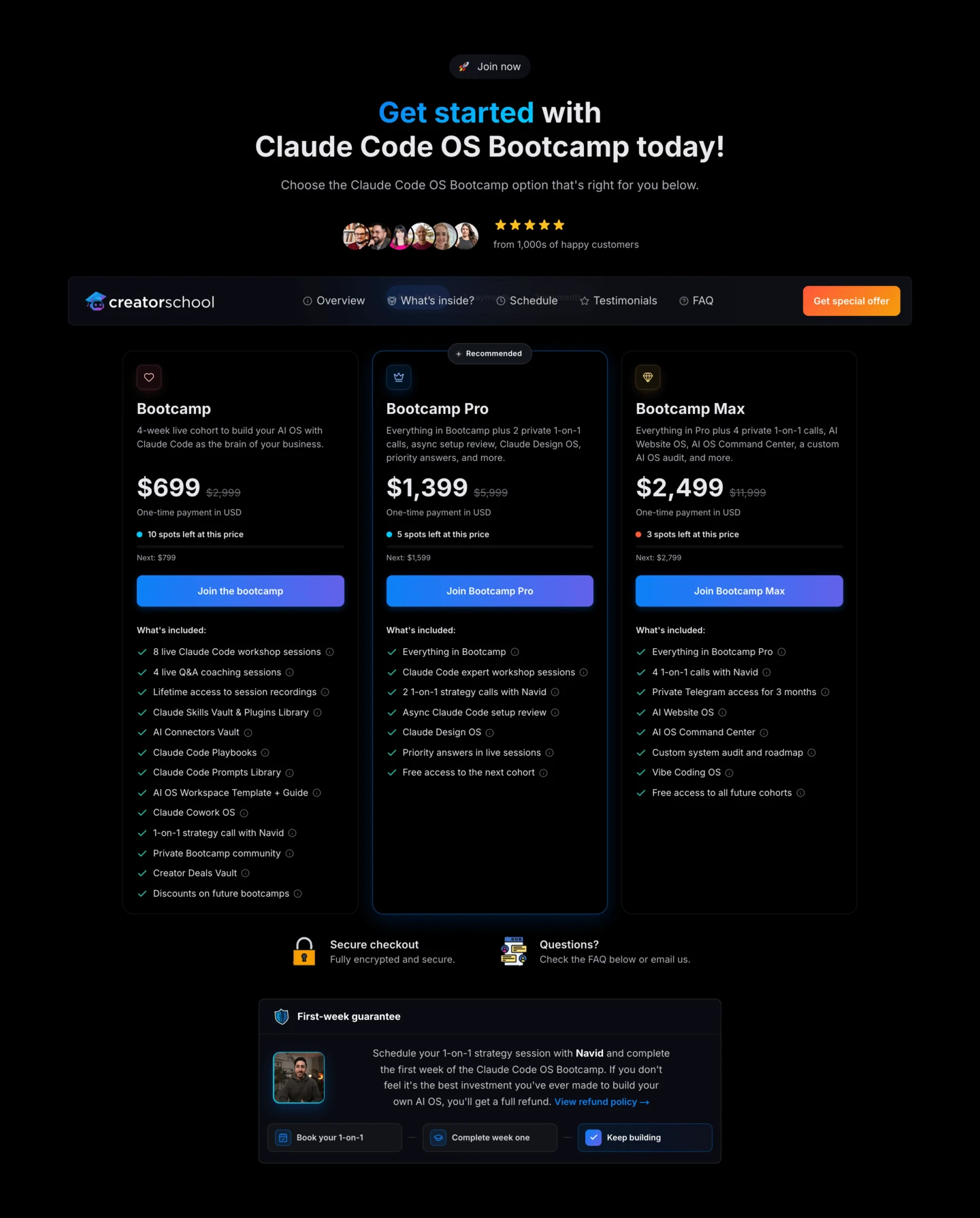
Choose the Claude Code OS Bootcamp option that's right for you below.
Bootcamp
4-week live cohort to build your AI OS with Claude Code as the brain of your business.
- 8 live Claude Code workshop sessions
- 4 live Q&A coaching sessions
- Lifetime access to session recordings
- Claude Skills Vault & Plugins Library
- AI Connectors Vault
- Claude Code Playbooks
- Claude Code Prompts Library
- AI OS Workspace Template + Guide
- Claude Cowork OS
- 1-on-1 strategy call with Navid
- Private Bootcamp community
- Creator Deals Vault
- Discounts on future bootcamps
Bootcamp Pro
Everything in Bootcamp plus 2 private 1-on-1 calls, async setup review, Claude Design OS, priority answers, and more.
- Everything in Bootcamp
- Claude Code expert workshop sessions
- 2 1-on-1 strategy calls with Navid
- Async Claude Code setup review
- Claude Design OS
- Priority answers in live sessions
- Free access to the next cohort
Bootcamp Max
Everything in Pro plus 4 private 1-on-1 calls, AI Website OS, AI OS Command Center, a custom AI OS audit, and more.
- Everything in Bootcamp Pro
- 4 1-on-1 calls with Navid
- Private Telegram access for 3 months
- AI Website OS
- AI OS Command Center
- Custom system audit and roadmap
- Vibe Coding OS
- Free access to all future cohorts

Secure checkout
Fully encrypted and secure.

Questions?
Check the FAQ below or email us.

Schedule your 1-on-1 strategy session with Navid and complete the first week of the Claude Code OS Bootcamp. If you don't feel it's the best investment you've ever made to build your own AI OS, you'll get a full refund.
Why creators just like you
love Creator School AI products
Don't just take my word for it, listen to 100's of others…
 Who's behind this
Meet your instructor
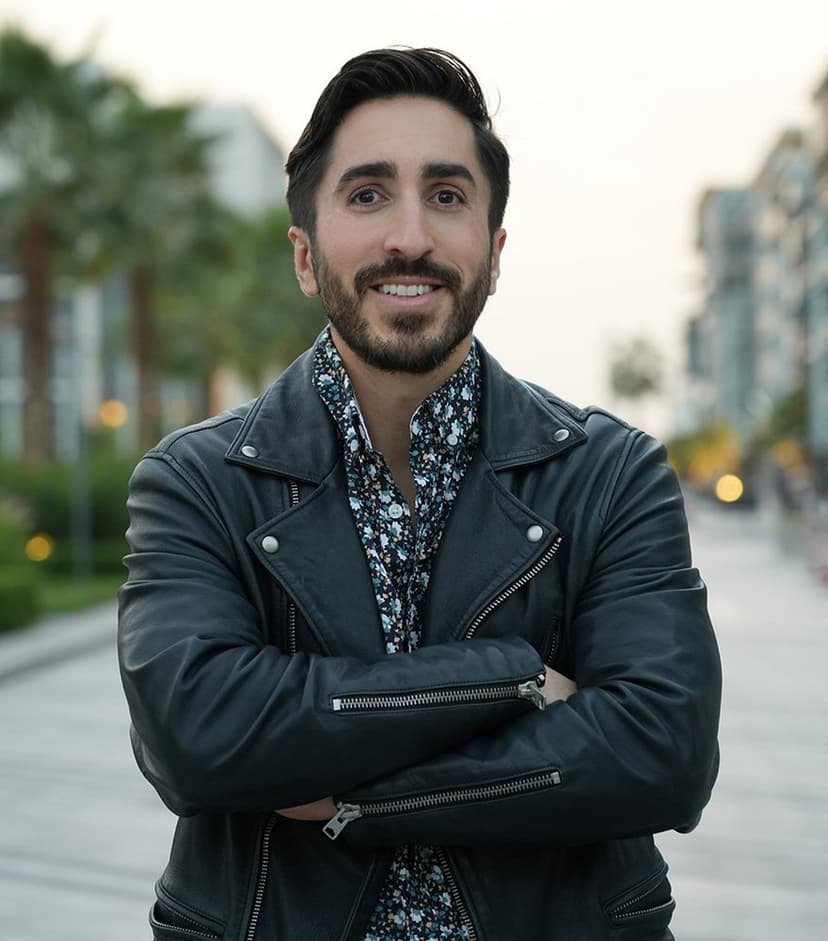
Navid Moazzez
Founder of Creator School & creator of Claude Code OS
Navid Moazzez is the founder of Creator School AI, creator of Claude Code OS, and host of the AI Creator Summit, watched by 100,000+ creators.
He helps creators and founders build their own AI Operating System (AI OS). The same system that transformed his own business and life now lets him do the work of more than 10 full-time employees by himself, every single day.
Navid is a true lifestyle entrepreneur and global citizen who has lived in 16+ countries, traveled to over 50, and holds permanent residency in Panama. Outside of business, he's deeply into sports, longevity, adventure, lifelong learning, and reading.
FAQs about Claude Code OS Bootcamp
Here are the most common questions I get about Claude Code OS Bootcamp answered for you.
If you have a different question, just click on the chat icon to the bottom right of this page.
There's never been a better time to
build your own AI OS!
Building your own AI Operating System with Claude Code is the one thing serious creators and founders are going all in on for 2026 and beyond.
Choose the Claude Code OS Bootcamp option that's best for you below.
Bootcamp
4-week live cohort to build your AI OS with Claude Code as the brain of your business.
- 8 live Claude Code workshop sessions
- 4 live Q&A coaching sessions
- Lifetime access to session recordings
- Claude Skills Vault & Plugins Library
- AI Connectors Vault
- Claude Code Playbooks
- Claude Code Prompts Library
- AI OS Workspace Template + Guide
- Claude Cowork OS
- 1-on-1 strategy call with Navid
- Private Bootcamp community
- Creator Deals Vault
- Discounts on future bootcamps
Bootcamp Pro
Everything in Bootcamp plus 2 private 1-on-1 calls, async setup review, Claude Design OS, priority answers, and more.
- Everything in Bootcamp
- Claude Code expert workshop sessions
- 2 1-on-1 strategy calls with Navid
- Async Claude Code setup review
- Claude Design OS
- Priority answers in live sessions
- Free access to the next cohort
Bootcamp Max
Everything in Pro plus 4 private 1-on-1 calls, AI Website OS, AI OS Command Center, a custom AI OS audit, and more.
- Everything in Bootcamp Pro
- 4 1-on-1 calls with Navid
- Private Telegram access for 3 months
- AI Website OS
- AI OS Command Center
- Custom system audit and roadmap
- Vibe Coding OS
- Free access to all future cohorts
Secure checkout
Fully encrypted and secure.
Questions?
Check the FAQ below or email us.
Schedule your 1-on-1 strategy session with Navid and complete the first week of the Claude Code OS Bootcamp. If you don't feel it's the best investment you've ever made to build your own AI OS, you'll get a full refund.