How does Voicepal work?
The Voicepal workflow is straightforward but powerful:
- Record your thoughts. Open the app and hit record. Speak naturally about your topic while walking or moving around.
- Answer follow-up questions. After transcription, Voicepal analyzes what you've said and generates intelligent questions to expand your thinking. You can tap any question to record additional thoughts.
- Use the shadow reader. This feature provides even more follow-up questions if the initial set doesn't cover everything you want to explore.
- Export using custom presets. Choose from presets you've created (newsletter, Instagram caption, LinkedIn post, X post, blog) to format your content in your preferred style.
- Make final edits. Save your draft to Google Docs, Notion, ClickUp, or another editor for any final tweaks before publishing.
The magic happens in how the app combines your spoken thoughts with AI-powered questions to create more comprehensive content than you might develop on your own.
Who is Voicepal for?
In my experience testing the app, Voicepal is perfect for:
- Content creators. YouTubers, bloggers, and newsletter writers.
- Marketers. Anyone creating sales copy and marketing materials.
- Authors. Writers working on books or long-form content.
- Business professionals. People creating internal memos and documentation.
- Anyone who thinks better while moving. If you get your best ideas on a walk.
As one blogger who reviewed the app put it: "It's not trying to write it for you from scratch or from a one-sentence prompt, but instead helping you to get through writers' block."
My personal experience with Voicepal
Like most creators, I've always struggled with the blank page problem. I'd sit at my desk for hours, trying to force ideas onto the screen, only to end up frustrated and with mediocre content.
I initially approached Voicepal with skepticism. Another AI writing tool?
Would it really understand my voice? Would the transcription be accurate enough to be useful?
My first attempt was quite revealing. I took a 30-minute walk around my neighborhood when I was staying in Caracas, Venezuela, speaking about a topic I'd been struggling to write about for days.
The transcription was surprisingly clean, but what truly amazed me was how the app began asking questions I hadn't considered:
- "What specific examples can you share to illustrate this concept?"
- "How does this idea connect to your previous content?"
- "What counterarguments might someone raise to this point?"
These questions transformed my initial thoughts from disjointed ideas into a comprehensive perspective.
When I exported my first draft, I was shocked. It sounded like me, but a more thoughtful, thorough version of myself.
Within weeks, Voicepal became the centerpiece of my content creation system. My newsletter writing time dropped from 2+ hours to just 30 minutes.
More importantly, my subscriber engagement improved dramatically because my content became more nuanced and thorough.
The unexpected benefit? I'm now walking 7,000+ more steps daily while simultaneously creating better content.
Voicepal key features: What makes it stand out
Here are the key features of Voicepal that have made the biggest difference in my content creation process:
1. Voice-to-text transformation
Voicepal transcribes your spoken words and cleans up the filler words ("um", "uh", "like"), giving you a polished transcript of your thoughts.
2. AI questioning system
This is Voicepal's standout feature. After transcribing your thoughts, it analyzes your content and generates intelligent follow-up questions to deepen your thinking.
The "Shadow Reader" feature provides thoughtful questions that help expand your content in ways you might not have considered.
In my experience, these questions often unlock ideas that dramatically improve the final product.
3. Content organization in streams
Voicepal organizes your content into "Streams", topic-based collections of your thoughts and responses to questions.
Each entry is timestamped and you can play back the audio recordings.
This makes it easy to build on ideas over multiple sessions, or to capture thoughts about ongoing projects.
4. Custom voice matching with presets
When you create a new preset, you provide examples of your previous writing, and Voicepal learns to match your style. This keeps your content in your authentic voice.
The app offers multiple preset options for different content types, from YouTube scripts to X posts to email newsletters.
You can create templates for different content types with specific settings:
- Custom instructions. Things like "start with 'Hey friends'" or "end with 'Have a great week'".
- Reader profiles. Target audience demographics.
- Creativity levels. A 1 to 5 scale, where 1 sticks closely to what you actually said.
- Word count targets. For example 800 words for newsletters, 250 for Instagram captions.
5. Fast draft generation
The speed at which Voicepal turns scattered thoughts into coherent, structured content is impressive.
It generates professional-looking drafts in formats like Substack posts, complete with section headings and proper formatting.
6. Productivity analytics
Track statistics like total words written (all-time, monthly, weekly, daily) and estimated time saved.
In Ali's demo, he showed that he had created 162,000 words with Voicepal, which had saved him over 2 days of work.
7. Topic recommendation engine
The app analyzes your previous content and suggests new topics you might want to explore, shown in the "Recommended topics" section.
This has been particularly valuable for preventing content drought. Whenever I'm stuck for ideas, the recommendations often spark new directions.
How to use Voicepal: Step-by-step plan
Here's my exact workflow for creating content with Voicepal:
Step 1: Initial setup
- Download the app from the Apple App Store, iPad App Store, Mac App Store, or Google Play
- Create an account
- Allow microphone permissions when prompted
Step 2: Create your first preset
- Go to Settings, then Presets
- Create a new preset, for example "Newsletter" or "X post"
- Paste examples of your previous writing
- Set custom instructions
- Define your reader profile
- Set creativity level (1 to 5)
- Set target word count
Step 3: Record your first content
- Open Voicepal and tap "+" to create a new thought
- Choose between typing an initial idea or recording directly
- For best results, connect AirPods or headphones
- Tap the microphone icon and start speaking
- Talk naturally about your topic
- Tap the checkmark when finished
Step 4: Answer follow-up questions
- Review the auto-generated questions
- Select the questions that would enhance your content
- Record your responses
- Use the "Shadow Reader" for more question options
- Continue until you have built a comprehensive "stream" of thoughts
Step 5: Export your draft
- Tap "export" when you are satisfied with your stream
- Select your preset from the dropdown menu
- Review the generated draft
- If needed, use the "reformat" option
- Share to your preferred editing app
I've found that a 10-minute walk can produce about 1,000 words of raw content, which then becomes 300 to 500 words of polished material.
How Ali Abdaal uses Voicepal and AI
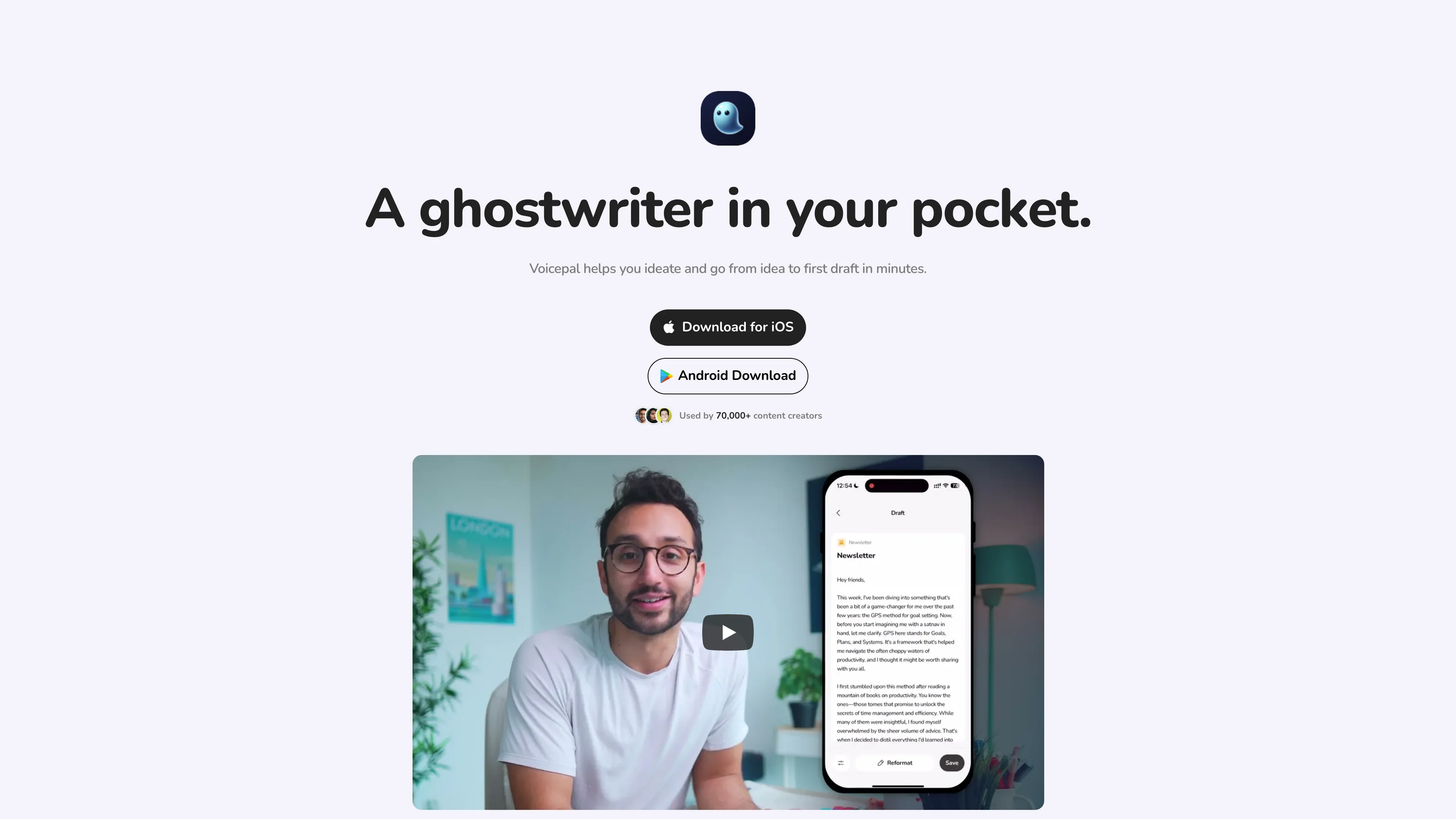
Here's a quick video on how Ali Abdaal writes his email newsletter using AI with Voicepal:
Real-world use cases
I've been using Voicepal across multiple content formats. Here's how it performs for each:
Email newsletters
I've cut my newsletter writing time by more than half. I capture thoughts while walking, answer follow-up questions, and export a draft that I then finalise in Notion.
YouTube scripts
The questioning system helps identify gaps in my explanations that I would have missed otherwise.
I don't usually write word-for-word scripts, but my outlines are much more comprehensive and they flow better.
Blog posts
For blog posts I've found Voicepal particularly useful. In just 10 to 15 minutes of recording, I can produce a solid 1,000+ word first draft.
My blog posts are usually far more in-depth than that, but it gives me a real start to add my own input and expertise to.
Then I tend to move into a proper long-form AI writing tool like Claude or RightBlogger to add more depth, since most of my posts run past 3,000 words.
Marketing copy
When creating marketing materials, speaking naturally about product benefits helps me write more authentic copy that resonates with my audience.
Team communication
I've started recording internal memos while commuting between meetings. That way I capture the important details while they are still fresh.
Voicepal pricing plans
So how much does Voicepal cost in 2026?
Investing in the right creator tools can change how your content actually gets made.
Voicepal's pricing is straightforward, and here is how the plans break down:
Monthly plan
- Standard price: $9.99/month
- With my exclusive link: $8.99/month, which is 10% off forever
- Lifetime price-lock, even if the standard price goes up
Annual plan
- With my exclusive link: $79.99/year
- Saves roughly 25% compared with paying monthly
- 10% off the standard annual price
- Lifetime price-lock, even if the standard price goes up
For content creators who publish regularly, this investment quickly pays for itself through time saved and quality improvements.
The lifetime price-lock is particularly valuable, as AI tools tend to raise their prices as they gain popularity.

 Creator School AI pick