How to clone yourself with AI: AI digital mind
Navid Moazzez: In this session, I will walk you through step by step how to clone yourself with AI and build your AI digital mind. And this is going to be like your complete guide to creating an AI version of yourself that can interact with your audience 24 7. And you'll learn what digital minds are, why they're different from just video clones and how to build yours with Delphi.
And there's alternatives like Coachvox AI. And you also learn how to monetize your expertise at scale. There's many different use cases for creating a digital mind, and it's pretty simple to do. But you might not have this already and, you know, whether you are a coach, consultant, educator, or creator, and this guide will show you how to clone your knowledge and scale your impact without sacrificing this personal touch. So it's gonna feel like you. So let's dive in a little bit to why digital minds are different.
Most creators think AI cloning is just about creating a video avatar that looks like you, that's only half the story here.
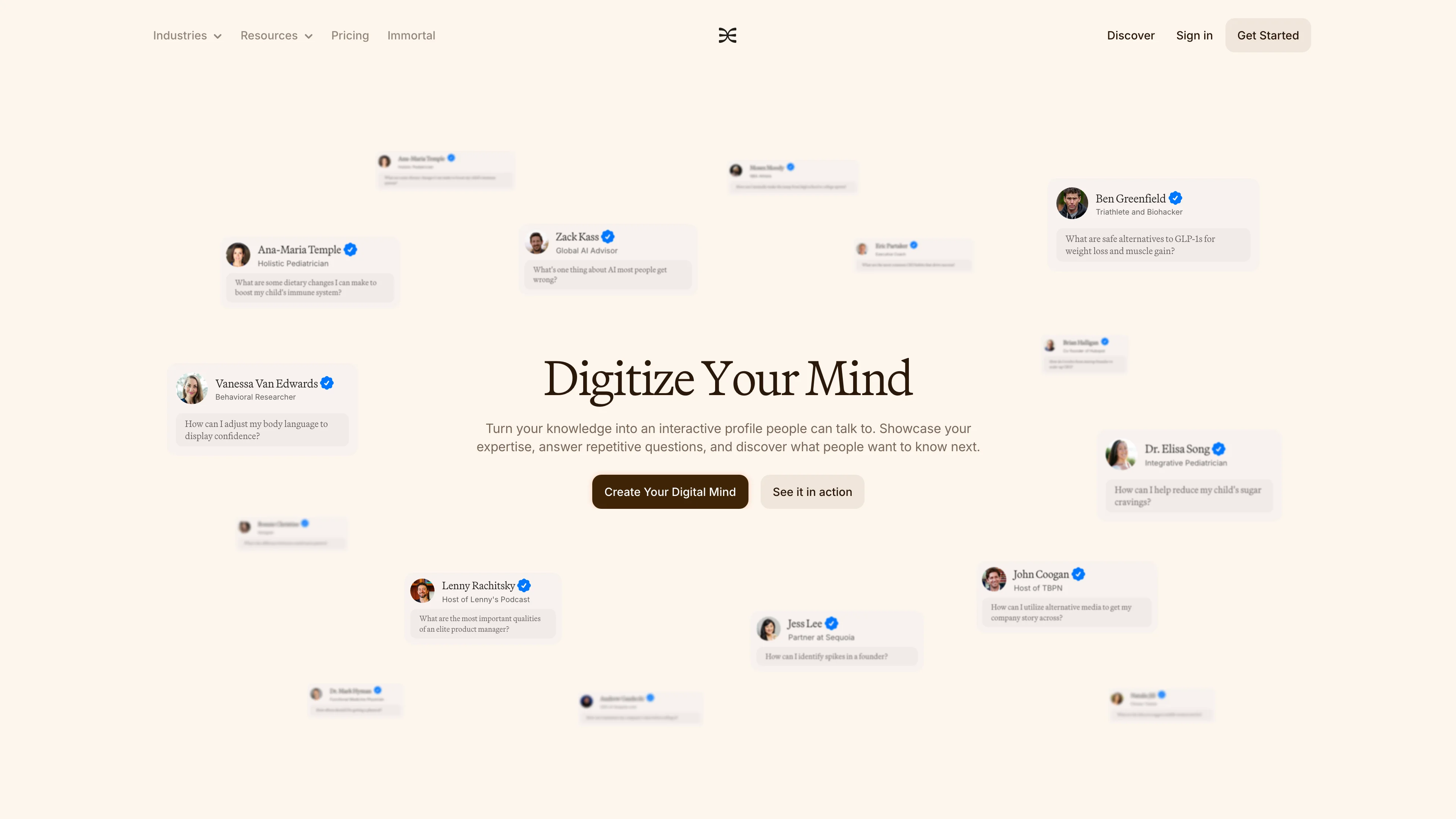
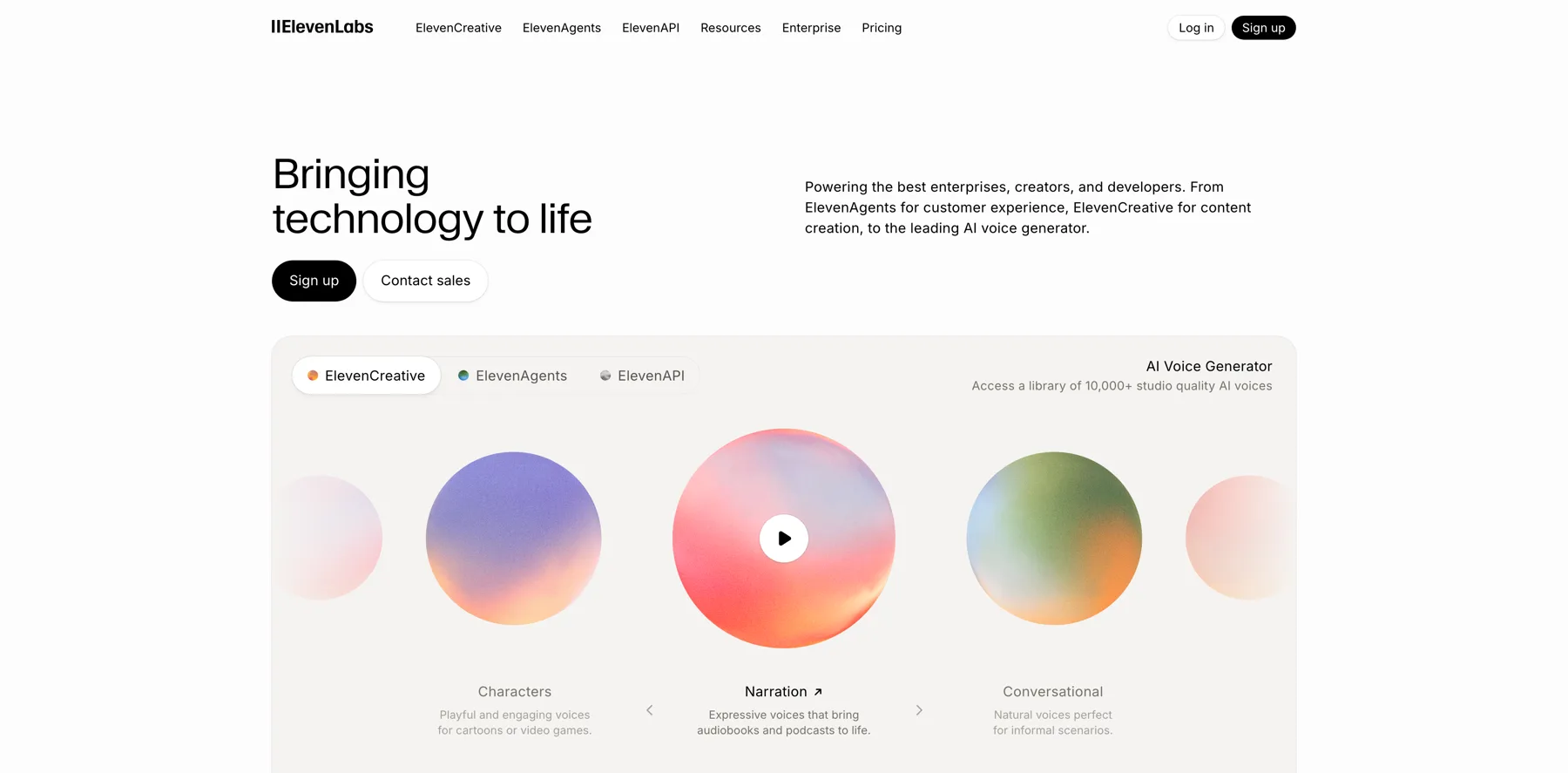
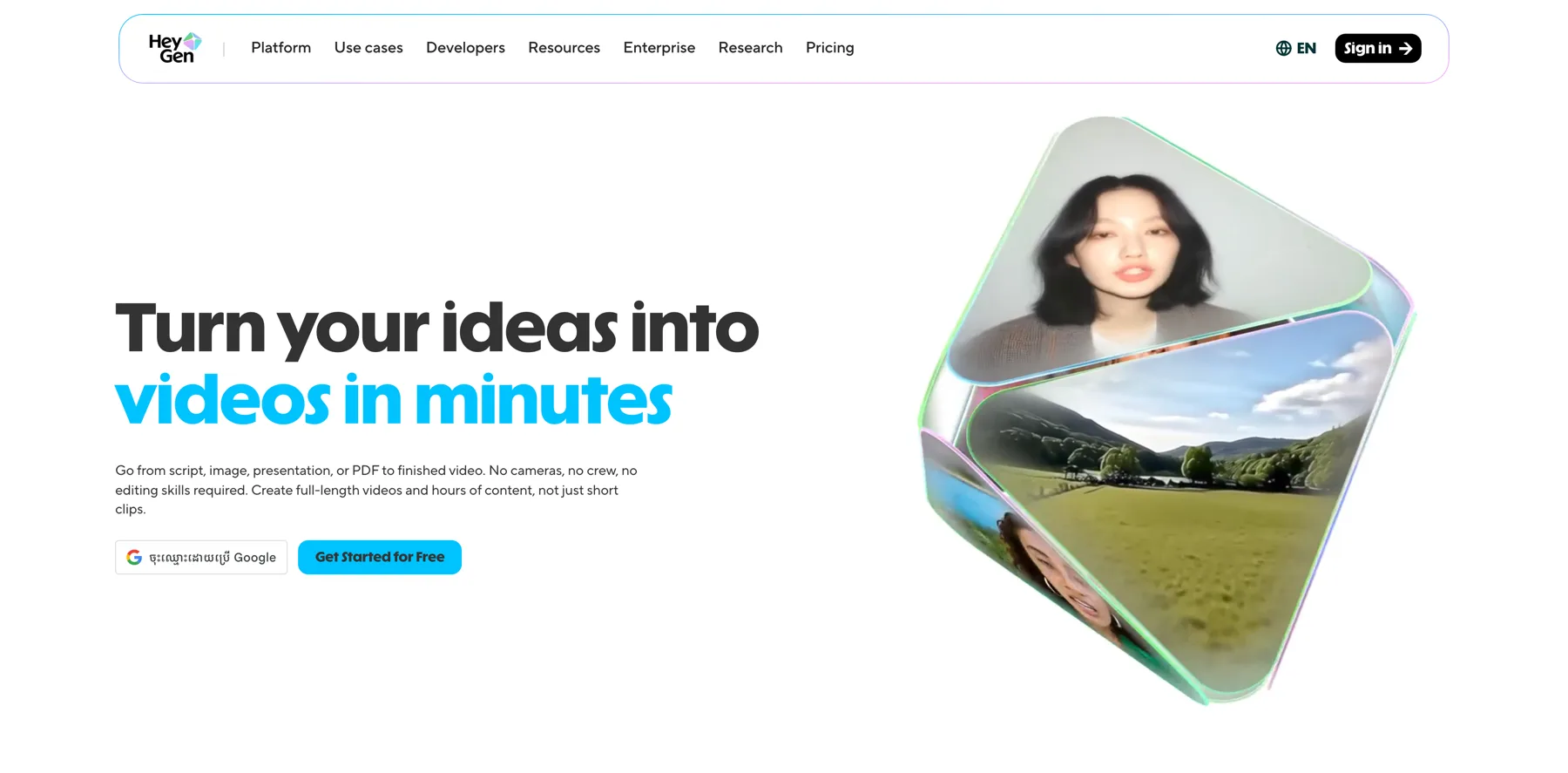
So video clones, you can do that with HeyGen. And then the voice cloning with ElevenLabs, for example. Visual avatars that look and sound like you in video. And then we have, digital minds like Delphi and Coachvox AI, which are more like a conversational AI trained on your knowledge that things and response like you.
I think that is pretty cool. And this guide will focus on digital minds, kind of the conversational AI that can answer questions in your voice and style, have text and voice conversations 24 7. In some cases you can even deploy across your website, SMS, WhatsApp and Slack. I think Coachvox cannot really do that, but, Delphi they have some very advanced features with certain things here.
You can generate leads and create revenue while you sleep, and then you can scale your expertise infinitely without hiring a team. And the result here can be that your audience gets personalized access to your knowledge anytime, anywhere, and you break free from trading time for money or showing up. You can even have a support bot like this, which is pretty cool.
I've even created Navid AI like this. I'm gonna show you an example, and I'm currently training this, so you are gonna kind of see behind the scenes of what I'm doing with this as well. So that is pretty awesome. So what is a digital mind here? So the concept, a digital mind is an AI powered version of you that can capture your knowledge, everything you've created, taught, or shared anything online basically your communication style, how you explain concepts, your tone, your phrases. Your expertise, your unique frameworks, methodologies and insights, your personality, what makes your personality different from everyone else's. And that's kind of how it would be different than just like GPT.
I'll get into that a little bit, but yeah, this is actually responding like you and it has your personality. It's trained on you. That is the difference here. And it's not a chatbot with canned responses. It's trained on millions of words of content to genuinely think like you. That is the key here. And how does it work in an essence?
I will show you this in the platform as well when I do the demo, but you basically upload the content.
So this is Delphi, the platform I'm mainly gonna focus on. And there's also Coachvox. They don't really have the audio features and stuff like that. And Delphi even had video features, but I think they may have removed it at the time of this recording. Maybe it was not as good or stable or whatever. But now they currently just have audio, I believe. Maybe on the enterprise they have some more stuff. But yeah, Coachvox is pretty powerful as well. But it's mainly text-based with a chat as far as I know. And you can do pretty similar things, but you can get it to kind of respond, like you can train it on all your data. So pretty similar in that sense.
But I feel Delphi has some advantages for certain things, but here you can see kind of what Coachvox does. I don't currently have a paid subscription of this, but if you're interested, I might demo this one as well.
I actually have a session with Jodie Cook on how to clone yourself with AI using Coachvox. And you can check that out in the AI for Creators 1.0 Vault and that's available to AI Creator OS students. So definitely check that out if you're interested more in Coachvox, and I think they're starting at about similar prices, but Delphi, they have actually a free plan.
You cannot do too much with this, but you can get your feet wet, basically. You can try it out here. So definitely sign up. I mean, they're on wait list now, I guess. So you can't really get in here at the time I'm recording this, but they have the builder plan. When you sign up, uh, to start, you basically get it at half off for the first month, I believe, and then you start paying the $99 per month, or you can switch to annual.
But you see here there's a little different. I think. This one really stands out for the pro voice and the kind of instant cloning is not the best. It's decent. Maybe depending on your accent it can be fine. But I tested this. It's not always consistent. I think the pro voice probably they're using ElevenLabs or something.
They are integrating here. I think it should be included here, but they don't include it for some reason. I think that should be included. So it can, you can actually use the voice calling with the professional voice, but they do have some more features. So that's kind of what it is. So you sign up here and then you need to verify yourself because this is of course, a little bit sensitive if you created this of someone else.
So you do have to verify yourself with an ID and your face, and biometrics, whatever. So you do that when you sign up. They have a pretty straightforward process, just go and sign up. And you can even see here they do have quite some influencers and experts using this. Here is Ramit Sethi. You can talk to Ramit here even like, let me go here for example. You can have a chat with Ramit. I mean, it's pretty cool. So you have a lot of different experts using this platform and it is pretty much what I've explained so far. You create your digital self, your mind, your model, your rules, answer questions, and connect 24 7 in your voice.
So it's a pretty simple promise here, but it can do quite a bit when we dive into the platform. So that's what I want to do kind of to talk, about how this can work. So this is what it looks like on the inside.
When you get into the platform, you can familiarize yourself a little bit with different things. Here, you can see here I've trained it a little bit with my content. You can actually connect Notion and quite a lot of things. So it says it's kind of in the middle. I want to hit obviously experts here, and then you can connect your, all your social channels and it can kind of pull from that automatically.
So it's pretty awesome. And something I really like as well is that you can add products here and you can kind of organically promote your products inside of this. I didn't really add too much here for now, but you know, you can have this and you can have different keywords and stuff like that, once per user, once per conversation, every mention.
So you can do that however you like. But really in an essence how this works is that you upload your content, blog posts, videos, podcasts, social media, course material, books, interviews, documents, transcripts, emails, anything. And you can't even, actually connect this to different sources. So let me show you this, and that's in mind you, we also gotta get into the voice here 'cause that's kind of where you clone your voice. It's pretty simple. I mean, you are just on the instant one. It's, you need like 30 seconds or a little bit longer to do that, but at least 30 seconds to get your voice basically. And I will demonstrate this. So here you see, you can train your, train Navid, basically digital Navid.
So I can start an interview too. This is pretty cool. This is something new they have. So let me continue this. Like, I'm just gonna show you, I'm not gonna do this full thing now, but it will pull a little bit from the different experiences I have, so I can basically record here my answer and then, you know, you can get some really cool things here because imagine you are explaining in your words, your story.
I mean, that's like you're getting interviewed here and you're just, feeding it more information about yourself. That's pretty unique. I haven't really seen that in other tools, or similar tools. So I really appreciate that. I will definitely go through this myself to do this, thoroughly. But if we exit this one, then we go back here, then we go to mind, and then we can train Navid, but we can go to upload content instead.
Then you see the different content types here it's very, very organized, so you can have your entire website. I can enter my, let me see if I do this right now, actually, I can enter. I'm not gonna enter Navid. I'm just gonna enter Creator School because Navid has so much stuff on it. All right, so I'm just gonna enter this one from entire domain.
This is content is written by me, so I scrape links. Alright, so I scrape all of this right now and let's see what happens here. It's just kind of pulling a lot of things. It will be interesting to see what it does here and sometimes it takes some time.
That's why I didn't take my other site because that it has way too many pages and my Navid.me site. But, yeah, so this will process. It should be done pretty soon. So you upload all, all your content that's kind of in step one here. You upload all your content, you can even connect the notion and your podcast and YouTube and all your social channels, even messaging apps, note apps and all of that.
Then AI learns your patterns, how you structure explanations, your specific phrases and terminology, your approach to problem solving and what you emphasize and what, what you avoid. I think that is, super powerful and very, very cool that you can do that in a platform like this. And it's actually pretty user friendly.
I feel it's pretty straightforward to do this. Then step three, people can interact with your digital mind. You know, text conversations on your website, voice calls that sound like you. Even SMS, WhatsApp and Slack integrations, you can embed that into courses and communities and you can scale this infinitely, handle really thousands of conversations simultaneously.
I mean, this is available 24 7 across all time zones. It doesn't matter where you are and you can make yourself available. I've seen experts like Matthew Hussey, he's selling this to his audience and they love it. Like he's selling, like dating advice to his audience and they love his, little membership where they get access to his AI clone.
I don't know exactly the price, but I think it was like, maybe they had a free trial and then he had it for like 40, $49 a month, something like that, which is pretty decent. You know, they get access to him and they can ask any questions and it's trained on him and answers like him. And of course if you're selling it, you should probably have the pro voice plan or something. So it's like a good voice. But uh, you can also offer this as part of your communities and courses. That's something we've considered with Creator School and AI Creator OS. I mean, we even have something similar, which is called the AI Creator Assistant. That was gonna be built with HeyGen.
But now I'm actually considering offering like a Navid AI in some way too, because this is based on my knowledge and how I respond and things like that. Okay, so this should be kind of done now, let me see here if this is done, I mean this scrape the website so I can continue here. So let's see if I finish uploading, I might not do this now because I don't want all of these links here.
I probably would pick like a few links. There's just gonna be too many. So I'm not gonna upload all of this, but I'm gonna show you some other things. I'm not gonna upload this here, but then you can actually have YouTube here, so let me see if it's gonna pull or if it's, uh, so social channels, you can add your different platforms here and they will sync.
So you can even integrate Google Drive here to get access to all your stuff. When you click that with one click, you can integrate it.
Then you have podcast, checking voice configuration. It's taking a little bit of time I guess. And then here we have Notion. So you can actually connect my Notion, just one click and very, very easy. You can select the pages you want to feed it here, and then you have Slack access too. So pretty cool. So let's talk a little bit more.
So lemme gonna just discard changes, but this is kind of how you do it. So you can see here when I integrate Notion, you can even get access to my prompt library and things like that. So lemme see if I click this here. Uh, you can see the different word count and all these kind of things. You can kind of access this.
And then I even added my tools guide, my AI tools guide here. So quite interesting how this works. It's very different than some other tools. Like you can't even have folders and, organize things very neatly. But another thing that I want to show you is, uh, this is the where you clone your voice. I've already done that here.
Let's say you can go in here actually, so you can actually upgrade. Because they prompt you to upgrade to get the pro voice. So yeah, I'm not gonna do that right now. I'm on the builder plan, but I might upgrade to this one to get the pro voice. It is a significant difference. It's very, very big, the voice, so you can, I mean, this is the thing I uploaded.
But yeah, you would just, let's see if I delete this here. 'Cause it was not the best. Let me just delete this and I'll set up a new one. So I'm just gonna start talking here naturally while I'm explaining something to you. So this is what you do. So you'll set it up, you talk for just 30 seconds, or maybe one minute or so, could be a little bit longer.
I'm not sure if that makes a difference if it's longer or just 30 seconds. They haven't really stated this here. And you can also upload samples. I actually got a better results when I uploaded samples for some reason. I'm not sure why, but, yeah. So I might just record here.
All right, so I uploaded a file here that is a little bit better audio than I would get straight out of Delphis recording here. So I just upload this. It's a little bit longer too, but let's see if this works. Now this is one is gonna process. And that's it. That's all you need to do when it comes to cloning your voice.
I wish they integrated ElevenLabs in some way, but I'm not sure. Maybe it's would be quite expensive if people are getting like unlimited access to you or something, but it's still pretty solid here that you can just clone it very quickly. I just wish the pro voice was available on the builder plan because I think just a step up from $99 a month to 349 or something is quite steep.
So that's, something to consider. But it is very good this tool in terms of what it can do. So let's talk a little bit about why Digital Minds versus custom GPTs. I think I alluded to it, but really. I mean, a lot of people, they build custom gpt and you can give your students and they can be trained on your information and stuff like that.
That's great. But I think, with GPTs, especially within ChatGPT, if you talk about this specifically, you can maximum have like 20 files. That's very limited. That's extremely limited, and it will be very, very hard to train it on all your information most likely maybe, something niche, but not on all the stuff.
When it comes to, let's say here with AI and all the sessions, it will be very hard. So with Digital Minds inside of Delphi and many other tools, you can train it on millions of words and auto sync with YouTube podcast and blogs. And this one does this specifically. Not all tools sync in this way, and that's why I think Delphi has an advantage in this.
That's why I choose to use it, because it feels very easy. If I have a YouTube video on my channel. It will just sync automatically. If I have a podcast or blog post from my website, it can sync automatically here so it gets more and more information and I can decide what I want to include and what I don't wanna include.
So that is really good. So basically, your decades of experience can't fit in 20 files. I wrote this down here, and then Digital Minds ingest your complete body of work and keep updating as you create more. That is pretty much the distinction here. Voice and presence. I mean, custom GPTs is text only and there's no personality.
I think. I mean, you can add some personality to it, you can train it a little bit, but not that much. Right? And with Digital Minds, it's your actual cloned voice, interactive voice calls, maintains your authentic presence. Of course, Coachvox, at least at the time I'm recording this, I think they don't have, like a voice calling and stuff like that, but they do have a pretty good chat so you can actually see that it's in your voice.
Jodie is doing a pretty good job with that one, but I just think this one is more involved in terms of voice calling and stuff. It feels more that you're having a real conversation, I think. It's more personal, and I think that's why a lot of experts choose to use Delphi. I mean, I've seen so many experts use it and yeah, that's uh, probably one of the reasons because people can call in, they can have a conversation with you, and it's pretty accurate.
I'm gonna demo this in a little bit here, and also the distribution in terms of just simple GPTs, I mean, you need kind of a link to ChatGPT to send it out and things like that. Hard to sell access. I mean, you can do it, but it's a little bit clunky. There's some other tools like MindPal and others.
You can build things like this, but I think this one is specifically. For cloning yourself. I mean, other ones you can build small tools and things like that, but this is like really your knowledge. I think it's specifically built for this use case to make a version of yourself, like in my case, a Navid AI that can chat with you 24 7 and be available to answer your questions. Alright.
These digital mines in Delphi, they can be embedded anywhere. You can see your audience. You have integrations here, actually. So that is where you can do this. I mean, some, they have direct integrations with like Kajabi Thinkific, Mighty Networks, and they have SMS and things like that.
So you can give, you can have a phone number and things, But here you can embed it on your existing website or you can launch this on a standalone domain. So I can just embed this on Creator School, for example. And you can get access to Navid AI, which is really cool. So that is, very simple. It's just like you click here and then you can choose your website.
And then you will get a code that you can embed. So very simple, very, very simple. And you can also have your own domain here, which is nice. This is awesome. And so analytics and insights. I think that's another thing. If you compare just the regular ChatGPT they don't have any analytics really.
I mean, they have like who viewed it or how many people used it. I mean, that's great. But here you can see every single conversation and you can see that here. I have just tested this a little bit. Okay. This is myself. Okay. Look at this. I mean, you can see every conversation. This is pretty incredible, right?
You can see the person who had a conversation with you. I mean, that is pretty insane. So that is powerful. You can see like trending topics, knowledge gaps, user behavior. You need to know what your audience is asking to improve your offers and content. And this is like a crazy research tool.
Think about that, how hard this was before you had to do these kind of surveys and things like that. I mean, that's good, but here you get people who actually have a burning problem. They're coming to your chat and they can ask you questions 24 7 and you are getting feedback and data all the time for your business.
What to create, what to do, and what to improve. That is yeah, that is incredible. So, yeah, data and ownership. In terms of the comparison here, your content kind of trains their model. You can turn it off, but you know, it's a little bit tricky with these things, but there's of course kind of GPTs on other platforms.
But I think when we are, speaking of digital minds, this is a platform specifically built to do this kind of Navid AI or a clone of yourself. This is built for this purpose. I love the user interface here. It's very clean, it's not too much and it's very easy to use it. So yeah, so you basically own all your things you upload here, it's all your data.
So let's talk a little bit about kind of the clone economy. I think that's interesting too. So. I mean, where individual expertise becomes infinitely scalable products, you know, traditional one-on-one business like coaching, consulting, hit the ceiling. Like you have to hire teams, you have to, you know, create more and more content, build a community. But now with these digital minds, you break these limitations. They can capture and scale your exact methods 24 7. I mean, that's pretty incredible.
There's some real examples like athletes, cybersecurity experts, health gurus, newsletter writers, coaches. I mean, the list goes on and on. It can be useful for so many different people.
And I think, Delphi they even have some industries here, like experts, coaches, business owners, authors, consultants. I mean, I can just click here and it kind of shows you different ones and you might identify with certain ones. Here is Brendan Burchard, business owners, like, you know, it's pretty cool.
So let's go back here. So if you compare like something like Delphi with Coachvox, the pricing is quite similar, although Delphi, they do have a free plan, but pretty limited. So I would say in terms of the pricing, so we go here. It is $99 per month, to get started. I mean, this one you can get started to try, but it's, pretty limited, but you can try it out and then you can use the $99 a month plan.
But Coachvox is pretty similar, like Coach Walks, I believe it starts at, let me see if they have this here as well. I think the Delphi page is much cleaner. I don't really like their design, to be honest. It's pretty. It's decent, but yeah, I cannot even find.
I think Delphis is more clean. But yeah, so you can train, training content, you can have millions of words with Delphi, autosync feeds. And I'm not exactly sure with Coachvox, but I think you upload documents and content there, so I'm not sure if it's auto syncing, but yeah, in Delphi is quite straightforward how this works, which is nice.
Voice cloning, actually, that is pretty cool. And I think Coachvox is only text chat only. At least I have not seen anything about that. They can do voice cloning. So I think there's, chat only and deployment, like on your website, SMS WhatsApp, Slack, phone, I mean, inside of learning platforms, Delphi can do that.
Coachvox can also be embedded, you know, basically anywhere. You can embed some HMTL code, you can embed Coachvox too. So that's pretty good. But they don't have these deep integrations that Delphi got with certain platforms like SMS, WhatsApp, Slack. So I think that they stand out there and also with phone, so that is pretty useful, when it comes to Delphi. Analytics, they have very deep insight and tracking in Delphi. I have not really tried that too much in Coachvox, but I do think they have some analytics. But what from what I see inside of. Delphi, it is quite awesome and deep in terms of the analytics side of things and auto sync sources, YouTube podcast, RSS, social, that's what Delphi can do.
Coachvox, at least when I checked it out, it was more that you add your sources yourself. They might have changed, but at least, I just like this user interface. This is like my type of user interface. It's like very simple. I think, other user interfaces are a little bit overwhelming, but here it's pretty simple.
You don't have too many tabs and you can also go to your profile and when you set up your Delphi. Or your digital mind, you actually, you know, go through a process like this. Sometimes it pulls from your LinkedIn. That's what it did for me actually. And then I just add my social media here. I can also add some initial messages here, how I want to respond.
I can also have some suggested questions here I wanna start with. And then I can also add this thing, so I'm like kind of verified with, you know, Creator School that I'm, you know, for this, you can see here. And I upload all of this. I can upload my organization basically. So it's like kind of on X, they have something similar.
When you have your organization, you can get it next to your name. So I can show you this here. This is like how it looks. I just wish this page could be in dark mode too, but I'm not sure if it can, either way. It's quite good. So let's go back here. Yeah, this is in dark mode. The other ones there are light mode.
So when should you actually choose Delphi? Let's also talk about target audience. I think Delphi... creators, experts, thought leaders. I mean, Coachvox quite a similar audience, but mostly coaches and consultants, but creators as well. They can make use of Coachvox quite a bit.
And the free plan, you have a 100k training words. I think Coachvox, they don't have a free plan there. So that's kind of a little bit of a comparison between two similar tools. And HeyGen, I'm not gonna cover this in this one, but they do have something called interactive avatars. And you can train this on knowledge.
It works a little bit different. It's not really this intuitive with all of this. It's quite simple to create in HeyGen, but I do think this is even better in terms of making it sound exactly like you because you can train it in so many different ways and you cannot really do that in HeyGen. Yes, you can upload your sources and stuff like that, but you cannot as much tell it how to respond and things like that.
But you can get your video there, like your clone, and then you can have your voice and things like that. So it will sound like you and be a pretty good solution. I'm gonna do that one too, so you can see the difference here. When I launch these.
So when should you use Delphi? You have a lot of existing content, like podcast videos or blog posts, social media content.
You wanna have this auto syncing feature from multiple sources. You don't have to go in and do this manually all the time. You need a voice calling capabilities, and you want to deploy across multiple channels, SMS, WhatsApp, you wanna have maybe even phone. There's a lot of different things you can do there, especially if you're on the higher plans, you can do some more things. And you want to start free and then you can scale up. I mean, you can start free to, you can at least get an account here, although they are on waitlist at the time I'm recording this, but they might open up, so do sign up for this. I'll make sure to drop a link below this video to Delphi so you can check it out.
It's, very, very good. Otherwise I wouldn't be using it myself.
So when should you use maybe a Coachvox? I mean, you're specifically maybe a coach consultant. You want a more coaching focused experience, you prefer maybe a simpler, more streamlined approach and you don't need a multi-channel deployment.
You don't need like all these different aspects of it. But honestly, if I compare the two, I believe Delphi is like winning here. I mean, I do like Coachvox, but I just think with the features you have here in Delphi, it's pretty cool that you have the chat feature like this with the calling. I just think, they got an edge here, definitely. And they have something unique I haven't really seen in too many other platforms.
When it comes to building your digital mind with Delphi, as I mentioned, the only thing you have to do is to gather your content.
That might take you 30 to 60 minutes. So what should you gather? I mentioned this a little bit, but blog, post, articles, maybe 10 to 20 of your best, or you can like sync it automatically if you want that, but probably you want to be a little bit careful if you have a lot of content to just, feed it what you really want to include, because otherwise it might be outdated stuff.
So be a little bit careful when it comes to this because you don't wanna show your audience outdated stuff here. So, email newsletters, your most popular ones, you can feed it. Social media posts, threads, long form posts, book chapters or eBooks. If you have a book. Amazing. I mean, that's a lot of, content, right?
Course materials or PDFs. Audio video content like YouTube channel url, that can auto sync. You can have a podcast RSS feed that auto syncs, video transcripts, interview recordings, frameworks and methodologies, kind of your signature systems. If this is part of a course or a program, then you can feed it your signature systems or maybe the videos or the checklists and all of that.
That could be powerful. Like any case studies and examples, if you wanna reference case studies like from your students, then you can also include that. Then you can have kind of an FAQ to answer this repeatedly. So yeah, that's kind of how we start. Minimum maybe 10 to 15 pieces of substantial content, blog post, videos, podcast episodes, and then like 50 plus might be ideal or just continuously updating. You can actually, there's no limit it seems like you can just add whatever you want here to train. When you train the mind and you have, it's very organized. You see here, you can even have snippets, you can have podcast files. All of this, as I mentioned before, so I think extremely useful. You can have single pages, you can upload from CSV.
So quite a lot of options here, like you can pull from YouTube. I mean, you see, are you just put in your URL here. And this is a podcast basically. So lots of options. But yeah, so as I mentioned, just set up your Delphi account via a link below this video. Just go there. Or if they're not available and you just wanna try a free plan, sign up to their waitlist at least.
And then, define kind of your digital mind's purpose. Like I think it's hard that it's gonna focus on too many different things possibly. I think in my case, I could choose different focuses depending on what I wanted to do. Probably right now it would focus more on the AI side of things, so I can include it in something like Ai Creator OS or maybe offer this for sale at some point.
I think that will be the best. Maybe later on I will do something around longevity or health, because that's something I'm very interested in as well. But I think that would be slightly hard kind of to combine the two here. So that's very important. So define, who it's for? What problem does it solve?
Specific pain points of your target audience, what topics does it cover? Kind of your areas of expertise and what's your communication style? Is it professional, casual, energetic, etc? And then set up your profile. You go through the process and you're gonna get into an account like this is very, very simple and straightforward.
And then you're gonna add your name and photo and write a bio. Like I told you here. It's like in the profile, it might pull from your LinkedIn bio, but you can change it here to edit and you can make it something that is more like you. And here you can add all the questions and things like that. So this is basically what you should do.
Yeah, set up your expertise. Let me see here in my notes if I'm missing something. Yeah, I should just upload and train everything here on your content. So that might take you, you know, depending on if you need to find some of the best content, maybe one, two hours or something. Or maybe you already have that organized.
So you can pull all of this in and then you can make sure this digital twin sounds like you and have the knowledge you want your audience to experience when they're using this kind of chat. So let me show you a little bit what this can look like as well.
So this is mine. It's not exactly trained yet. . But in essence, you can just give a call, you can chat here, it's pretty cool, but when this is trained, it will be better. And I am kind of still struggling a little bit with the instant voice clone.
It doesn't really sound the best. It sounds a little bit awkward sometimes with my voice, which I don't like. But yeah, it's, anyway, quite useful.
You have quite a few languages. It's not a hundred percent like when you change the language, but it's still pretty useful. You can have, your audience chatting in different languages here with you. So let's go back to the platform. I mean, there's quite a few different ones. You have like Lenny here, it's quite popular in the tech space.
Arnold Schwarzenegger here. You have quite a few and so that is what it is. So let me talk a little bit more about, kind of the setups here. So yeah, you might want to customize and refine this a bit. As I mentioned, like the voice cloning especially, you might wanna give it a few tries on the voice.
This didn't work too well, so maybe I'll try a few times. I mean, I'm gonna see if I can get the instant one to sound somewhat like me. I mean, it sounds a little bit like me sometimes, but then it changes the tonality and it doesn't sound like me at all. Or very different, maybe sometimes it start, it sounds like a slow Navid or something.
It doesn't sound good. So I, I don't really know if this is the best experience yet, but I also don't wanna. Upgrade immediately to the $350 a month plan. So that's why I think as a platform, they should consider putting the pro voice on the $99 a month plan, because that will make this feature a lot more useful, to give a better experience.
And then probably more people will rave about it and if people are not enjoying the voices, they probably will not come back to the platform. So that's maybe a negative, I would say, for the builder plan specifically. Alright, so that is a little bit what you should do, like in terms of the voice cloning, as I mentioned.
I mean, you can have 30 seconds, maybe the sweet spot is to have about two to three minutes of clean audio. I haven't really experimented too much. I, I uploaded a longer one then uploaded like around one minute. So I haven't really tried different lengths. But yeah, you can experiment with this on the kind of instant cloning here to see what works.
But the pro voice is probably more of a professional ElevenLabs clone, and then it will be really, really good. So you can test this out here. Okay, so then you can set some guidelines and things like this. You can go back here to the home and then you can see here, you can talk to it, you can train, you can upload content.
Everything is very easy from this part. You can also see here kind of how skilled it is. You can even have it up to, like, you can make it really, really amazing. I have not seen any platforms that kind of target this in this way here. I mean, this is quite useful to know. So you, you, I'm just kind of in the middle of skilled and expert right now, so I'm not even, uh, I'm not close to this.
I probably would launch this when it's somewhere in the realms of master. That's kind of what I would feel comfortable, but then I would add more and more. So it actually has quite a lot of knowledge already. So that's what I would do. And then you can make your Delphi public. You can also do some cool things here.
I'm gonna talk about this as well. But that's what I would do here. So test some conversations with yourself. Of course, ask questions. Your audience would ask, refine instructions based on responses. And then you can also invite friends to give it a try. I would say. So like when you go to the profile, I mean, you can see here there's quite a lot of different things you can add even you can add a disclaimer. I think that's good, up top, you can add a disclaimer that it might not always be accurate because it's ai of course. And then here in the advanced sections, you can add instructions, change the purpose and up update the conversational style of your digital mind. This, think of this like as custom instructions a little bit, so you can click here.
This is just the out of the box instructions. I didn't touch this right now, but I might wanna update this. You can have quite a lot of words, like 6,000 or 6,000 characters, I guess. I think that is, and here you can also add some custom instructions. This is the purpose first. Okay. And this is the custom instructions you can have like here, and then you can have message on no answer, kind of how to respond.
And then you can talk about the length. I mean, there's quite a lot you can do. Speaking style. You can add all of this here. Recency bias. Quite a lot of things you can do, Which you can't really do in other tools as much. So really powerful. So when you are done with all of this, then you can deploy this, basically add it to your website, uh, course platforms, community platforms, direct channels, like SMS, WhatsApp, phone call, things like that. Social media. You can add a link there. So that's what I would do. I already showed you this a little bit that's in the integrations. Then you would just get a link here, or embed it. SMS you have different things. Here you can like Thinkific, for example, it already integrates and you can have page embed or even a chat bubble.
So you can do different, style of the embed, depending on the platform here too. But something I'm excited about talking about a little bit are the monetization strategies with digital minds. I think the freemium model is interesting and you can see this here inside of access groups I believe. Because you can actually set this up.
You can have, of course, this is just you, but you can have insiders here. You can edit usage allowance. I have unlimited for my insiders. They are kind of members only. And then you can have public and you can actually edit this. You can edit, like maybe you wanna have limited, so you give like a free trial or something.
And this is anonymous without any accounts. What this means is they need to sign up for the Delphi or sign up via the platform and then you will see all the audience members that do this and that kind of counts how many people come in, I think it's like thousand or something that can come in on the builder plan, and then even more on the other plans here that they offer.
I think it was like 10,000 or something if I go back here to the pricing, you can see here. You can have thousand contacts collected on this one, which is quite decent. As you start out, a thousand people using it, you get a lot of data. Here, you can have 10,000. All right, so that is pretty good. And here it says a little bit about the locations you can add it to, here's like two locations, so it's a little bit more limited. Here you can add it on more places on the scaler plan. All right. An example of this kind of freemium model, which I mentioned, so free tier, maybe you have five to 10 messages per month. You can have basic questions and guidance, kind of they get a taste of your expertise. And then you have a paid tier, which might be 10 to $50 a month.
There you have unlimited conversations, priority responses, and access to advanced frameworks. Kind of more of you, they can actually get some useful stuff from you and really exclusive insights. So that can be an example, like a coach charges $30 a month for unlimited access to their digital mind between one-on-one sessions.
I mean, that could be pretty useful. Or a creator, you don't need to do more one-on-ones. You can actually, or can be a combination to offer this at scale to people who can't afford your one-on-one services or your coaching. This can be a good solution for that. I think Strategy two is lead generation. So basically you have a free access to your Digital Mind in exchange for an email.
That's kind of how this works. You can do this with insiders here. You can just have it gated and then you will, you know, you will generate leads as more people sign up for this. So, qualified leads with smart questions identifies their biggest challenges, recommends relevant solutions.
Basically books discovery calls automatically. So you can actually have this, like with a lead gen and then you can offer kind of affiliate promotions. You can offer your products, you can do different things, when they have signed up there, when they are ask questions and they interact with your digital mind.
So I think that is pretty good. So it can be like a creator who offers a free digital mind that identifies if their prospects are ready for, let's say a high ticket service or coaching or a program or any course or something like that. It can be pretty powerful.
Strategy three can be a course, community add-on. It can be to include your digital mind access with course or community purchase. So for example, 24 7 support for students. Answer course specific questions. Reduce your support load a lot actually when you have something like this and increase the perceived value.
And we do this with AI Creator OS. I initially thought of just including the HeyGen one, but I'm thinking of seeing kind of which one provides the best result for our AI Creator OS Pro students. So I'm working on something like this and of course, when you have something like this that your students can ask questions, they're gonna get better results because they don't need to wait for you, they don't need to wait for answers in the community.
They can instantly go to chat with you and you have all the answers trained on all the different videos and content from your courses and and methodologies basically. So that is very powerful. An example of this can of course be, let's say a course creator includes digital mind access and students get instant answers instead of waiting for office hours.
They don't need to wait for the calls every week or whenever you are available, so that's pretty cool.
Another strategy could be a premium consultation qualifier. So free digital mind consultations that lead to paid one-on-one work. Your digital mind handles initial consultation. Assesses client needs and fit, provides immediate value and identifies who needs deeper help. And he books paid sessions with you. For example, a business coach's digital mind does initial strategy sessions to qualify serious clients for 5K plus packages. Like, I mean, that's on the higher end, like premium packages basically.
Or it can be even more expensive. But you can use a digital mind for this and it could be kind of a nice, segment into like a personal call with you where you might close them.
Or you might even close them with your digital mind or book a call where they will sign up for this service.
Okay. I think strategy five I'm pretty excited about is affiliate and tool recommendations. So affiliate marketing, and that's something I've done for over 10 years myself. But now with a digital mind, it's even more powerful. So you can get like, let's say a free digital mind that recommends tools and resources with affiliate links.
If you don't wanna have it within your courses and things like that, and you are mostly focused on promoting things on YouTube, different things, then you can have a digital mind that actually recommends the products and services that you use.
And it can be pretty powerful. It can answer questions about tools, recommend specific solutions, shares your affiliate links, earns passive income 24 7. Okay. And provides genuine value. So it can be a creator's digital mind, recommends tools from their stack earning affiliate commissions while helping their audience. Very, very good.
I think this was pretty cool as well. You have the actions here too. I haven't really used this too much, but you can have Delphi actions, based on intelligent triggers and stuff like that.
So you can create this, for example, in activity, nudge, user request, you reminder, support, response, notify me. Data collection, I have not seen this in other tools. This is really, really amazing. All of these features. So it feels like a full blown tool that can be very useful for you.
And then you can of course export your audience. Now I only have me here so I can export myself. I can probably see my email and stuff like that here. There's quite a lot. You can see last time they were online and things like that. User info, usage. You can see a lot of things here. You can revoke the access if they're abusing it or whatever, but yeah, so you can do quite a lot.
So let me talk a little bit about some mistakes here. So what are some common mistakes to avoid? Yeah, not enough training content. You're just uploading like a few blog posts and you're expecting some great results. That's not gonna happen. So you need substance. You need at least probably like 10 to 15 pieces of great content that feels like you, that are like capturing your unique voice and maybe your methodology and things like that.
So just gather more content to fix this if you have that problem and, you know it's better to wait a little bit than to launch your digital twin with lackluster content, I would not do that. Mistake two is to have generic instructions like telling your digital mind to be helpful and friendly. You know, that's not gonna work so much.
You need to make it sound like you here. And if you just have a generic description or you know, instruction, it's gonna sound like every other chatbot, quite frankly. So the fix for this is to write specific instructions and include your exact phrases, your frameworks, what you emphasize and what to avoid. I think that is very important.
And mistake three is to not have any testing phase before you deploy it to the public. I mean, don't do that. That might not be the best. Maybe if you have a very small audience, you can do that, but absolutely not if you have a larger audience or any, if you care about your brand and your image, I think you need to be a little bit careful with this.
So the problem here is deploying immediately without testing. The reality is that you need to discover issues after people start using it. So you can have, let's say, 20 plus test conversations with yourself or invite 5 to 10 people that you trust to test it, refine before a public launch, to your audience or in your communities or programs.
And a mistake too is for getting to update it. Imagine you're just letting it sit there and you don't update it. Of course, you can have these auto sync features, but again. It'll still feature your old contents. You need to remove that after some time if it's not relevant. I mean, if I'm just keeping like AI content up forever, it might be outdated in like a year or two or even sooner, I mean it's AI.
So I need to keep things on the cutting edge, like really update things. I think that's important. Your knowledge also evolves. Your digital mind needs new content and add new content kind of monthly. You can also auto sync, of course, with different platforms, but then also do an audit of the old content to ensure that it's up to date.
I think that's very important. And mistake five is really over overpromising capabilities. Like don't overpromise, claiming your digital mind can do everything to sell it or whatever. Don't do that. It's AI, it will make mistakes. Okay? So the reality is it's trained on your content. It can't do things you haven't taught it. So it'll probably say. No, I don't know this. Like, I didn't train my digital mind on where I was born. So if you asked it, are you from Sweden? He said, I've been going to Stockholm University, but I'm not really, I don't really know. I'm from everywhere. He said, like, that's pretty strange because I say I'm a global citizen, like that is true.
I live in different places and things like that. But of course I was born and raised in Sweden, but he didn't know that because there was no information. It was nothing. It was trained on, basically, it was not trained on my backstory. So that is quite important to know. So make sure you set clear expectations here.
Tell people what it can and what it can't help with. So let me give you a little bit of an implementation checklist, and let me do a quick rundown again of the platform. So definitely check out the link below here. I'll link that up. I do use this myself. I'm going through the process of really setting this up, but I wanted to get this video out pretty quickly so you don't sleep on this.
So, an implementation checklist for you. So prepare the content. You know, that's what you do it here in Mind. When you have access, you have all of this kind of stuff. You can add so much here. You can organize it in folders and all this. You can have feeds here, like this is like from different platforms.
You will see the feeds here that it comes in and organize your content basically, and have some questions and things like that. Make sure you define your target audience and what they need. So you have specific things here so you don't include anything that won't be relevant. I think that is not the best.
Then do the setup and training. Create kind of your Delphi account here and just get in here and make sure you gather all the content, as I mentioned, to add this in here. That is the most important thing, to get that in here. And then you can have kind of the voice to clone your voice.
That is pretty quick. You can do this more or less instantly if you have the instant voice clone here. It doesn't take too much time, but again, you have to see how it sounds. Mine doesn't sound the best yet, so I'm trying to see how I can solve this with the instant one, or maybe I just need to upgrade to the scaler plan, but that's $349 a month instead of 99. So it's quite a big difference here for this tool. But if I'm gonna use it a lot, it might be worth it, but I probably need first some users to test it and see kinda how the experience is. So yeah, you wanna make sure you test and refine things.
So have some test conversations. Invite 5 to 10 beta testers. Gather feedback on responses, refine instructions based on feedback, and really test, voice calls if you are using this feature, I think you need to test it to ensure... you see how you respond. It's your brand, after all. If it doesn't sound like you a hundred percent, I mean, well, it's AI so it's gonna not sound a hundred percent, but it should be good enough so you feel comfortable putting it out there.
All right. And I think this probably will get better over time and cheaper. So they might have the pro feature of the voice cloning inside of just a regular builder plan here. So you might get access to this in the future. But then when you're done with all of this, you've added all of this here, you've set up your products.
I mean, there's quite involved, but it's still pretty straightforward and you don't need everything set up from the beginning. You can do the integrations here, you can launch this on your website, just embed it. If it's for, let's say a student community for a course, then you might embed it on a website.
I'm using Skool now, for example. Then it's not as easy to embed, you can't embed any external things there. So then what you wanna do is to put it on your website, for example, or maybe a link directly to Delphi. You can also do that or have it on a custom domain if that's included in your plan. So that's something you can do.
But I probably would put that on a Creator School domain. I will have like, you know, so they, they have to access this via password or something, protected to get in there to my Delphi. I mean, Delphi also has this kind of feature, so I can have it with their Access groups as you see here. So I have different access groups and I can kind of set how I want this to work.
So that is basically it. So that's what I wanted to cover in this session. And, yeah, really this is a very powerful tool to use. I think it has a lot of potential to, you know, monetize and generate more leads. And you can see here that lots of experts are already using this tool. So yeah, get in, I will include a link to Delphi below so you can access this.
Do let me know if you wanna see more tutorials like this, especially if you are an AI Creator OS student. Do let me know in the community and I can do more like this. I mean, you can see here quite a lot of people using this and experts. And this is mine that I'm working on setting up here.
So I got a pretty sweet handle as well. Just Navid. But yeah, you cannot access this at the time i'm recording this because it's protected and this is primarily gonna be for students I believe, that's what I'm doing this for.
So hopefully you enjoyed this session and let me know your biggest takeaways in the AI Creator OS community if you're a student. And if you wanna see more of this, do let me know as well. With that being said, I'll talk to you guys in the next one and ciao for now. Bye.