How to build your first AI agent in 30 minutes (as a non-techy)
Navid Moazzez: In this session, we'll cover how to build your first AI agent in 20 minutes without any coding. And I'm here with Arville Craig and he's an AI strategist and author coach and he works for BotBuilders as well and doing a lot of cool stuff there. Matt Leitz told me I have to have him on for this session.
So I trusted Matt obviously, and here we are and he's gonna dive into some really, really cool stuff. He showed me some stuff in the pre-chat here and you are in for a treat when it comes to AI agents and a lot of more, little more advanced stuff you probably haven't done. So we're welcome to the session.
Arvell Craig: Thank you Navid. Glad to be here. It's gonna be good.
Navid Moazzez: Absolutely. So Matt obviously introduced us and tell me a little bit more kind of what it is that you do for BotBuilders and now with AI agents, which we are going to get into, that's quite a promise. How to build your first AI agent. In the next 25 minutes, we are gonna actually take you.
From like a beginner to more advanced. You might show you some stuff in chat, bt some other tools here, but definitely stick around. You're gonna get some really, really solid value here. But before we kind of get into the screen, share and demonstration, arval, tell me a little bit more about the work you do and kind of how you got into this.
Arvell Craig: Yeah, definitely. Thank you Navid. So, yeah, so Arvell Craig. I at BotBuilders. I'm the director of, of artificial intelligence at BotBuilders. BotBuilders. We built chatbots. Been doing it for 7, 8, 9 years. I'm a recent hire. I've actually been building bots since 2017 myself, so I've known of Matt and the team and the industry turned out they're a 10 minute drive from my house.
So a freak of nature, just a random, um, opportunity for me to work with them. So I do two things there. I oversee some of the chatbot clients. Building bots, how to pretty much improve the systems and, and actually I'm using AI to improve our processes, to streamline the process, but I'm also bringing, I, I run an AI mastermind at BotBuilders and I'm doing AI outreach, um, for, again, how can we be a leader in using AI and teaching AI for our customers.
So that's pretty much what I, what I do there.
Navid Moazzez: I love it because Matt told me you are basically better than him when it comes to a lot of the AI stuff, especially like the practical stuff. Like Matt said, if you want demos, you gotta have Arvell on for this session. So I was like, yeah, here we are.
And then now I know we are in for a treat here, so why don't we dive right in. You have a lot of stuff prepared for us, so I don't wanna waste any time, so let's just dive in.
Arvell Craig: So let's get into, I do wanna set the stage. We wanna talk about AI agents. Um, I do think the definition, the term, what does it mean?
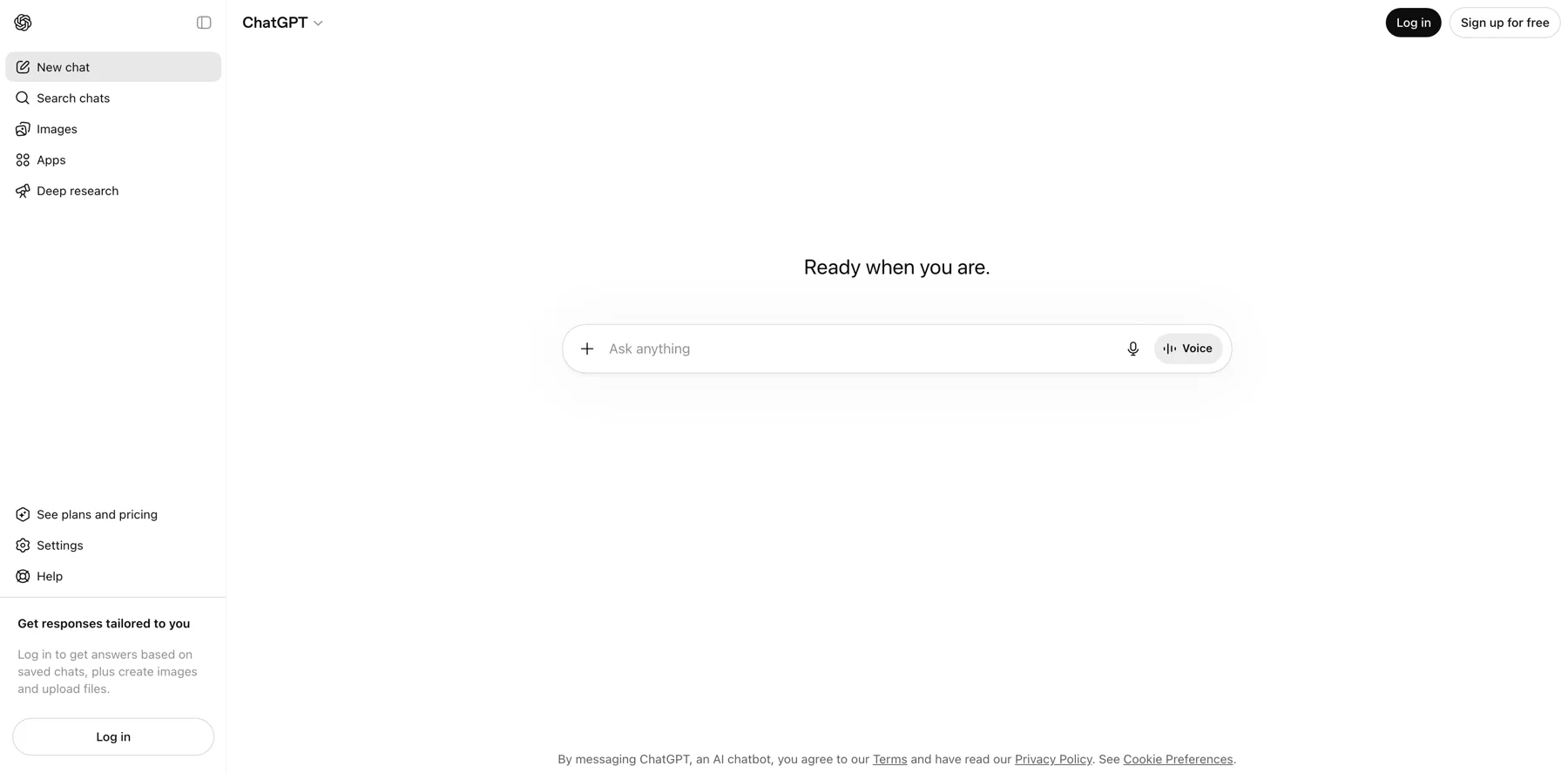
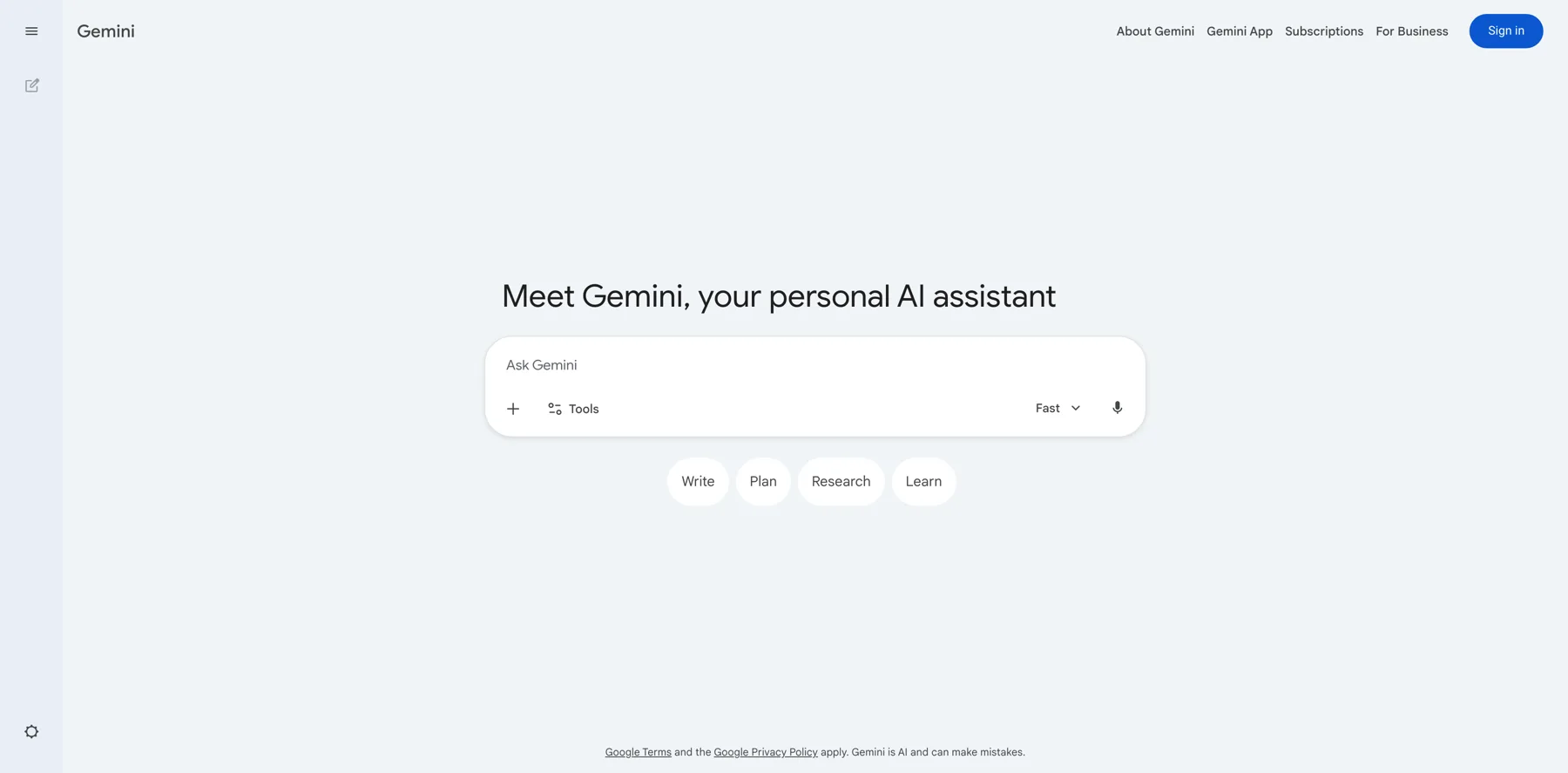
It's a bit broad topic, and so I'm gonna demonstrate some examples of AI agents and then we're gonna get into how to actually build them. But the first thing I, I think is important to understand, like you got ChatGPT and Claude and Gemini. You got these lms, those are just chatbots. They've been around for, you know, three or four years now, but they're not really agentic, they're not agents.
And when you think about agents, it's like the evolution of a chatbot from just talking fast, giving you an answer. Eventually ChatGPT had, what was it like? Um, o3. They're like reasoning chatbots now can think. They can make decisions. And that's when you get into the agentic, the agent style of a chatbot, when it's thinking, when it's making decisions, and then ultimately it's using other tools and it's building stuff.
So to me, that's kind of the transition, just ChatGPT, ChatGPT that thinks and makes decisions, thinking, making decisions, and using other tools to actually make stuff for you. And so that's, I just think it's important people understand that there's a difference in how AI works or how ChatGPT works.
I'm using ChatGPT in general, but the same applies to all large language models. Make sense?
Navid Moazzez: And what are some easy ways to think about it when it comes to like, what should you, what should you actually create when it comes to agents? I mean, agents are all everywhere people usually hype it up.
Sometimes they're not as useful when you see like some tutorials on YouTube or whatnot. I mean, there's a lot of people, uh, giving away templates and here and there. But like from your experience, arbel, what should people think about and what, uh, is actually some useful agents, and maybe we are, we are gonna demo some stuff here as well, but what are some stuff people should consider as a creator and solopreneur in their business?
Arvell Craig: Yeah. So the big thing is, again, are you creating an agent or are you using an agent? Okay. So again, it's like if you're a creator, you're not an engineer, you're not a developer, I'm not gonna tell you to make your own mobile app if you're not a developer. So the one big thing with AI, AI works great when you take what you already do, what you're already good at, what you understand, the process, the SOPs, the best practices.
You use AI to replicate or automate, you know, you're like, you're delegating stuff that you already do, and because you do it, you can judge it, you can manage it, you can oversee it, you can tweak it because, you know, the best practice, one of the biggest issues I've had with people I've been teaching AI for can, since ChatGPT came out, I've written a book on ai.
I do a lot of talks and people are like, oh, can I use AI to, to like make cold calls, right? I need an agent to build my business by making phone calls. I'm like, interesting. Do you understand TCPA? Like, what's that? Do you understand the laws of cold calling? Do you understand how to write a script? Do you understand that you can only call people three times a day or so just if you, if you're not already doing the thing, if you want AI to do it for you, that number one, that's a, that's a caution, but if you do what you already do, what you're an expert at, what you already know.
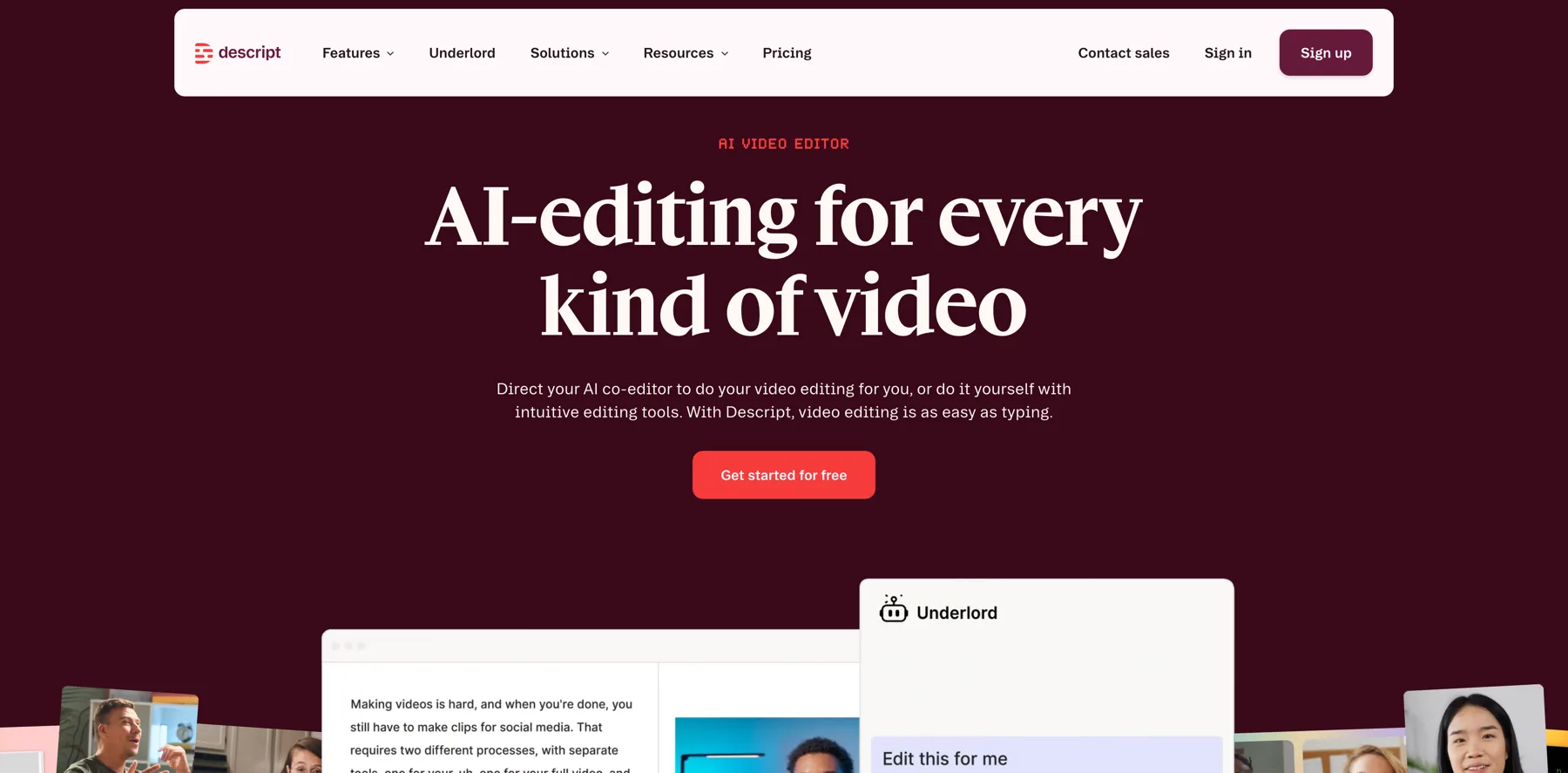
Then you can use AI to replicate it. Does that make sense? That's just a big thing before you get going down the aisle of using AI for doing stuff that you've never done before. I'm like, okay, for, let's find out, is there an AI already out there? Is there an app already out there? 'cause one of my favorite demonstrations of an AI agent is like, Descript has an AI agent.
Like, I'm not gonna build an agent to edit video, but I'm going to find, 'cause I'm not a video guy, I'm gonna find an agent like the one in Descript called Underlord that can edit my videos and reform it my videos and I can love, love to show you what I did this past week. So where it would edit my video, it turned my YouTube video into a reel and it also can create avatars and B-roll and all these kind of things.
For me, it just saved me time and energy. But I didn't build that agent. I used the agent that worked in the, the context of video for me, and that saved me tons of time, energy, and money. Make sense?
Navid Moazzez: Yeah. Yeah. That's such a good example because I think. You can do it very advanced. Uh, you can, you know, you can see n8n, uh, you can do a lot of different things in there.
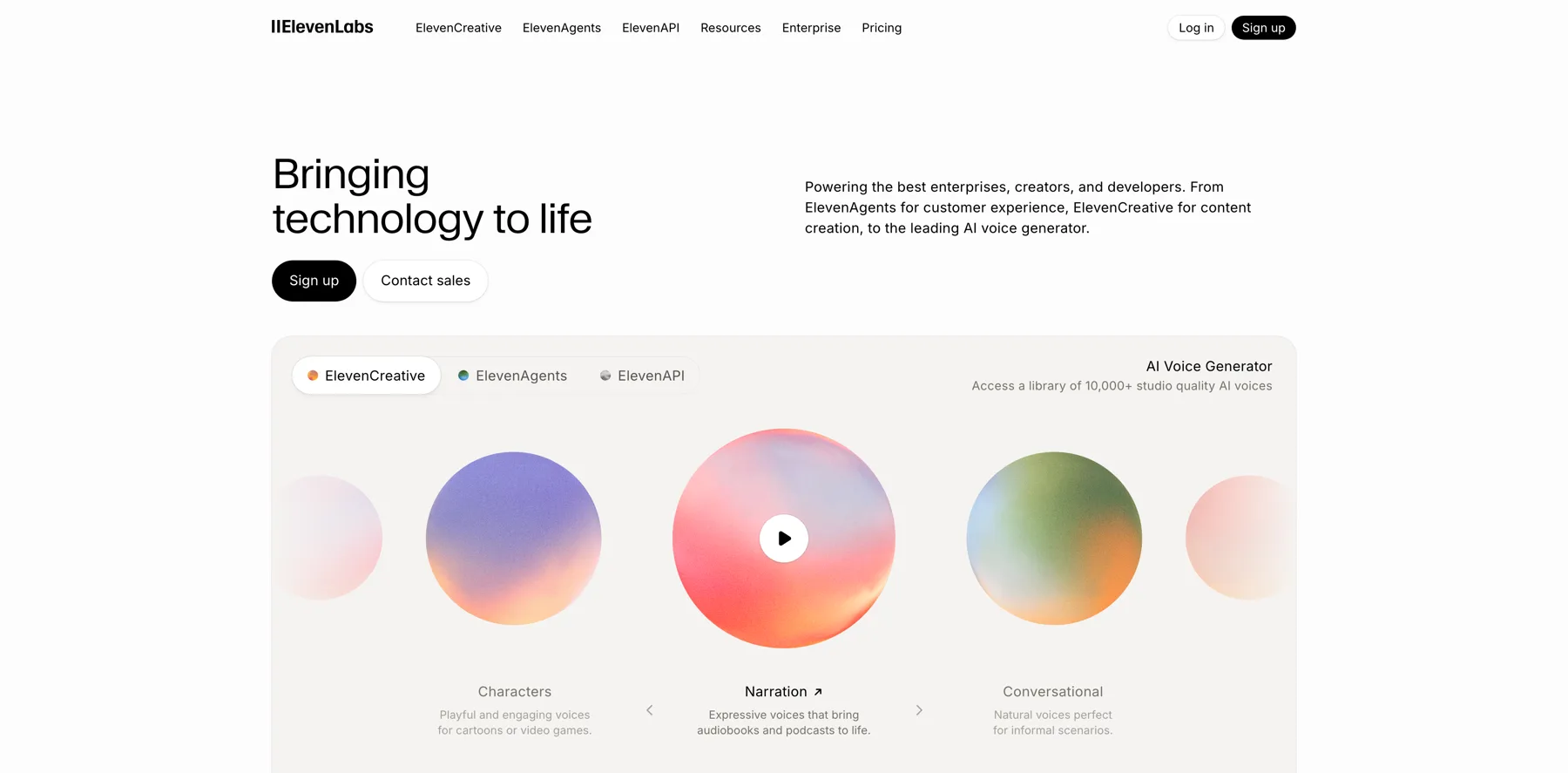
Yeah, there's other tools we're gonna show here today as well. And there's tools like Descript and also ElevenLabs that I've experimented quite a bit with. I mean, you can clone your voice there, you can design a voice and all this kind of stuff. But they also have Conversational AI. Actually they are using it.
You can check it on their website too. There's other people have started using it. That's actually quite good already because it, the voices are so professional and you can actually have almost like a real conversation. I tested it quite extensively. It's like you are basically if you add to the knowledge base what you, what they need to know, it's really good.
And I just like that what's missing is that video gets as good. It's, uh, not quite there yet for video to be as realistic, but I'm sure pretty quickly it's gonna get there as well when it comes to agents and stuff like that. So why don't we dive in Arvell what you're gonna show here. And then I'll, you know, I'll probably have some questions as we go.
Arvell Craig: Yeah, definitely. So I'm gonna quickly just show the agent that I used with video, 'cause that can be practical for anybody. And again, for me, what's important is that, for that one, I didn't have to spend any time learning and figuring out, it was so smart and so intuitive. I wanna show you that. Then eventually, I wanna just go over ChatGPT and it's agent mode and how that works, how you can access that.
And then the last thing is gonna be a demonstration of actually building an agent. What that looks like if you're so inclined to build one for yourself. So I'm gonna share my screen. Let's start off with the Descript version.
Yeah, so you can see here, this is the home screen of script after I logged in. And again, it's kinda like ChatGPT, where it's inviting you to have a conversation to tell me what you want to do.
But what what's powerful is I can edit, bring in a video, and I did that earlier this week. And then I can take the video and talk to the Underlord, lemme actually do this. I'm gonna click edit. Let's go find a video on my desktop and quickly. Upload from, here's a video, it's me. Put that there. So again, by default it's going to give me transcriptions automatically.
And the script was famous because it was the first video editor that you could edit just by editing words and it automatically changed the video, right? So that same feature, the fact that it can transcribe everything makes using captions super easy, super intuitive, super quick. But again, the cool thing is that you see here Underlord, right?
So that's the main thing. I wanna show you this agent that's already built into the script where I can take this video that is, um, vertical and for example, I can tell it, I can change it and say, make this video, this video horizontal. Number one, I can say, I can tell it add captions. And I can say, why don't you throw in some B roll or some stock images, right?
The fact that I can do it in a conversational way, to me that makes it pretty powerful compared to, again, learning, going through the help desk, figuring out all the features, or like, there's other video editors that does it all automatically. You give it to them and it cuts your video into 30 small like, um, you know, reels.
But it does it all automatically. You're not really in control. So I'm always looking to find something easy, but if I can, I, but if I can be in control, that's gonna be important too.
Navid Moazzez: Like OpusClip for example, it's an automatic clipper. I mean, you can do a lot of stuff there, but it's not as advanced for other stuff, like Descript, for example, because Descript has become like a full editing suite of tools basically now.
Arvell Craig: Exactly. So I'm gonna jump down here. We're at 80%. It's almost done. And I think you had asked me before, what are some of my a favorite AI tools, which we can get into later. But, um, Wispr Flow is one that I do like. So I can talk to this editor down here versus me saying it, um, or type it myself. So if you see me talking, I'm not talking to myself, I'm talking to the actual AI built into my computer that's gonna take my voice and transcribe it and put the words down here.
Soon as it's done, we're at 98%. So again, the big thing here is that it can, here's Underlord. Where's the, uh, here's the button down here. Here's Underlord. Right here. I click that opens it up right here. And I just wanna say, can you change this video from vertical to landscape because I want to put it in YouTube?
So that is just, again, natural language, giving it a command to edit and change my video's aspect ratio. Again, kinda like in other ais where you see it thinking again, we'll show this in ChatGPT, you know it's doing stuff. And you can see here, it actually will tell you the plan. I will now update your video.
So it does communicate with us and it tells me what it's doing and you can kind of see the video right there. It just changed and it's going to work through the process of reformatting the video, convert it, and then we're gonna make one small change. 'cause my face is cut off, I'm gonna let him know my face is cut off.
Can you make my video fit so it shows my whole face? And then use the section to the left of the video for the transcripts or for transcriptions. So this is what I had to do earlier this week.
Navid Moazzez: Do you mostly use this for turning longer videos into shorter? I mean, I think that's maybe sometimes easier with, because you have already, let's say what we are doing here.
We have a landscape video for YouTube or something like that. Then turning that into clips. I mean, for, for the aspect ratio stuff in the, isn't that easier usually?
Arvell Craig: Yes, it is. It is. But again, when I was doing this this week, I was like, again, I don't do a lot on YouTube. I, I normally do stuff in reel, so I normally already have the things in a portrait mode, but I realized that I was able to make these changes.
You can see here within, um, Descript. So again, I'm, I wanna start putting more video on YouTube. So I was just, I was pretty impressed when I went through this earlier this week. And you can see here it did a pretty good job again, just by talking to it. It's, it's, it's doing pretty good at converting the video.
However, I want it, and again, I can add B-roll, but this Underlord, again, the more of the story is that under Lourd is an agent that's built within the script. And it is just like the concept or philosophy of ChatGPT, where you're talking to it. But it's, it's just, it's art. You know? It's built into this platform because again, when I'm, when people want to use AI or AI agents, I'm like, you don't wanna start from scratch.
You don't wanna reinvent the wheel. You don't want to try to invent something that's already out there. So before you go into figuring out how do I build an agent or build an AI to solve A, B, C, do a search. Make sure there's no app already out there. Make sure there's no AI agent already out there that's already doing the thing that you want to have done.
Because again, I've again, I've talked to, I've done so many talks and done so many events and business owners, they like the idea, but because they're not, again, a subject matter expert, it's not their area of strength. So they're inventing stuff where again, if I talk to you about podcasting, you already know what's out there.
You already know the best tools. You already know how to do it, you know? So thinking that's, that's a, a big gap. If you are gonna use AI and build it from scratch, do something that you know all the steps. If you don't know anything about it, see if you can find an app or an agent that's already built that's already created.
Talk to someone that you know is an expert in that area and ask them, how would you solve this problem? Because again, making something from scratch with AI isn't always the best option, especially when there's things like things that are already done. So either way, that makes sense.
Navid Moazzez: Yeah, absolutely. I mean that's the best way I wouldn't build like an editing agent from scratch.
It would just be, you can probably do it. I mean there's ways to do it, but this is way easier to already have a professional tool like this that already got the features. They are updating it. I'm sure even at this current stage when we are recording this, I mean Underlord is just gonna get better.
I mean, probably in the future it's gonna be pretty crazy what you can do. And if it's already this good at this moment, then you know you're probably gonna have full edits. Like you can probably replace in the future your video editor even more advanced stuff. But we are probably some time away from that, but still in the future.
Yeah, I think the editors, they need to know AI basically, even if you're a video editor.
Arvell Craig: Exactly. Exactly, exactly. So the last thing I do, I just told it add B roll. And so we'll just get that to finish and I'll just show you what it looks like with the B roll added. Um, and again, the big thing about what makes an AI agent an agent is the fact that it thinks that it plans and that it actually takes action on your behalf.
So again, that's, so Descrip is a great example of the fact that I can talk to it and chat with it. But again, if I was in ChatGPT or any basic, um, AI ChatGPT, Gemini, Claude, those are great, but to me, I've always kind of steered more towards AI apps and tools like this that are intelligent and they're built on top of the AI.
So I don't have to be a prompt engineer, right? You, you didn't see me using any prompting strategies here that could improve it, but I'd rather trust the engineers that are being paid millions of dollars in the script to do the prompt engineering. And like, again, if you're a business owner, creator, you focus on your business, you're the expert at delivering value in what you do.
Once you dabble into the AI world, yes you wanna be proficient and literate, but make sure you don't waste your time by again, starting from scratch, trying to read, reinvent the wheel, doing something that's already, you know, been done by somebody else. So that's just, again, that's just a good philosophy to think about when you're using AI.
Okay. And it's generating images and we're just about done and we can move on to the next example. Great. I don't know if the sound's gonna come out or not, but let's just see it.
Navid Moazzez: No, but it's still pretty cool that it changes. It is difficult to turn, a vertical video like this to horizontal because of the, you squish your face or something like that. But it did a good job putting you on the side there, putting some, uh, stuff, uh, like B roll or images and whatnot.
But I think this stuff is just gonna get better. So you're gonna feel even comfortable to using a lot of this stuff later in your actual videos. Maybe at this point it's a hit and miss a little bit, but it's still great to test these things. I think what I would use this mostly for would be for turning longer videos into shorter chatting with it, maybe even editing some of my videos.
This is like an agent. You have to kind of be there and chatting with it a little bit and then it executes for you. There are also also agents, I'm sure you will show this, that can kind of execute when you are not around like an employee. You're not gonna tell your employees every day to do the work.
They're gonna probably show up and they know what to do. There's also agents you can create like that, but this is an agent where you have to actually be there and chat. Maybe in the future it's gonna be different so you can like you know, have your videos uploaded and then it's gonna actually do the job.
Let's see how it goes with the video editing. But if it's, yeah. Already at this point right now, you never know how it's gonna be in the future. So I'm sure this will all improve. So what else do you have to show?
Arvell Craig: Exactly, for average person, it's going to save them lots of time and it just opens up opportunities, you know, that's what I, for sure.
Navid Moazzez: What is the next thing you wanna show Arvell?
Arvell Craig: Yeah, I just wanna, actually, let's just take a step back. Let's look at ChatGPT and just, um, cover. How to use ChatGPT, how to access the agent mode that's built into it. Right. And then kind of go from there. Let me see.
Navid Moazzez: I think most people are actually not using that too much.
Arvell Craig: Yeah. Okay. So again, the, the big thing that I'm pretty certain that agent mode, you have to have the paid version. So again, a lot of people use ChatGPT if you're using a free one. I don't know if, I don't think agent mode is part of that. Um, so you can see here the little navigation at the bottom.
There is here, this is the agent mode, which in one sense it might already turn on automatically, but if you want to be certain that agent mode turns on, you want to just click that button there. Okay. And so again, the, and if you, I think when ChatGPT first came out with their pro versions, that was $200 a month.
The core feature was, it was called Operator. And the operator was the fact that Che GPT could open up its own version of A-A-A-A-A search browser and pull up any website on its own and execute tasks according to your prompt, according to your instructions on your behalf. Okay, so that operator feature is now what is a part of this agent?
So this agent feature uses two things that ChatGPT already had. When number one was the operator, which was navigating a website browser. And number two was, um, deep research. Deep research was the way, or you could say, uh, the reasoning model. It was the fact, the version of ChatGPT, that could think and make decisions.
So right now, in five, if I open up here, if I choose the thinking option version, instead of just letting it be an auto mode, the thinking version is like oh three, if you remember those old models of it. So, but that's how you, well, I guess those are the features that make the reasoning model work. And so lemme go back here.
Go back here. So the main thing is I can have ChatGPT, open up a website and navigate a website. I can use it to create documents like a Google doc, a PowerPoint, a spreadsheet.
Navid Moazzez: Actually, that's interesting. I love, in Claude, I'm using a lot of the connectors, kind of MCPs, I'm sure you've experimented quite a lot with it. And I think that's also, that's such a time saver. It's not like an automatic agent that's just gonna go out there and execute everything for you. But like, if you can just connect in ChatGPT to your Google Drive or to your Gmail. Or to Notion, I'm using Notion a lot to organize my content and everything.
I mean, ChatGPT can actually access your Notion, you can actually chat to ChatGPT, uh, with your Notion and with the agent mode. I'm sure it can do more stuff with it, but I even with just the connectors, it can actually execute. Claude can do a little bit more with it. I just felt the integration with Notion was better.
But you can do quite a lot. So they can access documents and stuff like that, that you, that would probably take you quite some time. Maybe your Google Drive is a mess and then you can actually find stuff. I mean, Gemini also has some features. You can do that, but I think, uh, I think this is pretty solid if you're already using ChatGPT.
Arvell Craig: Yep. Yep. Definitely. Now I'll give, I'll give one tip that I've just, it's a minor tip, but I'm, I'm using the desktop app on my MacBook. The website version of ChatGPT is, to me, is actually a lot better. I don't know if you notice the differences. There's been times when I stuck. Yeah, I see that sometimes.
Yes. It's been stuck when it comes to image generation, the different features. So I'm hoping we don't have any issues here, but I do wanna highlight that if you use the, um, the website version, I do find it works a little bit better.
Navid Moazzez: It's the same with a lot of these web apps, because I even see that some features sometimes you can only like do the settings, you know, like the full setup properly with some instructions or maybe even connectors sometimes work better from the web version actually.
So, yeah. Might be something there. Usually it works like the app version or the desktop, but it's not always the case.
Arvell Craig: Yeah, yeah. So we can come up with a task here. I trying to think of something. One thing about when you're using agent mode in ChatGPT. It's, to me it's kind of slow.
So again, it's a, it's a different way of working with ai when you're just in the, the basic chatbot. It gives you the answer relatively fast. Once you turn on agent mode and you give it to, to start thinking, to take your time, you know, the quality increases dramatically. But it, but it does take time. This, you know, there's this research that shows the slower the AI is or the more time you give it, the higher quality the results.
So for this project that we're gonna do, um, let me just see here. Let, let's just do some research, right? Let's just say, can you do some research on BotBuilders and create a five slide presentation that I can use to present about the company. So again, imagining. I'd say for lead generation, for creators, you've got a client coming up, you can enter information about them and their, you know, their, their company, their website, their LinkedIn.
You can do research. 'cause again, I've got the thinking mode on again. And this prompt is very, very basic. We could have added a lot more details, a lot more instructions, but I just, I mainly wanna highlight that the agent mode inside of ChatGPT can create presentations. That's kind of the goal here. It can create a basic draft of a, of a, of a PowerPoint presentation.
That's the main thing I kind of wanna highlight. If you're not aware that it can do that, and again, to me, creating a first draft, and it's gonna be, you know, you can open it up in Google Slides or PowerPoint to make more revisions on it. But that is one of the things that, it's like ChatGPT is trying to not replace Microsoft Office or, or Google Workspace, but it's definitely trying to, um, do the same amount of, um, functionality that you're getting from those other, um, platforms.
Navid Moazzez: How long have you tried a task feature in Perplexity? Like that's something I'm experimenting with a little bit. It's quite cool. It's like a little bit similar with a, that's their version of agents, because you can schedule things and it kind of runs, if you wanna do a competitor analysis report or something once a month, you can schedule it.
I don't know if ChatGPT has a similar feature. So you can actually have something run in the background, or you have to always be there with the agents and then they can execute. They don't have any automatic features. Right?
Arvell Craig: There is a task feature where it's supposed to be able to do things for you and, you know, reminders for you.
Um, it's not great. I haven't done much with Perplexity in a while. Um, so here's an example. I'm going to jump onto the browser where I think it is working. But in my, um, mobile desktop app, it is not showing. So I'm gonna just, uh, switch over to that and we'll, I'm gonna assume that it probably is working there.
The first step was only three seconds, but we couldn't see anything inside the mobile app. And so it's opening up a web browser. It searched for the BotBuilders website to get some ideas. Now it's gathering chatbot marketing statistics, and then, 'cause again, it's researching, it's looking into how is it gonna solve this problem and eventually it's gonna create some assets and start building out our presentation.
So again, the thing about agents inside of ChatGPT, to me it's not fast, nothing wrong with that, but you have to, it's a different way of working with AI. I'm gonna break down all the steps here. So it's just a different mindset with using ai. It's not a fast, quick response.
Navid Moazzez: Add it to ChatGPT, and then wait to something else.
Otherwise you might waste time actually, I mean, that's, uh, quite an important distinction here. Sometimes people want the agents or they think because it's the fancy word out there and it's gonna save them a lot of time. Sometime you can actually not do that. I mean, depending on the task.
But if you are just like putting the prompt and basically telling them to do it, and then you do something else. If you wait for this, then you kind of waste time?
Arvell Craig: Yeah. And right now it's creating the slides now, so there's a difference. This is a setting here where you can change the view.
There's a desktop view where I was just looking at it here, but then I switched it over to activity view so I can look at every single step that ChatGPT was going through in order to solve the request for me.
Navid Moazzez: Where the slides are just coming in there and you can like import it to a Google Slides or PowerPoint, whatever you wanna do.
Arvell Craig: Correct. Once it's done, now I'm back to the visual version of it where it's, I'm seeing the desktop. So yeah, it's going to create a, um, it should be a PowerPoint, um, file format once it's done. And so again, this is, it's cool, right? It's, it's kinda like the Underlord. I gave it a task.
It's doing it, it's thinking, it's making decisions. Again, my request was not very detailed . I always say you don't have to be a prompt engineer and it can do stuff, but if you do give it more specific instructions, you'll probably get a better quality result. Right? And that goes back towards my thing.
If there's something that you are great at and you have an SOP standard operating procedures, if you wanna break down how you do what you do, step by step by step by step, that would definitely be very valuable to train an agent, to follow your step by step, by step by step process, right? So, but that's just a things to think about that will determine the quality of the result that you're getting.
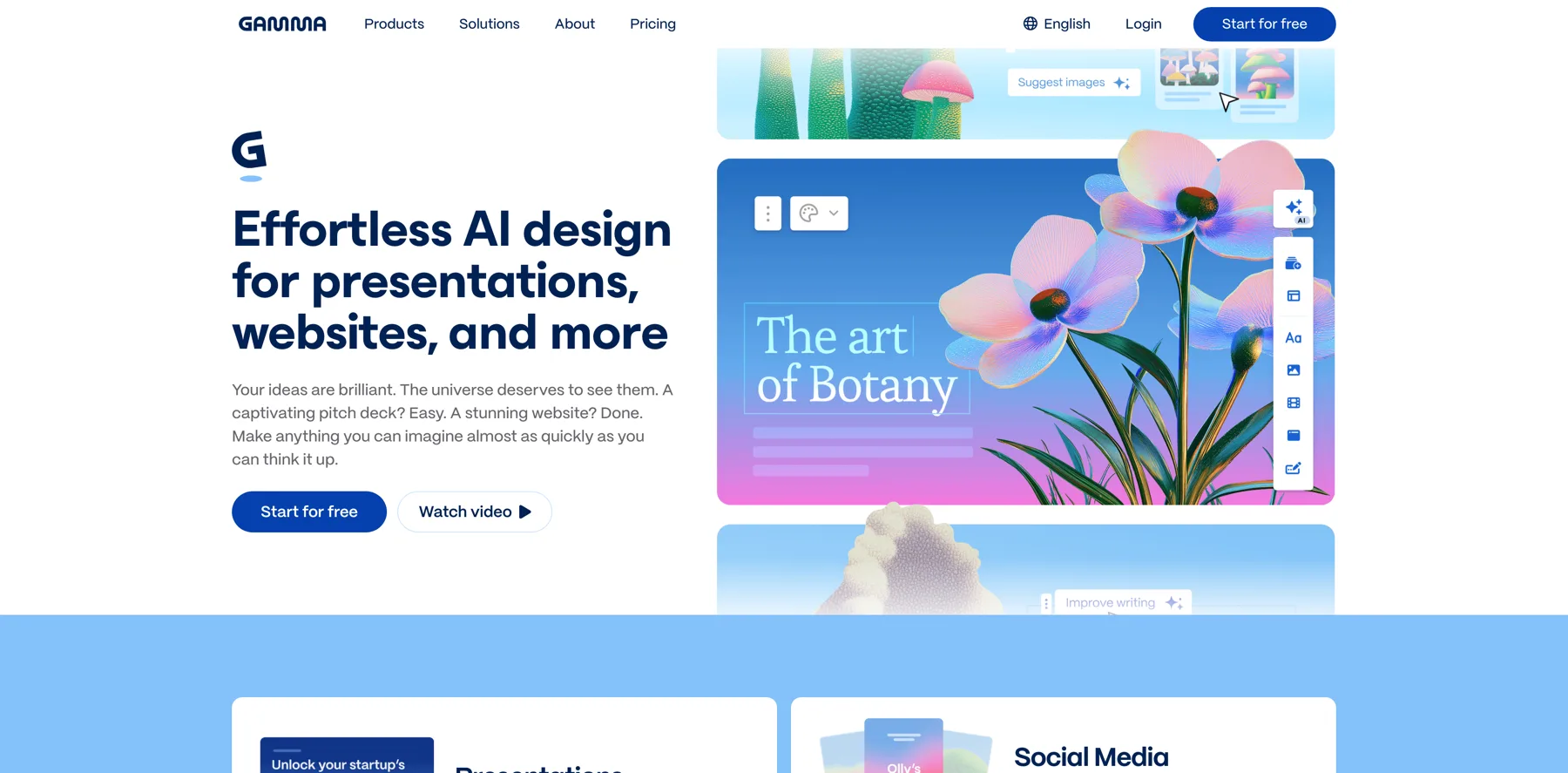
Navid Moazzez: Speaking of presentations, have you tried Gamma? That's really fast. If you wanted to do something similar, that's scary fast. You don't you don't wait around. It's like very quickly. I love Gamma , not for the content they are necessarily, but I love the platform and the brand.
I think they're doing some really cool stuff. I would probably still customize a lot of stuff if I use the AI features, because I wanna have, make sure it's from me. But you can save quite some time. You can even clone websites and stuff like that. Whatever you call it, it's not really an agent feature, but it's like they're doing the work for you. It is kind of like the Underlord a little bit. They're creating the presentation. So there you go.
Arvell Craig: Yeah. No, that's, no, that's huge. Again, that, that was when I wrote my first book on AI, I was like, you can use AI or you can find an app that already does it, or you can find an agent or like a Zapier, back then it was just Zapier and Make that had some AI features in, and n8n is, you know, or you can, you know, hire someone to do something.
But the fact that you're saying yes, you don't want to build it from scratch, you wanna, is there an AI tool that already does what you want to do versus you doing stuff from scratch? So each individual has to make a decision for themselves. That, to me, everybody needs to master one large language model like ChatGPT, Claude, or Gemini. Number two, you should find the AI tools that relate to your work, that relate to what you do for a living. Which, because again, there's probably every niche, every industry, every specialty. There's probably gonna be an AI tool that's already built with the integrations with security, privacy, logins, restrictions, all those kind of things.
And then there's agent builders, which we'll go to next, which if you actually want to build something, 'cause the thing about ChatGPT, it's great ish. Like you said, it's slower than Gamma and I showed you Underlord, I can show you all the steps.
Navid Moazzez: That's probably why I don't use the agent feature a lot in ChatGPT myself.
I don't use it a lot, but I, I think it's cool to show this because a lot of people use ChatGPT obviously, so I think it's great to Exactly. It's good to know. You should know the features and the tools, and I'm sure this is gonna get better. I mean, they probably want this to get better. I mean, it shouldn't be this slow, but is at this current stage it's like this, you have to go and do something else while it's running and then you can come back to it.
Arvell Craig: Yeah, exactly. And that's the, I mean, there'll probably always be some change management, a new way to work with AI companions and assistance that yeah, don't just give you a fast answer, but it's gonna take time. So that is a whole new kind of approach to work that we'll eventually figure out.
But yeah, it's definitely not fast. Like I said, I don't use that often either.
Navid Moazzez: I love what you said about the other tools, by the way. I like that. 'cause a lot of people, they don't think that Descript and, Gamma is like agents. I mean, it's kind of like that. They're executing a task for you, you're telling you to do something and it's doing it.
I mean there's other like AI website builders. It's kind of like a mini agent 'cause they're doing the work. Like, so you're not gonna build an AI website builder. If you wanted to use Framer for example. I think they were one of the first ones that added a lot of this stuff. Now there's Hostinger. There's many platforms that do this obviously. But I think that if you wanna build a website, you don't necessarily need to start from scratch. Is it as good as a professional website designer? Like to add all the details? No, I mean, you might want that or you wanna add your own brand and stuff like that, but it's quite good. Like 10 years ago when I started, you couldn't get anything like that over 10 years ago. Even a template wasn't as good as the AI today.
Arvell Craig: Yeah. Yeah. So we get spoiled, you know, we expect it to be faster and better all the time. And yeah, this is definitely, I tow it 5 slides thinking that it would make this process pretty quick. Um, however, and again, we can kind of come back to it and see what it's done, what it's done.
Navid Moazzez: Yeah, let's do it. Let's come back to this example, if it's taken a little while, and then we can kind of move to the next, or if you wanted to show something else here. I know you have quite a bit of stuff you wanna go over.
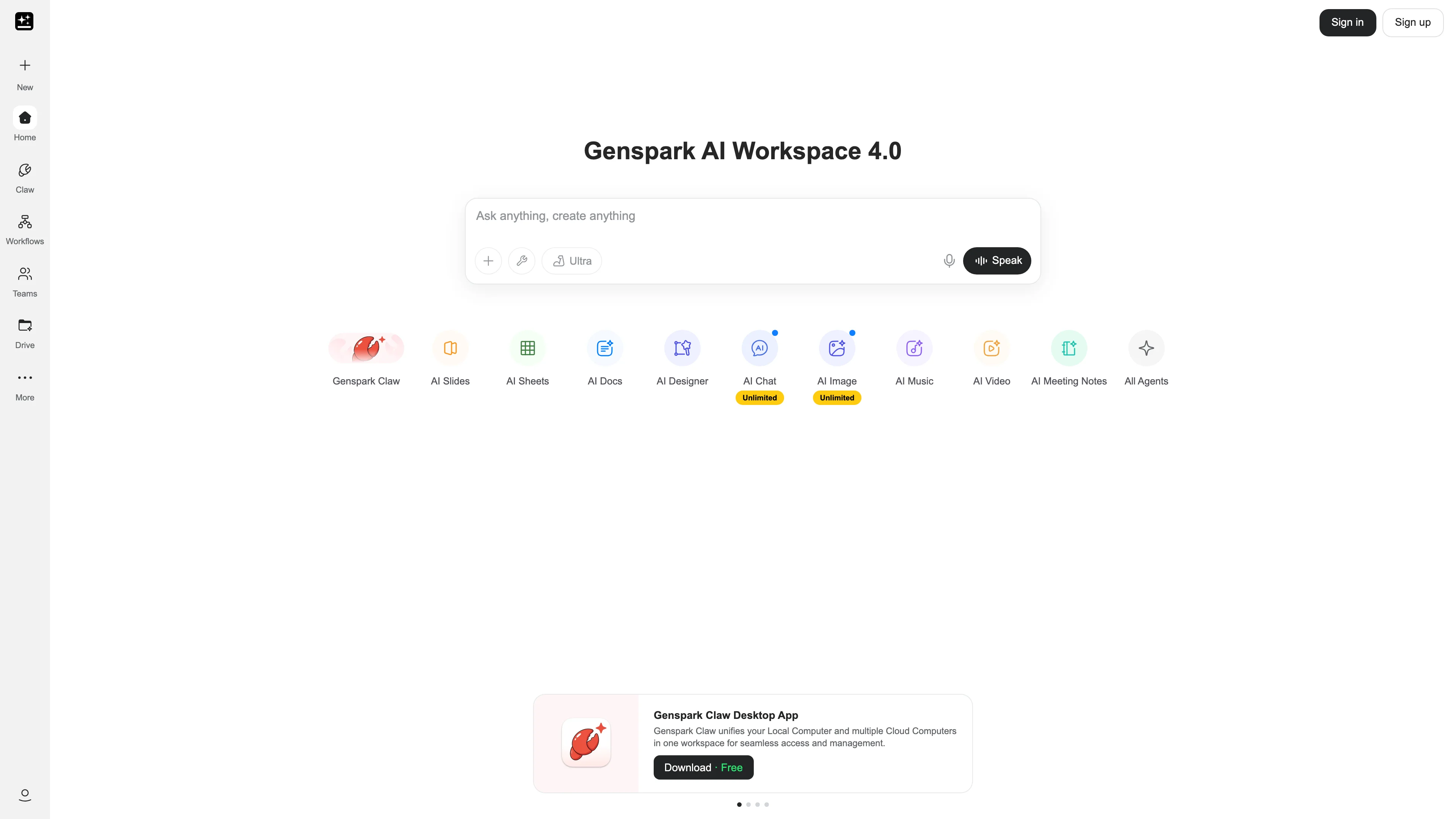
Arvell Craig: Yeah, yeah. Let's go ahead and just show, I do wanna briefly show Genspark, simply because I love it.
And it's, again, it's like an, it's built on top of ChatGPT, and Claude and Gemini. And again, a lot of these tools that are built on top of the large language model. I don't know. Those engineers are spending more time on the user experience. They understand the use cases, I think a little bit better.
And so to me it's, um, the results of what I get. I think we're done viewing slide two. It's just, um, I actually want to take this exact same prompt and I wanna put this, and again, you could do this in Gemini, but I do wanna show Genspark, you mentioned, um, Perplexity, which has the Comet browser. Um, let me switch over.
Navid Moazzez: They also have their labs feature. That's usually what is really, really powerful as well. And then you can do something one time in Perplexity, uh, we might need to do an official masterclass on this at some point, but you basically run a prompt, quite detailed prompt in Perplexity or tell 'em to do something with a labs feature. That's like a toggle. I think you need a pro version to get access to some of these pro features.
If you need a competitor analysis or you want something every single month as a report, that is like a real agent. It is right Inside a tool like that, you might just pay, let's say $20 a month for, I actually got a one year free via PayPal. I don't know if it's available in all regions, but if, especially if you're in the US or maybe other regions as well, check it out in your notifications and get one year free of Perplexity.
That's how I got it actually.
Arvell Craig: I got the Comet browser with that same offer, which I'm assuming it's gonna include it.
So here's real quick, lemme just show you Genspark, um, what I like. At first I didn't like it, but all the different distinctive features are laid out super clearly.
So again, slides, sheets, docs, developer, designer, clipping. So everything is kind of laid out in that version, or it's laid out in this version. So at first I didn't really like it, but I can just go straight to what I wanted to do. So if I wanted some slides and I did the same thing I did before, I can go straight to the slide option and it is pretty much quicker.
And it's way, the way it communicates, its steps, it's, it just makes, it's just very clear and easy to follow, which it's showing me six steps, research, deep dive, more research into the market. Um, step two, right? So I just really appreciate, I've learned to really love, uh, Genspark, which is just, it's, it's uh, it's 20 bucks a month just like ChatGPT and all the other ones.
And. It's just, it works really, really well for the most basic, all encompassing features from design, from video. 'Cause because it's using everybody else's image tool is using everybody else's LLM. It's using everybody else's, you know, features and tools and like that. And so again, the way they built as a company, from a chat, again, I'm not building the agent or the task step by step by step.
I'm just doing a natural language prompt and its ability to get results relatively quick and fast. Um, I really, really appreciate it. So you can see here.
Navid Moazzez: Do they have any features to automate some stuff as well or is it just like similar to kind of chatting with it and then it executes?
Arvell Craig: I mean, again, I've never used a developer feature.
So in the developer feature, there may be something like that that can do it. You got Claude Code fully autonomous coding. But again, it's like, I'm not saying they're a copycat, but they are grabbing, they're being inspired by every single thing that everybody else is doing.
Navid Moazzez: I think most like the AI companies and companies coming out, they're actually gonna build on top of models.
Like even the AI image and AI video tools like Freepik and OpenArt, they're basically building on top of a lot of, and they might have some of their own stuff, but they're probably never gonna be the best, even like Adobe Firefly, from the big company Adobe, they are now realizing they probably not gonna be the best when it comes to image generation actually, they're not. So they are basically adding Nano Banana and other things inside their platform, and they're doing it for a reason. They're gonna be left behind otherwise, you know, and they're even adding Veo 3, like imagine like Adobe, Google, they like adding stuff.
I mean, that's basically what's happening right now. So a lot of tools, they're basically adding other models inside because that's more user friendly for their user base. They already have users and they don't want to lose their customers, because there's a lot of competition right now.
Arvell Craig: Yeah. Yeah. I just wanted to see if it could do the daily reminders and the plan that you said. Again, I haven't heard about it. I don't think they can. Um, but I figured I would just ask it. Okay. I don't, I don't think so. It's just talking back to me.
Navid Moazzez: ChatGPT can do reminders though. Yes. I think they, they can definitely do that.
Arvell Craig: Yep. So the presentation is almost done. Um, and again, you can edit it and, and tweak it, but I just wanted to highlight again from that other view, you could kind of see. All the different tools that it has built in. It's got the MCP access, so I can ask it about my calendar, all those kind of things. It has a browser in it too. So browser automation, clicking on buttons, logging on the websites on your behalf, making orders, shopping on Amazon. It has that, and technically it's got access to, 600 other MCP tools.
Navid Moazzez: I mean, they must have Notion, right? I've used this a little bit, but I didn't like set it up yet, but I do. Oh yeah, they do have Notion.
Arvell Craig: Yep. Yep. So that's great for that aspect. 'cause again, it's like, again, there's so many AI tools, so many of 'em do the same thing. Right? They, like you said, they're all sharing and copycatting. So again, for every creator, the goal is focus. The goal is to be an expert at one or two tools and go deep into that thing, versus jumping on every new shiny object.
And that's 5% better. You know, that's why Genspark was my decision for an AI browser. 'cause this is a version of Chrome where I can bring up the agent and talk to it while I'm browsing. And I, and it has all these other features that I mentioned. And if I wanted to bring up any other model, I can have direct access into GPT Claude, Gemini, DeepSeek and Grok within this one thing for 20 bucks a month.
So I don't have to sign up for every single other tool if I wanted, you know, a different type of quality in the same kind of experience.
Navid Moazzez: I do think there's sometimes a slight difference, like when you have integrated to a platform versus using it natively.
Arvell Craig: Oh yeah, I mean's. There's memory that it won't have, there's memory, there's contacts, there's custom instructions, you know, ChatGPT again, I still use ChatGPT as my main platform, that I try to spend more time and I've made custom GPTs, I give it custom instructions.
It knows memory, it knows me. So that is my main place. Um, this first one isn't good, but the other ones are decent. Again, with a one sentence prompt.
Navid Moazzez: I think for sure Gamma has better design. I mean, obviously they should have.
I think it's good that it can do it though. Like from a tool like this, from ChatGPT and from Genspark they can create slides basically. Then I guess you can add that to your Google Slides and continue, maybe tweak it or whatnot. But, uh, I would personally probably use Gamma for this type of stuff, but it's just seeing what is possible.
That's kind of what the example is for.
Arvell Craig: Things that are specific niche Descript is specific for podcasts and editing. Gamma is specifically for presentations. You know, this Genspark is general, it's a broad range of a lot of different things, you know, and that's the kind of the distinctions.
And so I wanna go into one more tool, if you don't mind. So all these are, we've kind of covered, you know, the agent that was in the Descript and then the agent mode that is in ChatGPT right? And then I showed you Genspark, which has multiple different agentic features. It creates all types of different things.
Um, but the only thing is you can't, you're not defining what these agents are doing step by step by step by step. You're not controlling the workflow. When you think about our workflow, that's when you think about things like, um, Zapier and Make and n8n where you're taking it piece by piece by piece by piece, right?
And you can control the entire, uh, process. And so one tool that I found was Lindy.ai. I think I'm already logged in. And so what I like about it is kind of gives the best of both worlds. So I can ask it a question and it can build apps just like Lovable and Bolt and these developer features. Or, uh, what's Claude's thing?
I forgot. It's, uh, so all these tools have these features, but it also has like the Zapier aspect of a workflow where you can go through the flow builder step by step by step. You can build a specific workflow that you need. Again, this goes back towards me saying if you're the expert or if it's a job that you do on an everyday basis and you want to replicate or simplify your life by having AI do what you already do.
That is kind of the, the benefit of using something like Lindy. So you can take it step by step by step. Actually, let me...
Navid Moazzez: Let's give some examples on this Arvell . Because we have showed some more, I guess, simple ways to use agents, although maybe it's not called agents always, like in this Descript, I mean it's, it's a video agent, but you're still like chatting with it, but it can it can still execute for you and doing some work so that you might already use that. You might use ChatGPT already on the pro plan, and then you have access to the agent feature. But this is obviously a more niche specialized tool for agents. This is a specific tool and n8n, for example, can also build agents, but that's, then it's a little bit more complicated, I would say.
You have to know a little bit more to do it. Lindy, you have templates and other things, so maybe you can explain a little bit about that and what type of agents, especially a creator or solopreneur would consider in this form when it's actually more hands off, you create it and then it can run for you kind of.
Arvell Craig: Yep. So, and that's the cool thing. And I'm want to, I'll show, I'll just build one from scratch and I'll show you, um, 'cause it has lots of templates built in. So again, I always like to compare it to what's already out there. 'cause everything is based on something else. So Zapier and Make, n8n, you'll find lots of templates and examples and Lindy has that as well.
You can go through here and you can see categories, engineering, marketing, operations, sales support, use cases with emails. Meeting planners. Meeting recorders. So they just wanna show you SMS agents, phone agents, turning podcasts into blogs, web monitors. So all this is built in. Okay. Just wanted to kind of highlight what it already has in it.
And if I select any of these. A weekly report compiler, which is what you were saying, right? How do I get a weekly report? Again, it's like, here, there's a template for that and I can look at it. It starts on a trigger on the schedule. And he uses word, it uses Drive, use his Slack, using Timer. And if I were to just grab what was already in here, um, going to the flow editor, I can give it instructions and tweak and like things that people are familiar with.
But one thing that makes Lindy unique, let me go back home. I'm gonna click on new agent and you can say, can you tell me again what you were wanting to do? You said you did research.
Yeah. Weekly basis on podcasts that are, that talk about business in the, I dunno, creator economy, um, that are on YouTube and Spotify and um, Instagram. I don't know. I'm just giving it, but the main thing is that I can use natural language and from the natural language it's going to, we can have a conversation about it the same way you would, we had conversations with, um, Underlord and I had conversations with, uh, ChatGPT and had conversations with Genspark.
The only difference is that once Lindy starts creating it, I can tweak it piece by piece by piece and we can go into this mode. And so now it's going to build the agent. Um, again, it's gonna talk to me and show me what it's doing, but we, as we go through it. I make changes. You can see it being built. Um, start with YouTube.
Um, every Monday, why am I not talking every Monday? Put the results in Notion and send me an email.
So a weekly agent that researches YouTube every Monday, it's confirming is that what you're looking for? I confirm should be good, but as it builds it, we're going to be able to edit the build right here on the right side of the screen. Which to me is what is why I've decided that Lindy is going to be my main kind of focus.
Because it's kinda like Genspark. It's got a broad variety of tools that I can use. It's got a great community, a Slack community. That's training. And I've got, I've been certified as an AI agent engineer through Lindy, through going through their training, they do a lot of just a, it's a really good support system.
It's a great product. And, um, the fact that I can build it manually, step by step and, and a conversational away as well. Let's see. Again, hopefully, again, it all takes time, but let's see how long it takes.
Navid Moazzez: You have your own live, it always takes longer, like for everything. But it's so cool that you don't need to have a lot of knowledge, it seems like, how to connect the pieces. If you can just talk to it and explain what you need. Obviously you have to know what you want a little bit, but then you can explain it how you want it to work, and then it can connect together.
Arvell Craig: Yeah. You can see here what we have so far. First, we define the schedule, which is the trigger, which starts the thing to happen every Monday at 9. Then it uses, its, its existing tool, YouTube scraper. And the, the AI model that's gonna scrape is gonna be clawed and I can swap between it using clawed, um, okay.
Start working. But it's keeps me going. So in every step, the instructions of what it's supposed to be doing are either manually set or you can prompt it for what to do in each step, or you can have it fully autonomous and have AI come up with everything for that step. So right now we're gonna just search the specific keyword phrase and we can define how many videos.
This is the research step. And then after it gets to research, this is where we can prompt it again with AI and we can swap between Gemini, Claude, o3 through ChatGPT, or gimme the ChatGPT models o1, o3, nano. So you can swap which AI mo model you wanna use at that step. And then it's gonna just do it on its own.
And you define what does success look like, the analysis, complete and successful. And then we're gonna create, so again, it's like a Zapier, it's like a workflow, people know, but again, we are having a conversation with it. I wanna say change from Notion to a Slack message. So again, I could actually talk to it and continue to make edits via this chat area.
And the changes, again, are going to be made specifically in the workflow that we see here. So there's a combination of, again, I could have just went piece by piece, click on these three dots, swapped it from YouTube. So now I can go into LinkedIn and I can scrape LinkedIn. For content or somebody that's, you know, job listing companies.
Navid Moazzez: Let's talk about these connectors a little bit. These are like native inside of, uh, Lindy, right? So you do you connect it, it's already connected there, so you don't need to do too much or do you need to get like your own API keys from the different platforms?
Arvell Craig: Exactly. That is, yep. That is another unique aspect. I do not need to have my own account, for example, in all the AI models. So Lindy is gonna charge me credits. I don't have to log in separately. For example, in the AI models.
Navid Moazzez: What plan are you on, Lindy, for someone is curious what plan you might need to create a lot of this stuff, because I usually mean some platforms they do have free plans.
I don't know if Lindy has that, but it does for sure. Yeah, it's not always the most, uh, useful. You know, you probably need a paid plan to actually get access to the more useful stuff.
Arvell Craig: That is definitely a caveat or that is a thing with Lindy. I recently started paying 50 bucks a month for the basic plan.
Now that I'm using a lot more, I upgraded to 75, but I'll probably have to upgrade again. So it does, it can be expensive to, um, to figure out what's the, you know, and, and, and it'll help you, and they will help you come out with a more efficient workflow to minimize the cost that it'll take you to execute your campaign.
Navid Moazzez: It's good to know because you have to also see kind of what, how much time is this saving you, like for your personal time, but also maybe you have employees in your business or contractors and maybe you don't need as much of their work, or maybe you can make them more efficient with these kind of agents.
So then it might be worth the cost, you know, even if it's. 100 bucks a month, or maybe you're scaling this up, you know, so you have to kind of see it this way. I mean, I'm paying for quite a lot of AI tools. I think I'm paying for more tools now than I did before in my business, but it's also saving me a lot more time.
And I can do a lot more with these tools, like different AI creative tools like image tools, video tools, but also now with these kind of agent tools as well. I'm experimenting quite a bit, so yeah, you pay for more tools and you're also saving more time and you don't need to hire more people.
I mean, that's kind of what Sam Altman said. It's gonna probably be the first billion dollar company with, you know, just one employee at some point. I mean, first 10 I guess. But it's coming. It's definitely happening.
Arvell Craig: Yeah. So let me show you, and if I wanted to test this, click on tasks and lemme just show you real quick how it works.
So the main thing is, uh, let me deploy it first. Once it's done, what am I missing? Just do a test real quick. Record schedule. I guess it's only gonna be Mondays, but the main thing I wanted to kind of highlight was, I like using this type of product. To me it's my sharpshooter. It is because the credits is kind of expensive.
I'm using it for very specific high quality where I need, 'cause again, I can build it step by step by step. I have a lot of control here. And even though it's more expensive with that control, I'm only going to use it for things that I know are the highest value type of topics or use cases. So again, every tool is different.
You know, you're using some other models. It's unlimited because there's a limitation here. I'm definitely very specific on, um, I don't know what the issue is here. So it was a bug here with this one. I don't know what went wrong with this, with the one tool, the main thing is that I like to use tools like this very specific, because then there's mass marketing, there's mass things that you do when you're focused on volume.
Then you would find a volume tool. To me that's n8n you could do high volume where you're not paying a lot per piece. This here is more of my sharpshooter type of platform where I'm using things that I know are very specific. That's gonna solve a very high value problem. So, but I'm definitely, um, pretty excited about what I'm doing with it right now.
And again, I'll give you a view into the main agent that I'm working on myself. What makes it unique is not just the fact that it's, this is a lead generation agent where we give it a target audience. It searches and it's search tool. So again, I get access to data labs. I don't need to login for that through the, this enrichment agent, I've got a prompt here where it first uses kind of a Google search.
It uses Perplexity, it uses LinkedIn and Parallel. So 3 different or 4 different tools to do research on leads. However many leads I want, it puts them in this spreadsheet. And then here I have a custom landing page generator for every one of my leads that's tailored to their name, their business, and my specific offer that I'm offering them.
Navid Moazzez: What does that look like actually?
Arvell Craig: It's not totally done yet. It's reading the landing reading here. This, the starting computer is that same browser use that almost every agent has the ability to use the computer browser.
So it, it goes to the computer browser, it uses HTML and it builds out a custom page for the person.
Navid Moazzez: But this is inside Lindy directly. They can build the landing page?
Arvell Craig: It's all Lindy.
Navid Moazzez: Wow. That's cool.
Arvell Craig: So here's my, so I'm pitching, I'm looking for real estate agents to figure out BotBuilders and sales scripts for chatbots. So this is my template, but the personalized URL is gonna be made for each individual person and using this HTML code, it's going to build its own page for the person.
Navid Moazzez: And I assume it puts the BotBuilders' logo and all this kind of stuff. So it's like on brand.
Arvell Craig: From an HTML standpoint? Yeah.
Navid Moazzez: Do you have a video on the page or how is the video or how is the page structure?
Can you use like HeyGen to automate with this? To like have an avatar video so you can actually call them by name or how does this work ?
Arvell Craig: It's a great question. Probably I just, again, this is my little master lab project that I'm still tweaking. Like I said, it's not ready yet.
Navid Moazzez: I've seen like potential what you can do with it. That's why I'm like thinking like imagine having a video and, because you can do some stuff with the HeyGen API, I'm pretty sure. Maybe even in Lindy you can add HeyGen.
Arvell Craig: Bam. Look at that. You see it.
Navid Moazzez: Yeah, I was thinking about that. Because they have an API .
Arvell Craig: Create a video from template. Create a talking photo. That's cool. Wow.
Navid Moazzez: Yeah, so you can actually, and you can clone your voice professionally in ElevenLabs and you have all of that. So it's your own voice. And then you have HeyGen basically. And it's pretty good with their new, I mean the Avatar 4 basically. Since the video probably is not gonna be that long. Maybe it's possible to do it.
Arvell Craig: But that's exactly what I had not gone through all the different tools in here. I said, lemme just see it's in here. But yeah, HeyGen is a, it's a part of here, so I could, but again, my goal would be take the client, so the prospects photo from their LinkedIn, make them the avatar.
Navid Moazzez: No, no, no. It's cool. And then I guess they schedule a call or something, or what's the call to action there?
Arvell Craig: Yep, yep. It's gonna be, yeah, it'll be a phone call just to get okay. But I'm, yeah, I'm gonna offer them a free sales chatbot script that I'm just gonna give to them.
So if they want it to use it, then they would, um, reach out to me. So, yeah, so that's Lindy, the AI agent builder. That to me is very practical and easy to use, again, for 50 bucks to get started. It's not as expensive as some others. Um, here was our BotBuilders presentation, which is not sexy at all.
You know, Gamma is definitely better, but I just wanted to show you that did finish. I can download it as a PowerPoint file and go from there. But, um, but this is great, Navid. I mean, we've covered quite a bit of stuff that depending on. Yeah, there's so many options out there.
Navid Moazzez: What other agents are you actually leveraging there?
Are you leveraging more like high impact stuff since it's more expensive obviously. So it's more for lead gen because obviously what you're creating there generate money so you are willing to spend on that. Is that mostly what you use it for? Because they do have some more basic stuff, they can probably manage your life as well if you wanted to. They have a lot of different stuff.
Arvell Craig: Yeah, there's a lot of things in there. Even simple email, um, managers who reply to your emails for you, things like that. I'm so excited to get in getting those things trained and prompted. 'cause it can work through my Gmail, so I can have it at least look for.
Go through my client database and just make sure if my client responds, it's going to respond back to them or notify me. But those are, I'll use it for email. I'm using it for managing just like spreadsheets, just like data. We've got, you know, our high level instance and things happen and I've got a team I manage, and so I've got a lot of real basic, like Google Calendar, Auto Invites, Google Sheets, ClickUp as our main project manager.
So those are the things that I'm kind of building out that are more in the operations side of what I do. Um, but I'm just trying to get out of those things. I can move more into the outbound sales area.
Navid Moazzez: Yeah. What other AI tools are you using? You have already mentioned quite a lot here, but do you use anything else in your day-today or business?
Arvell Craig: Day-to-day? We mentioned Wispr Flow for talking. I like, Mem.ai, they've been around for three, four years, kind of, I mean, not kind of a Notion, but they're an AI notetaker or just you are like keeping all your notes, um, hearing like Peak and, and Tana Tana's another one. Those are in the PKM world.
The, uh, knowledge management, um, productivity, knowledge management people. But I use those a lot. Um, no, but again, you, you've probably seen on my main ones, Genspark, Lindy, ChatGPT are the ones that I'm using the most often.
Navid Moazzez: They're probably the coolest one, I mean I'm sure there's a lot of people that have not even used like Genspark and maybe Lindy.
So there are some new things to check out for sure. Do you have any final tips to get started with AI agents or anything you'd like to share here as we wrap up this session?
Arvell Craig: Yeah, so, um, yeah, just to recap before you build Google and search and see what's already out there, um, definitely don't start from scratch if you don't have to. Um, I definitely say. I mean, again, the audience really, I love to like, have interaction with the audience. Depends on who's here, but who's gonna be watching. But the thing is, you gotta play around. I just wanna encourage people to experiment more so that you're not, there's no disconnect between what AI can do.
AI is great, but it can't do a lot of other things. Just make sure you spend some time every single day using AI. If you're not listening to one or two podcasts or newsletters every week, you don't need to sign up for everything. Pick one or two that you can listen to your trusted sources.
If you don't have an AI community, or if you're bigger company, create an AI council where you can dedicate somebody on your team who will be the AI nerd that will find what's going on and bringing them to you. But, um, those are kind of, again, for bigger companies, that's kind of important for smaller people.
Find you a community, find other people. 'cause in my communities, that's where I find the newest, best stuff. I try not to spend my time looking at everything, but as soon as somebody in my community mentions it, then I respond and I'll, and I'll try it out. But um, besides that, yeah, just choose one large language model to focus in on, choose one agent platform to focus in on, try to go deep versus going wide.
Um, yeah, that's pretty much, those are the big highlights for me.
Navid Moazzez: Yeah, that's great advice. I mean, there's literally thousands and thousands of AI tools. I even have a list of like a few hundred that I categorized and stuff like that. I've researched a lot of different ones and it's pretty exciting.
But as you mentioned, like if you are obviously brought on by Matt to BotBuilders because he wanted like a more of an expert on AI. So if you can do that, then you don't wanna be in the weeds every day. You can also do that if you have a bigger company, you can hire someone like that.
And then you make sure you're on the cutting edge. And I know BotBuilders is doing some cool stuff. So we are gonna link up also a training from BotBuilders you can check out. But, uh, besides that, where can people connect more with you, Arvell? I mean, where do you hang out?
Arvell Craig: Yeah, mainly I'd say LinkedIn. You can go to LinkedIn or Instagram. You can just search by name. Arvell Craig. You'll find me. I'm slowly putting out more content. Um, you know, yeah, sometimes I get focused in the weeds just doing stuff. Sometimes I'm out making content. But since I've been at BotBuilders, there's so much happening with AI.
There's so much growth, there's so much potential. And it's surprising how many people are just getting started. There's a huge, most people are just, you know, if you're in AI, you know all about it. The average person doesn't hardly do anything. The average person only uses the free ChatGPT, because it does so much.
So there's just so much opportunity right now. So I definitely encourage everyone to be the expert in your area, be the leader, and you'll find opportunity. Um, the average person is just, you just don't know how much opportunity there is, but you just gotta stay with it.
Navid Moazzez: And be sure to leave your biggest takeaways in the comments below. And, if you are going to get started with your first agent to let us know what are you gonna create? And, we'll check in there with you. There's some really amazing stuff Arvell shared during this session. Really, really practical.
So I hope you implement what you learned during this session. And with that being said, I'll talk to you guys very soon. I'll see you in the next one. Ciao for now.