AI content repurposing masterclass with n8n and Airtable
Navid Moazzez: In this session, we will talk about how you can create one month worth of content very, very quickly using ai. And this is like a full build. We are going to get into, it's like an AI content repurposing machine with Innate and an Airtable. And I have no one other than Mitch Aser on for this session.
He's a true expert when it comes to this stuff. So I wanna bring him on here right away to not waste any time. So warm, welcome, Mitch.
Mitch Asser: Thanks, Navid. Excited for this session.
Navid Moazzez: Yeah, absolutely. I mean this, your first session was really good, so that kind of led people into this one a little bit. We taste it a little bit, so why don't we get right into it?
Or maybe you wanna talk a little bit about what we are going to cover today. I mean, I'm intro it a little bit, but I think you can explain it a lot better than I can.
Mitch Asser: Yeah, absolutely. I think what I'm gonna do is actually just demo the entire workflow that we're gonna get to at the end, first and foremost, so you can see what we're building towards, because I, I think a demonstration is much more impressive than me trying to explain it.
But we're going to trigger a, an automation here that's gonna turn one piece of content into 33 pieces of content in basically minutes. So I'll come back to how all of this was built later, but we've got here in Airtable, in the interface. Uh, do you have the screen up that we can
Navid Moazzez: Yep. I have everything up so they can see it now.
Mitch Asser: So we have an Airtable interface here with some content in there. And then we have an automation built inside of a tool called n8n that is going to take that content and turn it into a whole bunch of different, uh, uh, smaller pieces of content for social media. So if I click into this one here, this is a newsletter that I wrote recently, which is why automation projects fail and we have these 33 templates added into the library, and I'm just gonna hit repurpose content.
Now, what that's doing is it's running through this automation and it's going to now create. It's going to reference this newsletter that I wrote. It's going to reference all of these, uh, prompts up here, which I, if I need to actually go into the database to show this, I could have built a, a, an a, an interface for you.
But we've got all of these templates laid out like this that are based on viral pieces of content already. So you can find these on the internet. I'm gonna come back and talk about this more, but it's essentially running through that, that, uh, automation and it's going to output in the AI output field a whole bunch of, uh, finalize pieces of content here in just a moment.
So we can see, I'm just doing a quick check. It's always good to check these things live as, as it's running, uh, because of, you know, the, the classic thing of like, automations will break down when you are live on camera, but so far so good. Right. So it's been running for about a minute so far.
Navid Moazzez: And for anyone watching Mitch, I think we are giving away the full workflow, the automation and everything inside the premium AI Creator OS basically.
Mitch Asser: Absolutely, I'm gonna rebuild this entire automation live so you can follow along at home for free. But if you do, uh, grab the premium version, then these templates will be available for you. Awesome. So as you can see, it's been running now for a minute 30, and we have all of these template or all of these posts in here created for us.
So let me open up one and we'll just read this one. So, lessons on automation and mistakes I saw today I had a call with someone chasing ai, prospecting automations, but still manually creating invoices and sends the same emails every week. Here are five lessons I learned in that convo. Automate what you, you are already doing before chasing new shiny tools.
Manual tasks give you instant time back. Uh, proven strategies from others are the next step, not the first fancy automations without solid basics. Usually flop. Automation isn't magic, it's just smart delegation to tech. Hope this helps. So like that's one that could be improved a little bit. Let's open up another one.
Uh, let's go to this one here. So, most people overcomplicate automation, especially folks trying to build LinkedIn AI bots before fixing their boring day-to-day tasks. So here's automation 1 0 1. Start with what you're doing manually right now. Think data entry, emails, invoices, automate the simple repetitive stuff.
Get five to 10 hours back in your week. Once you get there, then you can focus on copying strategies that have worked for other businesses, testing ways to improve their results for your setup. Then maybe build your Dream AI system, the key to your success with every action you take. Figure out which one of these steps you're stuck at.
Then make a plan to level up one at a time. So basically we are fed in 33 different types of templates based on proven viral structure. And then the AI has referenced our content. It's referenced our brand voice guidelines and those types of things. And then it's created these posts for us. So this is just a very easy way to demonstrate this.
We could take this a whole lot further, and we have done that with different clients and different templates that we've created. But I wanna show you how you can use this for yourself and how you can then take the same type of structure or the same type of strategy and automate that. And keep in mind, we're not limited to 33 different posts.
Or templates. This is, this could be essentially unlimited. So imagine if you found a thousand different templates online. You could have build an automation that would, from one single click run through a thousand templates over the next maybe 10 to 20 minutes, and there's a thousand pieces of content you have.
So you're really just limited by the, your own mind and like what you believe you can do. And, um, I mean there are some small limitations for the APIs with Airtable, which you can get around quite easily. But, um, there are some small technical limitations, but usually you find a way around those. So yeah, that's, that's basically what we're doing today.
What are you, what are your thoughts? Navid?
Navid Moazzez: No, that's, that's, that's amazing. So I, maybe some people would think, how, how would the quality be with this type of content? You, you showed a few examples here, but, uh, from your experience, can you get it to be really, really good out of the box, for example, something you would be comfortable to even putting under your personal.
Mitch Asser: Absolutely. I mean, the, the the, there's, there's a couple of challenges that come with the templates is that sometimes the AI sticks to the templates way too much. So it does require a little bit of prompting to say, yes, follow this template, but make sure it flows nicely, that it sounds good, that it's on brand, all of those types of things.
We're gonna go into that when I actually build the AI module. The, but the, the second part of this is, it's actually based on, uh, real viral templates. So let's, let's start with that component now. And, um, before I get to the viral templates, I just wanna talk about the, the, the premise that we operate by internally for ourselves and, you know, uh, when I was working with other brands as head of marketing is that we, the typically the highest and best use of an entrepreneur, a business owner or a content creator, is creating long form content.
'cause that gives your, you and your team a whole bunch, or like a. A, a, a good data set for them to work off that makes sure that all future content created from that long form content is on brand that is in your own voice that just makes sense for them to, to continue and to, to create and into smaller pieces.
So we focus on creating long form content, which is YouTube videos, newsletters, or podcasts typically. And then from there you can use AI and virtual assistants to repurpose those types of things into mini clips and snippets, reels and shorts, and then of course social images and texts and screenshots and, and those types of posts.
So that's what this system is a part of. Obviously we can't, this system's not gonna be doing anything to do with video, but we're, we're, this part is doing the social imi or the social text posts out. Premium version of this template actually does images and stuff like that as well. Um, I, I don't want to go too far into the more stuff.
I just want to keep it simple right now, so you have a good understanding of what automation does, but you can really take this. Uh, the, the premises learned in this and automate pretty much anything, any part of this process. So we start there first, which is the content creation hierarchy. So I figured, okay, there's, if we start with long form content and we're gonna create text posts, then how do we do that with ai?
Now you could simply just say, Hey, create me 10 variations of text, social media posts based on the best practices, blah, blah, blah. Just prompt it with, um, natural language, which is one way you're probably gonna get a couple of really good posts there. But what I found was this website called Types share.co.
And there's many others out there like it, but it basically what they've done is they've scraped a lot of the, um, biggest or the most viral social media posts on LinkedIn and X and, and strip them down to be more of a template rather than the actual post itself. And what, what I mean by that, here's an example, is they add in variables for the most important parts of that post while keeping some of the more viral aspects like the headline.
So this one here is the single most powerful habit for outcome. Then we explain what the habit is. And then over the last time period, so maybe like over the last two years, I've created this type of habit every, every single period. And along the way I've built. Um, these valuable but time consuming actions.
So the purpose of types share.co is actually built for rider to give rider a, uh, something to work from, rather than just having a completely blank slate every day that would give them these types of templates where writers could come in and fill in the variables in order to, uh, start to create some valuable stuff.
But if we come back to here, um, they, they used to have like a bunch of different packs from influencers. So I don't know if they removed them recently, but you can see here they've got, you know, maybe hundreds of different templates. So you just go through. So when I came across this, I was like, okay, surely AI could just do this for us.
If this is built for writers anyway, surely we could just get AI to use the same type of premise and fill in the variables. And that's what we did. So we have that now. We have all of these template types of templates built out into our. Airtable Library. So if I come into Airtable, we've got a prompt library here with all of these variables, uh, or all of these templates with the variables.
Is that making sense so far?
Navid Moazzez: Oh, man, that's so smart. Actually, I was thinking about this because I, I've, I've come across, uh, type share as well. I mean, that's why the, the guys of. Can ship 30 or 30 or something like that. They are very prominent writers and things like that on different platforms. But I don't think they have automated this in this way.
I mean, they do a lot of AI stuff, but I, they, I've never seen them actually talk about automation in this advanced way with Airtable and, and it end to automate and put all their templates into this, this format. So I think you took it to another level, man. Yeah,
Mitch Asser: yeah. And that's what I mean is like you're really just limited by your mind and the, the creativity and the thoughts and, and processes that you can come up with.
Um, when I, when I first started building this type of template, I had no idea about automation. I had no idea about Airtable. I was just, I just had an idea and I knew that some way it would be possible. So what I did, I actually hired someone with like. 15 years of Airtable knowledge in order to help me structure this out.
And then I just filled in the, the AI components and, you know, used my skills in prompt engineering in order to make this work. And yeah, it, it does work and it's pretty impressive. Do
Navid Moazzez: you need to be a techie to do this, man? Do you need to be like technical? Do you need to have a lot of knowledge to get started?
I mean, for, to some people this might look a little bit overwhelming. I mean, we, we do give away the templates, but you still have to, uh, you know, know how to do it. I mean, if you're in the, in the premium offer, if you have the templates, otherwise you can like follow along here during this session as well.
Mitch Asser: Yeah, absolutely. So not at all, you don't have to be technical. I would say if you have a tiny bit of knowledge of like how to use a database like. Airtable or Google Sheets. If you know how to use Google Sheets, then you probably have enough tech knowledge in order to do this. But also there's a, another, uh, little hack that I have, which I'm gonna talk about quite a lot, is inside of ChatGPT, n8n have an assistant, they actually have a few assistants in here.
So myself, when I'm building automations, I use this all the time. I have make sure my team are using it as well when they're building automations for clients. If you can just ask it with natural language, like what you wanna do next and, and provide it with some context, then it will tell you what to do.
And you do, I mean, it will get you like 80 to 95% of the way. There is a little bit of like extra research you might have to do on Google or in the forums, like the community support forum for n8n. But this gets you a long way as well. So we're gonna use this, I'm actually gonna show you how I use this as we're building the automation.
Navid Moazzez: Yeah, that's a great tip. Because if, if you have any. Struggles. You can obviously use ChatGPT directly, but there's a lot of GPTs built specifically for that purpose. And yeah, I just searched the GPT store in, uh, inside of ChatGPT basically, and you can find it. I, I do think you need a plus plan, but I mean, that's, uh, 20 bucks a month or something to use it.
Highly recommend....
Mitch Asser: Yeah. $20 a month will save you thousands of dollars a month in like having to hire experts. E Exactly. Um, yeah, so the, I mean, there's, there's multiple levels to what I could teach today. A large part of setting up a, a workflow like this is creating the database structure.
That would just take too long for me to go through that. Maybe we can do a training inside the premium area about, but I will give you a quick overview of, uh, how we structure our databases. So. If I come back into this view here, so I'm simply just switching between a normal view of like how you build out the database.
And then we have interfaces built on top to make it a little bit more user friendly to use. But we simply have a brand assets tab where we can put in things like brand voice guidelines and writing grade level. We can even tell it what type of language we want the output in. So I'm gonna show you how we can then transform what I just did into Spanish in two minutes as well.
Uh, we have a content input, which is, uh, where we add the newsletter or the YouTube transcript, and then we have the content output, which is then where all of the AI is generated or the AI templates, uh, generated and added into. And then we have the prompts library, which we pull into the workflows, um, and use.
And that gives us the ability to then add in as many prompts as we want. So we could run two prompts at a time. We could run 10 prompts at a time. We could run a thousand prompts at a time. It's really, we're really just limited to, um, how many prompts we have in the library. So that's like the very quick overview.
And then we simply just have. Our interface is built on top. So the most important part of writing content with AI is the input that you give it about your brand. So as a minimum, I typically recommend things like your brand voice guidelines, so how you write, how it should sound. Um, for example, we say we are direct and authority and fun.
Um, we write in short sentences. So, um, we fill all of that out. I think just one paragraph is fine for brand voice. I don't think we need to go too far into detail. The other most important I thing that I like to add in, especially for ChatGPT is excluded words. It seems to repeat a lot of the same words and phrases a lot.
So we always add these into every single prompt that we do. And then, uh, another big part, which I found super effective is the writing grade level. So, um, when I was. Doing a lot of marketing campaigns for, you know, clients over the years. So we've been doing this for 10 years now. We used to use a tool called Hemingway app, and, uh, if you plug in any of your campaigns into Hemingway app, it will tell you where you're being a little bit passive, where you, you've just got too much in a sentence and it'll, it'll get you to break it down so that it's rel uh, readable for most of the world because most of the world read and write at a fifth grade level.
So we wanna make sure we're trying to write our copy to be, um, as relevant as possible for everybody and more you, as you begin to get more experience, you know that the simplicity is actually sells better than anything complicated that you create. So that's why I added in writing grade level when I was using fifth.
Grade level with ai, I found it was just a little bit too simple. It was leaving out especially, um, some of the most important information when we talk about automations, for example. So it wouldn't tell us what webhooks are. It would try and make something else up. So it was very confusing. But sixth grade level seems to work pretty well.
So we have that brand there. Then we simply come into the next step, which is our content AI input or content input. And up the top here, we can just simply add in a new content. So we'll choose our brand. We've linked this in via linked record. We can choose that. It's a newsletter. We'll give you the title of the newsletter and then we'll paste in the full newsletter there.
That will then, um, do what we just said. So actually as we're building this, let's actually use the YouTube version. So if I open up this now, it will then, uh, fill in these sections here. We've got our type content and then our transcript down here. And then we're gonna use this inside of our automation moving forward.
So. Let's just go back to the automation now, and we're just gonna start that from scratch and hopefully this all starts to make a bit more sense. All right. Any, any questions so far?
Navid Moazzez: Yeah, I just wanted to, you, you mentioned OpenAI, so you're gonna show this, I'm sure that you plug into the API and all this, but you could also do this with Claude, I guess.
I don't know if you've tested both to see what you get better quality. Usually, at least when I'm using the tools, I, I do get better writing from Claude personally, but I don't know what you've found. Maybe if you've prompted correctly or you have the right instructions, you can get this, you know, pretty decent output from ChatGPT, and OpenAI as.
Mitch Asser: Yeah, so what we're actually going to use is open router, and I'm gonna explain that when I get there, but it's allows us to use any model that we like. So let me come back to that. In, in,
Navid Moazzez: I've heard of it. I mean, I've seen this one as well. It's, uh, probably for some of you it sounds a little bit advanced, but I think when you use it in this way, it's, it's gonna make sense to everyone here as well.
Mitch Asser: Yeah, exactly. All right, so let's like do this rebuild. So basically we're just gonna go and delete all of this and start again from scratch. So if we look at our, our database here, our content input, we somehow have to get everything in this, this line here, which is what we call a record. We have to get that into the automation somehow.
And I mean, there's multiple ways to do it, but the way that I like to do it, um, inside of Airtable is by using a button field here, and then we create a formula with a web hook in there. So. Here we just start off, we're just gonna type in webhook and we're gonna, uh, open that up and I, and because we're using a button, what it will do is open up a, a window.
And so we need to capture that webhook and close it out. So here, I'll go if, when the, the best way to respond to this is going to be using a respond webhook, and then we're just going to type in webhook again for the next step inside of the automation. And this one, oops, that was not the right one. We need the respond to webhook.
So we need respond to webhook and we're going to go respond with some text, but the text is actually some code. So I have a little shortcut. This is actually an, uh, I wasn't, didn't think about this, but there's this extension that you can get for, uh, Google Chrome called Text Blaze. And you can set up a whole bunch of little snippets with shortcuts.
So I have these types of shortcuts set up. So this is what we'll use for our button formula. Um, I just used closed window now, so that's like the code that is required in order to close the webhook wind window. So you can, you can also do this when you. I mean, another good one to have for using AI would be like brand guidelines.
I dunno if I've added that one in here or not, but brand guidelines is another good one. Um, so like you can use these little tools in order to just make your working, um, your, your workflow so much faster to operate. But now we have this web hook and we have a respond to webhook. So what it actually gives us is this, uh, URL here, which is what we call the webhook.
And we somehow need to then add this into Airtable. So I already mentioned it before. We're using the button here and we're gonna create this formula to say that. When the, um, when the button is clicked, we're going to send all of the information required for Airtable. Now, if you don't know the information required for, for Airtable, then you can just, there's also an Airtable GPT.
You could ask a the Airtable GPT, and it'll probably tell you, but it's everything. All of these tools have great documentation of what is required in order to use their API. So you can just search the API docs, and they're a little bit daunting at first, but once you've read a few of them, you start to understand it a whole lot better.
But we could simply ask, let, let's just do the beginner's version. We'll go Airtable, GPT, and we'll say we we're connecting our Airtable record to n8n. For an automation and using a button for, to trigger a web hook, create me a formula
with variables for the ant base id, table id, and record id. Let's see if it creates it for us.
So here it's done exactly that. I mean, it didn't even use the concatenate value that we add in, so, um, we may not even need it, but. If you come back now, you can see they've basically given us this formula here. Now we have a couple of other things here, which I'm gonna explain in just a second. But all we need to do like let's, I would just then copy that in and then replace the placeholder for the webhook.
So this is our new web hook. It's our test web hook that we're going to use. And then from here, we need to make sure that we're using our base id, table ID and output table ID and record id. So the question then becomes, where do we find those things? It's very easy in Airtable. Um, the base ID is this first one up here in the, starting with a double P.
The table ID when you're clicked on onto the table is the next one starting with TBL, and then the record ID is actually passed in via a variable inside of the formula. So it's passed in here. But you can also find the record ID if you create a formula. So we'll just go, uh, record Id, we'll close that formula out.
We'll just make this record. Id. And we'll go create field. So this is our record ID here. So again, like all of these things you can learn inside of the Airtable documentation. It tells you about formulas, it tells you about record id, all of those things. Everything making sense so far?
Navid Moazzez: Yeah, absolutely. And I think if someone wanna follow along, you sh you can, I, I would recommend probably just going to NA 10 to sign up for an account to try this out.
I mean, you can also do it self-hosted. It's way more complicated with hosting it and stuff. So if you just want it to have the easy way, just, uh, so sign up for the, I guess the hosted version with NA 10. And then you, you are good to go. Basically. You don't need to do too much, and then you can see if it's for you, but it's going to save you a lot of time if you can get it, uh, set up.
And then if you are inside a premium, uh, program, then you basically get an automation. You can just import it directly. And of course you have to set up your own stuff, but at least you, you get to build for you.
Mitch Asser: Exactly right. Also, uh, I'm not sure if it will have it ready by the time this comes out. It could, but, and a, and a building a, an assistant that will build workflows for you and then you just do the final parts.
So you know, that's also coming. So just having a little bit of understanding now I'm starting to play around with it now, is gonna be so much more beneficial for especially 2026. Like, these workflows will get built automatically and you'll just make, have to do a couple of connections and it'll be done.
Yeah. So it's gonna be pretty crazy. So now that we've got that web hook, we need to actually send some information in so we can use it in the next step. So let's just trigger this button. And now if we open this up, we've received some information into this workflow. So you can see over here we've got our base id, table id, output, table id, and record ID from Airtable, which is what we need next.
So now we're just gonna add in an Airtable. Oops. Airtable, uh, node. And then we're gonna say get a record. So we want to get all the information from that record that was created inside of, uh, Airtable. And then we're gonna map in our base id, table id. We do need to do our credentials up here. I'm not gonna go into that 'cause it's very well documented.
You just follow the instructions, connect your air table with a personal access token into here. Um, and then that'll allow each, each of the two tools to talk to each other. But we're just gonna map in those base ID and table id. You can also search from the list as well. Um, we just find that, especially when you start creating templates.
Mapping in the IDs is so much faster. Then the final one to map in is record id, and then we're just gonna hit execute step. So this is now how we pull all of that information from the, the, the record into the n8n system. So you can see here our excluded words are all here. Now you can see our brand voices here.
Now you can see the content title, the content type, the transcript. So all of this is now in here ready for us to use in any other type of tool that we want. And the next one that we want is actually OpenAI or any of, or open router is what we're actually gonna use today. But before we get there, um, when we're building these interfaces, we like to give some context of to where the workflow is at.
So we have, we build in what's called an AI status. So when this is operating or actually say AI writing. So we can't change that in get a record, but we can change it in update record. So we're just gonna go Airtable again.
And we are going to go update the record this time, so make sure our credentials are selected. We're gonna add in the same, uh, variables as before. So base id, table Id record, ID just one small
Navid Moazzez: thing. I think when, when you connect, I, I, I just, just a brief kind of overview. I mean, this is pretty simple to do, but you, you need to connect, like with, I guess with OpenAI, you need to connect with Airtable.
You basically set this up inside of NA 10 is you need a API key usually in these things. I mean, that's, that's pretty straightforward. But before you do it, basically when you find this inside of NA 10, you need to go and, and set this up, and then you can connect it for any automations you build inside.
Mitch Asser: Yeah, exactly Right. So just to reiterate again, credentials to connect with you. Come up here when you're first getting started, you go create a new one. The reason why I'm not going into this is because if you ask the assistant, it'll tell you. If you look at the n8n documentation, it will tell you, if you look at the a table documentation, it'll, all of them are very well documented to show you how to do it.
So you just create your websites. We'll put some links as
Navid Moazzez: well, so you, in case you're new to this, we'll put some links to this. But it's, it's pretty straightforward. It's just like connecting anything. If you connect, uh, your email account or something, or whatever, it's, it's, it's the same thing here.
Exactly.
Mitch Asser: Yeah. So you just put in your token there, make sure these are connected in inside of Airtable, and then you're good to go. So here, we've now updated the record. So we're, we're matching that record ID again, and then we're saying, change this AI status to AI writing. Let's execute that. And if we look back inside of here, now we can see that this is, this status has been changed to AI writing.
So it just means, what I mean by that is that the workflow's operating and it's doing something. So it just gives us a little bit of a status update inside the interface because you're not gonna be looking at this when it's actually operating. This will just operate in the background. Next, we want to connect into ai.
So we are going to use the OpenAI node here, but we're not going to use the OpenAI account. So we're gonna choose message A model. And up here we have two different types of, uh, credentials. So we have our normal one, which you would do with OpenAI. So we've, we've got those things in here, our API key, but we have a different base, URL down below here.
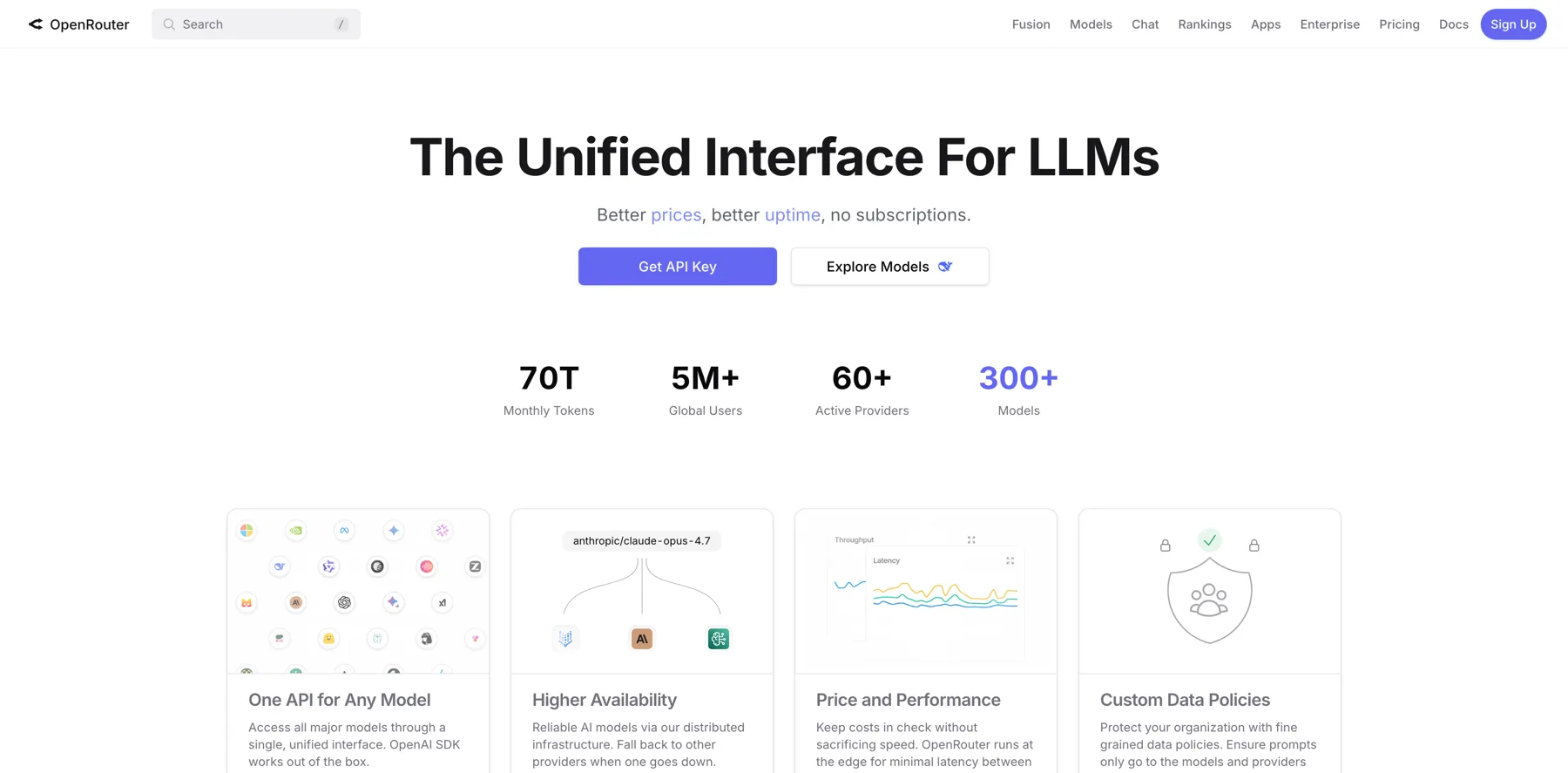
Versus when we add open router, same thing. We just have a different base, URL down here connecting to open router and a different API key. So what is open router? Open router is essentially an aggregator of all of the different AI models. So you can see here, um, they claim to have the unified interface for LLMs, better prices, better uptime, no subscription.
I dunno what they mean by better prices because they actually add seven, I think it's 7% on top of the price of what you would pay if you went directly. But the benefit of this is, as you can see here, we can now connect to Gemini, GPT 5 Claude Sonnet 4. Basically any model that you want. Like they've got hundreds if not thousands of models.
I don't know how many, so many out there. Like they've probably added hundreds of models this year alone, so we can connect into any of them. Now in this scenario, we actually are going to use, um, Claude Sonnet 4. So, and this one, uh, yeah, we'll probably use sonnet. I don't think we need to use Opus, but you can see, um, it tells you up here, this, this model has a thousand contacts window starting at $3 per million input tokens, $15 per million output.
Um, so all of those things are there, but you can see the reason why they claim to have better uptime is because they're running on a whole bunch of different clouds. So, uh, I actually find this to be true. So if you are only funding your OpenAI account with small amounts of money, maybe five to $10 at a time, then they will limit how much, um, like limit your, your usage rate.
So, especially in the workflow that we're creating, it would probably limit out quite a lot because we're triggering the API so much in a short period of time.
Navid Moazzez: But let's talk about this quickly, I think like how, how much would it cost to run? I'm sure you get into this, but I, I think that's also interesting to know.
How much would it cost to run an automation like this?
Mitch Asser: I mean, that's a good point. Let's, we can, we can definitely look at that. Especially with, I
Navid Moazzez: mean, I, I also find the best, I don't need usually Opus I've tried both for, for writing. I, I think Claude Sonnet 4, it's usually fine for, for my use case at least.
Uh, ChatGPT is also fine for a lot of things. I I use it for a little different purposes, but for writing I found Claude for sure outperforms it.
Mitch Asser: Yeah, totally agree. We use Claude all the time for writing, but let's give it a test, right? So in order to get your API key, I'm not gonna go to it 'cause this is our account, but you're just going to keys get your API key, connect it, make your credentials up here, make sure it's working.
And then we can just grab this code here and we're going to go to model, change this to ID and Paste in the code. So that's all we do. So now think about if. We can do that via a, a direct code here. We could also use a variable from Airtable, and that's what we do with all of our other workflows, is we have a, an AI model table and it has all of the different models in it.
So when we are triggering, triggering a workflow, we can choose which model we want to use for that run, and we could te, we can basically test the exact same workflow with multiple different, uh, models to see which one's gonna perform the best. So we add that one in there and uh, that then we can start to create the prompt.
So I'm not, I've already got the prompt available. I'm not going to rewrite it because it'll take forever. So I'm just gonna copy that in. There is a step that I missed actually, which I'll come back to, but. Basically what we're saying in this prompt is now that we have the Airtable, uh, all of the information from Airtable, we can feed in all of this information into the API call in with the ai.
So it's feeding in our brand voice guidelines that we set in our brand table. Um, we're saying never use these words and phrases, which is the excluded variable we're saying right at a sixth grade level. So you can see over here. It's showing what those variables are. Then we're saying your task is to reference the brand guidelines and transcript and use it to create social media posts based on the prompts template Below.
The templates are created as variable instructions. It's your job to use the template in order to create engaging social media posts. The template is used as a guide. You must ensure your output is structured nicely, makes sense, flows well and is engaging for social media. Then we give it an output structure.
So we're saying output this in as JSON with the following fields. AI content creation created prompt id, prompt type, product type. And then we're giving it a few examples of what that would look like. Then we're saying, um, here is the prompt template to complete. That's red because like I just said before, I forgot a step.
I'm gonna come back to that in a second. And then we're saying, um, create, so you could create multiple variations. So, um, I actually didn't add this into the. Um, the, the interface, but we could say, create three variations of this template. So instead of the 33 that we're getting, we're actually getting 99 posts to choose from and then post out.
And then we can add this other variable down here, which is saying your output must be in a certain language. So this is good for agencies if you, especially those in Europe or you know, south America, where you might be working with teams in, uh, who speak all types of different languages. And you don't want to build out different workflows for each of your different languages.
We just add in this variable and then it'll output in the, in the vari, in the, uh, language that you want. So remember back in our brand assets, we're setting the language here. So as long as that language is supported by the AI model, then it's going to output the final version of that, uh, of that prompt into the language of your choice.
Right. So let me come back to that in a second. We're gonna run that in a moment, but what I didn't explain is, uh, let me come back into our table. So a really important part of this is our prompts library. So, but to add new prompts, we just come in and we open up this tab here and we, we select those new, new prompts.
However, we have to push all of those templates into the workflow somehow. So we do this by what's called a rollup field. Rollup is simply, um, pulling in all of the records in this previous field and then creating a formula on top so that it will push it all in. And you can see here it's split by two new lines, like a, it's basically like a, a new paragraph almost.
So the formula says concatenate all of these values. And um, we've got some other formulas that split it up. So we actually need to. Create something that splits these into individual items so that they'll run through the AI individually rather than just do one big prompt and send one big prompt back out.
So we actually need to use what's called a code function or code node. And here we need to tell it what to do with some code. And this is why n8n is graining so much popular, uh, so much traction right now is because it allows you to combine a little bit of code in order to build automation so much faster than a Zapier or a make.com.
There are ways to do it in, in make as well, but it's a little bit harder. So what we need to do is we need to find that, um, that field, which is called package template prompt. And what I'm gonna do is I'm just gonna ask AI to write it. I, I don't know code, but AI does. So I'm just going to say. I'm gonna copy this.
We're gonna come back into our ChatGPT and then I'm gonna say, um, next part of the workflow. We have this variable. It currently contains templates split by two new lines and which is, um, represented by, like this.
We want to split each template
into single I into, um, individual items. So individual items are basically just different runs that will run through the ai, create some, uh, some code that allows that. I think I need to add more stuff in here than this as well, but we can just start here as a starting point.
Cool. So it's reading that for us. Then we can come back in and we can just paste it in and hit execute and see what happens. I kind of want it to error out. It didn't, but um, it also didn't do it correctly. I don't think I did.
But sometimes it will error out and it gives you an error message. And then if you, and then you can simply just take that error message and paste it back into chat GPT and iterate on top, and then that's how you can work through and gain a better understanding of all of this and how it works. So I'm just gonna quickly check.
The best way to check here is just go to JSON and now you can see that that's been split up into individual items. Which is pretty cool, right? But what I'm pretty sure we need to do is we need more information than that. I'm just gonna quickly check my template because maybe we didn't do it. Uh, we should be right actually.
So let's just use that as is for now. And now we've run that one. So now let's run this one. I mean, testing with 30 items probably isn't ideal, but we could, uh, let's just run it and see what happens. Uh, so coming back in here because we now created that, yeah, it's not gonna work anyway. What we need to do is fix up this, um, this red variable here.
So we just need to pull this in here, like this. So we're just gonna pull in, in that template and it's now going to run this template through properly. So it's gonna give us the wrong output here. AI is just going to hallucinate and create something different, but we just need to give that a second to run through.
But that's pretty much all you need to know in order to like build these workflows. Uh, I mean, we're, we're gonna finish this off completely, but you don't need to know coding. You don't need to know these things. You just need to have a bit of an understanding of how it flows through and how that's supposed to move through the system.
And then you can use AI to create the code for you. Does that make sense, Navid? Yeah,
Navid Moazzez: absolutely. I think what takes the most time, at least just watching you do this now, uh, would be probably the testing part, but also like the Airtable, I mean the Airtable setting up all of this and, and pulling in all the information, the brand guide guidelines, the, I mean the, the templates you need and all that.
That's probably taken the most time. Yeah, the build itself, when once you know how it works. It's not that hard. I mean that, that's like all, you know, kind of all making sense unless you saw, you can even get some help from the GPT and stuff like that to do it for you. I mean, to, to get some, uh, help and also with the, I think with n8n also have some support as well with the, with their guidelines and help desk and all this.
Mitch Asser: Yeah, yeah, yeah, exactly right. The, there is that learning curve with like understanding what the tools can and can't do, how to structure things. Um, but also the way that I do it is, it's quite detailed compared to a lot of others. So a lot of others will do it so much faster. They'll have a less structure around like how the workflow operates, which makes it harder to scale up.
But in order to get like an MVP, if it's just yourself. Then, yeah, you can do it so much faster than what I'm explaining here. Um, but yeah, we, we, we typically work with businesses that have multiple employees doing maybe seven, eight figures. So we have to build systems like this that are detailed, that allow not just one person who knows what they're doing to use it, but to allow multiple teamwork, uh, team members to come in and quickly pick up how to actually use these systems as well.
So, um, yeah.
Navid Moazzez: Yeah, I mean I've seen a lot of build outs and they usually do something that is quite pointless sometimes that it doesn't make sense. That's not even in their voice. That's creating some mediocre content. I mean, even with agents, you can build agents as well in inside of any, anytime you can do a lot of cool stuff, but a lot of the times it's not actually useful.
This. Automation we are building here is actually something you would use. I mean, if you, if you do it the right way and can actually can produce great content for you based on a YouTube video or a newsletter, whatever is your main piece of content you produce, then it can spit out this four different platforms.
That's kind of what we are building here.
Mitch Asser: Yeah, exactly. Right. So let, let's continue on. I'll try and speed this up a little bit and then at the end, remind me to, when we run it again, to test how, if we're creating 33 templates, how much does that actually cost? I'm gonna guess and say maybe one to 2 cents, maybe less than that.
Um, so is, is that long
Navid Moazzez: form, uh, blog post as well in this, I'm, I'm not sure exactly is for the social platforms or what, uh, for what platforms are you creating now?
Mitch Asser: Uh, this one is based on templates for basically X and LinkedIn. But you could create a prompt in the prompt library and turn it into a blog post as well.
That would absolutely work. So blog posts might cost. Three to 4 cents maximum.
Navid Moazzez: So cheap. And how long would that blog post be?
Mitch Asser: Um, it's 500, somewhere between 500 to a thousand words.
Navid Moazzez: I would say. Could you do like a long form post if you, if for example, if I added in my exact structure for different types of content, you might have a review, you might have an ultimate guide.
I mean, depends what it is, right? It, it's, uh, follows a different, uh, structure. Could you add that in similar to how you're adding in the guidelines for these type of posts on LinkedIn and X. Could you do the same for, for a, for a really Epic Brian Dean style blog post?
Mitch Asser: Uh, longer ones definitely get harder to do, but the, you remember the, the way that ai, um, thinks about this is in tokens.
Yeah. So it depends on the model. Some models allow a much larger output than others. So like Claude for example, is typically very limited, whereas just some of chap GPT models are more advanced. Um, I don't know if they're still keeping this tokenize up to date, but you could paste in your blog post to see how long it is and then see if it fits in within the parameters of the output for that model.
So you can check that in here. Back in open router. Uh, we have here somewhere.
Navid Moazzez: No, the reason I ask this is because when, when I use clot, it, it kind of wants to write the entire thing. Unless I, unless I give instructions, right. Claude wants to write it without like interruption. That's usually how Claude works. You know, when you, when you give it a prompt or when you have your Claude project with your instructions and all this, Claude just starts writing and you can write thousands of words in one go without stopping.
Like Chachi with tea I find is not as good at that. Like at least when I'm using the chat, it won't just write unless you give it a lot. Claude just starts writing basically, unless I stop it and then it just tries to complete the entire thing and, but I have to give. Very detailed instructions for this to turn out well, otherwise it's a lot of editing afterwards.
So I've tested a lot of Yeah, yeah. Both, both models basically. Yeah.
Mitch Asser: Yeah, absolutely. So like 64,000 tokens output. Um, how many, yeah, you would have to paste it all in. Like, I think the best way, just use the token items. I see how much tokens it's actually, um, using. And then from there you can like reverse engineer it.
But yeah, we're, we're definitely writing, uh, blog posts with Claude based on a YouTube transcript in one shot now that are pretty decent. Probably getting close to a thousand words if we wanted to get it that far. Um, if you want to get really long ones, I do have a strategy to do that, but it, it requires a, a lot more technical knowledge and like, maybe we'll do, maybe we'll do a
Navid Moazzez: class on this in, in the premium community as well, but I, I, I do, I do think it's possible, but I, I, I think.
Where we start with a long YouTube video or, or like a long form newsletter or something more in depth is useful for this because then you can turn it into content for all the social platforms and that all follows like a template. Everyone kind of writes in the same format with with their unique spin to it.
So it's a lot easier to plug in whatever you have already created into these platforms. And then AI can obviously help with this a lot easier because it's, if it follows a framework, AI can really do a good job at it, I think.
Mitch Asser: Yeah, absolutely. I think giving it a good framework plus the output that you're expecting, an example output, that's how it gets so much better.
Yeah. So what I'm gonna do now is continue and we're just gonna test with two prompts. So I'm just coming back into our database here and I'm just gonna select these first two prompts and we're gonna run this through now and just check that it works. So let's trigger this again.
So here, if we open this up.
So if I come into our table, it's showing here that it's got two items, so that's good. We've got our content and we've also got it in a schema like this. So basically when I, if we come back into here, I'm asking it to output in JSON. And the reason why I want that is because, again, for scaling reasons, we split the output into different variables so that um, you can filter them easier in the dashboard.
Again, probably too advanced for here, but it's not giving me the variables that I can then input into Airtable. So what I like about the chat GBT node is we can simply just select this output content as JSON, this is why n8n, another reason why n8n is so much better is you, it's very hard, again, to do this inside of make, you would have to send it through another JSON node and like all sorts of stuff.
Whereas now, like if I run this again, it should show you the difference where it's gonna give us some variables that we can then use back inside of a Airtable to re, to like send the, the output back into our, into our interface. So that'll just run for a second. So you can see here now we have the AI content generated.
We have our prompt ID product, uh, prompt type and product type. So all of these are now variables we can use very easily. Now, there is another code node that we need to use, which is just like normalizing that JSON, um. Not gonna go too far into why we're doing this, but it just allows it to be used. Uh, it just allows it, the, the details back into, um, Airtable a little bit easier.
We're just getting some errors on that when we're building it out. And now we can send it back into Airtable. So here we just go to our air table node and we, because we're sending it into a new table, we're not updating the existing one, we're sending it into a new one. We want to create a record from here.
We just grab those same variables from the start. Except for the, um, the table ID is actually the output table id, so I'm gonna bring in the base, ID make sure our credentials are selected. I'm gonna then add in our output table id, and I'm not sure why that's not working. It's weird.
Sometimes it just loses the information for some reason. Let's just try again quickly.
It's all right. If that ever happens, then all you need to do is just execute it again.
Another quick little hack is as information's coming through, you can highlight them and press P, and then that pins all of that data so you don't have to run it over and over again. It'll pin that data, so anytime I click it now, it'll pick up all of this data in the first lot. However, that doesn't always work with these AI nodes.
It doesn't pin the data as well. It does sometimes, but not all the time. So I typically won't pin the data there. But now we can see these are green, so they're actually working. So we've got our base id, table id, and then we're going to create a new record with all of this here. So we're going to change this, um, AI content created.
We're gonna pull that in variable there. Brand asset. I'll come back to that one. Content input record, I don't even remember what that was. Let's just remove that prompt id, prompt, type, product type, and then brand asset. So this is simply just linking this post to a brand. So if we come back here, we can see this is the brand asset record.
So we're gonna drag that in. However, the, if you read the API documentation, it'll expect what's called an array. So we just need to add in, uh, an extra, some extra brackets there in order to create this array. So what that means now is if I go execute, we should be able to come back into our Table AI output table.
And now these two are down here. Oh yeah. So content input record. I know what that is now. So it's created those two new ones, but it didn't attach it to our original content input record. So let's just come back in and recreate that one. So we're just gonna go there and the content input record is this first ID from Airtable.
So we're just gonna add that in as well. We're gonna turn that into an array. So again, like figuring this stuff out. If you didn't do this, it will give you an error and then you could paste that error into the GPT and it will tell you, it'll give you this expression of like how to fix it. So I just know this because I've done it so many times now.
If we come back in, we can see it's added two new ones and now it's connected it to here. The reason why that's important again, is for like the interface version. So if we come in here, we can open up this and when we come down to the bottom, we can see that it's now connected to all of these records down here.
So it's just in, it is just allowing the system to be fully integrated so that, and more user friendly in the front end because we're connecting certain things together in the back end. Again, I don't see many AI automation Creators talk about this stuff, like they're not thinking, how do we connect it all?
Make it really user friendly. It's usually just like, how can we get this done as quickly as possible and move on to the next thing? So that's basically the workflow. So again, we've triggered it with a web hook, pulled in the information into, uh, NAN. We then get that information from Airtable. We update a status to say AI is writing.
We use some code in order to structure the data, how we need it for, and turn it into multiple items for the ai. We then create our ai, uh, prompt using all of the different variables that we've pulled in from Airtable. We normalize that output so it's easier for, um, the, so it's easier and more consistent to be uploaded into Airtable.
We then create the records inside of Airtable. And then the final thing to do is because we created a status update here, we wanna make sure we close that status. So I'm just going to duplicate the update record, open that one up and change this from AI writing to AI complete, and then that is the workflow completed and done.
Navid Moazzez: Yeah, man, that's, that's amazing. Honestly, you did it pretty quickly and with all the explaining we did, did them back and forth a little bit, but this is awesome. And I, and it gives me a lot of ideas for advanced kind of automation workshops. We can also do, I mean, you're gonna get this content out there.
I mean, some platforms are a little bit more restrictive when it comes to kind of automating the posting, I guess. But I, I think there's also possibilities to automate some of this if you wanted to, right? With NA 10, you can kind of have like an agent almost like to, to push the content out. I think there, there's some tools even to do that.
I don't know if you've experimented with this kind of stuff as well.
Mitch Asser: Yeah, like, think about it this way. This is step one, like this is the very intro into what you can do with this system. So if you think through the workflow now, it's like, okay, what else do I need to do? I need to generate images. So we're gonna build an image workflow.
I need to then once it's approved, post it to social media. So we're gonna integrate it with some social media posting tools. Um, you can then run reports. So like run monthly reports, send them back in and create like a feedback loop so that the AI starts to improve. Like there's, yeah, these are endless.
Then you can go down to like, even like different strategies. So what we're doing internally, we're building out a news article, uh, like a, a news post, uh, automation for social media. Then we're gonna build out an opinion post automation. And then so many others we're just like building them on top of each other and then pushing them.
Um. Into social media. So you have a whole bunch of different strategies. We've built another one for memes, like creating video memes and image memes. So there's, there's so much you can do.
Navid Moazzez: There's tons. And I think we, if, if you have any questions around this, uh, we will definitely have the automation inside the premium AI Creator OS program and community.
So you can access it there. Uh, otherwise you can kind of follow along the session, maybe rewind and check it out as well here. But there's a lot we can do with this. We can probably do some more sessions if you're interested. So drop a comment and let, let us know what you're interested in and I can bring Mitch on again to do some more build outs.
I mean, this is really hands-on, really practical and really useful, actually, not just some random stuff. This actually stuff that will save you time as creator and in your business. So, I don't know, maybe you have some ideas as well what you can do in the future, Mitch. So do you have any final things, uh, that we can missed or anything you wanna highlight here before we wrap this session up?
Mitch Asser: Yeah, absolutely. Let's just do one more test with all 33 templates and just see how much that costs. So up here on the screen now I've got our open router account. It's that currently we've credited that account with $158 36. So keep in mind that the premium chat, GPT, is different to your developer account.
You have to add in credits to your developer accounts. Um, they're separate and they are used as a pay as you go. They're not on a plan or anything like that. So you, you, if you, especially if you don't use it much, then you might only spend a dollar a month on this type of thing. But we're here, uh, $158 36, and let's go to the YouTube version we've got in here.
I think all the templates are here. Um, not, maybe not, let's just add in all of them.
Navid Moazzez: So this can work basically from a YouTube video, from a newsletter, doesn't matter. It can work a, any, from any form of content, basically. Like exactly transcript from a, from a newsletter you write, uh, like with converted or kit, you know, so you can do it for both.
Mitch Asser: Exactly. So this is a video I did about how small business owners should adopt AI automation.
2025, went to YouTube, hit the little transcript button paste, copied the transcript and pasted it in like this. Didn't even worry about formatting, none of that. Uh, so we're just going to, or we've got our variations. We're just gonna run one variation and we're gonna go repurpose content and we have the webhook, uh, trigger in there that shouldn't be there.
Let me just fix that.
Navid Moazzez: So you start this flow inside of Airtable now, right? So you have like a button there or something you can click? Yeah.
Mitch Asser: So we had the, the test web hook in there. So that's the, the test is not going to run if you have your workflow turned on. So we'll just come back in here now.
This should work this time. Let's hit repurpose content. So now, yep, we've got our status of AI writing. Hopefully because I've rebuilt this, I've not rebuilt it with any errors in there. Um, but it should actually be operating, let's see. Yeah, it says it's still running, so it's a good sign. So we're just gonna let this run and it should start to generate all of our, uh, outputs down, down here in just a moment.
And then once it's completed, we'll recheck the open Router account and see how much, do you remember what the price was that we had originally? That you, that you set,
Navid Moazzez: uh, like 158. It was not, you had 158 in that account. Something like that.
Mitch Asser: $58 36. Remember that? Yeah. 36 number. I mean, it's still there. It's gonna still to continue to be there.
Navid Moazzez: But you basically found your open router here.
It's like different than your developer account for OpenAI and cloud. So you go into, you sign up for open router, uh, if you wanna do this kind of workflow, and then you can fund that account and then it, you can plug into all these kind of, all these models basically. That's kind of what it is.
Mitch Asser: Correct. And it's the same for images.
So there's image aggregators as well. Um, uh, probably a favorite. We use two replicate.com or fal.ai. FAL. Uh, and the beauty of that, I mean, some of them do require extra building because it's a bit more complicated than uh, just text. But yeah, you can use Nano Banana, you can use flux, you can use Ideogram, you can, I dunno, about ChatGPT don't think they have that, but um, yeah, it allows you to.
Navid Moazzez: Some do plug in with ChatGPT some other, like, I think free pick and different tools they do plug in with it.
The only one that doesn't have it open yet is Midjourney, I think. At least not publicly. I mean, maybe some people try to hack it, but it's not supposed to be. Uh, but I, I've even tried to, I mean, I use even replicate inside of my Photoshop now because you can actually use nano banana inside of there. That in flux context.
It's amazing. Wow. Because, you know, Photoshop generative fill is not that good, doesn't have a lot of training data, but then you bring in nano banana inside there, it's pretty, pretty sick what you can do. It's a little more advanced, but it's, it's pretty killer.
Mitch Asser: Yeah, absolutely. That's awesome. Yeah. Very cool.
So we're still running here. It's uh, it's still ticking along. So we're two minutes in. Hopefully it'll start to drop in in just a moment.
Navid Moazzez: Yeah. But normally when stuff like that's running, you don't need to do anything. You just kick back basically. So you do your other things in your business and, and maybe you have exactly right or something.
Mitch Asser: Yeah, and you can line up multiple triggers at a time. So I think that'll limit to like maybe five or run at a time, and then it'll put it in the queue.
You can just move on to the next video and maybe you batch these and you do five of your, um, creating of like repurposing of content at a time. And yeah, you have them all running and then you just batch through and move it along so quickly. So that's how you can like, stack these and, and just get outputs so much faster than if you had, imagine having to do this one by one inside of ChatGPT, like it's gonna take you hours to do, whereas this, you can just move through so much faster.
Navid Moazzez: Yeah, a hundred percent. All right. Let's, uh, see here. It's quite a lot of content it's producing right now, so yeah, that's why it's taken some time. And also we are live, so maybe it's taken more time sometimes when you're live for a, for a session.
Mitch Asser: Yeah. And it's a, a YouTube transcript, so it's actually processing a lot more data than the, the original one as well.
How long was the video? Uh, probably 15 to 20 minutes, something like that. That's
Navid Moazzez: pretty impressive. You can get so much content, even from just like 15 to 20 minutes of video. Imagine like a session like this, like a long form video. You get that ton of content, basically.
Mitch Asser: Yeah, exactly. The, the one downside of Airtable is they do limit the fields to, I think, a hundred thousand characters, which from my, I'm guessing is somewhere around 30 to somewhere between 30 to 60 minutes.
I've not actually looked at it exactly yet. Maybe a little bit, maybe around 60 minutes. Do you have to split it
Navid Moazzez: or what do you do if it's a long video in that case, like, yeah, exactly. So we a really long podcast.
Mitch Asser: Yeah. So we'd split it into multiple fields and then use a formula to join those fields. We actually did get an error.
That's not great. Let's see what that was.
Uh, yep. So it's actually good that this came in. So what sometimes when we're splitting the, um, into multiple items, even though we're working from one record, it then gets confused as to what variables it should use. And we simply just solve this by adding first. So it just looks at the first variable, um, from the workflow.
So we just need to add all of these in. My bad. I forgot about that. But yeah, this, you know, just goes to show that you're not gonna get it all right first time. Like the, the whole point of development is to just fail and fail and fail and like, make slow improvements and iterations. And then I actually just said to, um, to my business partner this week is like, this week after probably building in NAN for a solid six weeks, now seven weeks.
I just feel like I'm making progress where I don't have to dive into ChatGPT t all the time and like, um, figure out or like read through some document ation. So, yeah, I think, uh. It really just takes a little bit of playing around, and then from there you get to, um, yeah, you, you get the experience that you, it's a one-time setup
Navid Moazzez: at, at, at the end of the day.
It's a one-time setup. You have to figure it out the first time. I mean, that's kind of what it is. I mean, even people like yourself, you, you dive into. Chat, GPT and different things to this GPT to to learn. I think you need some patience to basically succeed with this kind of stuff. You cannot give up on the first try.
I think that's usually people who fail, like you think, ah, I'm not technical enough. I mean, most people are not technical enough to do this. I mean, I'm certainly not, I can figure out certain things in inside of N 10. You are pretty advanced now after doing this for quite some time, but you didn't start that way.
You basically decided to learn and now you, you can basically do a full class on it and teaching this. And you have also had some templates for quite a long time before. A lot of these. YouTubers started doing their tutorials on NA 10 before NA 10 blew up. You even had templates on this, so it's pretty cool.
Mitch Asser: Yeah, yeah, exactly. And the, probably one of the most, uh, common traits that I've seen in successful people is that they're always willing to be a beginner again and to learn and to fail. Whereas, you know, a lot of people hate going backwards and, and don't want to be going back to that step one of like not knowing what to do.
Most successful people, they're just constantly going back to the start and, and changing with the times, learning the next thing, be failing at it, coming better at it. So like, yeah, if you wanna be successful long term, just get used to failing over and over again. And, um, yeah. That's, that's the fastest way to, to make improvements.
Exactly. So let, so that should be fixed now. It should be operating. Hopefully you just go back in
Navid Moazzez: when it fails. Now the downside of this is, does it continue developing or, or do you have to restart it?
Mitch Asser: What I, what I didn't realize is, even though that failed, it probably didn't matter because it already ran through the AI component, but it's gonna run through here now again, so it's not gonna be super accurate.
This could be maybe like 40 posts, but let's just hit a refresh. 1 56 60. So actually, what was it, 1 58. So it's actually almost $2. So I was a long way off,
Navid Moazzez: but it's quite a, quite a lot of content. I was, I was gonna be surprised if it was just a few cents. I mean, I, it was two, maybe, two little, I mean, I don't know,
Mitch Asser: Maybe I was talking about a few cents per template.
I don't know even that possibly. But anyway, like it's, this is also using Claude, which is the most expensive model, but pretty much, so if you went to like ChatGPT 5, it would. It would definitely be under a dollar, I would say. I would expect, yeah.
Navid Moazzez: Yeah, a hundred percent. But I mean, that's, that's still pretty cool.
You get so many, so many posts. And that would last, I mean, quite some time. I mean like for could last depending on how much you post, of course. But to some people it may last a month, some people may be a week. Depends how much you post. But it mean, imagine if you would hire someone to do this for you. I mean, that would cost quite a lot of money actually, at least, uh, to do it at a certain quality, uh, that would cost quite a bit.
Mitch Asser: Yeah, exactly right. So yeah, that's basically how we do it. And, and for those that just want the template and like, want to connect it all, then there'll be all of this inside the, the members area with a video of like how you set up the templates so you can get started quickly and easily. But yeah, of course, if you are going to, if you want to build out these automations, then just like rewatching this video over and over again, seeing what I did, working alongside me, making those mistakes, using the GPT, that's gonna be the best way for you to, to start making progress.
Navid Moazzez: Yeah. And if you have any questions, do let us know in the comments. And if you want us to do, uh, another build, maybe connect this all to social media or doing some other things Mitch suggested and we talked about during this session, do let us know as well. We have a lot more coming and Mitch has so much experience on this.
You can take this very, very advanced. But, uh, do you have any final words, Mitch? I think this was really, really in depth, uh, you know, for people to follow along. And also we have the templates inside AI Creator OS.
Mitch Asser: Yeah. The final thing is just back yourself. Like there's always doubts in your mind when learning something new, but it's the people who just dive in and, and have some self-confidence and, and not afraid to fail that make the progress.
So yeah, and also also if you do build some stuff, send them to me. I'd love to see what you're building and the, the creativity that you have as well. So yeah, send it through. Yeah.
Navid Moazzez: And where, where should people connect with you, uh, as a final thing?
Mitch Asser: The best place right now would actually be on? It's a good question.
Probably Instagram is the place that I check the most. I don't post on there, but I check it the most and we link up Mitch Resources.
Navid Moazzez: I'll make sure Mitch is active at the time. Uh, and also check out the YouTube. It has some videos there as well. You can check out the Big Moves and you know, they do a lot of cool stuff and I'm sure I'll bring Mitch on in the future for some more build outs and advanced sessions in the community.
So thanks so much, Mitch, for coming on and I'll talk to you guys very soon. Ciao for now, bye.