The video-to-blog AI workflow for fast SEO content
Navid Moazzez: Do you want to steal this video to blog AI workflow? When my guest for this session showed me what he's about to share in this session, I was really excited and I've actually been using this, AI tool for quite some time and playing around with it. And it's really, really powerful for any creator basically.
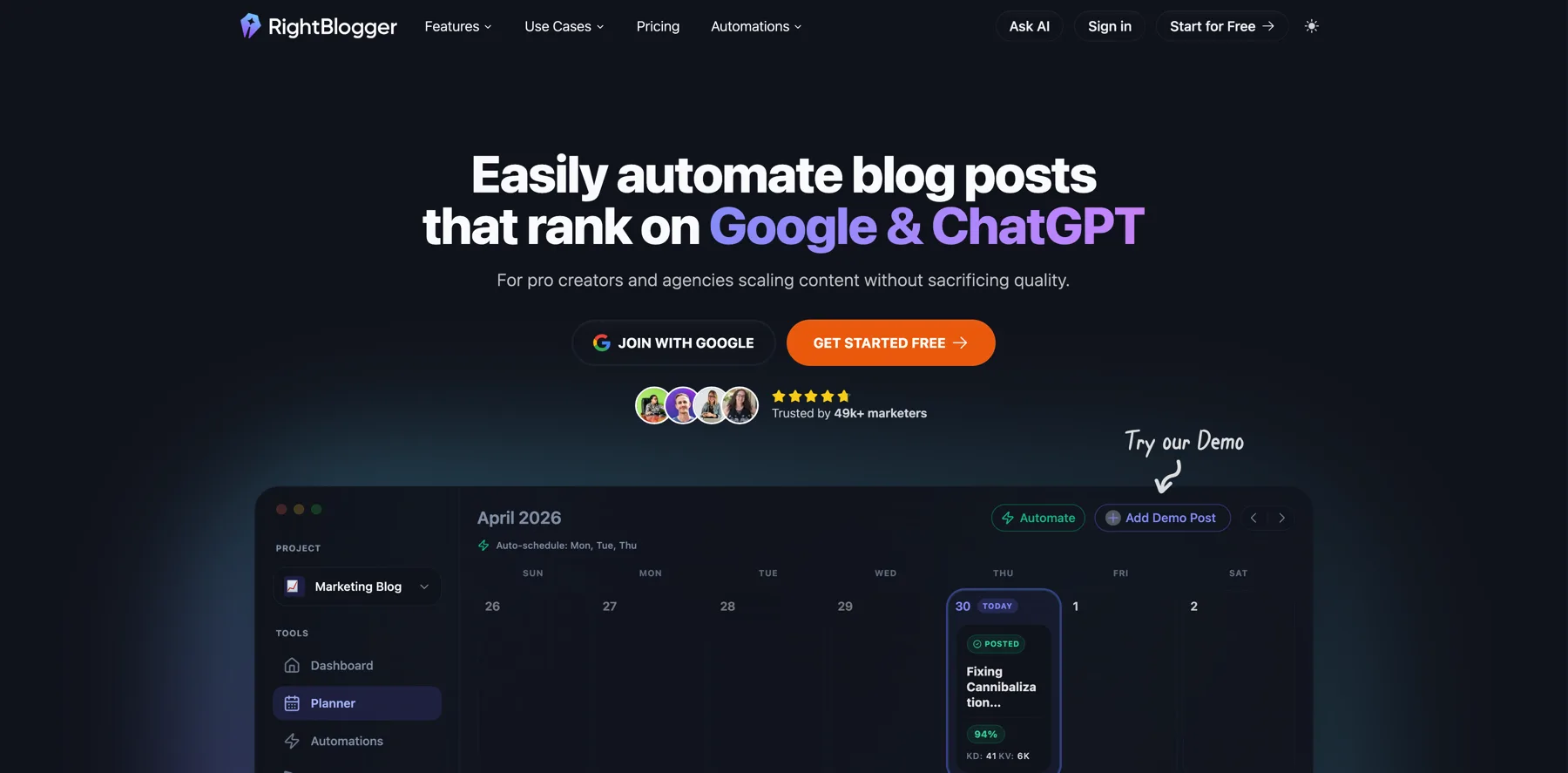
And, uh, I have, uh, been having this guest on for my summits in the past. His name is Ryan Robinson. He's the founder of RightBlogger, a suite of 80 plus powerful marketing tools for bloggers and content creators. And he's also teaching 500 plus monthly readers how to grow a profitable online business at his site RyRob.com.
So with that being said, warm welcome, Ryan.
Ryan Robinson: Hey, thank you for having me.
Navid Moazzez: Yeah, I'm really excited for this one and I've been. Kind of seeing what you have been going for yourself and with the RightBlogger for quite some time. It's exciting. Like I think there's some, quite some synergy between what you're doing and what we are doing here with Creator School and the AI Creator Summit and, and the AI Creator OS and everything.
So why don't you share a little bit about that and then we'll dive into like what we are gonna talk about, which is kind of you, you send me this title, SCO blog post in seconds with ai. I mean, that's quite a promise, but yeah. I'm excited to dive in because I know why I'm excited about this is because you have quite the standard for your blog.
You have been growing that to hundreds of thousands of readers a month. So yeah, basically I'm excited to see kind of what, how you are doing this with AI while still keeping the quality and your own voice, which is pretty particular in the way you've been writing for, for a, for some time for your personal brand.
Ryan Robinson: That is the hard part. You nailed the hard part. You can't just go to ChatGPT BT say, write me a blog post about this or that, and expect that it's gonna be really good. So, you know, we'll get to that here in our, in our session today. But I'll give you kind of the, the top line overview. So I am a blogger, I am a Creator.
I've been doing this for over a decade, more like 15 years now. Um, on my blog ry rob.com, where I teach about half a million monthly readers how to do this online business thing. And so I've been blogging for a really, really long time and I have. Always, always wanted tooling that could help me do what I do in my unique style and flavor faster, more effectively.
Right? And so when AI kind of burst onto the scene in 2023 or so, it really kind of changed everything. It opened the door to being able to do some of this stuff. And so what I am really excited to show everyone here today is my favorite workflow inside Ripe Blogger, my suite of tools that I built with my partner Andy, um, who builds all the tech side of things.
We made the video to blog tool. To basically solve our biggest problem. How do we make more content faster that looks like us? Sounds like us. It feels like it's actually really our baby. When we press publish and actually still drive meaningful results, what do results mean? Ranks high on Google still.
Right. And now the new S-E-O-L-L-M-S-E-O, it's designed and optimized to rank. Well be cited as a source inside the platforms like chat, bt, Claude Gemini, perplexity, et cetera. So that's kind of the secret sauce. But before we dive in and I show you how it works, do you have any questions you want to add?
Anything to that?
Navid Moazzez: Yeah, I am. I'm very excited just to kind of see everything you are doing like with this workflow because I've, I've seen kind of a little bit behind the scenes what you are doing with it, and I've been. Playing my playing around myself. Actually, what I found really, really powerful was what you are kind of going to share here and, and it's like turning my videos, let's say for a, a Summit or even a YouTube video and stuff like that, and turning that into content.
And it was really, really good actually when I tried that. And, but that was probably months ago and I'm sure it's even better now in the way AI is moving. So, Ryan, I I think we should just dive in. What do you say?
Ryan Robinson: Let's do it. Yeah. So I'll, I'll preface this here with, you know, I've got my screen open here.
You can see my example, but I'll preface this with the video to blog tool works with. Anything from podcast episodes to any sort of video you've got on YouTube, or even if like me, your creation process is maybe something as simple as recording an audio note to yourself on your phone when you're out on a walk or you're on a drive and you feel inspired and you wanna just capture an idea and you can upload that raw audio or a raw video here.
So there's a lot of ways you can kind of kickstart this process, and it's designed to be really flexible based on how you want to kind of capture the essence of that idea. So. I mean, I find that anytime I'm explaining something to someone, uh, I, I'm gonna record it. I do a lot of videos for customers where I'm teaching how to do a process, and oftentimes those videos that would otherwise just be lost into the ether make for really good tutorials that I can publish on YouTube, share on my blog.
And so the idea here is don't let the content you're making in video or audio format go to waste because. Written content is still some of the best SEO and LLM fuel, so you've gotta publish this stuff on your website, please.
Navid Moazzez: I think a lot of Creators, they don't really do that too much. I think they are, I mean, it is great for the social media stuff and a lot of people are getting traction on YouTube, Instagram, TikTok and whatnot, LinkedIn, uh, x uh, but I think they, a lot of them don't really have a website.
I think it's kind of forgotten a little bit. What do you say, I mean, you have been doing this for a long time, and I'm the same. You have a, you have so many readers on your site, and I know you're doing the same for your, you know, SaaS company with Right Logger, you have a blog, uh, and you have YouTube videos and stuff like that.
But do you always, these days, start. With a video, is that easier for you? And I, I see you have a pretty decent setup like myself here, so maybe that's easier for you to just record a video and then turning that into a post rather than starting with sitting up, sitting down to write. I have Ryan Levek on, he talks about the source of truth content.
Like we should actually have some content that comes from us that is not just directly AI generated. And I think that's kind of what you are getting here when you are sitting down to record a video or if that's writing a newsletter or whatever you start with. So, well, can you share a little bit about that?
Because I know you were, you were like a writer, you the past at least. Totally.
Ryan Robinson: Yeah. It's a really funny transition as someone who really identified strongly as a writer, a blogger first. And so I've gotten to a place now where I love making video so much more than making writing because it's, it's a way more expressive medium.
And this is the like really special part. I'm very bullish on ai. I think there's gonna be amazing ways that it continues to change our lives and, and the ability to do online business in particular. But what humans actually really want is a genuine connection with other humans. And while I think there's gonna be really cool ways that we can use AI to do, to help with things related to video and audio and stuff, most people will treat something like a fully AI generated video, a fully ai, you know, influencer, fully ai, YouTube channels, treat that as a fad or maybe something they go to once or twice, and then they.
Something usually feels kind of weird about it. I don't know about, you know, you or, or everyone watching here today, but when you watch those, those fully AI generated things, it's not fulfilling. Right? And I think there's something really deeply built into us about that, where we crave the human connection.
We want the chemistry when we, we wanna see all of Ryan's imperfections, his weird inflections, the intonations, the way he flies around on camera. Like these are the things that people actually like. And so I really don't think that, you know, this type of content's going anywhere. You have the opportunity to build real relationships with people over video and then.
From the videos you make, repurpose that content into these other formats that both give people different ways to digest information because some people wanna read instead of watch. And then also written content is still, still, I can't promise this enough, it's still the gold standard for how algorithms like Google being et cetera, want to rank and index content.
And it's also how LLMs are gonna best understand you so that they can surface your content or your business, whatever it is you offer to the right people who are asking questions. And in the Chas style interface too. So this written content is actually super essential. And by doing the extra little step now, use these AI tools to make this faster.
By doing this extra little step, you're putting yourself at such an advantage over Creators who are doing video only or publishing on their socials only. This is still a huge piece.
Navid Moazzez: Yeah. So let's dive in. I have something we, maybe there's some essentials to get into in this tool before you actually do this.
I, I know you have like, you can set your voice, you can do a lot of different things to kind of Yeah. You do that before you even enter this. So can people mean basically, I think you can even get started for free. We, we might have a, some kind of deal or something. We'll drop it in the com, uh, in, in the comments here or in the Descript so you can check it out.
I highly recommend it. I think you do have a free plan even, but I think you get Yes, with any AI tool or any tool if you're gonna be serious, you should always have the paid plans, I think for anything. But you can for sure try it out, uh, to see if you like it.
Ryan Robinson: Yes, I highly recommend, I will say this about my own products too.
Get the most you can outta free always and test things out too. Like you'll learn like, oh, is this, you know, is RightBlogger for me or not? And I'm not gonna take it personally if it's not, but this is kind of what I designed as my own toolkit. So, yeah, Navid, you know, your, your first question was what are kind of the essential setup steps?
And so I'll show you just a couple of super quick things, two things that you'll wanna do before you actually employ using one of the tools like this Inside Ripe blogger. So number one is gonna be as soon as you're inside the product, you know, if you come here to RightBlogger to our homepage. You're gonna see my mug here, right over here, and you're gonna just create a free account when you're not logged in.
It's gonna say, create a free account right here. So make your free account and then once you're in, you'll want to go to projects, and this is accessible in the left hand sidebar from anywhere in the product and inside projects what you have the opportunity to do. I'm not gonna go through the whole process of adding a new project, but I'll show you what it looks like on the inside.
We've designed our AI behind the scenes to learn from your website. So when you paste in the URL to your website, during the project creation process, we're going out and we're actually scanning your site to understand the topics you create content about, to really kind of gather what some of your voice, your style, your tone is to identify some topic gaps too.
So we're gonna service you content recommendations based on the gaps in your content, but the real kind of benefit. Of setting up a project, first and foremost, is that you get to really like dial in all of the presets for how you can make content across RightBlogger, and it's gonna really save you a lot of time.
And so there's integrations here. You can connect your WordPress site if you use Ghost Web Flow, you can do Webhooks. We have some Zapier integrations coming soon if you use a different CMS. But this will help you be able to one click send any content you make in RightBlogger straight to your CMS. And then last but not least, tool defaults.
Things like your writing style, your language, your internal links, who you're writing for. Like there's a lot of things that you won't want to manually type in every time you're going to, you know, say turn a video into a blog post. So this will save you a lot of time.
Navid Moazzez: Yeah, I love this. And I think this is the same when you're doing anything in, you know, other LLMs like Claude or Chat GBT.
Mm-hmm. You can like set a little bit instruction and you can even have like a master prompt. I think a lot of people are talking about these, these, these days, like how you get the most out of these LLMs and people are complaining sometimes I'm not getting the answers I want, and stuff like that is struggling.
I mean that's probably because you're not giving, you're not giving it enough input. And the same here with RightBlogger. I think you guys integrate with some tools or like behind the scenes basically, but you have it prompted. So it's like actually doing the right thing for a blog post and stuff like that.
I'm not sure what tools, if you chat BT Cloud or you have different ones included, but maybe you can get into that a little bit because see kind of what type of content you are getting from this.
Ryan Robinson: Yeah, we use, we use OpenAI, we use Claude, we use Gemini. Um, we kind of hot swap them for different purposes.
Like we grok recently, you know, at the time of this recording right, grok recently, you know, released a new model and it was a really good, super fast kind of lightning speed model that we've found is better for outlining blog posts. And so we'll swap in the grok model for outlining posts right now because that happens to be.
Yeah, like, we'll, we'll have different tasks. I personally, I like,
Navid Moazzez: I think I like Claude the most for when I'm not using a tool like write clo. I've always liked Claude the most, but you have to still, if you just tell Claude, write a blog post, it's gonna suck. I can just tell you that yes, you have to really know.
You and I, we have been doing this for a long time. We know what a good blog post is, but if you're watching this, maybe you don't, maybe you haven't been seeing like, what is a good blog post. Yeah. Why? Like, I know exactly when I see a good post and I want it to be in a specific way. And I'm sure it's the same for you, Ryan.
You have been doing that. You, you are probably very picky in terms of how you do your intros, your outros and everything. And yeah, we're gonna show this here in this session. I, I think it's really exciting how you can turn like a video because that. First draft you're getting is not always what you're gonna, I mean, that's not what you're gonna publish.
You're gonna actually do something, edit it, and then you get it into the way you want eventually, or, I mean, it's pretty quick, but still you have to do something with it. Imagine you will have to do this from scratch. That would take a long time. So
Ryan Robinson: yeah, this really speeds it up. And I remember the days of doing it all from scratch, very, very well.
So yeah, the prompt, the prompt is, uh, I mean, keep scrolling. It's uh, it's a very long series of prompting steps that we engage in this because. We are really particular based on what we know works really well from an SEO perspective. And then, you know, the final little piece before we dive into our example today is this feature called Myone Inside Ripe Blogger.
And so this one is available only to paid plans. So if you are a paid user of Ripe Blogger, you can unlock this ability to train your AI behind the scenes in RightBlogger to write in a way that sounds exactly like you. And if you've got different sites or different, you know, social channels where you have a slightly different tone or style of writing, then you can have kind of as many of these as you want.
You can upload links to either videos of yourself or articles you've written. You can paste in text if you've got some, some offline writing that you're really proud of. But the idea here is pretty simple. We, we create a prompt that is appended to all of your writing. When you connect a My Tone to anything you make inside Right Blogger.
And it's gonna sound. Way more like you. There's also some humanization, some readability stuff that we're always sort of updating behind the scenes. And so yeah, highly, highly recommend that those two setup steps. And then you're basically ready to go.
Navid Moazzez: Now, this is one of my favorite features. So I mean, there's a lot of favorite features 'cause you do have quite some tools here that are very, very useful for Creators.
But this, my tone, it's really good because you can upload like any blog post and stuff like that, and then you kind of, you're kind of prepped for what you're gonna do. You have Okay. I, I have, you can have even different ones for different purposes. I, I believe, but I, I, I uploaded like a bunch of blog posts.
Then it did a, a much better job, basically. It's kind of like a cloud project or something, but it's like more tailored to the task here, obviously. So really like this one.
Ryan Robinson: Yeah. I love it. Cool. You ready for an
Navid Moazzez: example? Ready? I'm ready.
Ryan Robinson: Dive in. So let's do this. Let's do it. Okay. So, uh, this, this is my favorite tool.
This is how my content process actually works. And so, you know, let's say before you and I hopped on here to, to make this session, if I just made this video, I actually made it six days ago. Let's say this was a normal content creation day for me. I would start my day by shooting a quick video. And this one is, uh, is one I'd made just a few days ago.
It's here on my YouTube channel, walking through a new feature that will show you how to use here on this session, actually. Um, and you could alternatively take any video file from on your computer, on your phone, you could paste in the transcript to a video. I've even seen a lot of our customers find inspiration from a video that they saw on YouTube, and it's, it's someone else's video, but it really inspired a topic that they want to publish about.
And as long as they're citing that as the source and they're saying, Hey, you know, shout out to this person for, for inspiring this post, that's a totally okay thing to do too. So even if you're not creating your own videos, this can still be a useful process here. But to get things started, step number one.
Connect the right project. So right here in this upper hand area, I'm gonna select the project, which is the site where I want to publish this post. And so it could be Rro. And you see that slightly changed some of the details here under all the advanced settings or. This one's going on. RightBlogger. And so you can see it adjusted the tone to my writing style and tone I use on RightBlogger.
Just a touch different than on my blog. Little more professional on my blog. I'm very freewheeling. Um, and so all of my presets are automatically loaded when I select that project. So this is, again, super important as you're doing this at scale. I pasted in the link to my video here that I wanna create the blog post on, and then I get to toggling some options.
I like to have external links. I want my video embedded somewhere near the top of the post. There's some magic that goes on between YouTube and your own website. If you have a video on YouTube that's embedded on your site, and in the Descript of that video on YouTube, you also have your blog post linked to it.
There's some nice positive juju stuff that I'm convinced goes on, um, that ends up helping your rankings and discoverability both on Google and on YouTube. YouTube being the second largest search engine in the world. Still a great place for discovery and finding new audience. So once you've toggled all these options, I entered the primary keyword phrase auto, SEO tool.
That's what I want this post to rank for as I publish it. Um, and then you know all these other little details, you can take time, play with them yourself. Additional instructions is a really great area to add something around, say formatting, if you have really specific formatting that you want for this post, or let's say, you know, you wanna add the top five other auto SEO tools towards the end of this article.
You could just add something like that. Add one more auto SEO tool suggestion, and then the AI's gonna take that into account when it creates your article. But for the sake of this one. We don't wanna promote the other tools, we wanna just show mine.
Navid Moazzez: I mean, actually something that is important for someone who maybe they are not familiar to too much with the keywords and things like that.
This is the auto SEO tool here. You even have, I think, a keyword tool inside a right logger. So maybe people would use that to be able, I mean, obviously you have maybe your video in this case, but yeah. How do you usually think about keyword research these days with, you know, with all the Google stuff coming out with the AI results and the suggested and all this stuff with the LLMs, I mean, now it's a little bit different than it was back in the day.
Ryan Robinson: Yeah. We have a keyword research tool inside that would be a bit of a detour. We could, we could show that maybe after we run this example. Yeah, sure. Um, yeah, go go through that
Navid Moazzez: example and then you can kind of show that a little. 'cause obviously for. Blogging or anything like that is quite important to get the keywords right so you don't waste your valuable time to publish.
You know, so you have some opportunities to shop in Google, hopefully.
Ryan Robinson: Totally. And our keyword tool, this, this would be a really fun one to do next. Our keyword tool is really like, designed around ai and so it, it will make suggestions that are perhaps a little more long tail, a little more niche, and it'll, there's some cool stuff to help you select the right keywords.
But, um, yeah, let's run through this example real quick because I'm, I'm excited. This is ready to rock and roll. So. Once you've dialed in all of your options here, kind of tweaking things how you want, um, you could click edit outline. If you wanna make really s like clear structural changes to the outlining process, I generally skip that on the tools that are more turning a video into a blog post style because it's gonna use everything in the video already.
I don't need to make changes to that. And so I just hit generate once I've locked in all my instructions here and behind the scenes, AI is compiling an outline real quick, and then it's going to essentially get started here. Usually within like the first 10 to 15 seconds, you'll start seeing the content appear right here, and it's going to be pulling directly from that video source.
So here we go. Any day now, sometimes AI needs a coffee break too, I suppose.
Navid Moazzez: Yeah, it's like, it's always like, you wait, wait a little bit to do something else and then it's ready. That's kind of how it is, but mm-hmm. It's, it's pretty quick to be honest. Uh, now we very, very fast actually.
Ryan Robinson: Here we go. That was one of the longest waits I've seen for, for, for a post to start writing.
Navid Moazzez: It's because we are live here, you know, it's like it's extra processing.
Ryan Robinson: Anytime you record it, it just takes longer. It loads slower.
Yeah.
Um, but, you know, pretty much straight off to the races here, we can see the videos up top. We've got nice like header elements that are called out really good. Uh, formatting elements, uh, bullet points, bold, like this is the kind of stuff that LLMs especially really want to see.
It makes sense of things that are in these kinds of like, list formatting elements. And so this is a good L-L-M-S-E-O best practice. We've got internal links. There's gonna be some external links throughout, but this is looking pretty good. Um, I'm liking this. Cool.
Navid Moazzez: Yeah, it actually, and we got
Ryan Robinson: It's very good.
Looks great. 1800 words.
Navid Moazzez: How, how long do you normally, yeah. And we've got, how, how long do you normally write your post these days? That's like, like 2000, 3000. I know you had some very, very long one on write, Rob. I'm not sure if you're doing something different for RightBlogger, but, uh, and especially when you have video posts as well.
So what, what's your best practices for this today?
Ryan Robinson: The sweet spot today is anywhere between 1500 words would be probably on the low side for most stuff, especially if you're teaching something. If you're doing education, 1500 on the low end, high end, I mean, you can still go pretty nuts. Um, but I've found that stuff beyond say 3,500, 4,000 words, like anything beyond 4,000 words.
Mm. I would question how many people are actually ever gonna read that, and then how much of that is even valuable to search engines or LLMs, I think starts to get questionable. Even the LLMs get bored at that stage,
Navid Moazzez: diminishing returns. Right. You, you don't get that much more, so. Yeah.
Ryan Robinson: Yeah, yeah. And so let me walk through a few, like key things here.
Yeah. So if you hover here, you can see some quick facts about it. Readability grade six was kind of just the default I have on my project. You can also tune that up if you wanna write for different audiences. Um, you got character count, word count, images, links, right? A lot of things going on. Here's a little share button if you wanna share this with someone on your team, a collaborator, an assistant.
You can copy the link here. They can check it out, pop in, work with it. Um, if you are ready to rock and roll, you could just kind of one click, send this to one of your connected websites, or you can copy it, download it as a Word doc. But for me. The AI first draft, even if it's working with my own source material, my own video, audio recording, whatever it is, AI first drafts are exactly that.
They're first drafts. And so I'll show you exactly what I do next. Anytime I create a piece of content, I click this SEO report button right here. And Navid, this is a pretty new feature. You may not have even gotten play around. I was ask.
Navid Moazzez: I didn't have that when I was using it a lot actually. And this is, uh, this is something I've seen in some other Yeah, tools before.
But I think the way you do it is quite nice actually, the way you implemented it. So yeah, tell me about.
Ryan Robinson: We're having. So by time everyone's using this because we're making a tweak here, uh, this week, by time everyone watching uses this, you'll be able to SEO optimize your content during the creation process too.
So you'll be able to toggle this on to basically connect a report from the start. So you don't need to go through the optimization process after creating your content, if that makes sense. But. For the sake of this example here, I want this to rank for auto SEO tool. That's my dream keyword phrase. If I can publish this post and rank number one, have this video ranked number one on YouTube for that, that's a win for me And for creating our SEO report, that's the exact suggestion.
Usually AI's gonna suggest the right keyword here to optimize for. And so I'm gonna just create an SEO report. And this can take 30 seconds to a minute because what's happening behind the scenes is we have a whole bunch of AI crawlers that are going out. They're Searchie what is actually ranking on the page one of Google for auto SEO tool.
It's scanning the LLMs, figuring out what LLMs are actually recommending for this tool as well. And so it creates a report based on what that content that's already ranking at the top is doing. Right. And we will be able to see a lot of that here in a second.
Navid Moazzez: Yeah, this is exciting. I love it. I wish you'd been able to play
Ryan Robinson: with this, but this is new.
Navid Moazzez: Yeah, I didn't have it, but this is just so new. I saw some emails from you as well, and what you guys are coming out with, and this is probably one of my favorite things right now because this kind of ties so nicely with the rest. It, it was kind of essential, but I guess you guys wanted to make, to get it right before you released it.
I'm sure you even knew about this Yeah. Long before, but you wanted to make sure it's, uh, the way you wanted it, so.
Ryan Robinson: This one's super complex because there are so many different ways you could do SEO optimization. But this is really like structured around how I do my own manual research and there's, I mean, there's tons of tools, surfer, clear scope, there's really good tools that do versions of this too.
This is our version of it and to me, and by the way, I've seen seen tools do it, but they're
Navid Moazzez: just like adding it in. But they're not really a longing tool or something. I'm not gonna mention it. I've tested a lot of tools I do for Creator School and stuff. I have like tools list and stuff. I test a lot of tools because I like to see kind of what's out there and and be able to make good recommendations.
So when I bring you something like with Ryan here, and we have known each other for a long time, but I've also actually been a paid user for when I was testing it a lot in the blog I was paying for right blogger and I used it a lot and I, it's actually really good and now it's improving. So yeah, that's kind of what I, what I like to see.
Ryan Robinson: This is a fun one. This is my favorite feature that we've released, uh, since we like launched, honestly. And this button here. Auto optimize is so cool. It is so cool. It basically takes all of the insights from this report. It says, okay, you know, you're in the right word count range. You've got the right headings, you need more images, right?
And so here is where the real like rubber hits the road with any sort of optimization when it comes to improving your content, giving it an actual chance to rank on Google and to be recommended as a source in LLMs. And so, keyword gaps, there's a ton of keywords that are not in the first draft of this article, which is not the fault of the ai.
It's writing an article based on my video, right? And so there's a ton of stuff that I missed in talking about this, but using auto optimize, which, we'll, we'll kick this on in a second, but it's nice that we're gonna take.
Navid Moazzez: It's only 33%. It's nice that it is only 33% and that was be okay. This kind of sucks, right?
We can make what? What is the sweet spot? Should you get it to like, it's like 70%, 80%. What do you usually want? What do you want to get it to, Ryan?
Ryan Robinson: Let's get it started and then we'll review because the auto optimization process can take up to a minute or two sometimes, so we can talk exactly about that as it's doing its thing.
But basically the, the sweet spot is gonna be pretty much anywhere in the green. If you can land between 85 to 95 as your score, that's what I consider perfect. If you go for a hundred with all of your content, it's going to in practice, look like it's keyword stuffing. Really, it's gonna be super hard to get a 100 score without kind of making your content sound unnatural and you don't wanna sound unnatural.
That's what search engine algorithms and LLMs are trying to sort out. Like they don't wanna recommend stuff that people are clearly trying to game the system. So we do a lot of like strategic, um, decisions behind the scenes and what. Auto Optimize does. Um, but you can of course, use this report to make your own
Navid Moazzez: Google.
Google don't penalize, uh, AI content, quote unquote. They, they don't, I mean, you don't want, like AI sl right? Or AI crap contents, you know, there's some, there's enough out there that's really, really bad. So you wanna make sure it's really good. And it's like your thoughts, like, I think Google has this EAT framework, whatever they call it, right?
Like with Yeah, like the experience and stuff like that. The experience is really important to add in to, and also sources and other things that AI typically don't get. Perfect. I mean, they, they definitely don't get your experience unless you're prompted it correctly and added it in when you are doing the writing.
So I think that is really, I mean, that's probably why you are doing the video to blog workflow. Yeah. Because you're actually getting your experience. It's like your experience in that video. So I, I actually really like that it saying here we are doing this video, right, that can turn into so many pieces of content from like an hour, 90 minutes, whatever a video is.
So I think that's, uh, why I love, uh, doing the, starting with a video because that turns into all the other pieces of content.
Ryan Robinson: Yeah, exactly. Oh, and this just finished actually, so the auto optimize ran and it jumped it up from a 33 to a 77% score, which is pretty solid. I, I would consider myself, because I'm a little bit of a perfectionist, I would consider, uh, probably still making some manual updates to this post, to tune it up just a little bit more beyond here.
But let's review kind of quickly what, what changed, right? So word count, this was at 1800 words or so before we auto optimized, and it added five, 600 words. And this is still what I would consider in the sweet spot for educational style content. 2300 words headings, sections didn't change much. This might have been exactly where it was before.
Um, but some more paragraphs and we can see here. Under the keywords that these are all now covered. There's some, you know, the ones in green, you've mentioned right in the sweet spot number of times that the SEO report recommends. The ones in the yellow are potentially mentioned too many times. But here's what I find in my experience, unless they are dramatically over, um, or a term that's kind of out of place for the article, you're gonna be in good shape.
If you're a little bit over on this stuff. For example, an article about uh, auto SEO tools, it's gonna mention the word content a lot of times throughout it. I'm not gonna take out 28 of them. So there's a little bit of an art and a science to how you kind of interpret this report. But
Navid Moazzez: for something like that is, and think beginners, right, Ryan?
Like we have been doing this for a long time, so we are kind of, before all the AI tools, we were doing this manually, kind of, you know, and maybe we. Rank, I don't know if what you're using on your blog onsite, SEO, but I've been using Rank Math for the longest time and I think that helps. They do have a lot of AI tools as well, but that's on your website when you are writing.
I, I wouldn't start writing and just rely on Rank Math, although they do have some tools. I don't think they, it's always that good and they also have like an AI content tool and stuff like that, but I think that's really not the same quality as you would get probably starting with this. And they don't have like this, uh, video to blog workflow.
So I think that's separate. And you should still probably use an SEO plugin, obviously, like rank math to kind of get the most out of it. To set your SEO title and the meta Descript and all this kind of stuff. And I know even RightBlogger can do some of this stuff for you or help you.
Ryan Robinson: Yeah. I mean, hey, inside RightBlogger under the SEO tab here, you will get.
Your meta title, meta Descript, target keyword phrase, URL, suggestion. And so we give you a lot of all the like starter material you're going to need. And then if you do still use a tool like Rank Math, like Yost, SEO, I still use those on my blog to help with the final finishing touches of things. But this is designed to bring you over exactly what you need.
And so, you know, there's some stuff in here where maybe we do wanna mention a couple more of these keyword phrases a few more times. We might wanna make some more tuneups. We might wanna bump around where the video is at, right? Like there's little tuneups you'll still wanna make, but for the most part, like this, this intro.
I mean, this intro sounds pretty much like the intro I had in the video that we used as the source material. And so that's really the win of this particular process for me, is that it's gonna grab my experience, my examples, my story, everything that I include in the video is gonna be woven into this post.
Navid Moazzez: What's your process in terms of how you write? I know there's different styles online. Like we have the Brian Dean kind of content. He used to write very short sentences and stuff like that. Would you change some of this, or maybe this is more your style already, or would you change So it's like shorter paragraphs and things like that.
Uh, Brian Dean, for example, which is really, he got very famous with the Backlinko blog. Now he's doing some different things, but yeah, he, he wrote this short sentences, like usually like one line or maybe two max per paragraph or something like that. I don't know. What's your style, what you think people.
Should think of when they're writing for the web or for a blog? What's, uh, what's your approach?
Ryan Robinson: Yeah, there's, there's definitely like just a personal stylistic element to that, to where if you have something you prefer yourself, by all means, go for it. What I find to be best for me is paragraphs that are, you know, this is about as long as I want a paragraph to be right here.
This is, it's only two sentences, two to three sentences tops. Um, is basically what I would want a paragraph to be. Anything longer than that, you run the risk of looking like a giant wall of text and, and that kind of scares people. And so beyond just that sort of paragraph length perspective, having formatting elements.
Like bullet point lists, quick tick stuff. Making bold in your lists, like drawing people's eyes to the most important key takeaways inside your content is super important. Like you gotta be able to look at your stuff with kind of an objective perspective and be like, is this boring? Like, just look at it before you publish it and ask yourself the question.
Is anything about this boring?
Navid Moazzez: Would, would I actually want to read this? Would this like be something that I consume myself, although I don't consume as much, um, written content, newsletters, I Dori read and stuff like that, but I, I usually put it into like, uh, 11 readers, something like that by 11 labs, and I can just get any voice, even my own voice to read it for me, which is exciting to have like hundreds of voices.
I do the same for books these days, so it's like just speeds it up a little bit to consume content. But I think either way, if you have a blog post on your site with your video should be in the way you want to actually consume it yourself.
Ryan Robinson: Yeah, yeah. And so, hey, this is pretty much my process. Auto optimize is like my new favorite thing.
I've been using it to update old content on my site too, which for everyone who's, you know, has an existing website with a backlog of content, content hygiene is super important. You've gotta refresh content. I revisit all of my top posts, the biggest traffic drivers, the ones that generate the best leads for my businesses at least once a quarter.
And so we're working on a way to kind of tool a size something that will be able to push you automatic updates to your existing content that just kind of keeps your, your existing library of stuff fresh, relevant. It has the most recent, you know, links or studies, stats, figures, always kind of fresh and up to date in that content.
Um, so that you can focus more of your time and effort on the new stuff. Which is always most exciting. No, we can
Navid Moazzez: show that a little bit afterwards, but like what do you, now you have this poster, what do you, what do you do in terms of their writing and stuff like that? What's the next steps, Ryan?
Ryan Robinson: Yeah, so basically what I would do here is I'm a bit of a perfectionist.
I would probably spend, I. 30 minutes to an hour just manually reviewing this entire post and going through to make sure that the changes that were generated from auto optimize are indeed what I actually want to publish. And sometimes I'll do that in my CMS if I wanna just say, Hey, I'm gonna make all my final edits over inside WordPress.
I'll just send this to my WordPress site. We'll just click that there. And it's sending it over to WordPress right now as a draft. And so I could pop that draft open. I'll probably make some changes to the post, um, from there. But honestly, like, just from a quick scroll here. It, it nailed the heading sections.
I think it's done a good job. It's, it's mentioned this Nitro SEO tool a little more frequently than I would want in this post. Um, but for the most part, this is. Looking pretty good to me. Um, it seems like maybe it's comparing it to comparing RightBloggers tool to other auto SEO tools throughout the article, which is something that, you know, maybe I don't necessarily want it to do.
And so if I ever wanted to take a totally new fresh pass at this article, I could just click edit and run again, and then maybe tweak some of the suggestions, try a different keyword phrase. I could always kind of go back to the drawing board and start over if I wanted to.
Navid Moazzez: Just a question here around the automatic article length.
Do you always put automatic or do you, you can show this actually, you have a few different, uh, options here. Yeah. Right. So I think you have long
Ryan Robinson: Yeah.
Navid Moazzez: Yes, I'm very, you
Ryan Robinson: can, you can go with. Micro, which is kind of under 500 words. Short form under a thousand medium is roughly 1500 long form's, kind of the 2000 plus.
And then very long form, do it your own risk. That's that's gonna be much longer than most people will ever want. But that's kind of 2,500 words or more. Personally, I usually let automatic do its thing, um, especially if I'm working with a video or some other source material where I made the thing. I don't want it to kind of artificially cut itself off short, but automatic usually lands in the range of 1500 to 2000 words because that's kind of the like sweet spot that we've told the AI to go for.
Navid Moazzez: And what about images and stuff like that? Do you add that in or do you let RightBlogger do that as well?
Ryan Robinson: When I do, I'll show you just in an article I made the other day. This is this inside our article writer tool. Um, it will actually generate images for you inside the actual content itself. I wanna click one that I know has images in it show you, so you can see.
I think this one might have images. No, this is a short one. Live demos. We love live demos with screen shared. Yep. Um, here we go. Cool. So, um, the options you have on images would be, you can include images that are pulled in and sourced from stock royalty free stock websites like Pexels, where we source most of our images.
Or you can swap in some AI generated images as well. I'm not sure if I have, I
Navid Moazzez: know you, you have some photos of yourself and some posts and stuff like that as well, but I do, I do think stock for, I mean you can do that. It's not as exciting always. I, I do it sometimes, but I think what is nice now with Midjourney and tools like that, if you really dive into these tools, which you are learning about in other AI creative sessions here, I think you can do some really, really cool stuff if you really wanna make it more on brand and stuff like that.
And then it's obviously better for maybe ranking some images as well, because if they are on every other blog like Buffer, because they use a lot of these software images, you're not gonna really show up for these images, right? Two the too many of them. But if you have unique images, I think that's a lot better.
Ryan Robinson: That's exactly right. And like, you know what we did, what I just did here was I found an image inside an article and if I want to make changes to it, if I want to like slide in an AI generated one, we would just describe it, say, um, man sitting at laptop in a minimalistic office with wood desk, moody lighting and plants all around.
Navid Moazzez: And what the image generator do you hook up with here with integrate with
Ryan Robinson: this? It might be a different one like Andy, my partner, hot swaps, different models here, but typically I think it's uh, Midjourney and so, okay. Very nice. If you got one that you really liked, you would just click insert, it's gonna slide it in and there you go.
You can take that out because it's no longer a stock image and you've got your own created AI image.
Navid Moazzez: Very, very nice. Cool. So if you're a little bit short on time, you can do it that way as well really quickly. Okay. Very nice.
Ryan Robinson: Yeah, like a lot of the features inside RightBlogger are really just designed around saving you time, taking the things out of your workflow, your process that used to really like burn time.
And I mean, I don't know about you, but I used to spend so much time looking up stock images, trying to find the right one. Like this is, it's such a funny, uh, use case for ai, but it really does save me a lot of time 'cause I don't need to go to stock websites anymore.
Navid Moazzez: Yeah, I think it's like really about publishing the content because even though you, you might get it perfect on your site, like before when we had the, the blog post, we wanted to make all all the tweaks and things like that.
But if you don't publish it, you, it is still gonna take some time to rank. Right? So it's actually better to getting like maybe 90% or something. I don't know what your approach is, Ryan, but I think you are maybe publishing the content on your site, right. Logger, right, Rob. And then you might go back to add things and you kind of seeing how the search engines, you know, take this post, maybe they rank it on second page, maybe on one of the pages, depending on the, you know, keyword difficulty.
And then you can actually see what you need to do to improve it.
Ryan Robinson: Yeah. Published before you're ready has always been my advice. Um, because if you wait until it feels perfect, you've waited too long, there's 10. A hundred, a thousand people out there publishing on the same topic and they're doing it faster 'cause they're not as concerned about it being perfect.
And so my advice is, use these tools to help speed up your process. Like get what it is about you that's special and unique. Your lived experiences, your examples onto the page as quickly as possible. And that is a new form of a competitive advantage because you can use these tools to go way faster than ever before.
So yeah, my, my typical process that I look for is I'll publish something, I'll usually time limit myself and I'll like literally schedule it on my calendar. Alright, I've got two hours to make a video. Edit it quickly, get it published, and then also pay it, publish the companion blog post for it. And so I'll use that as like the, I've got my countdown going from the start, and so I know I need to get this thing live today.
There's no excuses. It will go live however it looks at the end of that two hours and I can come back,
Navid Moazzez: update it later, man. That's awesome actually, because how do you, what's, what's your workflow for the video itself? And then we can dive into some other tools, unless you wanted to share some more around this in inside of RightBlogger.
But do you have a, what's your workflow for the video process? Because that can also take some time, a lot of time if you don't really have a structure for it. I don't know if you start with some ideation tools or ChatGPT Cloud, even Inside RightBlogger.
Ryan Robinson: Yeah, I mean, I dog food my own product, like a madman because I, I did build this for me at first.
Um, and so I'll usually like, you know, this is for the benefit of everyone watching. There's a lot of tools inside RightBloggers. So if you're ever not sure of a tool, if it's in here or where it is, um, you can always hit the search bar. Just start typing. So if you typed in video, we have a whole bunch of video related tools.
We've got tools that'll take a video and generate the blog post, which we just went through. We've got video ideas, title writers, Descript writers, a bunch of really specific use case videos. And so one that I use quite frequently is the video script tool. And so you can start with a topic. Let's say you've done some keyword research.
Another of my favorite tools. And we would say, you know, let's say I, I'm in Los Angeles, so best restaurants in Los Angeles, and I wanna see if there's a keyword phrase that's gonna be a little less competitive than ranking for just best restaurants in Los Angeles. Tons of sites are trying to attract to the traffic and rank at the top of that.
And we can see here 27,000 or so people are Searchie for this every month, um, competition. I'm gonna say that's off treat. Every single keyword tool you find on the internet with a grain of salt, I find that these things are always estimates. And so I use this to essentially validate that there are people Searchie for these topics.
And I wanna see that there's some ad spend running because that tells me that the websites that are spending to bring visitors are probably making money based on that. And then I want to choose a topic that's got a little less competition and usually a little less search volume, less people are going for it.
And so an example of a suggestion here would be Best restaurant Venice, Los Angeles. 3,600 monthly searches. I'm gonna say the competition is more like low to medium, but let's say that I've validated this term, this topic, I happen to live in Venice, so I would love to make a video about my favorite restaurants here.
Um, I'll come over to this video script tool. I'll paste in that topic, and you can select different platforms here. It's gonna kind of curate the script for you based on, you know, platform limitations. On Instagram, it's gonna make it 90 seconds or so or less. Uh, same for TikTok and then LinkedIn. I think maybe it's a couple of minutes, but let's just say I wanna make an IG reel.
Um, and you want talking points instead of an actual verbatim script. You could toggle that on. But again, up here, select product or a project. It's gonna toggle on all of my presets for that project. I'm probably gonna take these out for structuring elements here. And then I just want to generate a quick video script.
And so this is kind of, you know, this is an accelerated version of what my process looks like. I'm usually spending a little more time on that keyword research or the topic identification stages. Like a lot of my best content honestly comes from questions that real people ask me, either in real life or readers who email people who leave comments on videos or blog posts, things like that.
Um, but I do like getting a nice little script. This for us,
Navid Moazzez: right? You have the different platforms and stuff like that. I think that's something I, I like a lot and I don't like a script, like a word for word script. I think I find that more difficult unless I have like an El Gado teleprompter or something.
Okay. Then I might be okay, but I think still I would like to have just some talking points. I actually don't write down. Too much. I think I, I just have some points and then I can talk about it basically. Especially if I'm doing screen share or something. I think, uh, yeah, then I can definitely do it. But for, so social media, obviously it's more important to hit the points and the hook especially, and I saw RightBlogger even comes up with a hook and then you can maybe feed it into different LLMs to test it out or maybe get more variations and stuff like that.
Unless you, maybe you can even do that inside or RightBlogger to get more ideas here.
Ryan Robinson: Yeah. Oh, you definitely can. We've got, yeah, I just created a gen A version of this that's a little more talking points rather than like the verbatim script and yeah, man, I, I like this more too. But let's say you wanna like, make some changes to this.
Even if you, for the most part, like this script, you could always pop over to the chat tab here and. Basically interact with just this piece of content in a chat GPT style interface. And so you could say, you know, make a slightly different version of this script that is just talking points only, no verbatim script dialogue
Navid Moazzez: and something we didn't touch upon.
Do you have unlimited words generated or do you have any limits in terms of how much you can use the chat and stuff like that when people can publish as much as you want? What's the, what's the deal?
Ryan Robinson: Yes, so on on the free account, you are limited to, I think it's about 2000 words of content you can generate.
I think I wanna say, please don't quote me on this, but I wanna say that resets weekly so you get something like 2000 words a week. If I totally messed that up and you watch this, you want to call me on my receipts, shoot me an email and I'll, I'll hook you up with that. Um, but on the unlimited accounts pro and business plans for RightBlogger, you do have unlimited word count usage.
There's some limits on the SEO reports and, and the auto optimize feature, but you can generate unlimited amount of content. Um, the only exception to that would be like automated use of our platform. We don't allow, so if you're running scripts that are trying to get, you know, millions of words a day out of us, that's, that counts as abuse.
Yeah. But if you're just using this as a, a normal content Creator, please get the most out of it as you can.
Navid Moazzez: Yeah, and I think that's your primary audience, kind of what we have like Creators, not really agencies and stuff like that, that crank out like crazy amount for tons of clients. Maybe then they need an enterprise account or something like that.
But yeah.
Ryan Robinson: Yeah, but I, I like my, my favorite use case of this chat feature here is usually when I generate this, this is applicable for the video to blog tool. It's applicable for the AI article writer tool. Whenever I generate longer form content, I'll pop over to the chat and say, draft me an email newsletter for this.
And it's gonna be pulling in everything that it already knows about my project because it's written in my voice. So it's going to nail the, uh, email newsletter draft as well. And so you can see here my Venice Gotos, you know, something like that. Um.
Navid Moazzez: Is it nailing it in the way you want to write an email?
Like or do you have that prompted somewhere so it's actually knows Okay. How the, I mean, you, you probably have a specific way of writing your emails to your RightBlogger list or to your personal list as well. Do you, do you have it trained somewhere so you can actually do this faster?
Ryan Robinson: Yes. Like there's there in, in the project settings, basically what I would add is I've added additional instructions, like under my project, things are really detailed and so I've added all these different sources, including an email newsletter, and so it kind of, it'll gather my
Navid Moazzez: style.
So you add it basically, I mean that's basically what you would do in Chachi, bt, or Claw or something like that. Because I think what AI is really, really good at is taking a structure and emulating it or making it better or whatever. Or taking someone's existing content. Let's say you like. Justin Welsh post on LinkedIn because it's really good and get going viral a lot.
And then you're taking the structure and then you are, you know, making it in, in your own way basically. But within a structure that works. I think that's kind of what social platforms say right or wrong, but it's like what works and gonna have to stick with it. A lot of people are doing that. It's not really copying, it's like taking your own style and then making it into kind of what works for the platform.
Yeah. Or for, and, but in email you probably have your own style, so that's even more important to kind of get it, get it the way you want.
Ryan Robinson: I think what most people also maybe misunderstand or, or don't want to believe about AI is that it really is the stage AI is in right now is, especially for use cases like written content, it's fancy auto complete.
It's a very eager to please virtual assistant for you. That works extremely quickly. It does stuff so much faster than humans can, but it's not gonna be perfect. So the more detailed your instructions are, the more detailed you're prompting, the more formatting examples that you give it for whatever it is you're creating, the better the first draft of the outputs are gonna be.
And that's, that's kind of why we have the projects interface like is so detailed, is that we want you to, to really give a bunch of examples of how you want your content to look and feel. What's
Navid Moazzez: your favorite tools? You have a lot of tools actually, but I, I think the YouTube YouTube tool might, is that your favorite one?
The YouTube, uh, basically YouTube to blog tool. Totally. The one
Ryan Robinson: we walk through our main demo of is definitely my favorite tool. I use it the most. I use it probably every week, at least once or twice. Um, and it, I mean, it saves me so much time, but I'll show you one, one of the kind of sleeper features inside RightBlogger is called Tool Studio.
Um, and this is basically a way to create your own embeddable agents. And I'll show you just an example of what this looks like. I have a ton of tools in here that are crazy, but if we click edit, we get to see what an actual embeddable AI tool looks like. And so what you can think of, tool Studio as is a way to build customizable AI lead magnets.
And so I'll show you on the front end. Of my hiking blog, which I never get to write for anymore 'cause I'm at a computer way too often. Um, what this tool looks like when you embed it. So this tool right here is embedded from RightBlogger and this tool allows anyone who lands on it to create their own personalized agenda for how to do a day hike in Yosemite based on, you know, things you want to see, avoiding crowds or something maybe based on how much time you've got, what your fitness level is, right?
So this is a way for creating a personalized lead magnet so people can come fill this out. Um, let's say wildlife spotting. Then special considerations. Let's say avoid crowds, and you will be able to create your own personalized hiking agenda using this example, and you get the opportunity to display a call to action.
Here, you can delay the displaying of this content and say instead, you know, sign up for my email address in order to get your customized agenda. Um. But it's pretty awesome. Like it gives you a pretty, pretty detailed outputs. And you can use this feature tool studio to make anything from calculators, to trip planners, to agenda makers, to checklist Creators, journal prompting tools, um, and there's a whole bunch of details that you get to customize.
You get to, I mean, this is how do you make it successful? What's the, what's
Navid Moazzez: the deal to actually make it for someone who's beginner with this kind of, and I've seen there's, there's a lot of tools. This's kind of nice that it's included inside a write loger. 'cause normally tools like that, you know, there's Mind Pal, there's different tools.
It's like a spread subscription and you have to hook it up if you want to use your. Own API and stuff like that here, it's all done for you. So it's kind of an easy way to get started with tools like that, I think. Uh, which, uh, maybe as a beginner it feels like overwhelming to do everything. So if you already have videos and you are doing this kind of workflow we have gone over, then you can kind of dabble with this and maybe create a lead magnet.
That's a test for your audience. Uh, have you anything that you have found work better, and then how you actually create it or coming up with idea to make a successful tool like this.
Ryan Robinson: Totally then great question. So I do always start with keyword research. And so before I made this hike planning tool, I checked out like, okay, is anyone, is anyone on Google or in LLMs, right?
Like Searchie for Yosemite Day Hike Planner. And then there's gonna be a bunch of other related topics and terms. But you can see like this ranks number one, it ranks maybe incognito, it's it's second or so I, I kind of, it's a link magnet
Navid Moazzez: kind of, right? For like, I think the person that comes to mind, he really did this a lot is Neil Patel.
I mean he, I mean he did it at a bigger scale than anyone else. So obviously with Uber suggest and answer, answer the public. And I mean he bought different tools and he, he is been doing this even before he bought these tools, right? But I think that's, uh, you know, a good example. And you have been doing this, I think you even did this before, kind of right?
Logger as well. You had some different things on your site and then. It came into right. Blogger, obviously
Ryan Robinson: these are all examples on my blog, ri rob.com/tools. Literally all 50 of these on here are examples of this. I, I call it tool seo, making something that's functional for people to use. Like if we go, just pop this open, you know, I wanna rank number one for free article writer.
So I'm curious how it's doing. Free AI article writer.
Navid Moazzez: Can you customize the look of this? I saw on your side it looks a little different, or is that like you have done something with it or is it, is it, I guess it's like right plug right there as well since you're, I mean, it's basically embedded, but
Ryan Robinson: Yeah.
Basically inside, inside Tool Studio. So I'll show you two quick things that are really important about this. So, page content. As you know, you can't just publish a tool on a page, an agent on a page, and hope that it's gonna get ranked. It's gonna attract Link, it's gonna get recommended in chat. GPT. You need to include some SEO rich content.
And so I have all of this landing page content below the tool that talks about how it works. There's bullet points on, you know, making sense of it. There's why choose the planner, um, who it's for some FAQs related to the tool and the location. And so that's SEO Rich Content, which under this page content tab here for the tool, we generate your first draft for you.
So here's your page. Meta title, meta Descript. Here's the entire first draft. It's probably gonna be 500 words or so would be my guess. 673 words. That's a good, like starter. Maybe you want to add some more content. You know, my, my disclaimer is please never publish anything AI without reviewing it yourself first.
But I've found this to be super helpful. And then, yeah, under the personalization side of things, you can make this look, feel however you want. Um. You can get pretty crazy with it on the branding side of things can even see
Navid Moazzez: assessed there. So if you have some, you know, designer, developer, something, you can customize it further.
I guess that's what you've done a little bit for your site, Ryan, at at least on, yeah, because that's, uh, I mean, I don't know. I had that, I think you had that on your site before the tool studios. Maybe that's a little more deeply integrated, but Yeah. Yeah. If you play around a little bit, I'm sure you can do some pretty cool stuff.
But at the end of the day when you're getting started, you pro you probably don't need all that. You probably just need something simple.
Ryan Robinson: Mm-hmm.
Navid Moazzez: And then just embedding it. Not at all getting your, getting your feet wet with this kind of stuff because it's quite exciting and your audience especially, they will find it more valuable, especially like adding some AI component.
Doesn't matter what niche you're in. It can be anything, health, uh, yoga or anything like that, or foods. I mean, basically anything you can think of. Like you did it with like the adventure, you, you national park and things like that. I mean, that's, uh, I mean it's pretty different. Like just doing, doing some kind of planner for someone, planning their, their trip or hike.
So yeah.
Ryan Robinson: Mm-hmm. This is applicable to literally any problem that your audience has where there's some actual real search activity going on for it. Um, I have so many tools in here, it's like crazy. This one, this one does pretty well. AI tool idea generator. It helps give people ideas for tools to come up with.
Um, and I think this one, I think this one actually is on my blog. I think it's on my blog tool idea. Yeah, tool idea, generator.
Navid Moazzez: This one is, I think, closer to, yeah, this one is closer to what you do from straight out of the box, basically. I mean, there, there you go. Yeah. So you can see,
Ryan Robinson: alright, this one is without like all the CSS customization, but it is effectively, it's the same thing in practice.
There's, there's fancy formatting elements that like are customized for my website. Um, but all I did was generate that landing page copy, added some screenshots, made some fun little formatting things on my site, and then publish this. And I mean, it's already. It's, it drives traffic, it generates leads, people use it, um, instructions.
And how would you add Instruc tools,
Navid Moazzez: which is nice. How would you add the instructions to this? Actually, maybe because it's like a custom GPT or anything, you have to kind add instructions to make it a useful tool. Right? So what would you do here? Maybe we can give an example for someone to get started with if they want to dabble with some AI tools for their audience.
Ryan Robinson: Yeah. So when you land on Tool Studio, you'll, you'll click the add New tool button. And we have attempted, some may argue, well, some may argue not. Well, we've attempted to explain this process really simply for you, and we will suggest an example for a tool here based on the content of your account. If you've signed up for RightBlogger, you've made a project.
If you've connected your website, if you've made anything already inside, we're gonna make. Accurate suggestions based on the topics that you're already talking about that solve real problems in the format of a tool. So you could always click use idea if you like the idea here, or you can generate a new example.
It's gonna come up with a new example for you, but. This example is pretty interesting. Let's say if you're a travel agent or you have a travel blog or something for the niche travel budget, create an AI tool that generates personalized three day travel itineraries for any city based on a user's budget interests requiring them to enter their destination, blah, blah, blah, et cetera.
You can get pretty detailed with the instructions for building a tool. Um, or you can just make it one sentence. You can say something like, make a budget travel planning tool, and then you can see what AI does. Usually the AI makes pretty dang good decisions around what needs to be included in a tool, and when the tool's being created, it does the entire first draft for you.
So. There's not this complex building process. You get to work with this style of an interface the whole time. And then, you know, of course if you, if you wanna make some changes to the fields, you can drag and drop things around. You can click in and, and make adjustments, make things required or not. It's, it's a pretty deep rabbit hole, but I recommend playing around with it and seeing what's possible.
Navid Moazzez: Yeah, I mean, what I like with this tool, I've used so many, probably hundreds, I've tested AI tools and. It's a clean user interface despite you having a lot of features or like tools that you can actually use. Mm-hmm. But you can even favor it some and you can, you don't need to use everything as you're getting started.
You probably have your specific workflow, like in your case, Ryan, or what I would probably do is the video to blog feature. That's probably would be my main workflow. And then I would kind of take it from there. Maybe go into the tool studio or after you have a blog post or a video, I think you can turn it into different social posts.
I don't know what platforms you are mostly active on, maybe LinkedIn or other platforms. Well, do you, do you have a process for this as well? Once you have this, uh, long form content or do you go with the blogs di sorry, the video directly to LinkedIn or something? Or is it easier to go from the written content to the social post?
What have you found?
Ryan Robinson: Yeah, so I'll usually like, I don't usually select the specific social tools here. Like we have a tool that is tuned up for every individual social network. If you want to say specifically, go write a ton of LinkedIn posts, like all in sequence, you can do that. But in practice, what I usually do is if we come back here to the video to blog tool, we go to this piece of content we just made, I'll come over to the chat tab and this is where I'm gonna generate my social content based on this exact post we just made.
Navid Moazzez: And, and have you added that into the project that you like, like a Ryan LinkedIn post for example, or Ryan Tweet or X post or thread or the way you do it? Have you added that in already? So basically. When you are interacting with this chat, you will already know kind of the way you would do it.
Ryan Robinson: I'll say it even more simply than that. So I'll say, write me a 150 word LinkedIn post using the my tone settings from this project. Okay. Promoting this post, and we'll see what it does. So you can, to your question, you definitely can upload examples of your different social, um, account writing styles, but we want this to be pretty seamless so it'll save time for people this way.
Not, not, and like
I said, like i'm always bullet points. I'm a bullet points like maniac here. So there's kind of a fun hook. I don't know. You know, there's always little things about ai, like, I'm gonna change that. I'm not gonna use the little celebration party hat emoji, but like. This is a,
Navid Moazzez: it's a really good first draft.
It doesn't use a lot of dashes. I think in your in right log, maybe you have really, really prompted it behind the scenes to not do that. I didn't see too much of it, at least. Is that something you have seen? 'cause obviously when you're using chat g bt. It uses too many dashes. Even if you are putting it in the instructions, it will still like refuse basically like it that does it for like 10 minutes and then it stops again or something.
Claude is better actually. Claude listens more. I think. When you say don't use dashes, it usually won't, but Yeah. And I mean it depends on your style, but 10 of the day a lot of people are using too many of these kind of dashes or whatever they're called is like too much. You know? And that's, people will know probably it's ai even though it might not be ai.
Maybe it's your style, but maybe try to avoid that. No. Try to avoid like what ai, what's so,
Ryan Robinson: what's so sad about that is I was a big M dash guy up until AI like over abused it and people were like, oh that's gotta be ai 'cause it's got dashes. I love dashes. I thought they were such a useful, uh, like grammatical tool in during writing.
But we have a lot of prompting now.
Navid Moazzez: That's good. AI is taking basically common things. It's the same for like. The AI writes a lot in fragments because that's kind of how you write for X and platforms like that. You basically don't write sometimes full sentences even, but that's not exactly how you would write for a blog.
I mean, that's usually would write a full sentence even for your newsletter. But, uh, it's like AI has started to do that. Sometimes it's, it goes back to it and it won't even finish a sentence, just like a little bit, but you have to tweak that. Yeah. So it's, it's the way
Ryan Robinson: you, it's funny. Even inside RightBlogger, you know, like, uh, I will be honest with you.
There's things that I noticed where I'm like, Ooh, we wanna tweak that. Or, oh, this thing. Like, sometimes AI adopts new weird quirks over time and we're also, like, we're always testing different AI models. We, we use a lot of, like OpenAI, we use a lot of, um, Gemini. Sometimes we're using GR for different tasks as well.
Sometimes claw like we do hot swap, all these different APIs. And so, you know, something like a GPT five will come out as it did recently and there was so much hype about it being amazing, but we found that. Like the thinking process, which is also a hilarious thing. The thinking process was super slow. It was bogging down the creation process for everything.
Um, and so we, we had to like swap to different models and then, you know, they've worked out some kinks since then, right. So it, like, it, it becomes better. But AI's at, at a fascinating stage and, and my goal for right blogger is to basically allow you to make things under kind of the tool format, the creation format, rather than staring at the blank page of a chat GPT style interface, which is kind of overwhelming for a lot of people.
Um, and especially like if you don't wanna work with making complex prompts yourself. That's some of the secret sauce stuff we've done all the hard work for on the backend here.
Navid Moazzez: Yeah. So let's, let's talk a little bit about if you are using any other. AI tools in the process here together with Right blogger.
Anything else you can share here? Anything, any tools that you, I mean you're a big tool guy from the, from the past, like been blogging for a long time, testing a lot of different tools on your side as well. Anything you are using that helps you in the process or is Right? Blogger doing pretty much everything these days.
Ryan Robinson: Were you, were you calling me a tool there? Is that what you were saying?
Navid Moazzez: No tool guy. I'm kidding. You have, you have a lot of po I mean I'm sure you have tested a lot on your site in the past and stuff like that. Even AI tools and things like that. But anything you are using in combination with your own tool obviously, or biased, but I think it's actually really good.
What you've showed here is actually really easy if you have this type of workflow that you can benefit from. Something like a right logger I think is great because it will save you a lot of time. But anything else that, you know, plays in with that in the process.
Ryan Robinson: I use a ton of other tools in my process too.
Um, I've been really hot on this, uh, video editing tool called Gling, G-L-I-N-G lately, and I like, I don't know about you, but most people I know who make videos are not one take wonders to get everything perfect the whole way through, especially for longer form content. Um, there's often bad takes, there's dead spaces.
You wanna redo a line or something like that. And so Gling is a tool that I love. I have no affiliation with them other than loving it. So free, free shoutout, but it automatically removes bad takes. It cuts the silence. Um, it'll fix little small things about your video that you just made. So, um, I love that tool.
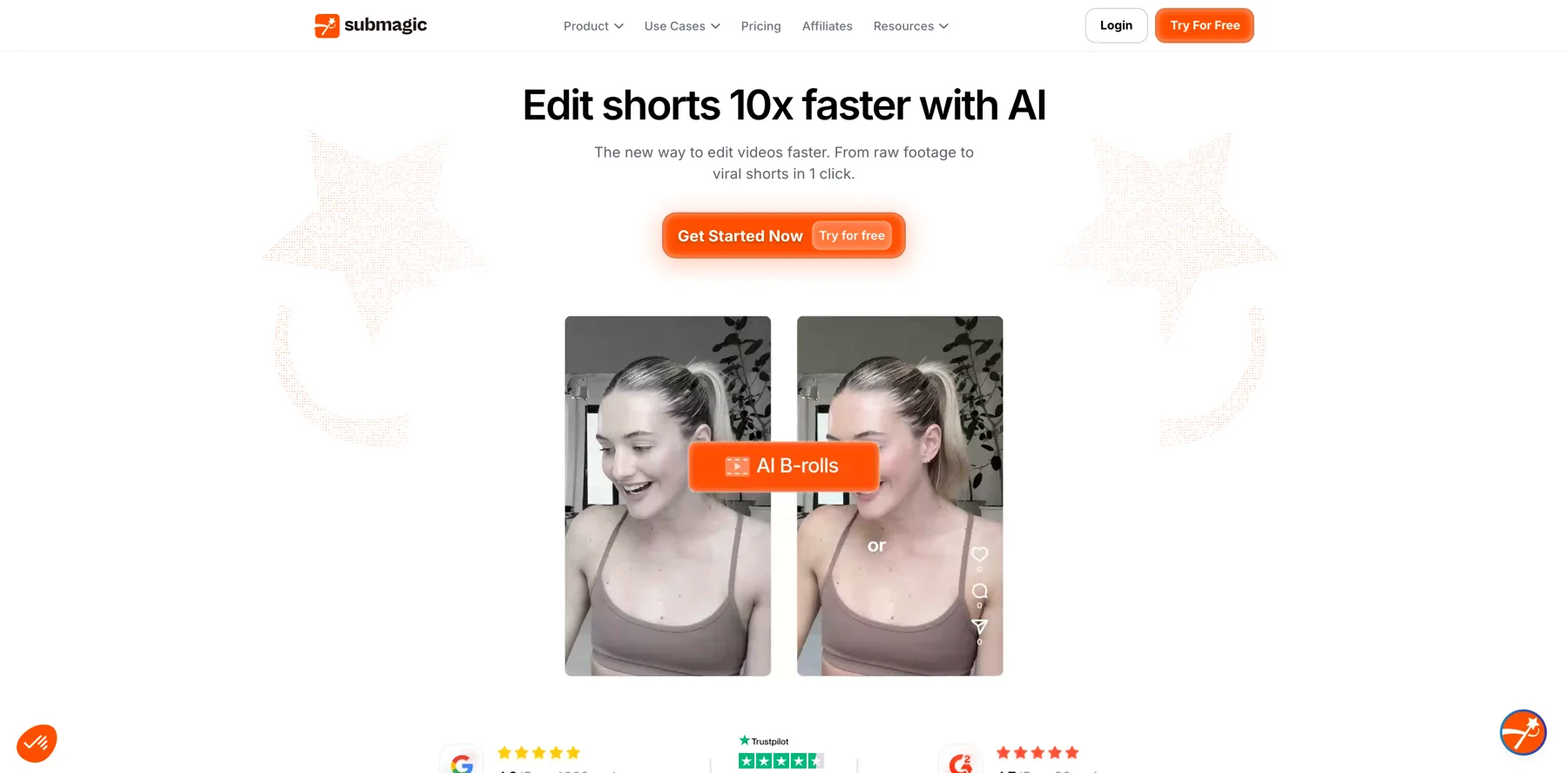
Descrip I use quite often too. It kind of does some similar stuff as Gling. Um, and then one that I really, really enjoy right now is called Sub Magic. SUB Magic and that will create short form video clips from any longer form video you upload. So we've been on this video for over an hour. I think there's so many short form clips that you could automatically get out of something that's longer form like this.
So for Creators that do longer form videos or maybe live streams or something like that, sub magic will automatically identify the best clips throughout your video. And it'll also like add captions and maybe some animations and graphics and stuff. So those are a few of my favorites. They're all kind of like video related, helping me get more videos out basically.
Navid Moazzez: No, it's exciting. I don't know if you have seen that as well. They, they're coming, I think we are closer to this. It's not quite there yet. A lot of these video tools, AI video tools, they're also adding like some. Video agents, so they, I mean D script they have, they have this and I think Subm Magic or uh, op Opus clip, I think they have also added something like that.
It's not quite there yet. So it's like if you see a lot of these videos on social media with people talking, there can be a H even and a clone and they have a lot of over overlays. I think it's not quite there yet to get these viral edits like perfect. I think they cannot do that. They're just adding some emojis and some stock B roll.
You cannot really get a screen share. If you wanna demonstrate, let's say what we are talking about here with right logger, I think they will not, an AI tool will not be able to take this and making the screen share perfect and things like that from a long form video, I think it's not there yet. So you have that.
What you need an editor for, you know, that's what, you probably need someone to hire someone from the Philippines or locally or whatever you wanna do. But yeah, it's, but I think it will be there eventually to do stuff like that. But that's, we are probably a few years away from getting video editing.
Perfect. I think that that's still a job humans need to do, but you need to basically be involved with all these AI tools because this script, I mean, it's getting good, the under Lurd feature is getting pretty decent, although they have had a lot of bugs, but it still, they're, they're working on it. I think they're still adding maybe too many features sometimes, and that's an issue.
I find with some AI tools, I don't know what you have. You have seen Ryan. I mean, some of these tools are just adding more and more. I see
Ryan Robinson: that inside my own product, man. There's way too much going on in right blogger. By the time everyone sees this, we will have also reorganized our sidebar to where it feels less overwhelming, a little more focused on just kind of the core tools.
And then you'll be able to find all the other tools if you really want. But I do think that pretty much all these AI tools run the risk of becoming overwhelming pretty quickly. 'cause you know, maybe a
Navid Moazzez: suggestion like, I mean, something I found when I was using it, maybe just. Kind of, uh, you know, have a toggle for different tools that maybe you don't wanna see everything and then you can make whatever you have, like a favorites list or something.
I, I find some, I've used many tools and some, they do have too many things, but I do, I do think in write log they work. Some people they just have a lot of gimmicks and they don't really work and you won't even use them. I think in RightBlogger, it depends on your workflow. And then that's actually why it would be great to maybe deactivate some stuff for not even having it visible.
And then you can turn it on or put it in the sidebar or your favorite list when you want it. Actually, that's probably would be a great thing.
Ryan Robinson: I love that. And we're making notes over here. Alright,
Navid Moazzez: good. No, no, it's, it's good. I mean, but, but what is nice is, is also basically you are hot swapping different AI tools, so you don't really need to select the model.
I think that's maybe good for some, if I don't know which AI model you prefer for writing. I've always preferred CLOs. So if I want, if I would have my preferred option. And maybe that's something you could do in the future to kind of add for the advanced issues, they can maybe switch from different models.
Mm-hmm. Because I think you can get different outputs, like natural you would. Uh, but yeah, for a beginner, I think that's maybe more challenging when it's doing different tasks. Right. So yeah,
Ryan Robinson: for our power users out there, under the advanced settings, you can drop in your OpenAI, anthropic, Google API Keys.
These are the only ones we've had customers specifically ask for. I didn't see that before. Is that new? It's, it's relatively new. Yeah, it's like within the last month. Okay. And then there's some little stuff to inter creates a new line. But then you yourself for the usage,
Navid Moazzez: right? You pay yourself basically for the Yes.
Okay, cool. Alright.
Ryan Robinson: And if you want, so when you've added your own API key here at the tool level, when you go back to any of our tools, you'll be able to select which model you want to use. If it'll use, you know, your own anthropic, API key, or if you want to use like the right blogger, OpenAI one where you don't pay extra, you can do that too.
Alright
Navid Moazzez: then you already have that. That's amazing. So is there anything else, so much happening. Is there anything else we missed? I think we went really in depth with this. I mean, drop a comment here if you're watching as well. I think this was pretty valuable. And let me know about your workflow if you are checking out this session.
But anything you'd like to share, Ryan, before we kind of wrap this one up.
Ryan Robinson: Yeah. The last thing I'll add is that I love interacting with our customers. So we have over 40,000 users of ripe blogger, and I've chatted personally with a large percentage of that crew. I do live streams about once a week. I post some private virtual group coaching calls, and so anyone who signs up on a paid plan with ripe logger, um, on our business plan, I do a one-on-one strategy session with anyone.
So I'll actually hop in with you. We'll do a private call. It's not broadcast or anything where we will run through what your needs are, how we can help make your content creation experience work better for you in your business. And then the pro plan, we do group coaching calls. So yeah, I get to have a lot of fun with our real people and we get so much good feedback too.
We've got, some of our best ideas have come from the people actually using our tools, so I welcome all the feedback in the world. If you, if you wanna take this for a spin, I'd be super grateful to hear how you're using it and how we can make it better for you.
Navid Moazzez: Yeah, and I, I will drop a link as well to RightBloggers so you can check it out.
At least check it out if the free plan, use it for a little bit. You can test it for. Some video to blog post workflow. So whatever your workflow is, right, you can start with a written content as well, and then you can see if you need to upgrade. But it, it's a good tool if you're having need for this type of workflow.
I think. I think there are not so many useful tools that do this. There's article writers out there, there a lot of AI writing tools and copywriting, but some of them, they don't do all of this kind of stuff. So I'm, I'm excited for it and I think you've built a great product, Ryan,
Ryan Robinson: thank you. Thank you. I love it.
Navid Moazzez: Yeah. And where are pe? Your personal site is R Rob, so people can check this out. Write rob.com. And then on social media, where do you hang out Most, most of these these days.
Ryan Robinson: These days, I'm spending most of my time on LinkedIn, so I'm just Ryan Robinson on LinkedIn. Um, but yeah, my blog ro.com is where you'll find the home base of all of my things online.
There's a ton going on there these days, and I'm writing my, my most recent project is I'm writing a book. It's called I Am Not My Business. And it's about disconnecting your self-worth from your successes and failures in life. A lot of the hard, painful lessons I've learned as an entrepreneur riding the roller coaster of feeling great when things are going awesome, and then feeling terrible when they're not, and how to manage that relationship.
Navid Moazzez: Awesome. Thanks so much for coming on, Ryan. And if you're watching this and checked out this session, drop a comment, what you found most valuable, and do check out, RightBlogger, and drop a link in the description here as well. So thanks so much for joining and I'll see you in the next one. Ciao.