AI image generation workshop
Navid Moazzez: Warm welcome to this AI image generation workshop. We have a lot to cover in this session. So we are going to dive right in. So I'm going to bring Jan up here as well. So we have a whole bunch of different AI image generation tools to cover in this session. Jan, what do you say?
Jan Koch: Yeah, let's dive into DALL-E first, I would say, because as it's integrated into ChatGPT, it's kind of like the first stop if you go into AI image generation.
Navid Moazzez: Yeah, let's share some screen. DALL-E is what a lot of people stumble across first, because they have maybe a ChatGPT account, and then they get in here, and it's probably the easiest one.
Jan Koch: Yeah. And what's cool is with the custom GPTs, there's a ton of help that you can get.
If you are not a professional designer or UX person, these GPTs make your life a lot easier. And for me, that's certainly the case. And I want to showcase a few of them today that make using DALL-E so much faster and more efficient. One of them is the Gliba Tree art designer. And the way you use this is let's go just with one example here.
It will create four different versions, kind of like you're used to. If you've seen Midjourney before that also generates four versions of the same image. But what happens here with DALL-E is you get the Midjourney prompt. And then you get the image that gets generated by DALL-E as well, and you just have one prompt.
So instead of having to think about what are the different spins or the different directions I can take this image in, what are different lighting attributes, for example, what are different scenic attributes, that you might not be creative enough to think about. The Glibertree Art Designer GPT takes that workload off your shoulders, in a sense.
Navid Moazzez: Yeah, I would you say the Midjourney prompts generate the same type of image or would you say it's better quality when you do that? We can maybe test this later in the session.
Jan Koch: Yeah. Yeah, we can compare them straight away after these first four images are done We can hop into Midjourney and compare them to show the side by side in a sense I would say they are way different in Midjourney And I guess that's just due to the nature of the AI models, but I've just copied this prompt Into, into the clipboard and let's go into Midjourney and show this and we'll do it, we'll do a deep dive into what a Midjourney is and how you can use this and stuff like that later on.
So don't worry if this is confusing for you right now, I just want to showcase a different image.
Now we're rendering the same prompt inside Midjourney. This takes a while. Midjourney, even if you are on the paid plan, is a bit slower, I feel, than DALL-E. So while that's rendering, let's have a look at the different versions of this image. And you can see this is what I love about these GPTs, right? You get the same content in the image, but in different variations.
So this is kind of like noon, sun, the sun is at its highest setting. This feels like a sunset. Way different mood in the image. Here we have arctic glaciers here. Way different background. And then this almost feels like a rainforest. I don't know if there's even eagles in the rainforest.
Navid Moazzez: Looks a little bit like a painting a little bit.
It doesn't look 100 percent photorealistic I would say. But maybe, you could turn this into a little bit more realistic. Even in DALL-E. I think DALL-E is less photorealistic. photorealistic than you could get with Midjourney. Midjourney is like crazy, it's scary photorealistic if you know what you're doing.
And it's like, it's basically you can, I mean, as a hobby photographer, I can use some terms in the photography and I can bring that into Midjourney and have like the aperture and the lighting and all this kind of stuff. I'm not sure if it's the same in DALL-E. I don't, maybe you can have this in the prompt, but it's not maybe as efficient as in Midjourney.
Jan Koch: Yeah, in Midjourney, it seems to be better able to follow these prompt instructions. And those are the four images that Midjourney generated from the prompt. So, way different, as you can tell. Um, one thing that's cool with DALL-E, though, is you can say, give me the image generation ID of the last image. So each image has its own identifier, its own ID in the background.
And then you can use this ID in the same chat conversation and reference that as a baseline. So what we can now say is take this ID as a base image, turn it into a photograph.
And then in theory, DALL-E should now, should now try to actually turn this into a photograph. And you can see, I will enhance this image to resemble a more realistic photograph. So this, this ID trick is actually really good if you want to achieve what's called character consistency. And you want to have the same style of an image across multiple generations.
Then this is the way to go
Navid Moazzez: in DALL-E. Yeah, I think what's interesting is to, as a creator, use this for brand images, like you might have used stock photos before, but now you can use AI, like DALL-E, Midjourney, Leonardo, which we're going to show and create images for your blog, for your social media, even thumbnails to some extent, or like do something cool that you couldn't do otherwise.
Uh, without hiring a professional designer. Now it's kind of possible to do this with, uh, these AI tools. I think that's, what's exciting. That's kind of the use case, at least how I would personally use it. I don't know if you have other things I've seen you use it a lot for blog images, Jan. I don't know if you use it for other stuff as well.
I mean, social media, you use it a lot. I see you post this on your LinkedIn sometimes.
Jan Koch: Yeah, for, for LinkedIn, I use it most often for blog images. Um, I first have to become consistent at blogging again for me to use that. But that's the most use cases. Oh, also for presentations. I'm giving a talk next week and, uh, that presentation has 99 percent AI generated images in there.
Navid Moazzez: That's, that's awesome. And I think another thing which I've seen like Mindvalley, for example, they used a lot of these images. Their sales pages, uh, that's also really cool. You can do it for different product images or whatever. I mean, to symbolize something, maybe. If you speak about AI, it would do some kind of futuristic style potentially, or whatever you, whatever you prefer, right?
Or like landscapes, if you're doing something else, like about photography or something like that. But yeah, that, that's kind of how I would see it. Like you can use it for anything in your marketing essentially. And that's, that's really exciting because now it's a lot more accessible to everyone. Yeah,
Jan Koch: yeah.
And I'm just comparing the second, uh, prompt again for the high resolution photograph. Because as you can tell, this clearly is not a high res photograph. So DALL-E struggles with that a little bit
Navid Moazzez: here. How can you get a better resolution from DALL-E? Like, what kind of resolution do they give? Is it fine for social media usually?
I mean I'm sure people might be wondering what you can use it for. Yeah,
Jan Koch: this, this will be fine for social media. So let me just double check here. This is 994 by 568 pixels. That, that will be good enough for social media. Social
Navid Moazzez: media is fine. But I think it's still, it's not. I mean, you ideally. Uh, you would like to have it a little bit better so you can like tweak it a little bit more.
You cannot do too much with this, uh, to change colors or something like that. It's going to fall apart essentially. That's what's going to happen.
Jan Koch: Yeah. you need to upscale it a little bit with DALL-E. If you really want to take it onto, let's say a background graphic for a website or something like that.
Then you, you would struggle with
Navid Moazzez: this, but now Do you know any upscalers? There are some AI upscalers, by the way. I think we, that's also exciting. You can bring the image in there and then without losing too much quality, it's actually, it looks really good.
Jan Koch: Yeah, we can link them below the video. One upscaler I most often use is just the, uh, individual upscaler here inside.
Midjourney because this looks like the river here in the background looks like a photograph and the background here. This is really good. So what you can do here is you can just upscale and there's a way, a difference between a subtle upscale or creative, which morphs the background a little bit, I think.
Um, but let's focus on DALL-E because there are a few more things that I want to show you here. Here's another example with the ID as a base image. So one thing I did is. I created this base image, a boy and, and the dog. And I got the generation ID right here. And I told DALL-E, I want a boy with a Rottweiler dog.
So not, not the, not the golden retriever or what it is right here. But a Rottweiler. And you can see the boy looks quite similar. It's like, it totally messed up. So here's a boy with a Rottweiler behind him, boy with a Rottweiler head, and I don't know what this is even supposed to resemble. But then when you give it another try, you can see the boy still looks pretty similar to the above.
Still looks pretty much the same. And now there's a boy cuddling with a Rottweiler and this is actually an image I wanted to go for. So here's an, that's another example for the image ID and the character consistency inside DALL-E.
Navid Moazzez: Yeah, no, I think this is really really cool with the and also something I've seen some people do is with chatgbt and actually getting Like you can ask chatgbt for different prompts and styles if you go for even for Midjourney and stuff like that I don't know if you've used it like that Jan and Like asking chatgbt to come up with a certain style for example if you're going for a thumbnail you can actually ask chatgbt first for this and then you can kind of go into How can I create something like that with DALL-E or even Midjourney and these kind of tools?
That's probably how I would use it, especially if you don't know too much. I think that's a great way to also get started. And if you're not using these GPTs, I think in combination, that would be cool to use and compare them against each other.
Jan Koch: Yeah, I think the combination makes, uh, the secret sauce right here.
I've tried this before and I haven't had too much success with, uh, chat GPT describing good Midjourney prompts for myself. The way I use that is, uh, give me. Keywords for a specific lighting in an image or give me keywords for a specific framing in an image or a specific scenery or something like that, but I, I wasn't successful creating the full prompts right here.
Navid Moazzez: Um, I think like going specific and asking for like certain things you might want in the image. I think that's, uh, that's the way to go.
Jan Koch: Yeah. And here's another cool GPT that I think would be good to show here, consistent character GPT. And when you start this process. You get walking, walked through a process.
So I want a male character. It's Jan. Let's see what it comes up with. Essentially this is, um, think about when you create brand assets and you have this customer persona of yours, you could visualize the customer persona with this GPT and you get this character that stays consistent across the various images that you create.
And this GPT makes it quite easy because it guides you through the process. So let's say Jan is. 34 years old, dark brown hair,
wears a hoodie and jeans, sits in front of his computer, recording training on AI image generation. Then you can see, okay, different styles that I could do. And let's go for photorealistic with DALL-E this time. And then what's, what's going to happen is it gives you this one image and then it'll ask you, what attributes of this image do you want to change?
So do you want to change the mood? Do you want to change the facial expression? Do you want to change the setting or the frame or something like that?
And this is actually not too bad except for having a translucent screen right here or having the screen on the wrong side of the monitor. Yeah. Maybe,
Navid Moazzez: maybe you view it in a different way. Maybe you have eyes in the back.
Jan Koch: Okay. Please create the image with a focused facial expression.
Navid Moazzez: But when we dive into Midjourney, you will be able to see that this. Still, the quality is lacking in terms of like Jan asked for a photo realistic image here, although this looks pretty good. It's not bad by any means, but it's like you can see that it's ai. You can see that it's not real. And I think with Midjourney sometimes very difficult.
This is better actually. I would say this is better.
Jan Koch: This is, this is cool because now you can see this is the same person.
Navid Moazzez: Yeah, actually it is. And then, but still the screen is a little bit strange.
Jan Koch: Yeah, the, the, the screen looks a little bit off and the, the hands look a little bit off, I think. But you, you can see that in terms of the facial expression and the, now he's wearing, I'm wearing a sweat jacket here instead.
But the, the face and the hair and things like that are pretty similar. So you can achieve this character consistency, but don't expect it to be perfect. I think that's the most important takeaway. I
Navid Moazzez: think in DALL-E is more difficult than doing this and Midjourney. I think in Midjourney, you can do it if you know what you're doing and you are advanced with it, then you can do really crazy stuff, but we'll, we'll get into that then a little bit here.
I think you have more. More GPTs, right?
Jan Koch: Yeah, I have, I have one more for DALL-E and this is the photo multiverse. So essentially what you can do here is you upload an image and it claims to be able to add different backgrounds and styles and things like that to your image. So I'm just uploading a photograph of mine here.
This is the original. And let's see if Photo Multiverse actually creates a usable variation of this. I always find Image AI interesting, you know, because it's always a gamble and it's a little bit of a bet of whether or not it's actually usable, what comes out at the end.
has presented a dapper gentleman basking in the glow of a sunlit day. It's not
Navid Moazzez: a, it's a pretty good image. I mean, it's not that bad. Uh. Yeah. It doesn't look like you, but it's, it's a good
Jan Koch: image. It's captured the, the setting quite well. I think it captured the color of the, of the jacket. Yeah. So let's see.
So I want to change the
Navid Moazzez: background here. You could do a face swap or something like that on, on something like this. And then you can actually get it to look like you
Jan Koch: scene from, let's say ready player one,
all this Apple vision stuff going around right now. Let's see if it, if it can position me in the ready player one view. Yeah, but you can see here, the, the hand is quite a lot better than in the other GPT, this almost looks.
Navid Moazzez: It's much better in this one. I, I don't know if, uh, like compared to these different, uh, AI image generation tools, would you say, which one would you say is the best with hands right now?
In the beginning, all were kind of terrible. Now, I feel Midjourney can get it pretty, pretty good right now. I don't know. I think Leonardo as well, actually, what, what I've seen, but yeah, we will, we'll showcase that in a bit. What, what's your experience,
Jan Koch: Jan? Yeah, I think Midjourney and Leonardo are leading the pack right here and Leonardo probably because it uses stable diffusion in the background.
Navid Moazzez: Very interesting. All right, that's cool. We'll show that in a bit here.
Jan Koch: Yeah, you can see generating images in general takes quite a bit of time. So you have to be patient for that.
Navid Moazzez: Yeah, but it's faster than you just creating this from scratch, you know, that would take much longer. But this, this is kind of cool.
Jan Koch: And it is! Yeah, it could be the same person.
Navid Moazzez: It's similar. It's not exactly the same, but it's, it's kind of similar.
Jan Koch: It's, it's almost as good as Matt Wolff's thumbnail. It's like he, he has nailed the image creation of himself. I think Matt
Navid Moazzez: Wolff, uh, on the AI for creators series, he had a. He basically created a GPT where he actually creates the thumbnails with a mix of these different AI image generation tools.
It's not just DALL-E or whatever, but he's, I think DALL-E is part of it. Uh, I think he's using a stable diffusion, of course, for maybe his face and stuff like that. But he's doing a lot of stuff and then he creates these really cool, futuristic looking thumbnails that might not. Be what you want to do if you have a channel where you need more photorealistic stuff actually rory flynn He he's often using an ai image of himself, but he's more photorealistic so he can Switch out stuff.
He didn't have too many images I think he his image that he had but which is sent me for the summit is from his from a wedding or something like that But then he yeah, it's true And then he then he swapped this out So he puts his face on different, uh, different, uh, people he can generate with AI. So it's actually pretty cool what you can do.
It just takes a little bit more time and it's not always perfect. So you have to like, uh, reiterate a lot of times and then you'll get, get there.
Jan Koch: Nice. Yeah. But that's it for DALL-E that, that I have here. I think those are some really good, uh, GPTs to get started with.
Navid Moazzez: Yeah, I think you can do this for any platform you want to use it for.
I think it's just, I think this is the easiest one to get started with, uh, maybe next to Leonardo, which we are going to show here. Uh, I think that's one is also free. So you can generate quite a lot of images per day and you don't need to even pay for it. And it's really good quality. So what do you have to say about Leonardo?
Jan Koch: What I like about Leonardo is that it makes the image generation for me personally, a bit less intimidating because when you look at DALL-E and Midjourney. Um, not to mention stable diffusion, it is very free flowing, right? You've, you've got this text prompt and I personally, because I'm not a photographer, I'm not a designer, I oftentimes struggle finding ideas, what to put into the text prompt, having a user interface like this here on the left hand side with toggles and buttons to click and, and switches and selects and stuff.
It's more natural to me. So for example, I can see right here, what image dimension do I want to have? How many images do I want to create? Should it be photorealistic or not? Now photorealistic brings me to Leonardo alchemy, which is their own AI generation. I don't want to say model because I think it's more than that, but it's, they call it a pipeline.
So essentially they weave multiple technologies together for generating photorealistic images. And you can see, okay, this is public on the pre on the free plan. If you are on the paid plan, you can of course set this to private.
You can have the guidance right here. So let's go with an image to start with. I'll upload the same image here.
Navid Moazzez: How much is their paid plan? Usually if you, because Midjourney starts around 15 a month, I believe, unless they have changed it. And then 30. I think there's some plans for this. Of course, with DALL-E you needed a 20.
You needed a plus plan on ChatGPT basically to use all of this.
Jan Koch: Yeah, yeah, we can look at the pricing in a sec. Um, essentially what we're doing now is an image to image input. So we're taking the same photograph again and we're generating for 26 tokens. We are generating an AI image here. So essentially what we're doing is take a photograph of a young man standing in front of a nice wall.
You can see here. How much input should my original image bring into the output?
And now we see the magic happening here.
you can see now, uh, the images are running here. And it cut off quite a bit because of the output resolution that was set. But you can see this isn't as great.
Like the, the face looks warped, the hand is off, the watch is off. So image to image input has its pros and cons. This is actually, except for the watch, the face and the hand look quite believable. I think this looks quite okay. And it kept the same background and the same baseline and stuff. This also looks somewhat okay.
If you've used it for social media, I think this would pass.
Navid Moazzez: If you have what's, uh, I think the downside is the skin looks so smooth. I think what Rory talked about in his Midjourney session was that he put something on top of it and then it looks real. I mean, you, you might want to check that one out, that's a tool inside of Midjourney, but for sure you can bring this into.
Photoshop or your favorite image editing tool or photo editing tool and then you can basically You know add something on top and it will look more believable because the image itself is pretty good out of the background and the scenery But then yeah, you see is this face is kind of the giveaway if you want to make it Okay, is this a real image or not?
I mean people would probably guess that it's An AI image if it's too smooth and too perfect.
Jan Koch: Yeah, and what, what I'm now showing you is, the same prompting style as you would have with DALL-E and Midjourney. I removed the image and now it just says take a photograph of a young man standing in front of a nice wall.
And you can see here again as well, it takes like half a minute to a minute for the images to appear, which I think is still not bad. But it's like something you have to be patient enough for, but these, these faces look perfect.
Navid Moazzez: Yeah. Wow. A little bit smooth, but the, the face facial expression, I think this will be a more like a magazine that could pass for a magazine.
For example, of course it's not. Maybe look, I mean, in magazines you edit. They edit a lot. Anyway, so I think this could pass for this because they do make it really smooth. So, yeah.
Jan Koch: Yeah. So this, this is, uh, again, something you have to play with. They also have the image guidance right here, which essentially is this image to image thing.
But you can also do input prompt generation. So the, the basic idea is photograph of a young man standing. In front of a nice wall. And this goes to the idea, to the premise that I don't know what to put into a prompt. And this is something I like a lot about Leonardo because they give you ways you can prompt this.
It's similar to the glibatory art designer GPT, where AI gives you suggestions for how the images could look, and then you can pick any prompt of those that you like and execute that. And it's also quite useful the way they've rebuilt this, um, history tab where you can look through all the generations that you've done and just keep track of all the things that you've done.
Navid Moazzez: I think that's a huge benefit when it comes to Leonardo, they have. This nice interface, which for sure, DALL-E within the ChatGPT interface, it's kind of terrible. You know how it is with, with the chats in ChatGPT, you don't even have really a search for it. At least right at the time we're recording this, but hopefully that's coming at some point.
So you can actually organize things. But in Leonardo, you have this right now and you know, you can generate stuff like this. It looks really good.
Jan Koch: Yeah. And you, you can tell those images are quite different from the first ones that we created. So overall. Given that this is free, I mean, what more can you ask for?
Navid Moazzez: Yeah, crazy. And I think the setting there is perfect. That would fit within for my brand, for example. I mean, I love this kind of style. I would kind of swap him out for me. Then I don't need to pay for a photo shoot. I will just put myself there.
Jan Koch: Right. Wasn't that what, what Jenna Soard had in her AI for Creator session?
Navid Moazzez: Yeah. Part, part of it. But she's doing more futuristic stuff, I think. Like Yeah, like doesn't look real. She is making her look like completely different basically. But like an AI avatar of her, like a super woman kind of.
Jan Koch: That's what she, yeah. But usually she would get dressed up for these photo shoots and Oh, yeah.
And have all the, all these expensive locations that she would have to run these things. And now they're
Navid Moazzez: recording this. She's pregnant, so she, she does for sure doesn't go. For a photo shoot right now. So she's basically just doing this on, uh, on the, uh, with AI anyway. And that's what I think maybe that was part of it.
You know, she's doing, going all in with AI to, to replace these photo shoots and just making it more interesting for, for herself and her audience.
Jan Koch: Yeah, that's amazing what you can do today. Now, what do you say, Navid, should we go to Canva next?
Navid Moazzez: Yeah, Canva is exciting. I've used Canva for a very long time.
And, uh, of course they have added a lot of AI features. And, uh, in the beginning, I wasn't too impressed with the generative AI features. I was always impressed with their background removal features. They have, uh, the resizing. So we can show all these kind of features that's within. Uh the magic studio in canva you can do a lot of cool stuff.
So I think this is the most accessible one To use because you might be using it already for all the other graphics in
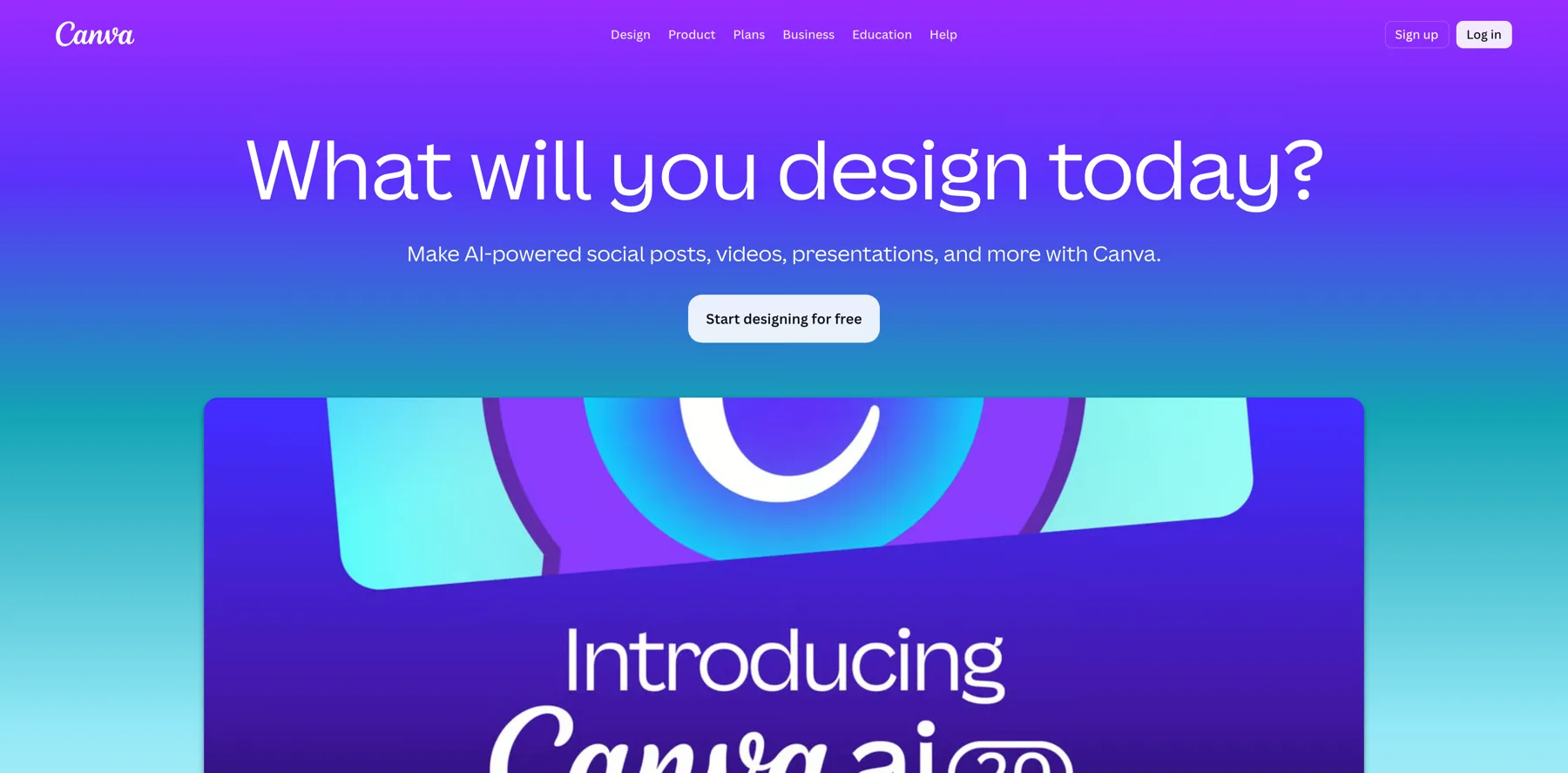
Jan Koch: your business Yeah, so let's go into the magic design, and we can, we now need to put in five words to describe your design. So we go with a modern artificial intelligence vibe post.
And we have the templates right here below, just the usual predefined stuff. And all of this is magic design. And one thing I just want to highlight really quick here is Canva has no issues with text on AI generated images. Like try generating text on Midjourney or on DALL-E.
Navid Moazzez: Yeah, it's not as good. I think you can get it right to some extent, but not like this.
This is like really good. This is like a lot of text too. So, no, pretty amazing what you can do with it. I mean, you can pull, you can get something done pretty quickly.
Jan Koch: Yeah, and then you can pull this into the design like you usually have. You put, you put your brand colors onto it. Update the image with, with maybe AI or maybe something that, uh, You have yourself update the fonts to your liking and that's it.
But one thing that's also cool is the magic resizer. So magic design is for getting the main design and the main template and then fine tuning it yourself. What you can do is a resizer as well. So this is now a horizontal format. I think 1280 x 720. What you can do is you go to the resize. And that was in the resizing here.
see all here you have all the different variations that you can do. And let's, let's go for a square layout.
Navid Moazzez: See how it does with us. Sometimes it's, yeah, it's pretty good. I mean, you will have to, you might have to. Resize things a little bit yourself. It's not perfect. I have used it a lot for the summit graphics because we had a lot of different Layouts and formats and stuff like that But yeah, then you have to resize a little bit and actually restructure the text and that's it.
But it's pretty simple. It's more difficult when you had a lot of faces like we had for the summit. We had all these like profiles and then it's more difficult. All these kind of headshots. But for a simple thing like this or a quote or something, it's like you do it in less than a minute.
Jan Koch: Yeah. Yeah, absolutely.
And even if you have more, more complex designs here, like this one, you could resize this pretty easily as well and say, okay, let's go into, or let's, let's go extreme, let's go into a vertical banner format here and see what it does with that.
So here you push AI to the limits. And I think
Navid Moazzez: it's not there yet. I think this is probably a complete different style. You might, you have to resize quite a bit there. Yeah. Uh, yeah, I would do more simple things with this. I mean, if you really wanted to have the same stuff on the banner, you can do it. And then you can start kind of play around with it a little bit.
You might save a little bit of time, but then still, it's not, you still have to spend the time to restructure things. So AI is not helping us much with these extreme cases, but with the other things that are like from, you know, kind of a vertical to a similar format, maybe like maybe four by five to square, like, you know, the Instagram one, the tall for a little bit taller format to square.
I think that's pretty, that's easy to do. You might just tweak things a little bit there. I've done this a lot and it worked pretty well for the summit graphics.
Jan Koch: I think this is also a good timing to mention that the context of the graphics is different for each platform you post them on. So just having the same content on the graphic might not even make sense depending on where you post it.
Navid Moazzez: Yeah, I think someone who does this really well, and I know you follow him, Matt Gray, he pulls pretty much the same Stuff on all platforms because I mean it would make sense for him, but he had usually on LinkedIn He has he has this kind of draw. It's not drawings, but it's like his notes. Have you seen this?
Yeah Yeah, he basically posts his notes on Instagram. It's really interesting what he does on Instagram. I thought this is cool So he might post a photo like a carousel and the first photo is him with maybe himself doing something or with some kind of I saw him recently with, Ryan Serhant. So that was the first, I was like, okay, he didn't even mention it in the caption.
I was like, okay, cool. And then next, uh, slide there was actually the notes was actually the value posts that I had like this. It was random, but then he keeps posting. So he's like using it in a little different way, but basically you can still get use of it on all different platforms if you have good content.
But yeah, it depends. Context is king, obviously. So you have to make sure you. You know how to post things and what makes sense for your audience.
Jan Koch: Yeah. And I've just pulled out this random image to show the background removing feature, because if you were to remove the background from these sources manually with all the hairs here in the beard and the hair here on top, you would go nuts as a designer.
But now you can go
Navid Moazzez: and use Canva directly. But there's also if you don't use Canva, there's remove BG. I think it's called https://remove.bg. I think that is pretty good, but it does. Lower the rest unless you're on the paid plan, so you don't get the highest rest. So you might as well pay for Canva.
Jan Koch: 100 percent And Canva is so fast, like one click and the background is gone.
It still looks hilarious, but it goes to show.
Navid Moazzez: No, it's good. So that's some of the features there. I think Canva has some other features as well. I don't know if they Have like some I think even some video features they have for the generative AI stuff now, which is cool
Jan Koch: Yeah, so let me go back Into the magic studio here.
There's also magic design for presentations, which essentially is the same, is the same thing. You can create presentations with AI and fast forward editing for your video. So let's see if I can have three images here.
Navid Moazzez: And something you showed, uh, in a different session with it, Jan, you can actually change the language. I think that is really cool.
Jan Koch: So we're now creating a video promoting artificial intelligence with three AI generated images that I had in Canva.
And I'm not sure if the audio comes through.
Navid Moazzez: But you have also audio in Canva, so you can actually add audio to
Jan Koch: this. It's, it added audio automatically. So this is now a full clip here with audio in there.
Navid Moazzez: It can be used for a reel or something. I mean, it depends what you're doing, but I probably wouldn't use it directly.
I don't, I'm not impressed with all the features, but I think this is just going to get better. Uh, they need to get better because, you know, with OpenAI, they're coming up with their video, their video model and stuff like that. I think these other tools like, you know, RunwayML. Canva all these tools that deal with this kind of stuff.
They just need to get better. Otherwise, they're gonna be left behind So I think all that is good for it's good with the competition essentially because that just pushes every platform I think yeah,
Jan Koch: so let's see Let's say I wanted to have this video in Arabic now. All I have to do is I have to go to translate Select the language to translate to,
and there we have it.
Navid Moazzez: Listen, can you, can they do, I don't think this platform can do the dubbing, so you actually can have the audio. I think that's like veed.Io and HeyGen and things like that can do that. But I don't know if Canva have added this, I mean, I'm sure in the future they might add it. But I don't think right now you can actually get the voice, uh, I don't know if you've seen that yet.
Jan Koch: No, I haven't seen dubbing on
Navid Moazzez: Canva yet, no. That would be a cool thing because other platforms that deal with similar things like Weed and, and Hagen, but they are more focused on just video, though, I would say it's like a graphic platform, so it might take a while, but I wouldn't be surprised if at some point this will come into the platform.
Jan Koch: I could see them team up with some of those platforms, honestly. Yeah, I do a partnership. Yeah,
Navid Moazzez: that's nice and stuff. That would be cool.
Jan Koch: Yeah, but but that's Canva AI I would say those are the most important features and go ahead and play with
Navid Moazzez: it I would say just play around to be honest and even if you're not using all the AI features you will still even though you think you're not using AI, you're using AI when you're removing, uh, the, the background from this headshot you have for a summit or for your, you know, your sales page or whatever you need.
So you're always using some AI features. I mean, you're probably been using it for a long time, but now it's more prominent with the generative AI features. I think that's, what's really new. It's getting better with the resize and all this, that's just getting better. So yeah, play around with it. Uh, we are, we are heavy users of Canva.
Even my design team that just used Photoshop before, they are diving in all along Canva because it's so easy and they're using it for a lot of clients now because they can just share the link so much faster than with Photoshop. And yeah, it's, it's very good. Yeah, it's great for teams. So let's dive, uh, yeah, let's move forward.
Jan, It is Midjourney next.
Jan Koch: Midjourney is next, yeah, and Midjourney is a tool that runs on Discord right now. They also have this web app but I can't show that because I don't have access to the web app yet. Essentially what you can do with Midjourney is I would assume the web app rolls out pretty soon after we release this video for everybody.
You can use text prompts. It's a text to image platform, just as DALL-E and Leonardo. And the way you use this is inside Discord. You run a slash imagine. And then you can enter the prompt. So let's say, take a photograph of a stunning sunset at the beach,
and then you can see it, it automatically adds version six to it, which is at the time of the recording, this, the latest model. And we will go through the settings in a little bit. I just want to show the, the main workflow first. What do you use Midjourney for mostly Navid?
Navid Moazzez: What's the blog images? I think before on my site, it was, it was a lot more challenging.
And now we are just launching the new creative school blog at a time. We are doing this session and I'm going to use Midjourney for a lot of these, different posts and maybe not all of them, but I, for sure the posts that, that would be relevant, I would use it for, like if I have a post about, I can just imagine I had a post, let's say the how to become a digital nomad or Lifestyle design before and I didn't want to use a photo myself.
I mean, I have a lot of photos of this. I might use one for me, but just as an example, I could generate that with AI instead of taking a stock photo from Unsplash. I think it will be more beneficial to do it with AI because with stock photos, they are used on so many other sites and Google recognize this.
so then you're not going to get the SEO benefits and all this kind of stuff. So when you're generating, generating an image, With the Midjourney or with your favorite AI image generation tool. You don't own the copyright to this image, which we have talked about before. But, it's gonna be the only image like that on the web.
And that's beneficial, I think. so, you, I don't even care on the blog. Someone can steal that image. It's not so important for me. But at least I am getting the benefits that I have. I'm the only one who have posted this. And that's good in the, in Google's eyes, basically.
Jan Koch: Speaking about, um, copyright, they did recently update the terms of service, which is, I think, really important to highlight at this point.
Yeah. And they say, um, you understand and agree that we will not be liable to you or any third party for any loss of profits, blah, blah, blah, that's okay. But here's the kicker. If you harm someone else or get into a dispute with someone else, we will not be involved. Okay. If you knowingly infringe someone else's intellectual property and that costs us money, we are coming to find you and collect that money from you.
We might also do other stuff like try to get a court to make you pay our legal fees.
Navid Moazzez: Yeah, that is interesting. Actually, something worth mentioning here is Photoshop or Adobe. They have a lot of generative AI features. We're not going to show this a lot in this session, but They have Firefly. I think it's really useful as well.
And in their terms, they say you're actually protected, to some extent at least. I mean, I don't, I don't know what would happen if you got into a conflict. But I think it's because Adobe, they have made sure whatever you generate, It's kind of you it's all good. It's all cleared. But the Midjourney is like more variation You can do a lot more stuff with it You can like copy someone's art basically and then you can claim it as your or your your own on your blog or whatever I think that's not okay.
I would be very careful to say do a painting in the style of Leonardo or like what Leonardo da Vinci or, or your favorite photographer. Don't do that. Like, just don't, you don't do this. Like you use like more open stuff that is not, uh, you know, that cannot be interpreted at as you actually stole something from someone else.
Jan Koch: Like, like this one right here, for example, nobody can really claim a copyright on this.
Navid Moazzez: Yeah, no one can claim this. Like, but if you, if you, if it's a famous person, don't do it. I think that's where you could potentially get into trouble. You might not, but you might take the risk. Like you, why would you even copy someone else?
Like you, you can do whatever you want with AI. I think that's the beauty of it. You don't need to copy someone else. You can be your own artist in this. I think that's, what's really cool. And that's why people like us, we are not artists. We are not designers, but we can create pretty good art. We can create pretty good photos by using tools like Midjourney, Leonardo and DALL-E, and we don't need to copy someone else.
Yeah,
Jan Koch: absolutely. And I think it's also important to note that, um, the only way you can claim the copyright is if you actually customize the image later on and add your own intellectual property
Navid Moazzez: to it. Yeah. I mean, basically I've spoken to, uh, you know, Peter Nevis on this. Uh, what's really important is that you, the most of the stuff, it's not just that you add a filter on top, that's not enough.
You need to actually customize the whole thing, basically like completely different. Then you can claim it. Uh, so it's more like for let's say nike who wanted to use a Midjourney image. Although probably they they don't for all the stuff they do But let's say if they wanted to do that, uh, then they could actually Alter the image completely and then they can use it in an ad campaign.
For example, they would never use A public in a, like an image from Midjourney that would not be, that would not be good because anyone can steal this image later for their campaigns. So you just copy Nike, uh, that's, that's not going to work. So very important.
Jan Koch: So now in this next prompt that you see me execute right here, it's the same instruction.
Take a photograph of a stunning sunset at the beach. I've given the dash dash a R which is aspect ratio, which lets you control. The aspect ratio surprise of the image, given it's stylize zero and stylize is a parameter that goes from zero to a thousand. And essentially that controls how AI fight for the lack of a better word, the image looks like.
Now it says that could not complete the job, so we can just try this again. Sometimes this still happens.
Navid Moazzez: But that's why it's good we are doing this kind of live here, because then you can see what can happen if you do it. So you don't have to be doubtful or whatever. It's just part of the process. Just do it again and you'll get the results. And sometimes when you do it again, it's not going to generate the same results.
It's always going to be a little bit different.
Jan Koch: And it still says now I couldn't recover. Couldn't run, but let's see if it comes up with, I wanted to run the stylize 0 against the stylize 1000.
Okay, now Midjourney is reloading. All three are at 0%. Let's see if this works out or not.
While they are deciding whether or not they want to run, let's show you the blend format. The blend command. So there's a slash blend that lets you upload images and merge them together. So let's take, here's an aerial picture of a local city. And this is going to be a tough one. Okay, they are now coming, so that's
Navid Moazzez: good.
Okay, you, you with a
Jan Koch: With an aerial view. Let's see what it comes up with.
Okay, so this is the beach with Stylize 1000. This is as AI as it gets.
Navid Moazzez: Yeah, we can do it without this to see more realistic as well to see the difference.
Jan Koch: Yeah, I think those two really got stuck Okay, try those again. The stylus is zero.
You can tell friends patience is not my strong forte
Navid Moazzez: Yeah, but it's still pretty fast Might have to play around a little bit with it, but it's pretty fast We will link up some resources below as well. And also I would recommend for sure If you really want to master Midjourney, check out Rory Flynn, he's amazing.
That's all he does. Drew Brucker is also great at this stuff. So I would recommend the resources when it comes to Midjourney. If you really want to dive deeper, if you just want to get into it and do some images for your blog and whatever. I mean, it's probably what we are showing you now could be enough more or less to do so.
Jan Koch: So here's, here's one. This is one, one thing why I wanted to have my headshot in there. When you upload headshots from people, they will get warped.
Navid Moazzez: This is so funny, you're just flying around. But I think what could be nice to show is that we, we make a prompt. And we basically do something, let's say that might be for a blog or something.
And we try to make something photorealistic. And maybe something a little bit cinematic even. And to show the power. Of Midjourney and its full, full potential, basically, because it can do really amazing stuff. And like, even with Leonardo, you saw some really photorealistic images that could be a magazine cover.
Let's see what Midjourney can do.
Jan Koch: Yeah. So let's say I wanted to have a photograph for an AI related blog article of a young developer sitting in front of his Macbook in a sci fi themed. Office, aspect ratio, let's say this is the banner image, 21 by 9, stylize is 100. It also introduced a chaos parameter at that point.
Chaos goes from 0 to 100. And it controls how different the images are. Compared from each other. So how, how big the difference between the four images are that you get? We have neon lighting, cyberpunk, um,
modernism.
What does it say now? Ah, it doesn't like the themed. Why is that?
So, you can see the details mattered. I had a dash before the themed and that put it off feels like coding when you forgot a semi colon somewhere the entire platform
Navid Moazzez: With Midjourney, this is more important and I can show you a resource in a little bit where you can actually get some prompts for Midjourney as well.
I don't know if you still use that. I know before you used to, you can't even buy Midjourney prompts. I don't know if that would be the best to do anymore, but I would, I would check out some resources. They're also a nice. Place within discord, you can actually see what people are publishing. I think that's really cool And they actually upload so you can if you're new to Midjourney You just go in there to their channel in discord and you can see The exact prompts and even they have facebook groups around this You might be able to link some up below so you can actually get in there And then people are sharing their prompts so you can actually Just one parameter, you can tweak one small thing and then you can actually get some different results, but still really high quality.
I think that's really useful.
Jan Koch: So this is, uh, the Midjourney server where you can see all the different prompts. different images generated. Yeah. And this is pretty dang cool to get.
Navid Moazzez: I hope this will still be there when they have their own app fully in place, because I think what Midjourney has, some other platforms they don't really have this, is really the big community.
I think that's amazing. So you can actually get in there and very quickly familiarize yourself, even though you're not really an expert on the journey, you just get started prompting and getting some great images. And then you can learn to, you know, some more strategies and techniques afterwards. Like, okay, you want to tweak this?
Okay, then you learn this. But at least you don't need to learn all the things at one time, then that would be overwhelming.
Jan Koch: Yeah, what you can also take away from these prompts that other people do is see how they frame The characters and what they do. So here they say front view, upper body, smile, and you get the upper body from the front view.
So if you wanted to create a similar shot, a similar graphic, you can then focus on those prompts. And just take, take what you like from them. But I think
Navid Moazzez: because I know photography or I've done this for a while, I know I can get pretty good results with Midjourney with this. But I think if you're newer to this in general, okay, it might take you a little while, but it's still a lot easier.
You don't need to learn like a full camera like my Sony camera. That would be way more complicated to get something amazing out of it. Then with Midjourney, for example, especially if you're new here, you just have to, it's really no right or wrong. You just have to get in there and get started.
Jan Koch: So these are the images that we just generated with the developer sitting in front of their MacBook
Navid Moazzez: and you can left one looks really, I mean, that looks real, man, I would
Jan Koch: say.
This could be just in the Starbucks somewhere. It
Navid Moazzez: looks like he needs to work out a little bit there. He needs to do less coding and more running, but it's
Jan Koch: a good one. That's pretty cool. And this is quite scenic, actually. I like this, the bottom left, quite a bit. But you can see with Chaos50, they are very, very different.
Yeah, if I put this at chaos five,
Navid Moazzez: what do you usually put when it comes to the chaos? Like I mean for for most if you wanted something for a realistic, I guess you would put less. I mean less I mean, that's the variety of that Of the photos, but what do you usually want the variety to be? Uh, you know, really in the beginning?
Jan Koch: Yes. Yeah. In the beginning. Yes. Because I usually don't really know what kind of style I'm going for, but as I, as I narrow it down, I usually tone down the chaos parameter.
Navid Moazzez: Okay. I think for someone starting out with it, I think that makes the most sense. And then when you are more clear on your brand and what you're going for, you might, you might just need to do one or two different iterations and then you are good, you know, eventually.
Jan Koch: So I've just clicked on U3 here, which gives me this one in full swing. And now what I can do is I can go to apps and go to InSwapper. And it should let me create an, uh, swap my face onto this. And this clearly does not work as well in, in Midjourney. So in inside, inside face swap is an app that you can add to your discord server and that you can upload your headshot to.
Navid Moazzez: It's not as easy as it sounds, it takes a little bit of time, like even Rory Flynn, who's been doing this for a long time, like I could tell it's not him, and then he did a few iterations, I would link up the session below, but you can check what he's doing with it, I think it's the worst standoff. Of the presentation in in that Midjourney master class we did for the AI for creators series.
I I he Basically managed to look quite similar, but still it's difficult You have to do you have to do a lot of iterations and then you eventually get it there But and I also I think it's more difficult with the With the lighting and stuff you have now, I think if you did a more clear photo, Jan, it would be easier actually to do it.
Like less of this, uh, you know, with this like crazy coding light, you know, it's
Jan Koch: like crazy eyes here in the background. Yeah. Yeah. But, but here, But here is the difference with Chaos 5. You see, these are all quite similar style, and you can tell the further down you tune Chaos, the better it follows prompts.
Because now all of them have neon lighting in the background, and all of them are kind of like, uh, Cyberpunk a little bit, and this one, only one has neon lighting in the background. Yeah, but
Navid Moazzez: I think for, uh, what was the blog post about? I think it's something with AI and coding and the computer. I think this makes really good sense.
You know, I guess you could create this image yourself with you sitting there. You could do it for sure if you have the setup and all this. You could do it yourself if you wanted yourself on the photo. But if you have a company blog or something, you might just want this. Even Mindvalley, uh, they use a lot of Midjourney for their images on their blog before they use stock photos.
It's really, really interesting that now they can keep the brand consistency across all their blog images because they have some pinkish, you know, in their logo and stuff like that. And Vishen was going through this in a, in a session when he talked about his brand. This is all intentional. Now they are basically getting this in there.
With the help of Midjourney when they are putting their blog images and they have trained their entire team there. There's not a small company, but if you're a solopreneur or starting out your business. You can do this yourself, or even have a VA, your training, or the VA is actually a little bit of an expert on Midjourney, or these AI image generation tools.
And I think that's going to be essential. Rather than just hiring a designer who only got design skill, now, I think having the AI skills as well, really beneficial to use these tools, because it just amplifies them as, uh, as someone working for you. I think it's really, really important.
Jan Koch: Yeah, absolutely. I couldn't agree more with this.
Now what you can also do in Midjourney is you can zoom out, which makes the image itself a little bit bigger. Yeah. Which is cool because it just adds more, more background to it. And you can do that in canvas as well with the magic expand feature. But honestly, that is quite useless. That's why we didn't show it.
I wouldn't rely on the magic expand, but here. You can see in a minute when it's rendering done. This is pretty cool, actually.
Navid Moazzez: This is really good. But I guess you could generate this from the beginning as well. But if you like the image, then you can get the same image but a little bit zoomed out, I guess.
That's, uh Yeah. That's what it is. And I think that's, I mean, imagine how many lenses with a camera you would need to do this. And you have to carry a full bag, you know, different lenses to get, because you can also, I know this is a little bit of a dramatic scene, you know, I think you can make something which is more clear and then you would see more of the potential of a camera that you can have the aperture, really low aperture with the bokeh in the background, the blurry background.
You can make it really cinematic. I think these things are cool and you can do it in a golden hour, where it's the best light. You don't need to like go up at like 5am in the morning to capture the perfect light in Midjourney and you can do it like anytime you want, basically.
Jan Koch: Yeah. It's pretty insane what you can do with Midjourney.
And here's another cool thing while the next round of zooming out is rendering, this is permutation prompts and this is inside curly braces, a red, green, yellow bird. And what this will do is. It will execute three prompts instead of one. So whenever you want to run multiple variations of a prompt, or you want to vary a component of your image, say different lighting, for example, different background setting, you put it into curly braces, and then it executes the prompt three times instead of you having to, to trigger the prompt three times.
Navid Moazzez: No, it's really good.
Jan Koch: This is zooming out quite a bit now. Oh, I like this.
Navid Moazzez: Maybe I will use this. Maybe I need to create your blog image now. Or your blog post, I should say, and then use this image for this. I mean, I think it would work pretty well, depending on what you do. Of course you have to see kind of with your brand, your colors a little bit, but I think that's kind of what you can play around with.
I think that's maybe more, a little more difficult if you are newer, like you, you're going to get the brand consistency right all the time, but play around with it. Maybe you have a few colors to use, like you can. You can make sure you get a little bit of that in there. Or if, if you want to use this type of style, if you just have really photorealistic stuff, I mean, it's like, yeah, you just keep the same style for the photos, maybe the same scenery or whatever you want to do.
And that's, that's fine. If I did a lifestyle blog about traveling and I wanted to have really nice photos or drone photos or whatever, I would just, I would just use stuff for this. That's what I would do. This is, this is cool as well.
Jan Koch: One prompt, 12 images. Yeah, yeah, that's pretty nice
Navid Moazzez: can do a lot with this for sure
Jan Koch: what we can also do is we can describe images So we can describe this aerial view right here And Midjourney gives you four different prompts that supposedly Create the same the same or similar Uh, view image.
So here you have Kodak Vision. This is something I would be careful with again. Because it's recognizing a specific person, which would probably be like a photographer or something like that, or an artist. So with that, yeah, that's a Dutch painter. So you would be careful with this. I'll probably use something like this from where you're not referencing a painter or something like that.
Let's just run this for the for the fun of it. You can also say imagine all which runs all four and then you can recreate in theory the images that you want to run.
A lot you can do in Midjourney. We're barely scratching the surface here.
Navid Moazzez: Yeah, it's just about playing around and generating as many images as you can basically if you want to get into this. I mean there are some other tools you mentioned but I think the best quality We tend to get from Midjourney, although Leonardo is probably the easiest one to use.
And I would, if you just want to have a free tool and you're not kind of want to go all in right now, maybe you want to cut down on subscription costs or whatever, we, which we will show you before we wrap up the session, we will show you a little bit, the difference in price and. I guess to, to get started, Leonardo is pretty much a no brainer because it's free to use a lot of stuff in there.
And yeah, that way you might already have, because you pay for ChachiBD plus plan, which anyway should do if you're into AI and you want to use this kind of stuff, I think it's
Jan Koch: worth it. Yeah. So Leonardo is free, as you can see right here, 150 fast tokens per day. Now this increases drastically. If you have the apprentice standard for 10 bucks a month, if you pay yearly and you can see that, but what's pretty cool is that Leonardo gives you the ability to upload your own images to their model and essentially train their model onto your images.
So the, the. The colors, the scenery, the settings, the mood, everything that you convey in your brand images. If you have a library of images that you're using already, you can feed it into Leonardo and it should pick up the same style from the images that you're creating forward. I think that that's one of the biggest reasons for me.
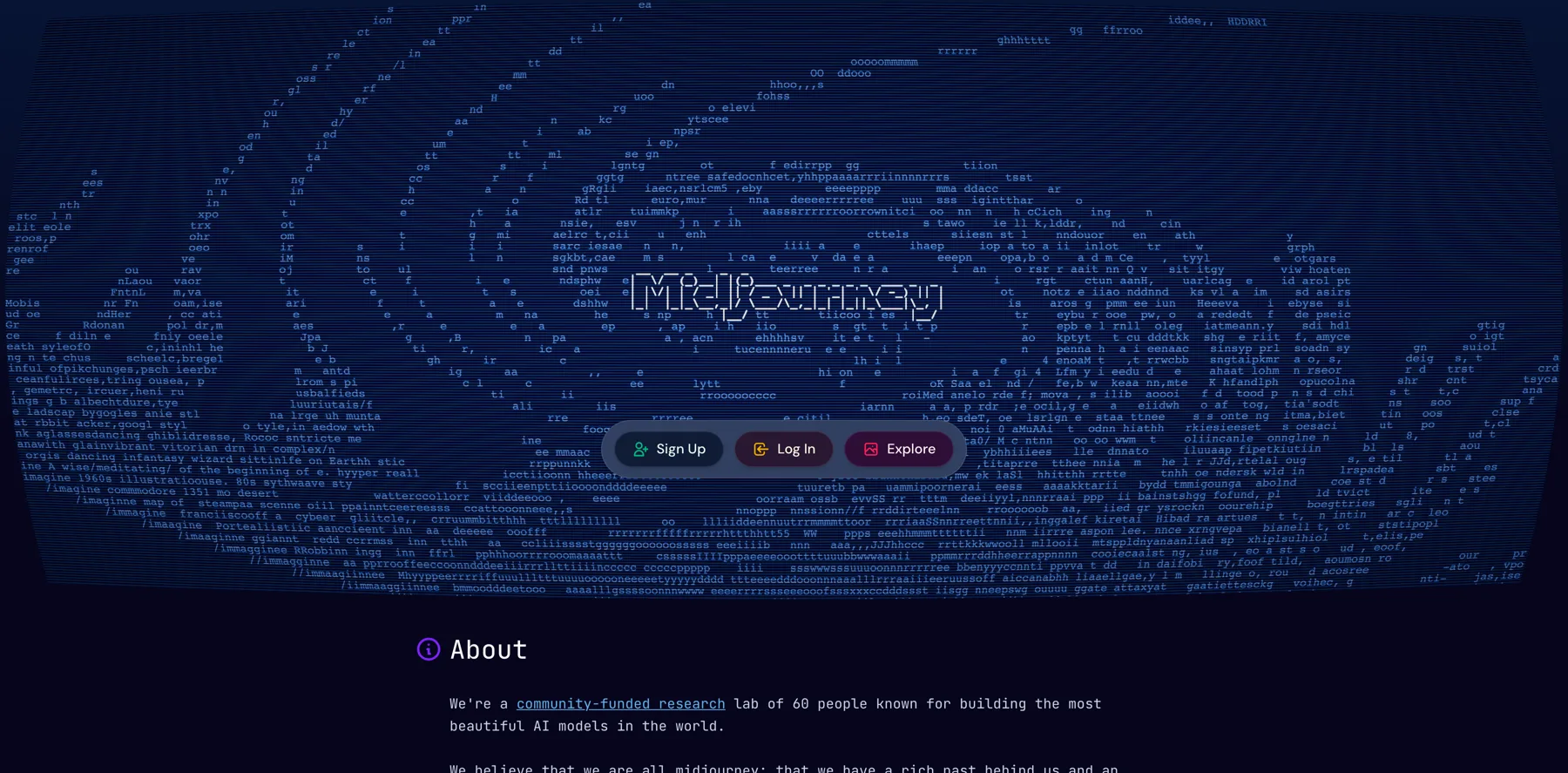
Navid Moazzez: Yeah, no, that's a good, good one for sure for the pay plans there. And I don't, I think it's pretty equivalent to something like Midjourney in terms of the pricing for the paid plans. Uh, it's always funny when I go to the Midjourney site Yeah, I always I always and I mean their site you kind of it looks like a coding site. That's kind of what I feel about Midjourney.
That's why it's is more intimidating for someone starting out I think leonardo looks way more clean and something anyone can do Uh, but yeah Midjourney, I think it starts at what did it start with like 15, right?
Jan Koch: Midjourney now starts at eight if you pay yearly. Yeah. Month, monthly. Is
Navid Moazzez: that 10? 10, okay. Ah, yeah.
So I think it was, yeah, 10, $10 a month. And then you have, uh, I think I've been on like $30 a month. Yeah. Yeah. And if you're really a heavy user, I mean $60 a month, but then you really need to get use of it. Uh, do a lot of them. I don't know which one you were on, Yan. Uh, I,
Jan Koch: I'm on basic right now.
Navid Moazzez: Yeah, so it depends if you use a lot.
I think before we, I've been on the 30, then depends how much you use it really, what you need, but I think, uh, I think they're all good, but I would probably start with. Unless you really want to get into all of these tools. If you are like all into AI, I mean, you can pay for all of them, but the subscription costs go up quite a bit.
Yeah.
Jan Koch: And this is the outcome from the description from the prompt. So this is quite similar in style. I would say it's not the same town, of course, but, but in terms of style, these two are quite similar. The other ones look more like, like miniature cities. I think because of the exposure and the blurry surroundings right here, but overall pretty nice.
Navid Moazzez: Nice. This is, uh, I mean, like you can do whatever you want. You can even upload the images you have from the past and you can tell them to do something about this. I mean, there's even tools I've seen. I'm not sure exactly where you can do this, but you can actually have. Let's say an old photograph of yours, I mean, there's AI tools for this, by the way, if you want to have this, the real photo and then upscale it, there's like AI upscalers now that actually can take your old photo that was like grainy with an old iPhone and then you can make it really professional.
That's crazy right now, like even this AI technology is really good when it comes to images, so.
Jan Koch: Yeah, what I'm doing now is I'm just picking two images right here. And I want to see if I can merge them together. So let's say I want to put this guy into, uh, into a setting where he has a, where he has a, what's it called?
A bird in the office. Let's say, imagine paste the link in here. But in, in the office, and then we go with image weight 0.5. So dash dash IW is image weight, which controls how much of the original image should be resembled. And it goes from zero to 2. 5 obviously is less retaining of the original image. If you had two, it would be like almost the same.
I think now we can, we can show the examples here in a bit. This is also pretty cool. You can just copy and paste URLs from images. Obviously the images you need to have the license for to do this, but then you, you can feed them into Midjourney and just run them as well.
It's funny that it says I'm on the fast plan and it sits on zero
Navid Moazzez: for so long. That's, that's the only thing it's pretty slow to generate. I mean, the quality you get is better, but so my, you might, might be worth it, but still, it's a lot slower than other ones.
Jan Koch: Yeah. Ah, there we go.
Navid Moazzez: Okay.
Let's see how this one is. Do you like any of these, Jan?
Jan Koch: Well, you can see that it clearly took some inspiration, because it's a bird in an office setting, but it has nothing to do with the main, with the original image. Let's try this again.
And we go image weight 1. 5, the original more weight,
and then we should see maybe even the guy turns up again in the image and the neon lighting comes back.
While this is running, let's browse through some more, some more things right here. You have all these newcomer rooms where people who are just getting started with Midjourney and on the free plan, I think. Oh no, they dropped the free plan. It was a while ago when they had a free plan you could only use.
create public images on their discord servers, but this is pretty dang cool. There's a tattoo artist in Germany that, that does one line tattoos and they cost an arm and a leg if you get him.
Black frame for mockup vertically oriented. This is also cool if you want to create product mockups and you put like your magazine cover into this one. You
can get all sorts of inspiration from just going through these. Oh, nice. Let's see, this is done here.
There we go. They dropped the bird now. So you can tell it's a little bit of play and back and forth because now it's, uh, got the, he, they added more yellow, maybe because one of the birds was yellow before, but it dropped the bird. But you can see how the image weight parameter impacts the output. If you use multiple images or an image input, you definitely have to be aware of this image weight parameter, because if you don't set this, you have no control over how much the image you feed into Midjourney actually impacts what comes out.
I think that's it for Midjourney. That that's
Navid Moazzez: do you have any final words in terms of image AI image generation, Jan, anything you would like to share to get people started on the right track?
Jan Koch: I think the easiest way to get started is Leonardo or the custom GPTs. Of, of, uh, DALL-E, if you have to GPT plus already, if not, I would highly suggest Leonardo Midjourney, as you've seen, creates an hour liking the best output, but also has the, the toughest learning curve.
But then we have the sessions of Drew Brucker, Rory Flynn, and I think others mentioned it as well at the AI for creators session that, walk you through it.
Navid Moazzez: Yeah, absolutely. I think just get in there. Uh, we link up some we will link up some resources you have any questions or takeaways from this session, be sure to leave it in the comments below. We have all the resources and links we mentioned, so you can get started with your favorite AI image generation tool here as well. I would probably get started with, as Jan mentioned, DALL-E because it's within ChatGPT and Leonardo.
But yeah, I love Midjourney because it's more photorealistic and I love that as a photographer and someone traveling I can get some really, really cool stuff. So for me, it makes sense to use Midjourney. But if you're starting out and you just want to dabble with this, I would start with DALL-E and Leonardo.
And of course, Canva as well is really, really good. So don't forget that. And if you are an Adobe user, we haven't talked about this too much, but Firefly is extremely good as well. So I would check that out too when it comes to AI image generation. So that's it for this session. I'll see you in the next one.
Ciao for now.